Minecraft version
Back to mods 
CurseForge · Minecraft mod
Admin Shop
Configurable in-game shop and money utility
Choose a version Pick your version below, then grab the matching file.
Quick answer
Which Admin Shop release should I use?
Latest stable file adminshop-1.5.1.jar
Game version 1.12.2
Loader forge
Admin Shop adminshop-1.5.1.jar targets 1.12.2. The project page does not say whether this file belongs on the client, dedicated server, or both. No extra mods listed for this file.
Where it goes
Is Admin Shop required on the client, server, or both?
The project page does not say whether this file belongs on the client, dedicated server, or both.
Client Source doesn’t say
Dedicated server Source doesn’t say
Loader for this release No loader listed
Required install it here Optional supported, not mandatory Not supported do not install here Source doesn’t say do not assume
The source does not explicitly classify this release as client-only or server-only.
What else does Admin Shop adminshop-1.5.1.jar need?
adminshop-1.5.1.jar. Change the file and its required mods may change too.
This file does not list any required mods. Do not add a library just because a different file uses it.
This file does not list any required or optional mods.
Before you install it
Add Admin Shop without breaking your instance.
Built for Admin Shop adminshop-1.5.1.jar. Pick another file and the loader, install side or required mods may change.
- 01
Stick to this file
Use adminshop-1.5.1.jar. It targets 1.12.2; another release may have different loader, side or dependency requirements.
- 02
Bring the mods it needs
This file does not list any required mods. Do not add a library just because a different file uses it.
- 03
Put it on the correct side
The project page does not say whether this file belongs on the client, dedicated server, or both.
- 04
Pick the file you checked
Use the “Get this file” button beside adminshop-1.5.1.jar. It opens that exact file at the source.
About this project
What does Admin Shop add?
Admin Shop adds a configurable shop that players can use to buy and sell items, fluids, and power to and from the server.
The shop's contents can be edited though a csv file (Spreadsheet) in the config folder. The format for adding items and categories is displayed within the csv file itself. You can use the command "/adminshop reload" to reload the shop from the csv file in-game to see if your changes work, without restarting your game! The shop supports buying and selling items and fluids to and from the player. Forge energy is also supported, but only through the seller block, and the price of power is specified in a regular config file (feature can be disabled as well).
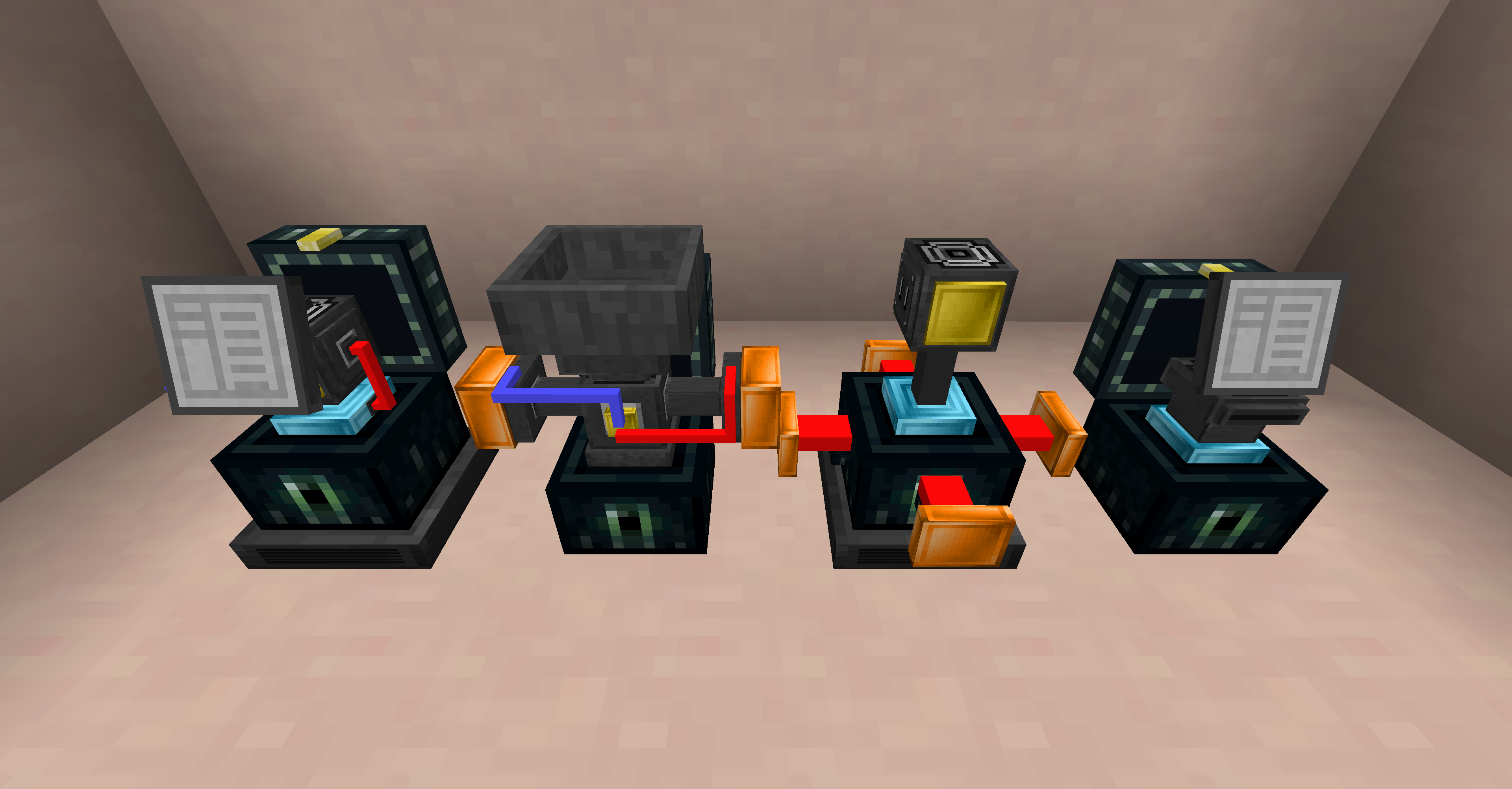
Blocks:
- Shop: Used to buy and sell items in a clear User Interface.
- ATM: Withdraw money from your account in the form of a check that can be given to other players. The player who right clicks the check will deposit the money into their account.
- Seller: Multi-purpose selling block. Manually insert or pipe in items, fluids, and forge energy to automatically sell for money.
- Buyer: Auto purchases items or fluids, and inserts them into the tank/inventory above. Can set rate of purchase and only active with a redstone signal.
Maximum of 6 categories for buying and selling each, with as many items per category as you want. Will create a category scrolling button in a future update.

If you want to use this in your mod pack, please go ahead! It would be nice if you were to let me know about its usage so I can check the pack out for myself, but it's not necessary.
Project description from CurseForge.
Pick your setup
Admin Shop by Minecraft version and loader
Choose the version and loader you play, then open the matching release.
Check the dependencies, then try the file in a copied instance before changing a world you care about.
Recent files
Admin Shop versions and loaders
adminshop-1.5.1.jar
22 Oct 2019
Client Source doesn’t say Server Source doesn’t say Dependencies No extras listed Listed on Release listing
Check the 1.12.2 setup 1.12.2 release
adminshop-1.5.0.jar
18 Oct 2019
Client Source doesn’t say Server Source doesn’t say Dependencies No extras listed Listed on Release listing
Check the 1.12.2 setup 1.12.2 beta
adminshop-1.4.jar
19 Sept 2019
Client Source doesn’t say Server Source doesn’t say Dependencies No extras listed Listed on Release listing
Check the 1.12.2 · Forge setup Forge1.12.2 release
adminshop-1.3.2.jar
4 Jan 2019
Client Source doesn’t say Server Source doesn’t say Dependencies No extras listed Listed on Release listing
Check the 1.12.2 setup 1.12.2 release
adminshop-1.3.1.jar
3 Jan 2019
Client Source doesn’t say Server Source doesn’t say Dependencies No extras listed Listed on Release listing
Check the 1.12.2 setup 1.12.2 release
adminshop-1.3.jar
3 Jan 2019
Client Source doesn’t say Server Source doesn’t say Dependencies No extras listed Listed on Release listing
Check the 1.12.2 setup 1.12.2 release
adminshop-1.1.jar
28 Apr 2018
Client Source doesn’t say Server Source doesn’t say Dependencies No extras listed Listed on Release listing
Check the 1.12.2 setup 1.12.2 release
adminshop-1.0.jar
2 Apr 2018
Client Source doesn’t say Server Source doesn’t say Dependencies No extras listed Listed on Release listing
Check the 1.12.2 setup 1.12.2 release
Looking for an older file? The official CurseForge project page is in Resources.