Minecraft version
Back to mods 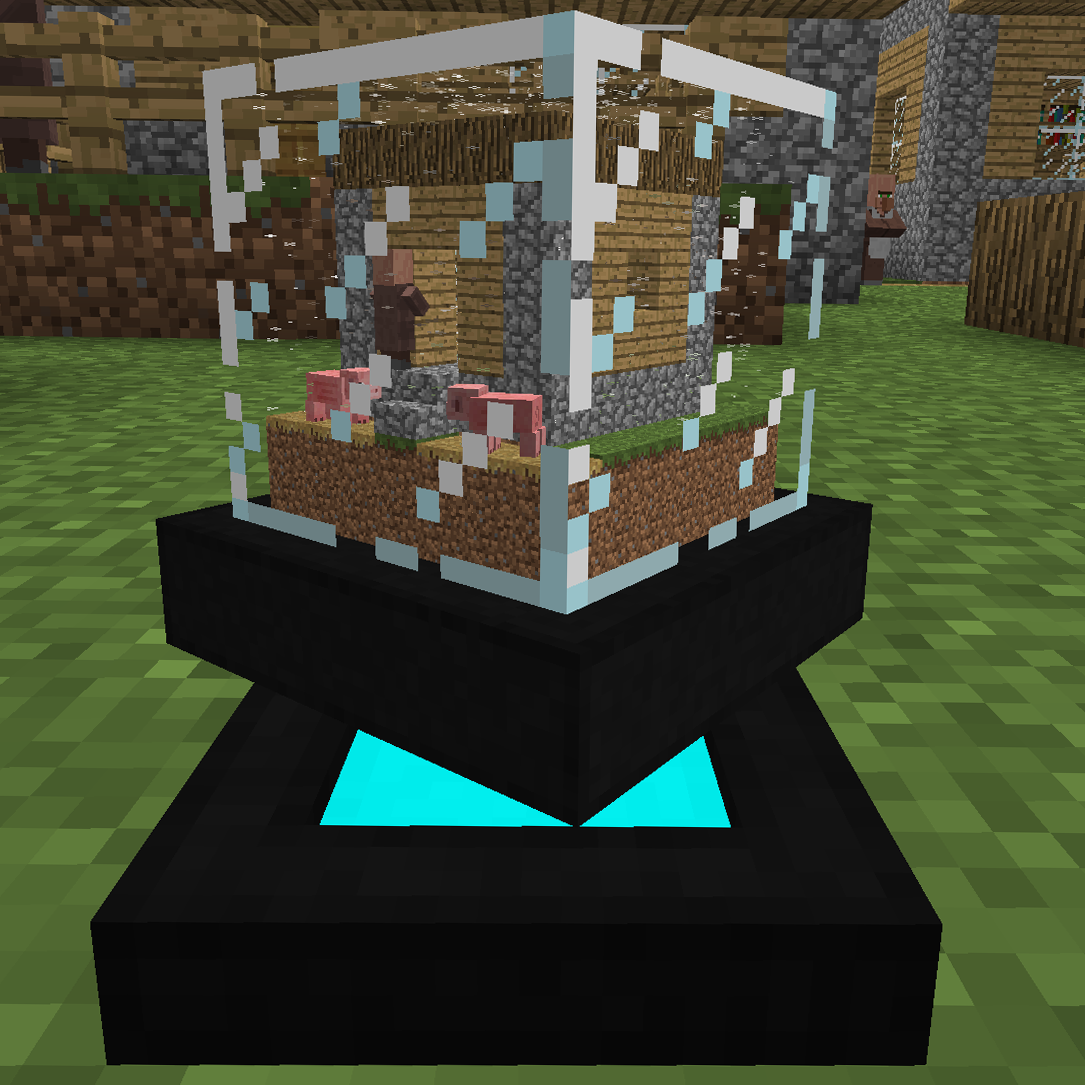
CurseForge · Minecraft mod
Globe
"globe" (verb) - To form (something) into a globe.
Choose a version Pick your version below, then grab the matching file.
Quick answer
Which Globe release should I use?
Latest stable file Globe-1.12.2-0.0.1.jar
Game version 1.12.2
Loader Not required
Globe-1.12.2-0.0.1.jar targets 1.12.2. The project page does not say whether this file belongs on the client, dedicated server, or both. No extra mods listed for this file.
Where it goes
Is Globe required on the client, server, or both?
The project page does not say whether this file belongs on the client, dedicated server, or both.
Client Source doesn’t say
Dedicated server Source doesn’t say
Loader for this release No loader listed
Required install it here Optional supported, not mandatory Not supported do not install here Source doesn’t say do not assume
The source does not explicitly classify this release as client-only or server-only.
What else does Globe-1.12.2-0.0.1.jar need?
Globe-1.12.2-0.0.1.jar. Change the file and its required mods may change too.
This file does not list any required mods. Do not add a library just because a different file uses it.
This file does not list any required or optional mods.
Before you install it
Add Globe without breaking your instance.
Built for Globe-1.12.2-0.0.1.jar. Pick another file and the loader, install side or required mods may change.
- 01
Stick to this file
Use Globe-1.12.2-0.0.1.jar. It targets 1.12.2; another release may have different loader, side or dependency requirements.
- 02
Bring the mods it needs
This file does not list any required mods. Do not add a library just because a different file uses it.
- 03
Put it on the correct side
The project page does not say whether this file belongs on the client, dedicated server, or both.
- 04
Pick the file you checked
Use the “Get this file” button beside Globe-1.12.2-0.0.1.jar. It opens that exact file at the source.
About this project
What does Globe add?

What Globe is, in a gif (better with sound)
Globe is a mod written in 18 hours during the last 24 hours of ModJam 5. Voting is now open: http://www.modjam.net/
Ever wanted to have those fancy snow globes you've always seen in gift shops? Now, you can make your own! Using the globe creator, all you need to do is put a globe in it and activate it. Yes, it is that simple!
After the globe creator is done, pick up it's result and there you have it, a fancy globe! Put it down on a solid surface and admire it, maybe even punch it to make it snow in the globe!
Want to spice it up even more? Put your globe on our "magnetic" globe stands. These stands use "magnets" that make your globe float and keeps it in place, no matter how much you punch it!
Recipes:

Globe

Globe Creator

Globe Stand
Known issues:
- Block rendering is not efficient and has issues, item render and entity renders also has issues, these were not addressed due to ModJam's time constraints. They will be fixed in the future.
- Putting globes into a globe recursively, repeatedly, is not good for FPS. This may be addressed in the future.
- Snow render can look a bit buggy. It was done in the last 30 minutes of ModJam. This will be fixed in the future.
- Disconnects because the NBT data created when making a globe is too large.
- Crashes because of Tile Entity creation as in with Forge Multipart
Future plans:
- Make a way to release the globe's contents.
- Possibly make it so you can enter globes (unlikely)
- Make proper rain/snow/animation in globes.
- A way to change the radius of the globe creator.
- Include a blacklist of which blocks you cannot pick up.
- Configs.
Requires Minecraft Forge.
If you made it this far. You should check out this clip that happened during development.
Project description from CurseForge.
Pick your setup
Globe by Minecraft version and loader
Choose the version and loader you play, then open the matching release.
Check the dependencies, then try the file in a copied instance before changing a world you care about.
Recent files
Globe versions and loaders
Globe-1.12.2-0.0.1.jar
4 Apr 2018
Client Source doesn’t say Server Source doesn’t say Dependencies No extras listed Listed on Release listing
Check the 1.12.2 setup 1.12.2 release
Looking for an older file? The official CurseForge project page is in Resources.
