Reskillable Needed by extraskills-1.12.2-1.0.2.jar
requiredMatching file found Matched file: Reskillable-1.12.2-1.13.0.jar
CurseForge · Minecraft mod
A mod which allows you to add new skills to Reskillable
Quick answer
extraskills-1.12.2-1.0.2.jar targets 1.12.2. The project page does not say whether this file belongs on the client, dedicated server, or both. All 1 required mods have matching files.
Where it goes
The project page does not say whether this file belongs on the client, dedicated server, or both.
The source does not explicitly classify this release as client-only or server-only.
extraskills-1.12.2-1.0.2.jar. Change the file and its required mods may change too.
Install Reskillable first. We found matching files for this game-version and loader setup.
We only count dependency files that match this setup. A file for another loader does not fill the gap.
Before you install it
Built for extraskills-1.12.2-1.0.2.jar. Pick another file and the loader, install side or required mods may change.
Use extraskills-1.12.2-1.0.2.jar. It targets 1.12.2; another release may have different loader, side or dependency requirements.
Install Reskillable first. We found matching files for this game-version and loader setup.
The project page does not say whether this file belongs on the client, dedicated server, or both.
Use the “Get this file” button beside extraskills-1.12.2-1.0.2.jar. It opens that exact file at the source.
About this project
This mod is an addon for Reskillable and allows you to easily add new skills.
It's worth noting that at this time there is no way to add new traits within these skills, but the skills can then used for requirements.
There is a config directory for this mod where the config JSON file and all icon images must be located.
The JSON file is where you can list and define multiple new skills to be added, and then you can put icon images into the directory for the new skills to use.
The JSON file will generate the first time with an example:
[
  {
    "name": "example",
    "localName": "Example",
    "background": "stone"
  }
]
Note: This example will not be added as a new skill. It is safe to leave it there for your reference. Specifically, any skill with the name "example" will not be added.
All skills must be in the above format with all three properties populated. Here's what each are and what they do:
All icon files must be in a PNG format, and 64x64 pixels. The top row of 64x16 pixels are where your 4 skill stage icons will be. You can use this example icon as a guide.
Make sure that when you add new skill locks to the Reskillable config, if you want to use a skill added by this mod you must reference it as "extraskills:<skillName>". For example, if I have a skill called "tech", then the skill lock must use "extraskills:tech".
Please post any issues or suggestions to my GitHub using the link at the top.
Project description from CurseForge.
Pick your setup
Choose the version and loader you play, then open the matching release.
Check the dependencies, then try the file in a copied instance before changing a world you care about.
Recent files
17 Apr 2018
15 Apr 2018
14 Apr 2018
Looking for an older file? The official CurseForge project page is in Resources.
 mod
A mod that adds biome specific Pots randomly in your world with useful loot.
 mod
A simple marketplace for players to sell their items
 mod
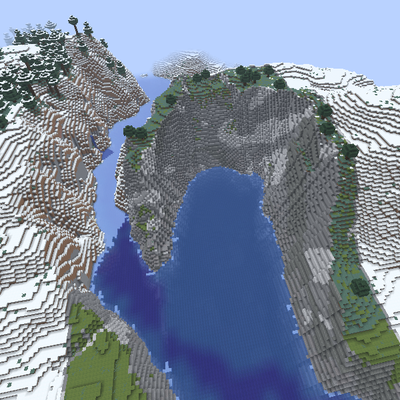
Terrain-blended procedural natural landmarks built from vanilla blocks — volcanoes, fjords, glaciers, waterfalls, canyons, caves, craters, islands, and ancient trees.