Minecraft version
Back to mods 
CurseForge · Minecraft mod
JJ Skill
JJ Skill is a mod that adds more than 30 skills to the world of Minecraft
Choose a version Pick your version below, then grab the matching file.
Quick answer
Which JJ Skill release should I use?
Latest stable file JJ Skill 1.12-1.12.2-v1.0.35.jar
Game version 1.12.1, 1.12, 1.12.2
Loader Not required
JJ Skill 1.12-1.12.2-v1.0.35.jar targets 1.12.1, 1.12, 1.12.2. The project page does not say whether this file belongs on the client, dedicated server, or both. No extra mods listed for this file.
Where it goes
Is JJ Skill required on the client, server, or both?
The project page does not say whether this file belongs on the client, dedicated server, or both.
Client Source doesn’t say
Dedicated server Source doesn’t say
Loader for this release No loader listed
Required install it here Optional supported, not mandatory Not supported do not install here Source doesn’t say do not assume
The source does not explicitly classify this release as client-only or server-only.
What else does JJ Skill 1.12-1.12.2-v1.0.35.jar need?
JJ Skill 1.12-1.12.2-v1.0.35.jar. Change the file and its required mods may change too.
This file does not list any required mods. Do not add a library just because a different file uses it.
This file does not list any required or optional mods.
Before you install it
Add JJ Skill without breaking your instance.
Built for JJ Skill 1.12-1.12.2-v1.0.35.jar. Pick another file and the loader, install side or required mods may change.
- 01
Stick to this file
Use JJ Skill 1.12-1.12.2-v1.0.35.jar. It targets 1.12.1, 1.12, 1.12.2; another release may have different loader, side or dependency requirements.
- 02
Bring the mods it needs
This file does not list any required mods. Do not add a library just because a different file uses it.
- 03
Put it on the correct side
The project page does not say whether this file belongs on the client, dedicated server, or both.
- 04
Pick the file you checked
Use the “Get this file” button beside JJ Skill 1.12-1.12.2-v1.0.35.jar. It opens that exact file at the source.
About this project
What does JJ Skill add?

Trailer:
Description:
JJ Skill is a mod that adds more than 30 skills to the world of Minecraft, in order to make it look like an MMORPG. Skills can be both combat (PVP and PVE) and for farming. The Mod adds a new type of Red Experience, thanks to which it will be possible to improve our skills bringing them up to level 10.
Compatibility:
Addition of compatibility with the "Better with Mods" mod (if you enable compatibility from the config, the press can only be used if activated by kinetic energy)

The Red Experience:

It is possible to obtain the new Red Experience added by Mod, in the same way as the classic experience of Minecraft Vanilla (killing mobs, using the furnace, fishing, etc.). Like any self-respecting MMORPG we can use our accumulated experience to improve our Skills, to do so we must use the GUI by pressing the "P" key

Thanks to this GUI we will also be able to view the available experience. It is possible to get new experience, drinking from a new item added: Bottles of Experience  that with a little luck we will find in the Dungeon Chest.
The Press:
The Mod adds a new multi-block structure, "The Press" thanks to which we will be able to assign the Skills learned to our Weapons / Items. The construction is very simple and very economical, first we must craft the Block Press:

then we must arrange the blocks on the ground like this:

finally clicking with the right button on the central block of the structure we will get this result:

The Weapons:
(the old textures have been modified for copyright reasons)
Get the new 15 new weapons (3 Swords 3 Bows 3 Battle Axes 3 Daggers 3 Brackets) added by Mod, killing mobs. We can associate a maximum of 3 Skills per weapon / item. You can not carry more than 3 skillful weapons / items with you in the inventory.
Use of Skills:
Using a skill is very simple, just place the weapon with our favorite Skill in our right hand, this will appear in the upper left of our screen icons of Skill.

We can change the selected Skill by pressing the "ALT" key

Most Skills are activated by pressing the right mouse button, with the exception of some skills (such as those of the arc) where you will need to click with the left mouse button. Once activated, the edge of the icon turns golden (see image below left), once the Skill effect is finished the edge will turn gray again and in order to reuse the Skill we will have to wait Cooldown time (see image below right side )

Using a Skill we will consume part of the Mana at our disposal. Mana reloads 1 per second:

Config and Command:
The mod adds a lot of tools for customization and configuration. Through the classic menu of the config of the mod will be possible to set the values of each skill for each level, you can for example add new weapons/items with skill for certain skills, or we can decide which mobs can drop weapons etc etc.
command list:
/bookskill (to get the book of mod)
/giveskillexp number_of_the_experience (example: /giveskillexp 5000 to assign 5000 exp to a bottle, you must have the bottle in your hand)
/resetexp (to clear the accumulated experience)
/resetskill (to reset their skills)
/setmana number_of_the_mana (example: /setmana 80 to set the mana bar to 80)
Video:
This mod is free, and may be used in any modpacks.
Project description from CurseForge.
Pick your setup
JJ Skill by Minecraft version and loader
Choose the version and loader you play, then open the matching release.
Minecraft version
1.12.1
1 loader buildMinecraft version
1.12
1 loader buildMinecraft version
1.10.2
1 loader buildMinecraft version
1.10.1
1 loader buildMinecraft version
1.10
1 loader buildCheck the dependencies, then try the file in a copied instance before changing a world you care about.
Recent files
JJ Skill versions and loaders
JJ Skill 1.12-1.12.2-v1.0.35.jar
10 Apr 2020
Client Source doesn’t say Server Source doesn’t say Dependencies No extras listed Listed on Release listing
Check the 1.12.2 setup 1.12.11.121.12.2 release
JJ Skill 1.12-1.12.2-v1.0.24.jar
26 Mar 2020
Client Source doesn’t say Server Source doesn’t say Dependencies No extras listed Listed on Release listing
Check the 1.12.2 setup 1.12.11.121.12.2 release
JJ Skill 1.12-1.12.2-v1.0.23.jar
25 Mar 2020
Client Source doesn’t say Server Source doesn’t say Dependencies No extras listed Listed on Release listing
Check the 1.12.2 setup 1.12.11.121.12.2 release
JJ Skill 1.12-1.12.2-v1.0.22.jar
25 Mar 2020
Client Source doesn’t say Server Source doesn’t say Dependencies No extras listed Listed on Release listing
Check the 1.12.2 setup 1.12.11.121.12.2 release
JJ Skill 1.12-1.12.2-v1.0.1.jar
11 Jul 2018
Client Source doesn’t say Server Source doesn’t say Dependencies No extras listed Listed on Release listing
Check the 1.12.2 setup 1.12.11.121.12.2 release
JJ Skill 1.10-1.10.2-v1.0.0.jar
27 Apr 2018
Client Source doesn’t say Server Source doesn’t say Dependencies No extras listed Listed on Release listing
Check the 1.10.2 setup 1.10.21.101.10.1 release
Looking for an older file? The official CurseForge project page is in Resources.
 mod
CurseForge · Minecraft
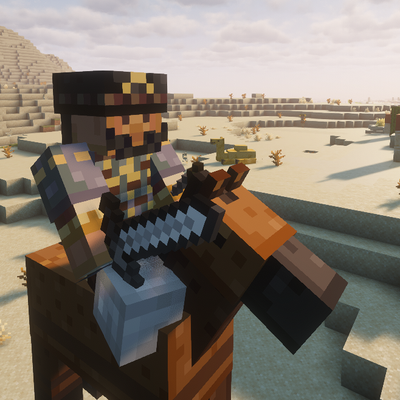
Mongol Invasion - Genghis Khan's Army
Face Genghis Khan and rare Mongol invasions, mounted armies, occupied villages, peaceful settlements, traders, and vanilla-style survival combat.
 mod
CurseForge · Minecraft
Gulom
Gulom is a cute little guy with many secrets. He likes loot and will find some for you
 mod
CurseForge + Modrinth · Minecraft
Enchantment Core
A data-driven enchantment component and utility library.