Minecraft version
Back to mods 
CurseForge · Minecraft mod
Useful Tools
Early game items for your building, farming and mining needs.
Choose a version Pick your version below, then grab the matching file.
Quick answer
Which Useful Tools release matches 1.20.3 Forge?
Best match for your filters usefultools-1.20.3-6.2.0-forge.jar
Game version 1.20.3
Loader Forge
Useful Tools usefultools-1.20.3-6.2.0-forge.jar targets 1.20.3 with Forge. The project page does not say whether this file belongs on the client, dedicated server, or both. No extra mods listed for this file.
Where it goes
Is Useful Tools required on the client, server, or both?
The project page does not say whether this file belongs on the client, dedicated server, or both.
Client Source doesn’t say
Dedicated server Source doesn’t say
Loader for this release Forge
Required install it here Optional supported, not mandatory Not supported do not install here Source doesn’t say do not assume
The source does not explicitly classify this release as client-only or server-only.
What else does Useful Tools usefultools-1.20.3-6.2.0-forge.jar need?
usefultools-1.20.3-6.2.0-forge.jar on 1.20.3 Forge. Every mod below is checked against that same setup.
This file does not list any required mods. Do not add a library just because a different file uses it.
This file does not list any required or optional mods.
Before you install it
Add Useful Tools without breaking your instance.
Built for Useful Tools usefultools-1.20.3-6.2.0-forge.jar on 1.20.3 Forge. Pick another file and the loader, install side or required mods may change.
- 01
Stick to this file
Use usefultools-1.20.3-6.2.0-forge.jar. It targets 1.20.3 with Forge; another release may have different loader, side or dependency requirements.
- 02
Bring the mods it needs
This file does not list any required mods. Do not add a library just because a different file uses it.
- 03
Put it on the correct side
The project page does not say whether this file belongs on the client, dedicated server, or both.
- 04
Pick the file you checked
Use the “Get this file” button beside usefultools-1.20.3-6.2.0-forge.jar. It opens that exact file at the source.
About this project
What does Useful Tools add?
Starting from version 7.0.0 you need Architectury API mod also and Fabric needs Fabric API!
Wish you could make huge wheat fields easily and fast? Or wide roads by just walking? Or maybe you have hard time finding spawners or slime chunks?
This mod can do that for you!
Introducing Useful Tools: Early game items for your building and farming needs.
 Check out the other images too in Images-tab.
Items and Tools:
This mod contains tools that help with mentioned above and more.
- Running out of wood? - Chopping Axe makes chopping trees a breeze.
- Need to wack those weeds of your lawn? - Grass Scythe slices your way ahead.
- Want to make huge farmlands? - Dirt Tiller and Super Tiller are your answer.
- Planting crops takes time? - No worry Crop Planter is here.
- Need to grow crops fast? - Watering Can on the go!
- No time to harvest them one by one? - Harvesting Sickle is the key.
- Need to get to places and mark route with pathways? - Path Maker and Road Maker are your tools of trade.
- Having hard time finding spawners underground? - Spawner Locator is your friend.
- Don't know where the slime-chunks are? - Slime Locator helps you very much.
- Want to mine fast and efficiently? - Sledgehammers are here. They are enchantable and made from variety of crafting materials.
- Want to turn pathways and tilled ground back to dirt? - Rake is for the job.
- Need to clear out large area of snow? - Easy peasy with a Snow Scoop.
More information:
Changelog can be found in files tab.
Also forum topic on minecraftforum, forge forums and on planetminecraft.
Mod spotlights:
Project description from CurseForge.
Pick your setup
Useful Tools by Minecraft version and loader
Choose the version and loader you play, then open the matching release.
Minecraft version
1.21.3
3 loader buildsMinecraft version
1.21.2
2 loader buildsMinecraft version
1.21.1
3 loader buildsMinecraft version
1.21
3 loader buildsMinecraft version
1.20.6
1 loader buildMinecraft version
1.20.5
1 loader buildMinecraft version
1.20.4
1 loader buildMinecraft version
1.20.3
1 loader buildMinecraft version
1.20.2
1 loader buildMinecraft version
1.20.1
3 loader buildsMinecraft version
1.20
1 loader buildShowing the newest 12 of 16 game versions. Older files are in the list below.
Check the dependencies, then try the file in a copied instance before changing a world you care about.
Recent files
Useful Tools versions and loaders
usefultools-1.20.3-6.2.0-forge.jar
6 Dec 2024
Client Source doesn’t say Server Source doesn’t say Dependencies No extras listed Listed on Release listing
Check the 1.20.3 · Forge setup 1.20.3Forge release
usefultools-1.20.3-6.1.0-forge.jar
18 Nov 2024
Client Source doesn’t say Server Source doesn’t say Dependencies No extras listed Listed on Release listing
Check the 1.20.3 · Forge setup 1.20.3Forge release
usefultools-1.20.3-6.0.6.jar
4 Nov 2024
Client Source doesn’t say Server Source doesn’t say Dependencies No extras listed Listed on Release listing
Check the 1.20.3 · Forge setup 1.20.3Forge release
Looking for an older file? The official CurseForge project page is in Resources.
 mod
CurseForge · Minecraft
TONI's Arsenal Forge
Forge your gear with 18 upgrades. Combine elemental blades, 3×3 mining and double-bladed axes while keeping your enchantments.
 mod
CurseForge · Minecraft
Rotten Flesh Armor
Perfect for zombie survival packs, stealth runs, or anyone who’s ever looked at a stack of rotten flesh and thought “I could wear that.” Wearing this armor makes it harder to be detected by hostile mobs.
 mod
CurseForge · Minecraft
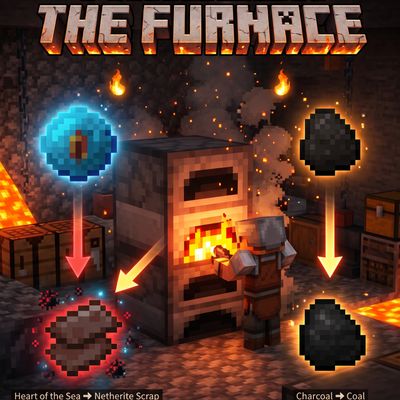
heart of The Sea to Netherite Scrap,charcoal to coal,Fast Recipes (inspired by Quark)
heartOfTheSea_to_NetheriteScrap