Minecraft version
Back to mods 
Modrinth · Minecraft mod
Kill sound
Adds sound effects to your kills
Choose a version Pick your version below, then grab the matching file.
Quick answer
Which Kill sound release should I use?
alpha file 1.0.2
Game version 1.21.11
Loader Fabric
Kill sound 1.0.2 targets 1.21.11 with Fabric. It must be installed on the client. Do not install it on the dedicated server. No extra mods listed for this file.
Where it goes
Is Kill sound required on the client, server, or both?
It must be installed on the client. Do not install it on the dedicated server.
Client Required
Dedicated server Not supported
Loader for this release Fabric
Required install it here Optional supported, not mandatory Not supported do not install here Source doesn’t say do not assume
This file is marked client-only.
What else does Kill sound 1.0.2 need?
1.0.2. Change the file and its required mods may change too.
This file does not list any required mods. Do not add a library just because a different file uses it.
This file does not list any required or optional mods.
Before you install it
Add Kill sound without breaking your instance.
Built for Kill sound 1.0.2. Pick another file and the loader, install side or required mods may change.
- 01
Stick to this file
Use 1.0.2. It targets 1.21.11 with Fabric; another release may have different loader, side or dependency requirements.
- 02
Bring the mods it needs
This file does not list any required mods. Do not add a library just because a different file uses it.
- 03
Put it on the correct side
It must be installed on the client. Do not install it on the dedicated server.
- 04
Pick the file you checked
Use the “Get this file” button beside 1.0.2. It opens that exact file at the source.
About this project
What does Kill sound add?
a sound will play after your kill a player
Only triggers on player-vs-player kills, not PvE
Sound only plays for you locally - other players don't hear it
Try different sounds for different moods - entity.wither.spawn sounds epic for dramatic kills
If u want to add your sound look in How to use it 4.(if it didn't work then u need to choose between the basic)
Features
Kill Detection: Automatically detects when you land the killing blow on another player
Customizable Sound: Choose from a variety of Minecraft sounds including level-up, orb pickup, dragon death, wither spawn, and more
Volume Control: Adjust the sound volume to your preference
Pitch Control: Fine-tune the pitch for a higher or lower sound
Enable/Disable Toggle: Turn the mod on or off without uninstalling
How to use
Install the mod in your client/Minecraft mods folder
Launch Minecraft with Fabric loader
Play normally - the sound will automatically play when you kill another player
To customize settings, edit the config file located at: %appdata%/.minecraft/config/killsound.json
Config Options
/enabled : Set to true or false to enable/disable the mod
/soundId : The sound to play (see list below)
/volume : Sound volume from 0.0 to 1.0
/pitch : Sound pitch from 0.5 to 2.0
Available Sounds
/entity.player.levelup - Level up chime (default)
/random.orb - Experience orb pickup
/entity.wither.death - Wither death
/entity.wither.spawn - Wither spawn
/ui.toast.challenge_complete - Challenge complete fanfare
/entity.ender_dragon.death - Ender dragon death
/entity.lightning_bolt.thunder - Thunder
/entity.generic.explode - Explosion
/entity.blaze.death - Blaze death
/entity.ghast.death - Ghast death
Project description from Modrinth.
Pick your setup
Kill sound by Minecraft version and loader
Choose the version and loader you play, then open the matching release.
Minecraft version
1.21.10
1 loader buildMinecraft version
1.21.9
1 loader buildMinecraft version
1.21.8
1 loader buildMinecraft version
1.21.7
1 loader buildMinecraft version
1.21.6
1 loader buildMinecraft version
1.21.5
1 loader buildMinecraft version
1.21.4
1 loader buildMinecraft version
1.21.3
1 loader buildMinecraft version
1.21.2
1 loader buildMinecraft version
1.21.1
1 loader buildMinecraft version
1.21
1 loader buildCheck the dependencies, then try the file in a copied instance before changing a world you care about.
Recent files
Kill sound versions and loaders
1.0.2
mod_that_lets_u_add_a_yo_1.21.jar
28 Mar 2026
Client Required Server Not supported Dependencies No extras listed Listed on Release listing
Check the 1.21.11 · Fabric setup 1.21.11Fabric alpha
1.0.0
killsound-fixed.jar
27 Mar 2026
Client Required Server Not supported Dependencies No extras listed Listed on Release listing
Check the 1.21.11 · Fabric setup 1.211.21.11.21.101.21.11 alpha
1.0.0
killsound-v1.jar
27 Mar 2026
Client Required Server Not supported Dependencies No extras listed Listed on Release listing
Check the 1.21.11 · Fabric setup 1.21.11Fabric alpha
Looking for an older file? The official Modrinth project page is in Resources.
 mod
CurseForge + Modrinth · Minecraft
Reconnectible Chains
A multiloader fork of Connectible Chains: Connect your fences/walls with a decorative chain!
 mod
Modrinth · Minecraft
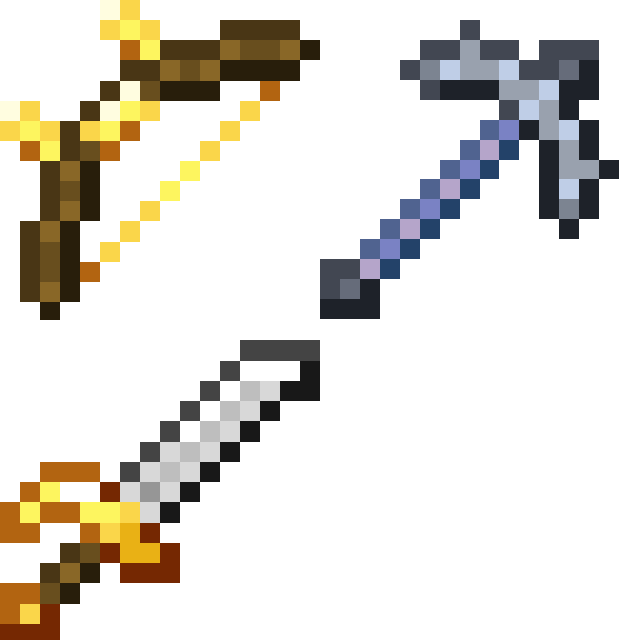
Uniques
This Datapack/Mod adds new weapons & armor that try to go for a vanilla feel while still keeping each item special.
 mod
Modrinth · Minecraft
Infused Power
Adds attributes to all armor, weapon and tools. Empower items with Arcane Energy & prove your build against the powerful invaders of the Rift.