Minecraft version
Back to mods 
Modrinth · Minecraft mod
Prehistoric Paintings
Replace the vanilla paintings with prehistoric paintings.
Choose a version Pick your version below, then grab the matching file.
Quick answer
Which Prehistoric Paintings release should I use?
Latest stable file 1.1.0
Game version 1.21, 1.21.1, 1.21.2
Loader NeoForge
Prehistoric Paintings 1.1.0 targets 1.21, 1.21.1, 1.21.2 with NeoForge. Installation on the client is optional. Installation on the dedicated server is optional. No extra mods listed for this file.
Where it goes
Is Prehistoric Paintings required on the client, server, or both?
Installation on the client is optional. Installation on the dedicated server is optional.
Client Optional
Dedicated server Optional
Loader for this release NeoForge
Required install it here Optional supported, not mandatory Not supported do not install here Source doesn’t say do not assume
The source marks this as usable on both the client and server.
What else does Prehistoric Paintings 1.1.0 need?
1.1.0. Change the file and its required mods may change too.
This file does not list any required mods. Do not add a library just because a different file uses it.
This file does not list any required or optional mods.
Before you install it
Add Prehistoric Paintings without breaking your instance.
Built for Prehistoric Paintings 1.1.0. Pick another file and the loader, install side or required mods may change.
- 01
Stick to this file
Use 1.1.0. It targets 1.21, 1.21.1, 1.21.2 with NeoForge; another release may have different loader, side or dependency requirements.
- 02
Bring the mods it needs
This file does not list any required mods. Do not add a library just because a different file uses it.
- 03
Put it on the correct side
Installation on the client is optional. Installation on the dedicated server is optional.
- 04
Pick the file you checked
Use the “Get this file” button beside 1.1.0. It opens that exact file at the source.
About this project
What does Prehistoric Paintings add?
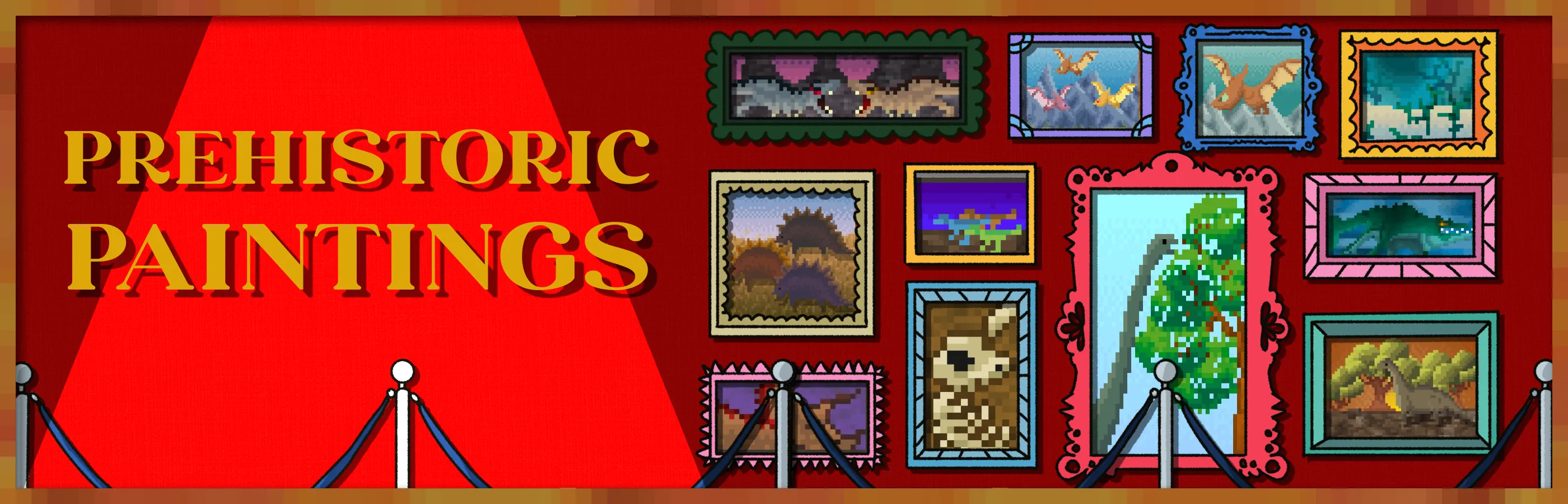
Now the vanilla squares will be replaced by new prehistoric squares! An ideal mod for those games set in the past and with dinosaurs. Landscapes, dinosaurs, dinosaur fights, and much more!
Do you need a server to play with your friends?
For exceptional server hosting services, look no further than BisectHosting. Of course, you can install all the mods or modpacks you want, and their support team is always available to help you.
With the code "Lupin" you will get a 25% discount! Click here!

Once you install this mod, all the vanilla pictures will be replaced by new... Now they will all be new and novel pictures, with different prehistoric scenes...
Version 1.20.4 or earlier adds 26 new paintings, while 1.21.1 will add 46 new paintings in total.

Does it work on servers?
Sure! Remember that the best way to play with mods and friends is with BisectHosting, and by clicking on this link you can get a 25% discount.
Can this mod be used in modpacks?
Of course! As long as it is published only on Modrinth or CurseForge. Uploading it to any other platform would be violating our rights and is not allowed at all.
However, we are really grateful if you consider adding it to your Modrinth or CurseForge modpack. If you need any small changes or have any questions, contact us!

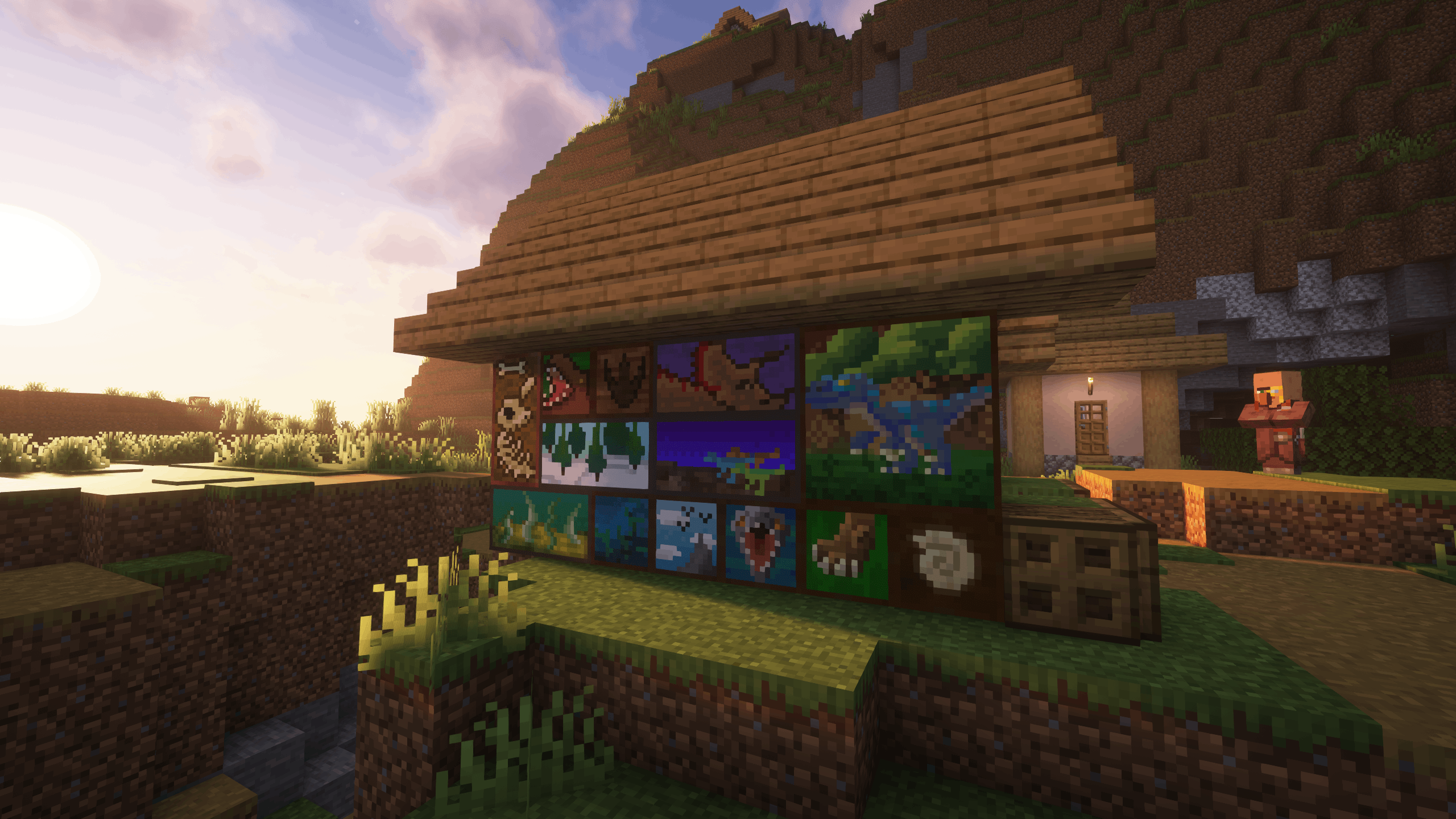
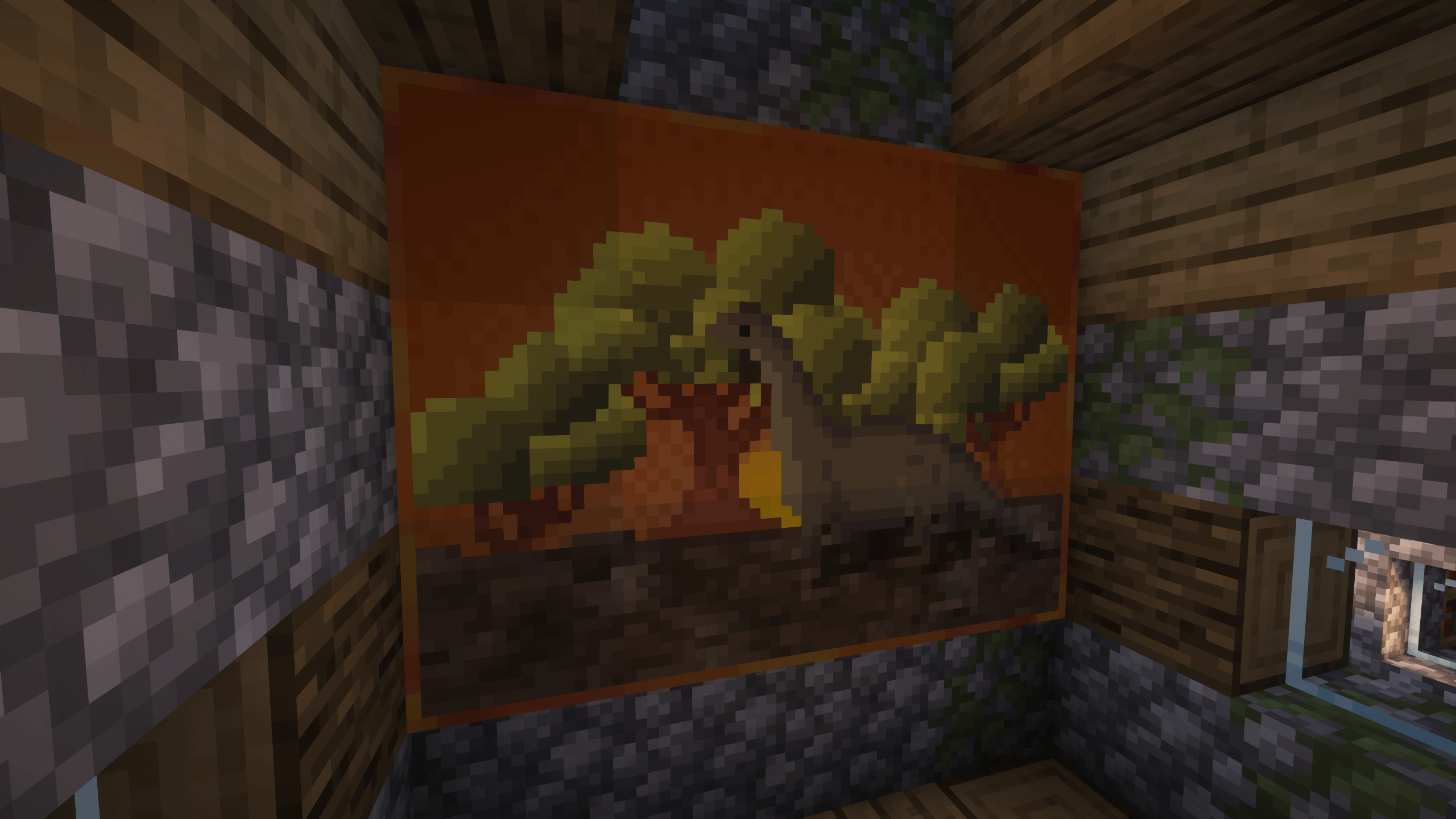
.
Project description from Modrinth.
Pick your setup
Prehistoric Paintings by Minecraft version and loader
Choose the version and loader you play, then open the matching release.
Minecraft version
1.21.10
2 loader buildsMinecraft version
1.21.9
2 loader buildsMinecraft version
1.21.8
2 loader buildsMinecraft version
1.21.7
2 loader buildsMinecraft version
1.21.6
2 loader buildsMinecraft version
1.21.5
2 loader buildsMinecraft version
1.21.4
2 loader buildsMinecraft version
1.21.3
2 loader buildsMinecraft version
1.21.2
2 loader buildsMinecraft version
1.21.1
2 loader buildsMinecraft version
1.21
2 loader buildsShowing the newest 12 of 18 game versions. Older files are in the list below.
Check the dependencies, then try the file in a copied instance before changing a world you care about.
Recent files
Prehistoric Paintings versions and loaders
1.1.0
prehistoric_paintings-NeoForge-1.21.1-1.1.0.jar
13 Apr 2025
Client Optional Server Optional Dependencies No extras listed Listed on Release listing
Check the 1.21.11 · NeoForge setup 1.211.21.11.21.21.21.3 release
1.1.0
prehistoric_paintings-Fabric-1.21.1-1.1.0.jar
13 Apr 2025
Client Optional Server Optional Dependencies No extras listed Listed on Release listing
Check the 1.21.11 · Fabric setup 1.211.21.11.21.21.21.3 release
1.0.0
prehistoric_paintings-Forge-1.20.4-1.0.0.jar
24 Mar 2025
Client Optional Server Optional Dependencies No extras listed Listed on Release listing
Check the 1.20.4 · Forge setup 1.18.21.19.21.19.41.20.1 release
1.0.0
prehistoric_paintings-Fabric-1.20.4-1.0.0.jar
24 Mar 2025
Client Optional Server Optional Dependencies No extras listed Listed on Release listing
Check the 1.20.4 · Fabric setup 1.18.21.19.21.19.41.20.1 release
Looking for an older file? The official Modrinth project page is in Resources.
 mod
mod CurseForge + Modrinth · Minecraft
Dis-Enchanting Table
Recover enchantments from enchanted weapons or books!
 mod
mod CurseForge + Modrinth · Minecraft
Fisherman's Coast
Seven fishing places built for every kind of shore, named fishermen with their own trades, Crab Pots with bait, Fishing Nets, and Messages in a Bottle that lead to sunken trawlers. Formerly The Fisherman House.
 mod
mod CurseForge · Minecraft
Boss Companions Refabricated
Defeat powerful vanilla bosses to claim their rare essence and tame unique, loyal companion pets with custom animations and buffs!