Minecraft version
Back to mods 
Modrinth · Minecraft mod
Shulker Box Tooltip
View the contents of shulker boxes from your inventory
Choose a version Pick your version below, then grab the matching file.
Quick answer
Which Shulker Box Tooltip release matches 26.2?
Best match for your filters 5.4.0+26.2-neoforge
Game version 26.2
Loader NeoForge
Shulker Box Tooltip 5.4.0+26.2-neoforge targets 26.2 with NeoForge. Installation on the client is optional. Installation on the dedicated server is optional. No extra mods listed for this file.
Where it goes
Is Shulker Box Tooltip required on the client, server, or both?
Installation on the client is optional. Installation on the dedicated server is optional.
Client Optional
Dedicated server Optional
Loader for this release NeoForge
Required install it here Optional supported, not mandatory Not supported do not install here Source doesn’t say do not assume
The source marks this as usable on both the client and server.
What else does Shulker Box Tooltip 5.4.0+26.2-neoforge need?
5.4.0+26.2-neoforge on 26.2. Every mod below is checked against that same setup.
This file does not list any required mods. Do not add a library just because a different file uses it.
This file does not list any required or optional mods.
Before you install it
Add Shulker Box Tooltip without breaking your instance.
Built for Shulker Box Tooltip 5.4.0+26.2-neoforge on 26.2. Pick another file and the loader, install side or required mods may change.
- 01
Stick to this file
Use 5.4.0+26.2-neoforge. It targets 26.2 with NeoForge; another release may have different loader, side or dependency requirements.
- 02
Bring the mods it needs
This file does not list any required mods. Do not add a library just because a different file uses it.
- 03
Put it on the correct side
Installation on the client is optional. Installation on the dedicated server is optional.
- 04
Pick the file you checked
Use the “Get this file” button beside 5.4.0+26.2-neoforge. It opens that exact file at the source.
About this project
What does Shulker Box Tooltip add?
This mod allows you to see a preview window of a shulker box contents when hovering above it in an inventory by pressing shift.
Supports both Fabric and Forge
On Fabric:
Fabric Loader and Fabric API are required
Mod Menu is recommended (but not required) for in-game configuration
Features:
Compact Preview
Press shift (by default) while hovering an item.
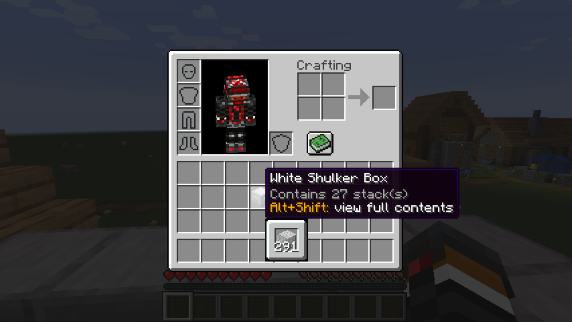
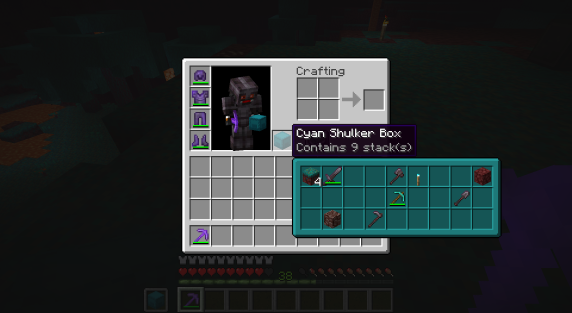
Full Preview
Press alt+shift (by default) while hovering an item to shows its full contents where each contained stack is displayed in the correct slot.
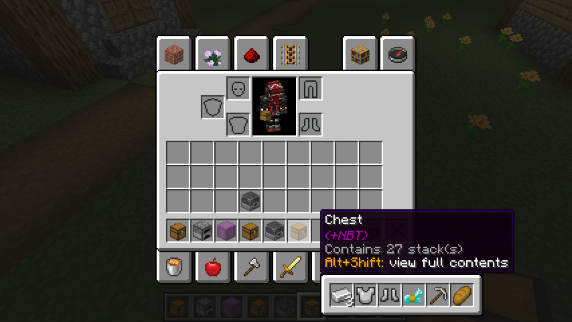
Other Containers
The preview also works with items obtained in creative mode using control + pick block such as chests, furnaces, barrels, etc...
Works with most modded containers as well.
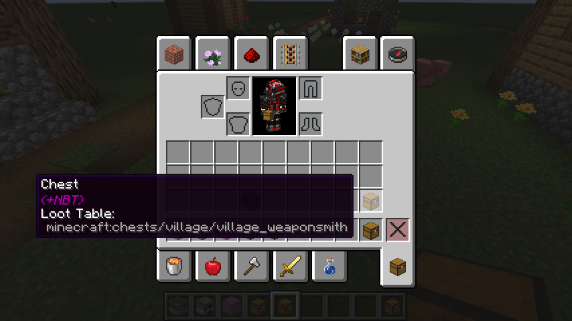
Loot Tables
The name of the loot table is displayed in the tooltip if the hovered item as one.
This option is disabled by default.
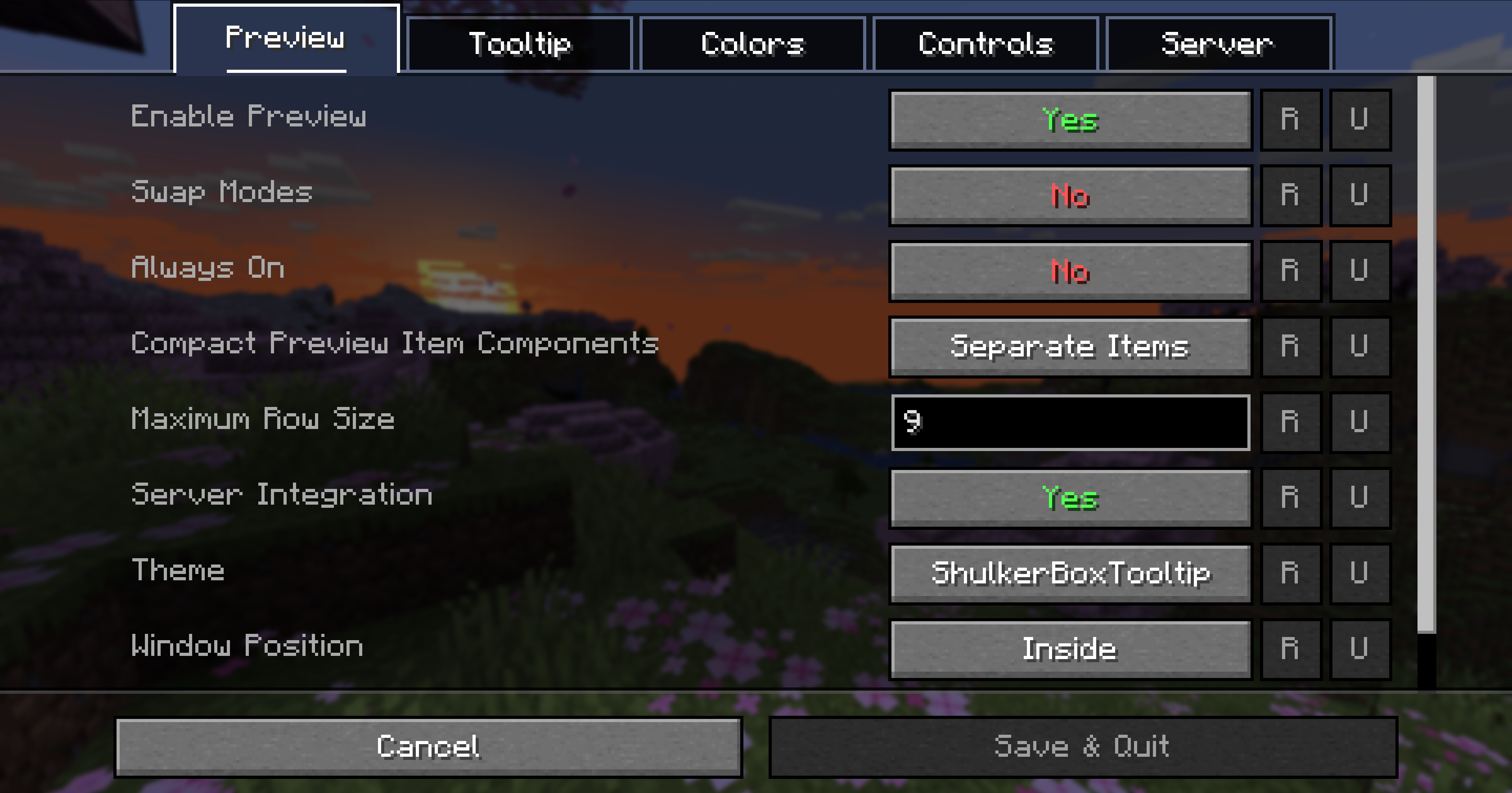
Configurability
Most aspects of the mod can be configured through the config menu. To access it, in the mod menu select ShulkerBoxTooltip and then click on the gear icon.
See the in game documentation or the wiki for info about each option. The config file can be found at <minecraft folder>/config/shulkerboxtooltip.json5
Colors!
The color of the preview window changes depending on the color of the shulker box, you can disable it in config.
Server support
The mod can also be installed server-side (optional) to provide extra features such as ender chest preview.
Project description from Modrinth.
Pick your setup
Shulker Box Tooltip by Minecraft version and loader
Choose the version and loader you play, then open the matching release.
Minecraft version
26.1.2
2 loader buildsMinecraft version
26.1.1
2 loader buildsMinecraft version
26.1
2 loader buildsMinecraft version
1.21.11
3 loader buildsMinecraft version
1.21.10
3 loader buildsMinecraft version
1.21.9
3 loader buildsMinecraft version
1.21.8
3 loader buildsMinecraft version
1.21.7
3 loader buildsMinecraft version
1.21.6
3 loader buildsMinecraft version
1.21.5
3 loader buildsMinecraft version
1.21.4
3 loader buildsShowing the newest 12 of 15 game versions. Older files are in the list below.
Check the dependencies, then try the file in a copied instance before changing a world you care about.
Recent files
Shulker Box Tooltip versions and loaders
5.4.0+26.2-neoforge
shulkerboxtooltip-neoforge-5.4.0+26.2.jar
6 Jul 2026
Client Optional Server Optional Dependencies No extras listed Listed on Release listing
Check the 26.2 · NeoForge setup 26.2NeoForge release
5.4.0+26.2-fabric
shulkerboxtooltip-fabric-5.4.0+26.2.jar
6 Jul 2026
Client Optional Server Optional Dependencies 1 required · 1 unchecked Listed on Release listing
Check the 26.2 · Fabric setup 26.2Fabric release
5.3.1+26.2-neoforge
shulkerboxtooltip-neoforge-5.3.1+26.2.jar
17 Jun 2026
Client Optional Server Optional Dependencies No extras listed Listed on Release listing
Check the 26.2 · NeoForge setup 26.2NeoForge release
5.3.1+26.2-fabric
shulkerboxtooltip-fabric-5.3.1+26.2.jar
17 Jun 2026
Client Optional Server Optional Dependencies 1 required · 1 unchecked Listed on Release listing
Check the 26.2 · Fabric setup 26.2Fabric release
Looking for an older file? The official Modrinth project page is in Resources.
 mod
mod Modrinth · Minecraft
Client Craft MK4
Disclosure: The code for this mod was 100% AI generated. A fully client-side mod that automatically scans your inventory and displays every item you are currently able to craft.
 mod
mod Modrinth · Minecraft
Femur SMP Mod
This mod makes players drop their Femur when killed! You can even make brand new items using them!
 mod
mod Modrinth · Minecraft
Skyshards Helper
A Mod that helps with shard fusions and tracking.