Minecraft version
Back to mods 
Modrinth · Minecraft mod
Tooltip Creator
Create tooltips with just one simple cfg!
Choose a version Pick your version below, then grab the matching file.
Quick answer
Which Tooltip Creator release should I use?
Latest stable file 1.21.1-1.3.4-forge
Game version 1.21.1
Loader Forge
Tooltip Creator 1.21.1-1.3.4-forge targets 1.21.1 with Forge. It must be installed on the client. Do not install it on the dedicated server. No extra mods listed for this file.
Where it goes
Is Tooltip Creator required on the client, server, or both?
It must be installed on the client. Do not install it on the dedicated server.
Client Required
Dedicated server Not supported
Loader for this release Forge
Required install it here Optional supported, not mandatory Not supported do not install here Source doesn’t say do not assume
This file is marked client-only.
What else does Tooltip Creator 1.21.1-1.3.4-forge need?
1.21.1-1.3.4-forge. Change the file and its required mods may change too.
This file does not list any required mods. Do not add a library just because a different file uses it.
This file does not list any required or optional mods.
Before you install it
Add Tooltip Creator without breaking your instance.
Built for Tooltip Creator 1.21.1-1.3.4-forge. Pick another file and the loader, install side or required mods may change.
- 01
Stick to this file
Use 1.21.1-1.3.4-forge. It targets 1.21.1 with Forge; another release may have different loader, side or dependency requirements.
- 02
Bring the mods it needs
This file does not list any required mods. Do not add a library just because a different file uses it.
- 03
Put it on the correct side
It must be installed on the client. Do not install it on the dedicated server.
- 04
Pick the file you checked
Use the “Get this file” button beside 1.21.1-1.3.4-forge. It opens that exact file at the source.
About this project
What does Tooltip Creator add?
How it works:
Install Tooltip Creator. Put the mod into your mods folder. Run Minecraft then exit, then go into config and then TooltipCreator.cfg there you will find an example:
minecraft:diamond:tooltip:§b:Shiny and valuable.
Change the modid (minecraft) to whatever mod you want as long as you have it installed (obviously)
Change the item to whatever you want (obviously)
Change the color code to your liking, color codes can be found here. https://minecraft.fandom.com/wiki/Formatting_codes
(YOU CAN ALSO USE WORDS TO SET COLORS, BUT CODES ARE RECOMMENDED)
QnA
Q: Can I include this in my modpack?
A: Yes! This mod was made to mainly help modpack creators.
Q: Can I upload this somewhere else?
A: No, you cannot upload this anywhere else.
Q: WHY 1.6.4?
A: 1.6.4 is a very underrated version that I wish would get more mods. Don't worry I am porting forward.
Q: Why does my config file say it's for a different version?
A: That's just the last major change to the code. It is still for the version you downloaded.
If you have any more questions feel free to comment/message me. Thanks!
Project description from Modrinth.
Pick your setup
Tooltip Creator by Minecraft version and loader
Choose the version and loader you play, then open the matching release.
Minecraft version
1.20.1
1 loader buildMinecraft version
1.19.2
1 loader buildMinecraft version
1.18.2
1 loader buildMinecraft version
1.17.1
1 loader buildMinecraft version
1.15.2
1 loader buildMinecraft version
1.12.2
1 loader buildMinecraft version
1.10.2
1 loader buildMinecraft version
1.9.4
1 loader buildMinecraft version
1.9
1 loader buildMinecraft version
1.8.9
1 loader buildMinecraft version
1.7.10
1 loader buildShowing the newest 12 of 13 game versions. Older files are in the list below.
Check the dependencies, then try the file in a copied instance before changing a world you care about.
Recent files
Tooltip Creator versions and loaders
1.21.1-1.3.4-forge
TooltipCreator-1.21.1-1.3.4-forge.jar
26 Mar 2026
Client Required Server Not supported Dependencies No extras listed Listed on Release listing
Check the 1.21.1 · Forge setup 1.21.1Forge release
1.19.2-1.3.3-forge
TooltipCreator-1.19.2-1.3.3-forge.jar
17 Mar 2026
Client Required Server Not supported Dependencies No extras listed Listed on Release listing
Check the 1.19.2 · Forge setup 1.19.2Forge release
1.20.1-1.3.2-forge
TooltipCreator-1.20.1-1.3.2-forge.jar
10 Feb 2026
Client Required Server Not supported Dependencies No extras listed Listed on Release listing
Check the 1.20.1 · Forge setup 1.20.1Forge release
1.7.10-1.3.0
TooltipCreator-1.7.10-1.3.0.jar
21 Jan 2026
Client Required Server Not supported Dependencies No extras listed Listed on Release listing
Check the 1.7.10 · Forge setup 1.7.10Forge release
1.6.4-1.2.2.5
TooltipCreator-1.6.4-1.2.2.5.jar
15 Jan 2026
Client Required Server Not supported Dependencies No extras listed Listed on Release listing
Check the 1.6.4 · Forge setup 1.6.4Forge release
1.19.2-1.2.2.4-forge
TooltipCreator-1.19.2-1.2.2.4-forge.jar
13 Jan 2026
Client Required Server Not supported Dependencies No extras listed Listed on Release listing
Check the 1.19.2 · Forge setup 1.19.2Forge release
1.18.2-1.2.2.3-forge
TooltipCreator-1.18.2-1.2.2.3-forge.jar
13 Jan 2026
Client Required Server Not supported Dependencies No extras listed Listed on Release listing
Check the 1.18.2 · Forge setup 1.18.2Forge release
1.17.1-1.2.2.3-forge
TooltipCreator-1.17.1-1.2.2.3-forge.jar
13 Jan 2026
Client Required Server Not supported Dependencies No extras listed Listed on Release listing
Check the 1.17.1 · Forge setup 1.17.1Forge release
1.15.2-1.2.2.1
TooltipCreator-1.15.2-1.2.2.1.jar
13 Jan 2026
Client Required Server Not supported Dependencies No extras listed Listed on Release listing
Check the 1.15.2 · Forge setup 1.15.2Forge release
1.12.2-1.2.0
TooltipCreator-1.12.2-1.2.0.jar
13 Jan 2026
Client Required Server Not supported Dependencies No extras listed Listed on Release listing
Check the 1.12.2 · Forge setup 1.12.2Forge release
1.10.2-1.2.2.1
TooltipCreator-1.10.2-1.2.2.1.jar
13 Jan 2026
Client Required Server Not supported Dependencies No extras listed Listed on Release listing
Check the 1.10.2 · Forge setup 1.10.2Forge release
1.9.4-1.1.8.6
TooltipCreator-1.9.4-1.1.8.6.jar
13 Jan 2026
Client Required Server Not supported Dependencies No extras listed Listed on Release listing
Check the 1.9.4 · Forge setup 1.9.4Forge release
Looking for an older file? The official Modrinth project page is in Resources.
 mod
mod CurseForge + Modrinth · Minecraft
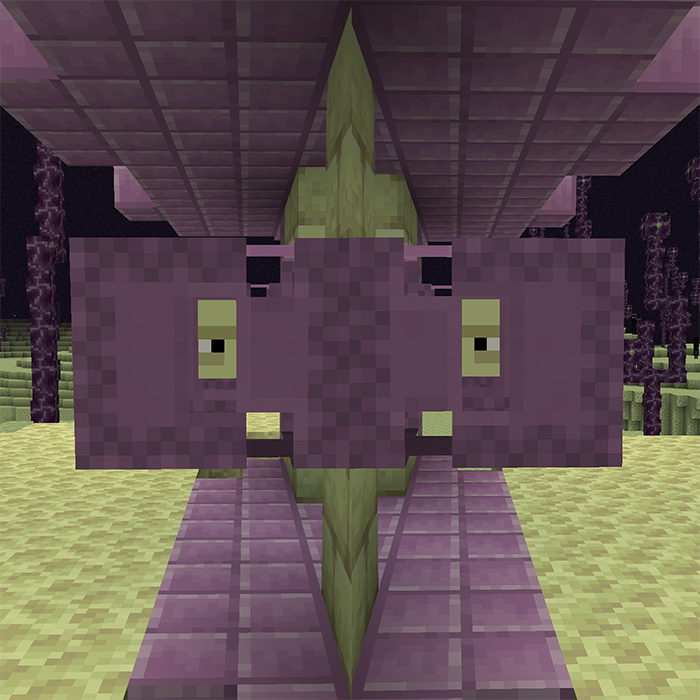
Respawning Shulkers
🟪 Shulkers will respawn at their death location after a configurable delay, farm shells sustainably.
 mod
mod CurseForge + Modrinth · Minecraft
Scaffolding Drops Nearby
🏗 When breaking a scaffolding block, all chained blocks will drop at the block's position.
 mod
mod CurseForge + Modrinth · Minecraft
Screenshot Compression
📸 Automatically compress screenshots taken in-game to lower file size with various config options.