Minecraft version
Back to mods 
Modrinth · Minecraft mod
Grave Drop
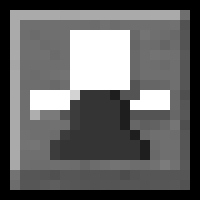
This mod spawns a grave at the player’s death location and stores their items. Breaking the grave restores items back into the inventory in the original slots.
Choose a version Pick your version below, then grab the matching file.
Quick answer
Which Grave Drop release matches 1.20.2 Forge?
Best match for your filters 1.0.0
Game version 1.20.1, 1.20.2, 1.20.3
Loader Forge
Grave Drop 1.0.0 targets 1.20.1, 1.20.2, 1.20.3 with Forge. Installation on the client is optional. Installation on the dedicated server is optional. No extra mods listed for this file.
Where it goes
Is Grave Drop required on the client, server, or both?
Installation on the client is optional. Installation on the dedicated server is optional.
Client Optional
Dedicated server Optional
Loader for this release Forge
Required install it here Optional supported, not mandatory Not supported do not install here Source doesn’t say do not assume
The source marks this as usable on both the client and server.
What else does Grave Drop 1.0.0 need?
1.0.0 on 1.20.2 Forge. Every mod below is checked against that same setup.
This file does not list any required mods. Do not add a library just because a different file uses it.
This file does not list any required or optional mods.
Before you install it
Add Grave Drop without breaking your instance.
Built for Grave Drop 1.0.0 on 1.20.2 Forge. Pick another file and the loader, install side or required mods may change.
- 01
Stick to this file
Use 1.0.0. It targets 1.20.1, 1.20.2, 1.20.3 with Forge; another release may have different loader, side or dependency requirements.
- 02
Bring the mods it needs
This file does not list any required mods. Do not add a library just because a different file uses it.
- 03
Put it on the correct side
Installation on the client is optional. Installation on the dedicated server is optional.
- 04
Pick the file you checked
Use the “Get this file” button beside 1.0.0. It opens that exact file at the source.
About this project
What does Grave Drop add?
Grave Drop
A simple grave mod.
When a player dies, a grave appears at the death position. Breaking the grave returns the items back to the player's inventory in the same slots.
Features
- Spawns a grave block at the player’s death position
- Stores full inventory (main inventory + armor + offhand)
- On breaking the grave:
- Items are restored to the original slots
- If a slot is occupied, the mod tries to move the blocking item away; if no space exists, it can drop the blocking item
- If the inventory is full, remaining items drop nearby
- Grave breaks by hand (very low hardness)
How to use
- Install the mod.
- Die.
- Find the grave at your death position.
- Break it to get your items back.
Notes
- If
keepInventoryis enabled, the mod does nothing.
Могила
Простой мод на могилы.
Когда игрок умирает, на месте смерти появляется могила. При ломании могилы предметы возвращаются в инвентарь в те же слоты, как лежали до смерти.
Возможности
- Спавнит могилу на месте смерти
- Сохраняет весь инвентарь (основной + броня + вторая рука)
- При ломании могилы:
- Предметы возвращаются в исходные слоты
- Если слот занят, мод пытается освободить слот (переложить мешающий предмет), а если места нет — может выбросить мешающий предмет
- Если инвентарь переполнен — остаток выбрасывается рядом
- Могила легко ломается рукой
Как пользоваться
- Установи мод.
- Умри.
- Найди могилу на месте смерти.
- Сломай могилу и получи вещи обратно.
Project description from Modrinth.
Pick your setup
Grave Drop by Minecraft version and loader
Choose the version and loader you play, then open the matching release.
Minecraft version
1.20.5
1 loader buildMinecraft version
1.20.4
1 loader buildMinecraft version
1.20.3
1 loader buildMinecraft version
1.20.2
1 loader buildMinecraft version
1.20.1
1 loader buildMinecraft version
1.19.4
1 loader buildMinecraft version
1.19.3
1 loader buildMinecraft version
1.19.2
1 loader buildMinecraft version
1.16.5
1 loader buildMinecraft version
1.12.2
1 loader buildCheck the dependencies, then try the file in a copied instance before changing a world you care about.
Recent files
Grave Drop versions and loaders
1.0.0
Grave drop.jar
18 Jan 2026
Client Optional Server Optional Dependencies No extras listed Listed on Release listing
Check the 1.20.2 · Forge setup 1.20.11.20.21.20.31.20.4 release
Looking for an older file? The official Modrinth project page is in Resources.
 mod
Modrinth · Minecraft
JAW Lab
Some laboratory stuff: decorations, key doors, code doors e.t.c
 mod
Modrinth · Minecraft
Just Enough Items (JEI)
View Items and Recipes
 mod
Modrinth · Minecraft
Custom Capes
This Mod adds the ability to add custom capes to your player including gifs and normal images with a resolution up to 2048x1024 you can also see other capes and vice versa and it also works with elytra models and wavey capes