Minecraft version
Back to mods 
Modrinth · Minecraft mod
Advancements Arranged
Freely rearrange advancements within the advancements screen
Choose a version Pick your version below, then grab the matching file.
Quick answer
Which Advancements Arranged release should I use?
Latest stable file 1.21.1-1.2
Game version 1.21.1
Loader NeoForge
Advancements Arranged 1.21.1-1.2 targets 1.21.1 with NeoForge. It must be installed on the client. Do not install it on the dedicated server. No extra mods listed for this file.
Where it goes
Is Advancements Arranged required on the client, server, or both?
It must be installed on the client. Do not install it on the dedicated server.
Client Required
Dedicated server Not supported
Loader for this release NeoForge
Required install it here Optional supported, not mandatory Not supported do not install here Source doesn’t say do not assume
This file is marked client-only.
What else does Advancements Arranged 1.21.1-1.2 need?
1.21.1-1.2. Change the file and its required mods may change too.
This file does not list any required mods. Do not add a library just because a different file uses it.
This file does not list any required or optional mods.
Before you install it
Add Advancements Arranged without breaking your instance.
Built for Advancements Arranged 1.21.1-1.2. Pick another file and the loader, install side or required mods may change.
- 01
Stick to this file
Use 1.21.1-1.2. It targets 1.21.1 with NeoForge; another release may have different loader, side or dependency requirements.
- 02
Bring the mods it needs
This file does not list any required mods. Do not add a library just because a different file uses it.
- 03
Put it on the correct side
It must be installed on the client. Do not install it on the dedicated server.
- 04
Pick the file you checked
Use the “Get this file” button beside 1.21.1-1.2. It opens that exact file at the source.
About this project
What does Advancements Arranged add?
Features:
- Advancements can be clicked and dragged to freely change their position
- Set a fixed order for the advancement tabs to sort into
- Adjust the window size of the advancements screen
- Add fancy backgrounds with random variation to the tiling blocks
Details:
- Edit Mode for rearranging advancements can be toggled in the config. Make sure not to disable it while the advancements screen is still open, or any changes won't be saved.
- While rearranging advancements, hold shift for position snapping
- To render a resizable window, the vanilla gui texture (at minecraft:textures/gui/advancements/window) is tiled using 9-slice scaling, with a configurable slice margin
Persistent data (advancement positions, fancy backgrounds) is stored per-instance at /minecraft/advancements_arranged.json
An example such file, providing the vanilla advancement tabs with custom layouts and fancy backgrounds, can be found [here].
Likely not compatible with other mods which overhaul the advancements screen, as they tend to re-implement it with their own custom gui, whereas this works by modifying the vanilla gui directly.
Project description from Modrinth.
Pick your setup
Advancements Arranged by Minecraft version and loader
Choose the version and loader you play, then open the matching release.
Check the dependencies, then try the file in a copied instance before changing a world you care about.
Recent files
Advancements Arranged versions and loaders
1.21.1-1.2
advancements_arranged-1.21.1-1.2.jar
24 Apr 2026
Client Required Server Not supported Dependencies No extras listed Listed on Release listing
Check the 1.21.1 · NeoForge setup 1.21.1NeoForge release
1.21.1-1.1
advancements_arranged-1.21.1-1.1.jar
23 Apr 2026
Client Required Server Not supported Dependencies No extras listed Listed on Release listing
Check the 1.21.1 · NeoForge setup 1.21.1NeoForge release
1.21.1-1.0
advancements_arranged-1.21.1-1.0.jar
5 Apr 2026
Client Required Server Not supported Dependencies No extras listed Listed on Release listing
Check the 1.21.1 · NeoForge setup 1.21.1NeoForge release
Looking for an older file? The official Modrinth project page is in Resources.
 mod
mod CurseForge + Modrinth · Minecraft
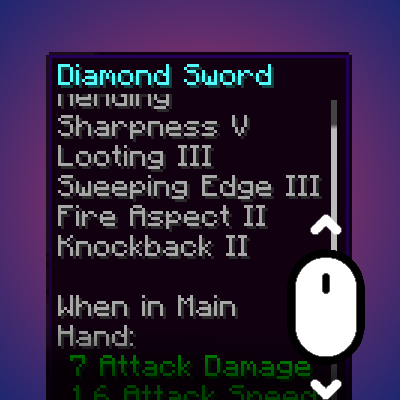
Smart Tooltip Scroll
Dynamically resizes and scrolls oversized tooltips while keeping the item title anchored.
 mod
mod CurseForge + Modrinth · Minecraft
Tester Mod
A damage testing tool for mod developers - spawn configurable tester entities to track and analyze damage output in real-time.
 mod
mod CurseForge + Modrinth · Minecraft
CommandCrafter
Useful Minecraft command tools in a Fabric mod and VSCode Extension (syntax highlighting, completion, debugging, etc.)