Minecraft version
Back to mods 
Modrinth · Minecraft mod
0Pack2Reload
Prevent Minecraft from reloading the resource packs if the player doesn't really change the selected packs. Also add a "Cancel" button to PackSelectionScreen.
Choose a version Pick your version below, then grab the matching file.
Quick answer
Which 0Pack2Reload release should I use?
Latest stable file NeoForge-26.3-1.1.0
Game version 26.3
Loader NeoForge
0Pack2Reload NeoForge-26.3-1.1.0 targets 26.3 with NeoForge. It must be installed on the client. Do not install it on the dedicated server. No extra mods listed for this file.
Where it goes
Is 0Pack2Reload required on the client, server, or both?
It must be installed on the client. Do not install it on the dedicated server.
Client Required
Dedicated server Not supported
Loader for this release NeoForge
Required install it here Optional supported, not mandatory Not supported do not install here Source doesn’t say do not assume
This file is marked client-only.
What else does 0Pack2Reload NeoForge-26.3-1.1.0 need?
NeoForge-26.3-1.1.0. Change the file and its required mods may change too.
This file does not list any required mods. Do not add a library just because a different file uses it.
This file does not list any required or optional mods.
Before you install it
Add 0Pack2Reload without breaking your instance.
Built for 0Pack2Reload NeoForge-26.3-1.1.0. Pick another file and the loader, install side or required mods may change.
- 01
Stick to this file
Use NeoForge-26.3-1.1.0. It targets 26.3 with NeoForge; another release may have different loader, side or dependency requirements.
- 02
Bring the mods it needs
This file does not list any required mods. Do not add a library just because a different file uses it.
- 03
Put it on the correct side
It must be installed on the client. Do not install it on the dedicated server.
- 04
Pick the file you checked
Use the “Get this file” button beside NeoForge-26.3-1.1.0. It opens that exact file at the source.
About this project
What does 0Pack2Reload add?
📖 Introduction
Minecraft always loads some base resource packs such as:
- vanilla (the game's default resources)
- mod_resources (resources added by mods)
However, before the player opens the resource pack screen for the first time, the game's options.txt still records resourcepacks=[] as empty.
So when opening the resource pack selection screen before creating or joining a world, even if the player does nothing (no adding, removing, or reordering), clicking "Done" or pressing Esc will still cause Minecraft to incorrectly think new resource packs were added, and it will forcibly reload them.
This reload process can be very slow, especially when many modded resource packs are involved.
✅ What This Mod Does
This mod introduces two features to avoid this unnecessary waste of time:
If the user hasn’t made any actual changes to the resource pack list, pressing Esc or clicking “Done” will no longer trigger a reload.
An extra "Cancel" button was added to the resource pack screen, intended to exit without triggering any logic at all.
(However, after 1.20, due to technical limitations in Minecraft, resource pack validation always runs when the screen closes, making the Cancel button behave nearly the same as Done in most cases.
As a result, the Cancel button was removed in the 1.21.1 NeoForge version.)
The additional "Cancel" button:
ATTENTION
You DEFINITELY CAN add the mod to your modpack.
Project description from Modrinth.
Pick your setup
0Pack2Reload by Minecraft version and loader
Choose the version and loader you play, then open the matching release.
Minecraft version
26.2
2 loader buildsMinecraft version
26.1.2
2 loader buildsMinecraft version
1.21.11
2 loader buildsMinecraft version
1.21.1
1 loader buildMinecraft version
1.20.1
2 loader buildsCheck the dependencies, then try the file in a copied instance before changing a world you care about.
Recent files
0Pack2Reload versions and loaders
NeoForge-26.3-1.1.0
0Pack2Reload-NeoForge-26.3-1.1.0.jar
9 Nov 2026
Client Required Server Not supported Dependencies No extras listed Listed on Release listing
Check the 26.3 · NeoForge setup 26.3NeoForge release
NeoForge-26.2-1.1.0
0Pack2Reload-NeoForge-26.2-1.1.0.jar
9 Nov 2026
Client Required Server Not supported Dependencies No extras listed Listed on Release listing
Check the 26.2 · NeoForge setup 26.2NeoForge release
NeoForge-26.1.2-1.1.0
0Pack2Reload-NeoForge-26.1.2-1.1.0.jar
9 Nov 2026
Client Required Server Not supported Dependencies No extras listed Listed on Release listing
Check the 26.1.2 · NeoForge setup 26.1.2NeoForge release
NeoForge-1.21.11-1.1.0
0Pack2Reload-NeoForge-1.21.11-1.1.0.jar
9 Nov 2026
Client Required Server Not supported Dependencies No extras listed Listed on Release listing
Check the 1.21.11 · NeoForge setup 1.21.11NeoForge release
Fabric-26.3-1.1.0
0Pack2Reload-Fabric-26.3-1.1.0.jar
9 Nov 2026
Client Required Server Not supported Dependencies No extras listed Listed on Release listing
Check the 26.3 · Fabric setup 26.3Fabric release
Fabric-26.2-1.1.0
0Pack2Reload-Fabric-26.2-1.1.0.jar
9 Nov 2026
Client Required Server Not supported Dependencies No extras listed Listed on Release listing
Check the 26.2 · Fabric setup 26.2Fabric release
Fabric-26.1.2-1.1.0
0Pack2Reload-Fabric-26.1.2-1.1.0.jar
9 Nov 2026
Client Required Server Not supported Dependencies No extras listed Listed on Release listing
Check the 26.1.2 · Fabric setup 26.1.2Fabric release
Fabric-1.21.11-1.1.0
0Pack2Reload-Fabric-1.21.11-1.1.0.jar
9 Nov 2026
Client Required Server Not supported Dependencies No extras listed Listed on Release listing
Check the 1.21.11 · Fabric setup 1.21.11Fabric release
NeoForge-1.21.1-1.0.1
0Pack2Reload-NeoForge-1.21.1-1.0.1.jar
3 Feb 2026
Client Required Server Not supported Dependencies No extras listed Listed on Release listing
Check the 1.21.1 · NeoForge setup 1.21.1NeoForge release
Forge-1.20.1-1.0.1
0Pack2Reload-Forge-1.20.1-1.0.1.jar
3 Feb 2026
Client Required Server Not supported Dependencies No extras listed Listed on Release listing
Check the 1.20.1 · Forge setup 1.20.1Forge release
Fabric-1.20.1-1.0.1
0Pack2Reload-Fabric-1.20.1-1.0.1.jar
3 Feb 2026
Client Required Server Not supported Dependencies No extras listed Listed on Release listing
Check the 1.20.1 · Fabric setup 1.20.1Fabric release
Looking for an older file? The official Modrinth project page is in Resources.
 mod
CurseForge · Minecraft
OWorld2Create
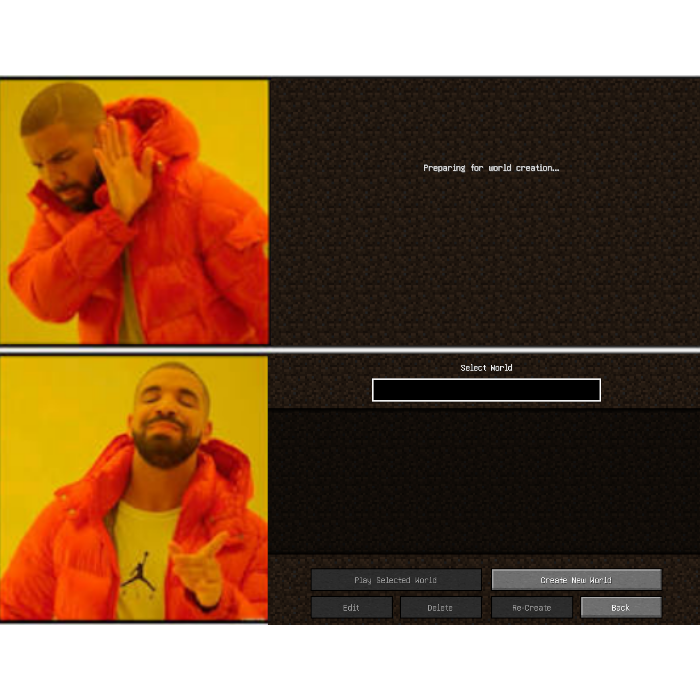
Prevent Minecraft from trying to create a new save when there's no existing save.
 mod
Modrinth · Minecraft
Ender IO: Conduit Optimizer
Optimizes Ender IO conduits with customizable tick intervals and smart algorithms to maximize endgame logistics.
 mod
CurseForge · Minecraft
Boogaloo Core
A core mod for the Integrated Boogaloo modpack