Mod Menu Optional for Yap Chat 1.3.2+mc26.3
optionalMatching file found Matched file: 21.0.1

Modrinth · Minecraft mod
Custom chat with player avatars, whispers, and anti-spam. Fully customizable positioning.
Quick answer
Yap Chat 1.3.2+mc26.3 targets 26.3 with Fabric. It must be installed on the client. Do not install it on the dedicated server. All 1 required mods have matching files.
Where it goes
It must be installed on the client. Do not install it on the dedicated server.
This file is marked client-only.
1.3.2+mc26.3. Change the file and its required mods may change too.
Install Fabric API first. We found matching files for this game-version and loader setup. 1 comes through another mod in the chain.
1 extra mod was pulled in by another dependency. Indented rows show who needs each one. We only count dependency files that match this setup. A file for another loader does not fill the gap.
Before you install it
Built for Yap Chat 1.3.2+mc26.3. Pick another file and the loader, install side or required mods may change.
Use 1.3.2+mc26.3. It targets 26.3 with Fabric; another release may have different loader, side or dependency requirements.
Install Fabric API first. We found matching files for this game-version and loader setup. 1 comes through another mod in the chain.
It must be installed on the client. Do not install it on the dedicated server.
Use the “Get this file” button beside 1.3.2+mc26.3. It opens that exact file at the source.
About this project
A chat replacement for Minecraft (Fabric). Every message gets its own box with an icon or the player's head, chat bubbles pop up above players' heads, and everything is set up in one settings screen.
Source code · Releases · Report a bug
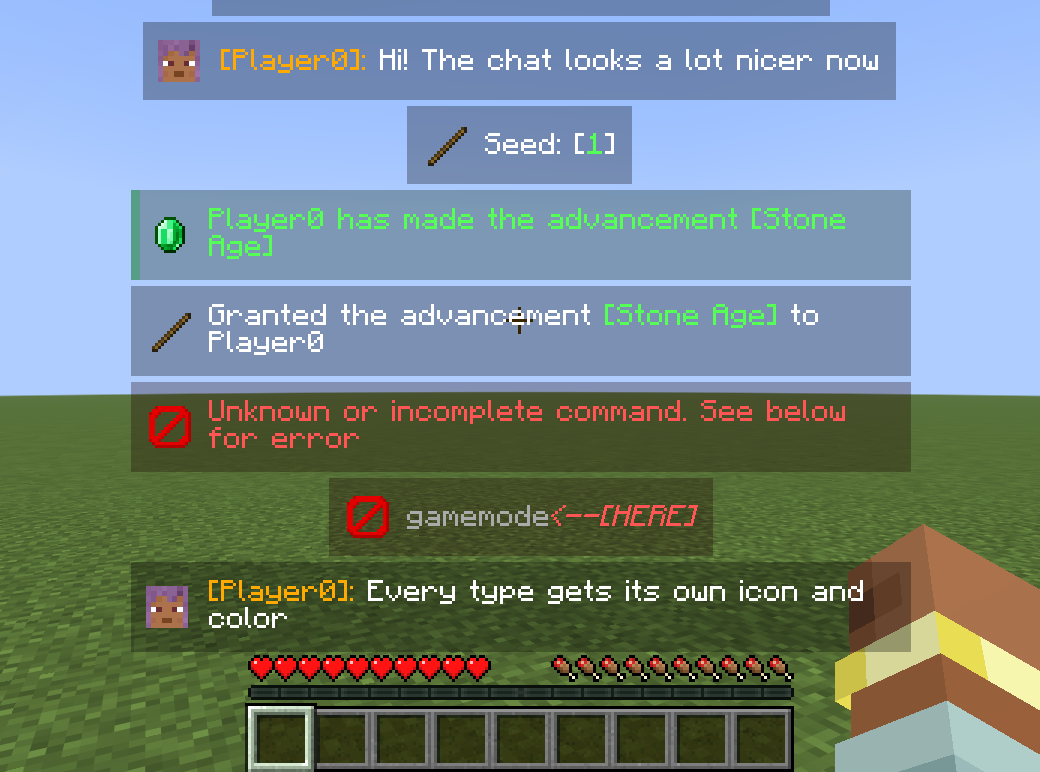
x3).[Rank] Name » text formats.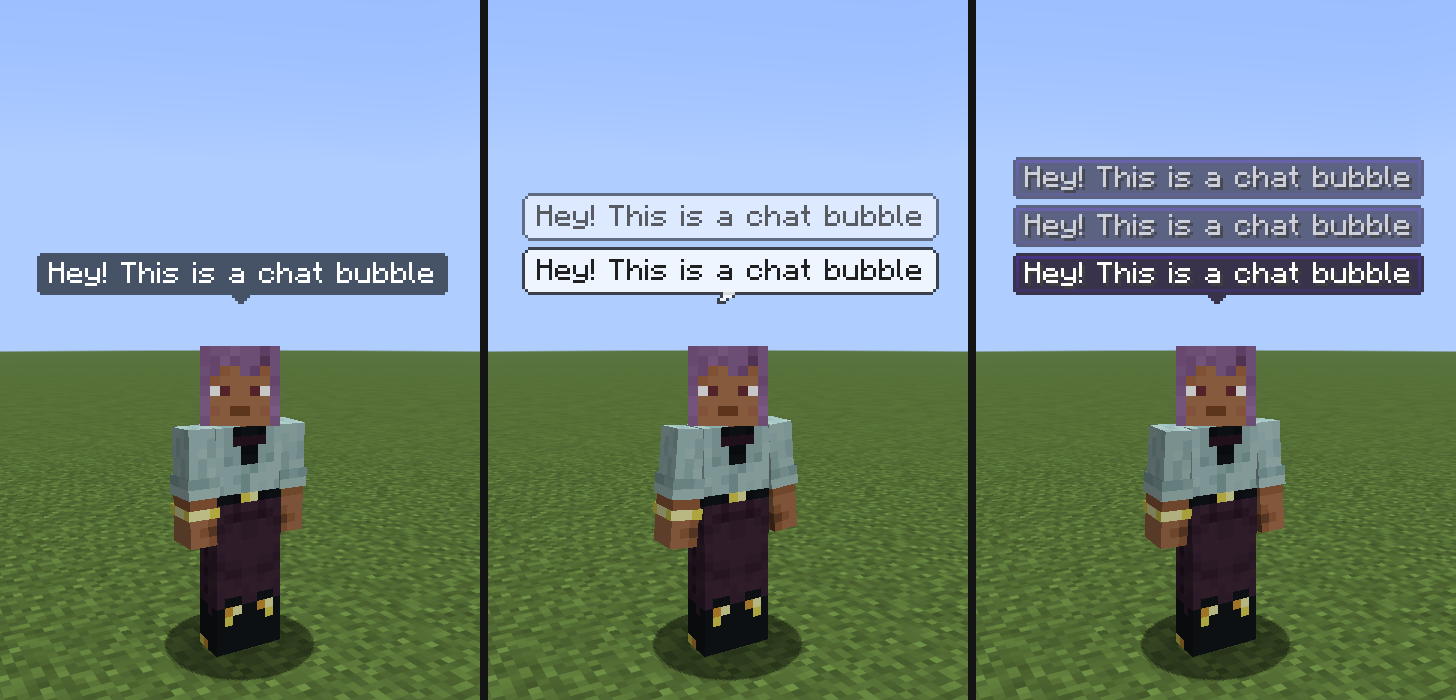
Dark, white pixel and tooltip styles (there is also a plain name-tag style). Resource packs can restyle every one of them, see below.
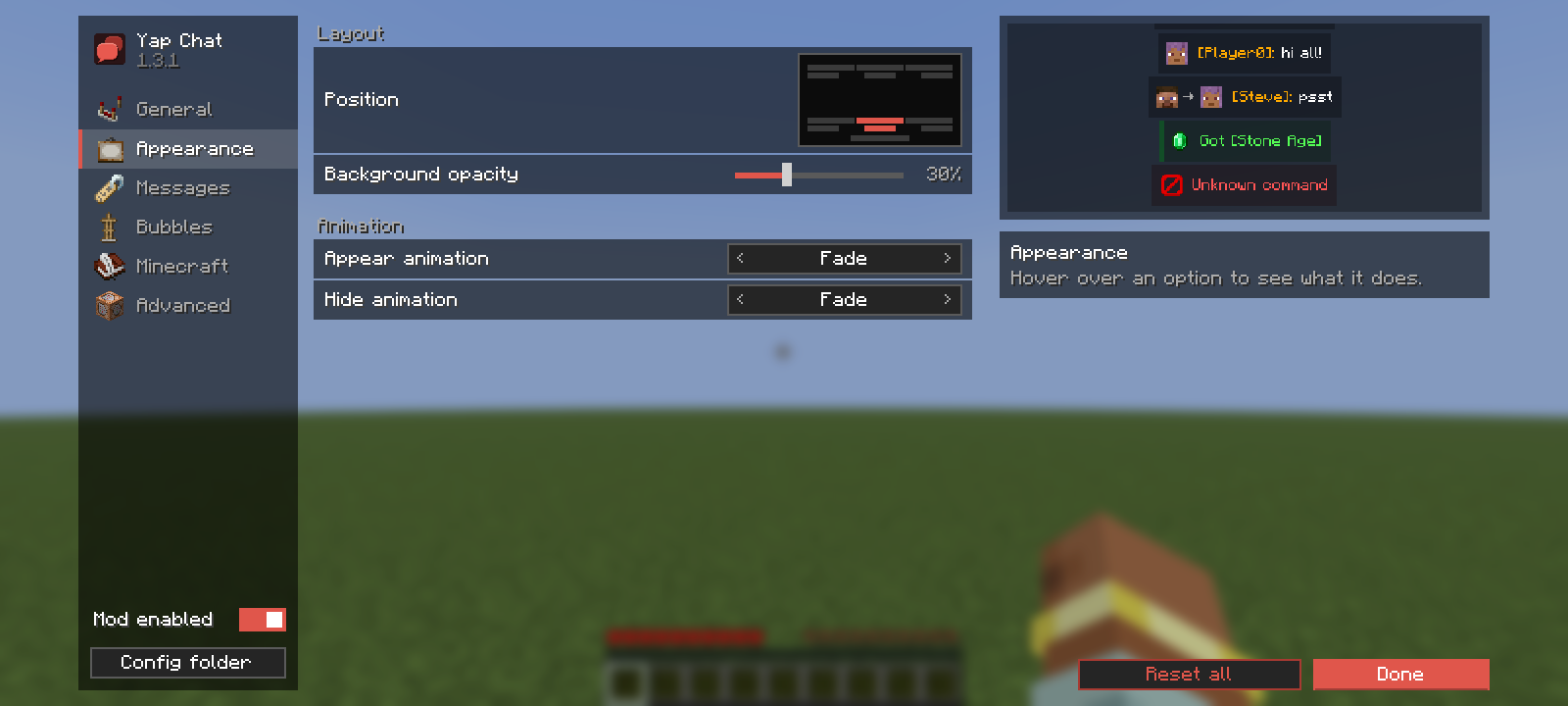
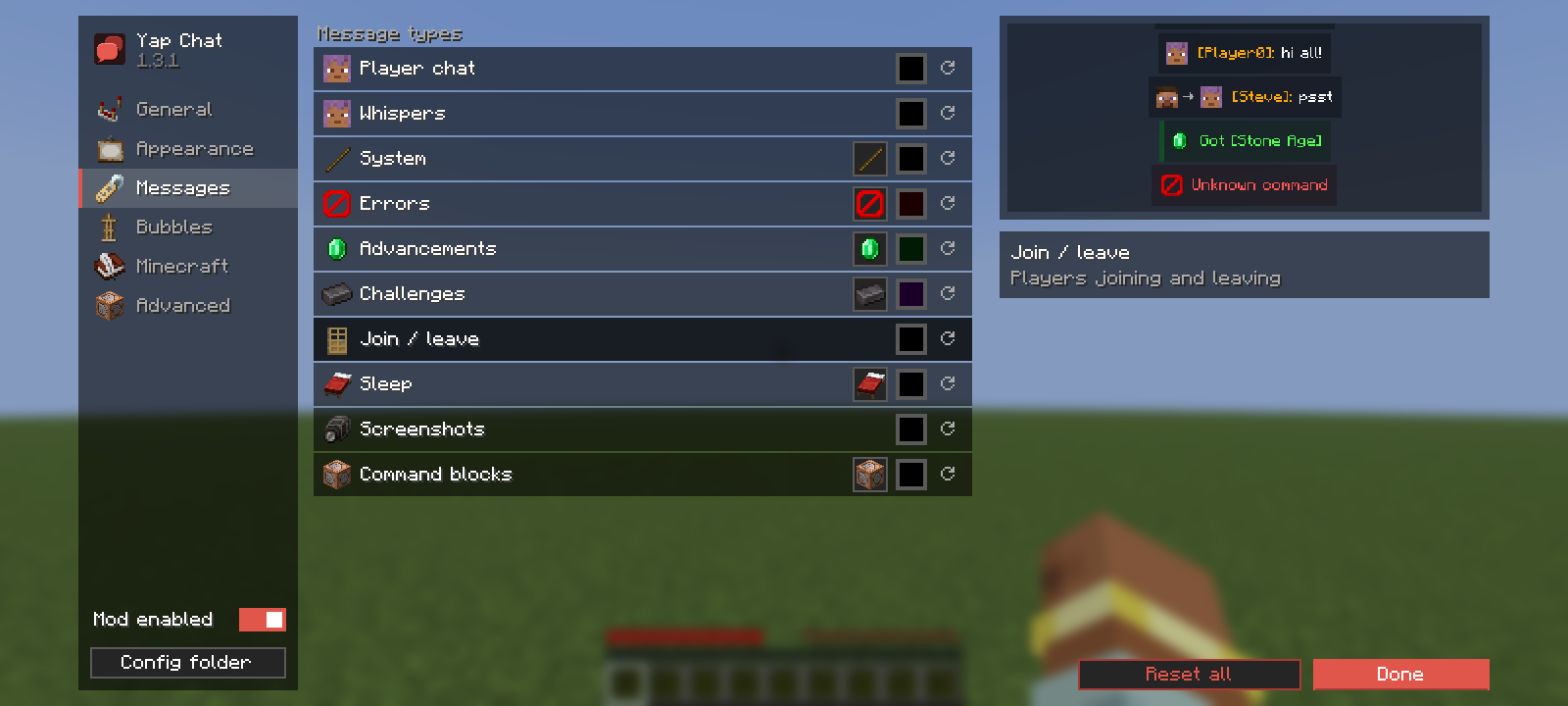
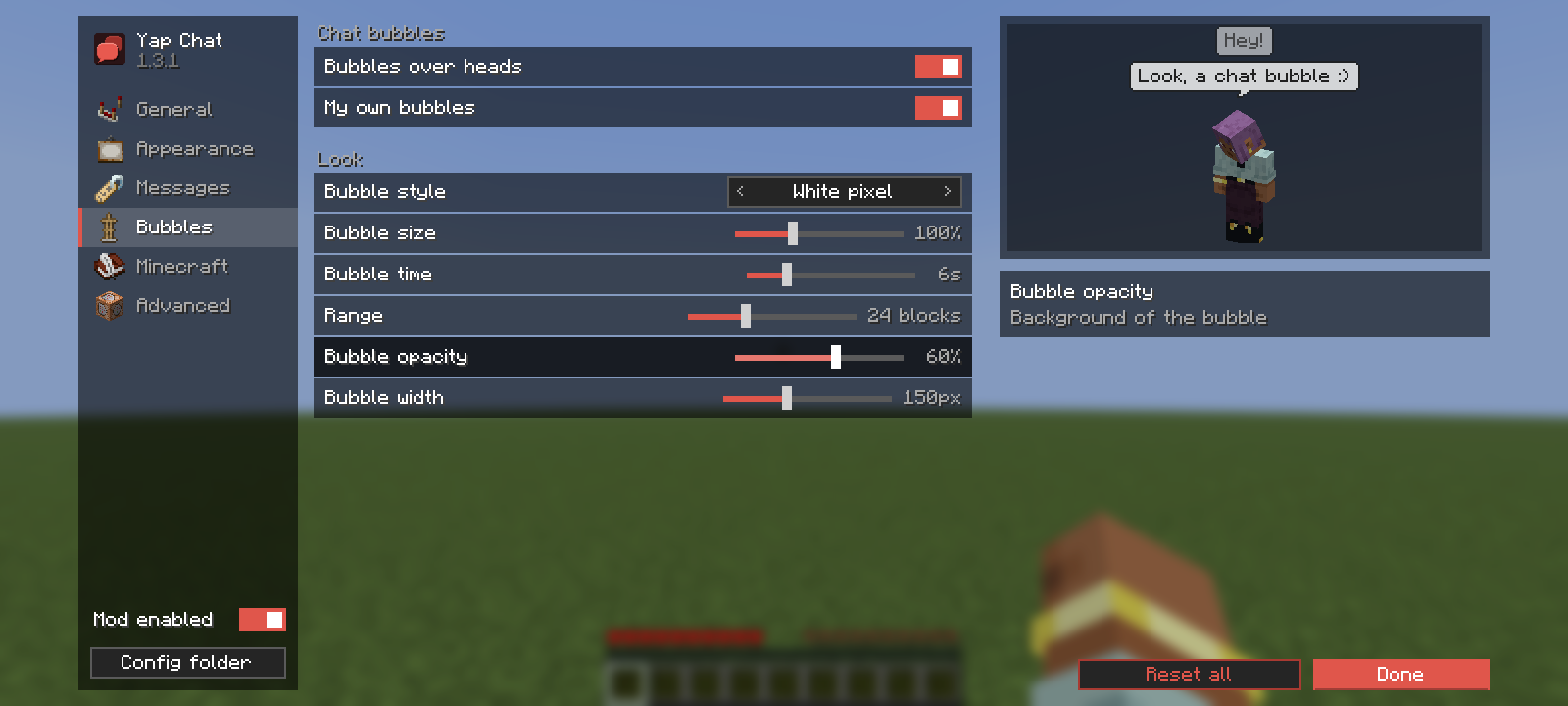
Open them from Options → Chat Settings (Yap Chat replaces the vanilla screen, the vanilla chat options are in the Minecraft tab) or from Mod Menu. Every change applies right away; the right column explains the option under the mouse and shows a live preview.
Appearance: position, background opacity, appear and hide animations with a looping preview.
Messages: icon and background color for every message type.
Bubbles: style, size, time, range, opacity and width, with a preview on your own character.
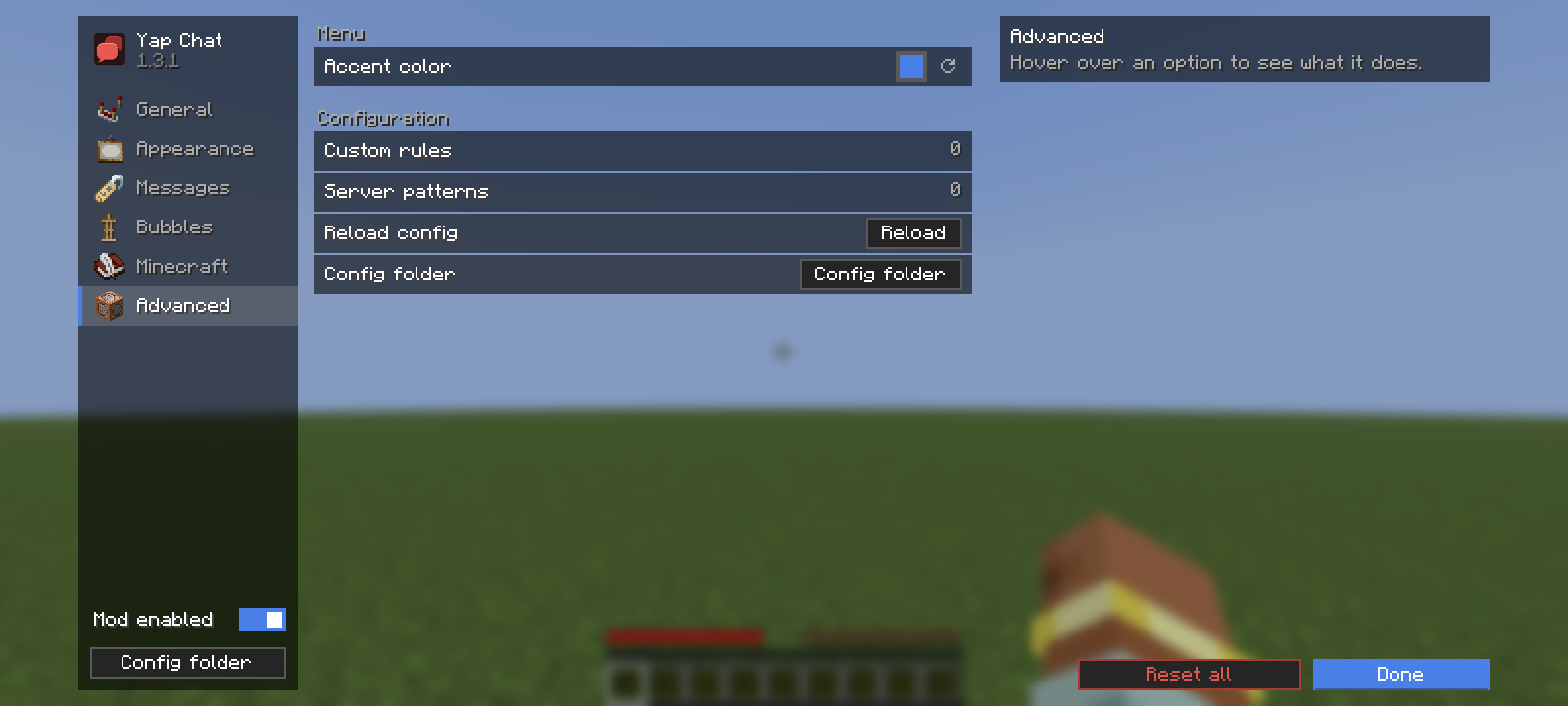
Advanced: accent color of the menu (not everyone likes red), custom rules and server patterns, config folder.
Also: General (styling, anti-spam, show time, visible messages, history size) and Minecraft (all vanilla chat options).
If your server uses its own private message or chat format, add a pattern to config/yap-chat.json:
"serverPatterns": [
  { "id": "my-server-pm", "regex": "^✉ (?<from>\\w+) » (?<to>\\w+): (?<body>.*)$", "type": "WHISPER" }
]
Named groups: from / to (private messages; me, я or your nick mean you), name (chat author, must be online), body (the message).
Every bubble style is drawn from resources, so a resource pack can replace any of them. <style> is dark, white, tooltip or nametag.
| File | What it is |
|---|---|
assets/yap-chat/textures/gui/sprites/bubble/<style>.png |
Bubble body. Stretched as a nine-slice; set the border in <style>.png.mcmeta (same format as vanilla GUI sprites). |
assets/yap-chat/textures/gui/sprites/bubble/<style>_tail.png |
Tail under the body. |
assets/yap-chat/bubbles/<style>.json |
Text and layout settings, see below. |
{
  "text_color": "#202020",
  "text_shadow": false,
  "padding_x": 5,
  "padding_y": 4,
  "min_opacity": 0.5,
  "tail": true,
  "tail_width": 6,
  "tail_height": 4,
  "tail_anchor": 4,
  "tail_overlap": 1
}
min_opacity: the bubble opacity slider maps 0–100% onto min_opacity–100%.tail_anchor: x pixel of the tail that sits under the bubble's center (the tip).tail_overlap: how many tail rows are drawn over the bottom of the body (to cut through its outline).Changes apply on F3+T.
| Minecraft | Branch |
|---|---|
| 26.3 | main / 26.3 |
| 26.2 | 26.2 |
| 26.1.2 | 26.1.2 |
| 26.1.1 | 26.1.1 |
| 26.1 | 26.1 |
Requires Fabric Loader and Fabric API. Mod Menu is optional. Client-side only.
Yap Chat used to be called KKS Chat; an old config/kks-chat.json is picked up automatically.
./gradlew build
The jar is in build/libs. ./gradlew runClientGameTest starts the game and checks how real messages are classified.
Questions and ideas: Discord ddev14, or open an issue.
GNU General Public License v3.0
| assets/yap-chat/textures/gui/sprites/bubble/<style>.png | Bubble body. Stretched as a nine-slice; set the border in <style>.png.mcmeta (same format as vanilla GUI sprites). |
| assets/yap-chat/textures/gui/sprites/bubble/<style>_tail.png | Tail under the body. |
| assets/yap-chat/bubbles/<style>.json | Text and layout settings, see below. |
{
  "text_color": "#202020",
  "text_shadow": false,
  "padding_x": 5,
  "padding_y": 4,
  "min_opacity": 0.5,
  "tail": true,
  "tail_width": 6,
  "tail_height": 4,
  "tail_anchor": 4,
  "tail_overlap": 1
}
min_opacity: the bubble opacity slider maps 0–100% onto min_opacity–100%.tail_anchor: x pixel of the tail that sits under the bubble's center (the tip).tail_overlap: how many tail rows are drawn over the bottom of the body (to cut through its outline).Changes apply on F3+T.
| Minecraft | Branch |
|---|---|
| 26.3 | main / 26.3 |
| 26.2 | 26.2 |
| 26.1.2 | 26.1.2 |
| 26.1.1 | 26.1.1 |
| 26.1 | 26.1 |
Requires Fabric Loader and Fabric API. Mod Menu is optional. Client-side only.
Yap Chat used to be called KKS Chat; an old config/kks-chat.json is picked up automatically.
./gradlew build
The jar is in build/libs. ./gradlew runClientGameTest starts the game and checks how real messages are classified.
Questions and ideas: Discord ddev14, or open an issue.
Project description from Modrinth.
Pick your setup
Choose the version and loader you play, then open the matching release.
Showing the newest 12 of 22 game versions. Older files are in the list below.
Check the dependencies, then try the file in a copied instance before changing a world you care about.
Recent files
05_yap-chat-1.3.2+mc26.3.jar
18 Nov 2026
04_yap-chat-1.3.2+mc26.2.jar
18 Nov 2026
05_yap-chat-1.3.1+mc26.3.jar
18 Nov 2026
04_yap-chat-1.3.1+mc26.2.jar
18 Nov 2026
yap-chat-1.3.1+mc1.21.11.jar
18 Nov 2026
yap-chat-1.3.1+mc1.21.4.jar
18 Nov 2026
yap-chat-1.3.1+mc1.21.1.jar
18 Nov 2026
yap-chat-1.3.1+mc1.20.1.jar
18 Nov 2026
yap-chat-1.3.1+mc1.19.2.jar
18 Nov 2026
yap-chat-1.3.1+mc1.18.2.jar
18 Nov 2026
yap-chat-1.3.1+mc1.16.5.jar
18 Nov 2026
03_yap-chat-1.3.1+mc26.1.2.jar
18 Nov 2026
Looking for an older file? The official Modrinth project page is in Resources.
 mod
Server-side Plasmo Voice addon that adds voice messages.
 mod
Footsteps worth listening to. Snow crunches, wood creaks, puddles splash, and long grass drags at your legs as you push through it. Every block in the world sounds like what it is.
 mod
Real-time damage numbers with 5+ animated styles, fully customizable via resource packs