Minecraft version
Back to mods 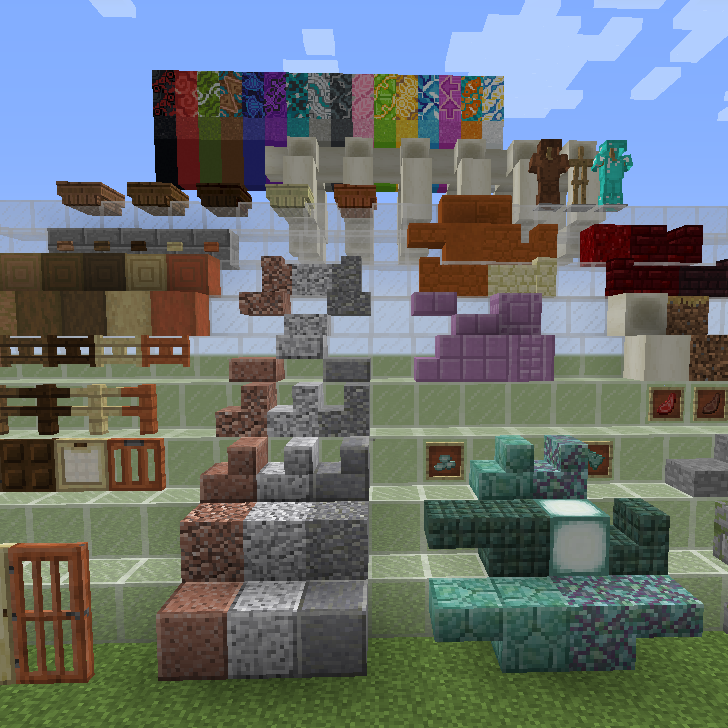
CurseForge · Minecraft mod
UpToDateMod
Adds new Minecraft 1.8.0+ features to Minecraft 1.7.10
Choose a version Pick your version below, then grab the matching file.
Quick answer
Which UpToDateMod release should I use?
Latest stable file UpToDateMod-mc1.7.10-2.4.1.jar
Game version 1.7.10
Loader Forge
UpToDateMod-mc1.7.10-2.4.1.jar targets 1.7.10 with Forge. The project page does not say whether this file belongs on the client, dedicated server, or both. No extra mods listed for this file.
Where it goes
Is UpToDateMod required on the client, server, or both?
The project page does not say whether this file belongs on the client, dedicated server, or both.
Client Source doesn’t say
Dedicated server Source doesn’t say
Loader for this release Forge
Required install it here Optional supported, not mandatory Not supported do not install here Source doesn’t say do not assume
The source does not explicitly classify this release as client-only or server-only.
What else does UpToDateMod-mc1.7.10-2.4.1.jar need?
UpToDateMod-mc1.7.10-2.4.1.jar. Change the file and its required mods may change too.
This file does not list any required mods. Do not add a library just because a different file uses it.
This file does not list any required or optional mods.
Before you install it
Add UpToDateMod without breaking your instance.
Built for UpToDateMod-mc1.7.10-2.4.1.jar. Pick another file and the loader, install side or required mods may change.
- 01
Stick to this file
Use UpToDateMod-mc1.7.10-2.4.1.jar. It targets 1.7.10 with Forge; another release may have different loader, side or dependency requirements.
- 02
Bring the mods it needs
This file does not list any required mods. Do not add a library just because a different file uses it.
- 03
Put it on the correct side
The project page does not say whether this file belongs on the client, dedicated server, or both.
- 04
Pick the file you checked
Use the “Get this file” button beside UpToDateMod-mc1.7.10-2.4.1.jar. It opens that exact file at the source.
About this project
What does UpToDateMod add?
English | 日本語
Overview
This mod adds new Minecraft (1.8.0 and later) features, including acacia door, birch trapdoor, granite generaion, and smooth diorite.
- This mod is only for Minecraft 1.7.10
- Compatible with server multi play.
- Checked with Forge 1614
- Compatible with EULA of Minecraft

Features

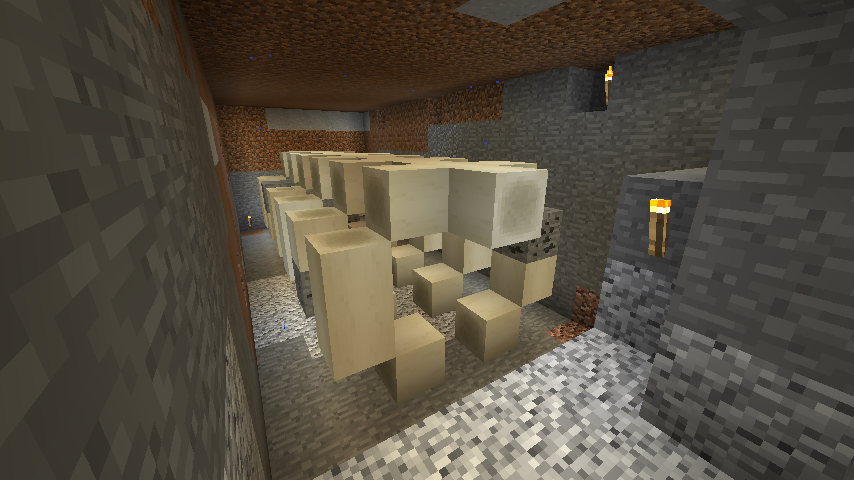
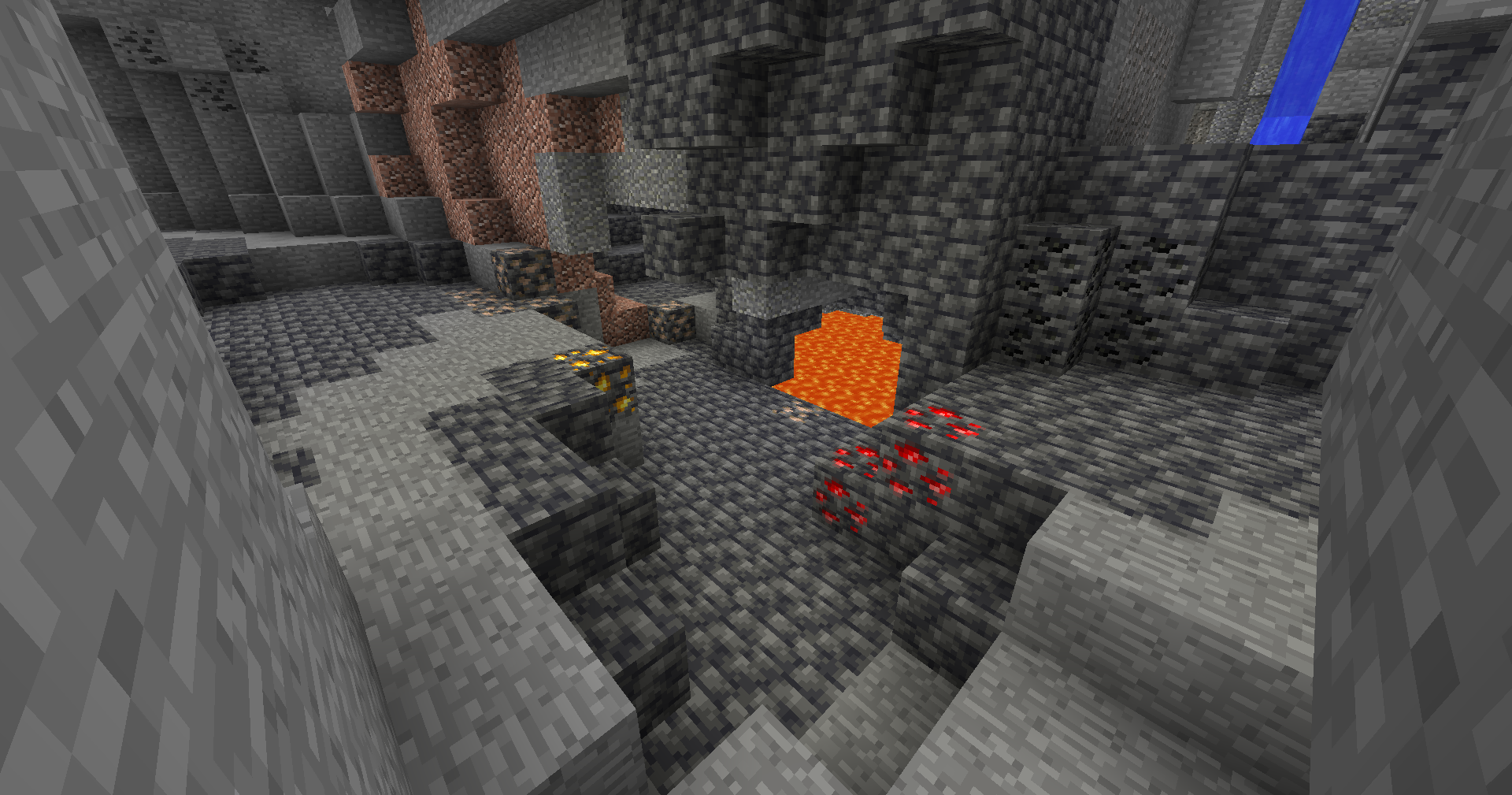
Note that the final goal of this mod is NOT to add all the features from the latest Minecraft.
Nether Update (Minecraft 1.16)
I will not implement Minecraft1.16 Nether Update features because there are some nice nether-backporting mods:
- Netherlicious by DelirusCrux
- NetheritePlus+ by Asek3
Limitations
This mod is provided "as is" without warranty of any kind. The author is not responsible for any liabilities.
No request for new features is accepted because I am currently very busy. Only bug fixes are available.
Links
The Topic on the Minecraft Unofficial Japan Users Forum:
[1.7.10]【永住者向け】新バージョン要素追加MOD - UpToDateMod - Minecraft Japan Forum
Old:
https://yuma140902.github.io/en/uptodatemod.html
トピック - 【1.7.10永住者向け】新バージョン要素追加MOD - UpToDateMOD • Minecraft非公式日本ユーザーフォーラム
Project description from CurseForge.
Pick your setup
UpToDateMod by Minecraft version and loader
Choose the version and loader you play, then open the matching release.
Check the dependencies, then try the file in a copied instance before changing a world you care about.
Recent files
UpToDateMod versions and loaders
UpToDateMod-mc1.7.10-2.4.1.jar
22 Feb 2023
Client Source doesn’t say Server Source doesn’t say Dependencies No extras listed Listed on Release listing
Check the 1.7.10 · Forge setup Forge1.7.10 release
UpToDateMod-mc1.7.10-2.4.0.jar
19 Feb 2023
Client Source doesn’t say Server Source doesn’t say Dependencies No extras listed Listed on Release listing
Check the 1.7.10 · Forge setup Forge1.7.10 release
UpToDateMod-mc1.7.10-2.3.12.jar
20 Jan 2023
Client Source doesn’t say Server Source doesn’t say Dependencies No extras listed Listed on Release listing
Check the 1.7.10 · Forge setup Forge1.7.10 release
UpToDateMod-mc1.7.10-2.3.11.jar
4 Jul 2021
Client Source doesn’t say Server Source doesn’t say Dependencies No extras listed Listed on Release listing
Check the 1.7.10 setup 1.7.10 release
UpToDateMod-mc1.7.10-2.3.10.jar
19 Dec 2020
Client Source doesn’t say Server Source doesn’t say Dependencies No extras listed Listed on Release listing
Check the 1.7.10 setup 1.7.10 release
UpToDateMod-mc1.7.10-2.3.9.jar
11 Dec 2020
Client Source doesn’t say Server Source doesn’t say Dependencies No extras listed Listed on Release listing
Check the 1.7.10 setup 1.7.10 release
UpToDateMod-mc1.7.10-2.3.8.jar
6 Nov 2020
Client Source doesn’t say Server Source doesn’t say Dependencies No extras listed Listed on Release listing
Check the 1.7.10 setup 1.7.10 release
UpToDateMod-mc1.7.10-2.3.7.jar
2 Nov 2020
Client Source doesn’t say Server Source doesn’t say Dependencies No extras listed Listed on Release listing
Check the 1.7.10 setup 1.7.10 release
UpToDateMod-mc1.7.10-2.3.6.jar
1 Nov 2020
Client Source doesn’t say Server Source doesn’t say Dependencies No extras listed Listed on Release listing
Check the 1.7.10 setup 1.7.10 release
UpToDateMod-mc1.7.10-2.3.5.jar
12 Sept 2020
Client Source doesn’t say Server Source doesn’t say Dependencies No extras listed Listed on Release listing
Check the 1.7.10 setup 1.7.10 release
UpToDateMod-mc1.7.10-2.3.4.jar
19 Aug 2020
Client Source doesn’t say Server Source doesn’t say Dependencies No extras listed Listed on Release listing
Check the 1.7.10 setup 1.7.10 release
UpToDateMod-mc1.7.10-2.3.3.jar
11 Jul 2020
Client Source doesn’t say Server Source doesn’t say Dependencies No extras listed Listed on Release listing
Check the 1.7.10 setup 1.7.10 release
Looking for an older file? The official CurseForge project page is in Resources.
 mod
CurseForge · Minecraft
Toggle X-ray
Press F6 to instantly toggle X-Ray on/off — see all ores and valuable blocks through terrain with zero configuration.
 mod
CurseForge · Minecraft
TFC ChooChoo Compat
A compatibility mod between TFC and ChooChoo
 mod
CurseForge · Minecraft
Nuke Craft: Realistic, Configurable Nuclear Explosions
One block, one apocalypse: a cinematic nuke with a tree-flattening shockwave, mushroom cloud, scorched craters, lethal fallout and hazmat gear.