Minecraft version
Back to mods 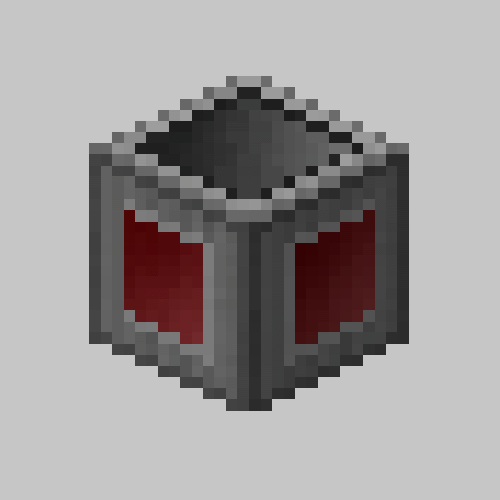
CurseForge · Minecraft mod
Super Factory Manager ( SFM )
A supercharged logistic mod for high precision, high throughput resource movement
Choose a version Pick your version below, then grab the matching file.
Quick answer
Which Super Factory Manager ( SFM ) release should I use?
Latest stable file Super Factory Manager MC26.1.2 v4.34.0
Game version 26.1.2
Loader NeoForge
Super Factory Manager ( SFM ) Super Factory Manager MC26.1.2 v4.34.0 targets 26.1.2 with NeoForge. The project page does not say whether it belongs on the client. The project page does not say whether it belongs on the dedicated server. No extra mods listed for this file.
Where it goes
Is Super Factory Manager ( SFM ) required on the client, server, or both?
The project page does not say whether it belongs on the client. The project page does not say whether it belongs on the dedicated server.
Client Source doesn’t say
Dedicated server Source doesn’t say
Loader for this release NeoForge
Required install it here Optional supported, not mandatory Not supported do not install here Source doesn’t say do not assume
The source does not explicitly classify this release as client-only or server-only.
What else does Super Factory Manager ( SFM ) Super Factory Manager MC26.1.2 v4.34.0 need?
Super Factory Manager MC26.1.2 v4.34.0. Change the file and its required mods may change too.
This file does not list any required mods. Do not add a library just because a different file uses it.
This file does not list any required or optional mods.
Before you install it
Add Super Factory Manager ( SFM ) without breaking your instance.
Built for Super Factory Manager ( SFM ) Super Factory Manager MC26.1.2 v4.34.0. Pick another file and the loader, install side or required mods may change.
- 01
Stick to this file
Use Super Factory Manager MC26.1.2 v4.34.0. It targets 26.1.2 with NeoForge; another release may have different loader, side or dependency requirements.
- 02
Bring the mods it needs
This file does not list any required mods. Do not add a library just because a different file uses it.
- 03
Put it on the correct side
The project page does not say whether it belongs on the client. The project page does not say whether it belongs on the dedicated server.
- 04
Pick the file you checked
Use the “Get this file” button beside Super Factory Manager MC26.1.2 v4.34.0. It opens that exact file at the source.
About this project
What does Super Factory Manager ( SFM ) add?
Super Factory Manager 4
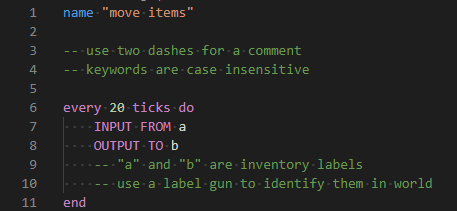
SuperFactoryManager 4.0.0 brings a whole new way to use SFM. Instead of using flowchart GUIs, a new scripting language has been added.
Getting Started
You will need:
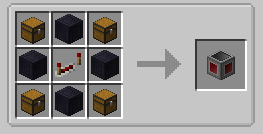
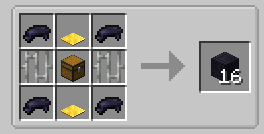
- 1x Factory Manager
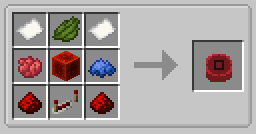
- 1x Program Disk
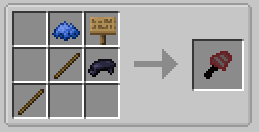
- 1x Label Gun
- (optional) Inventory Cables
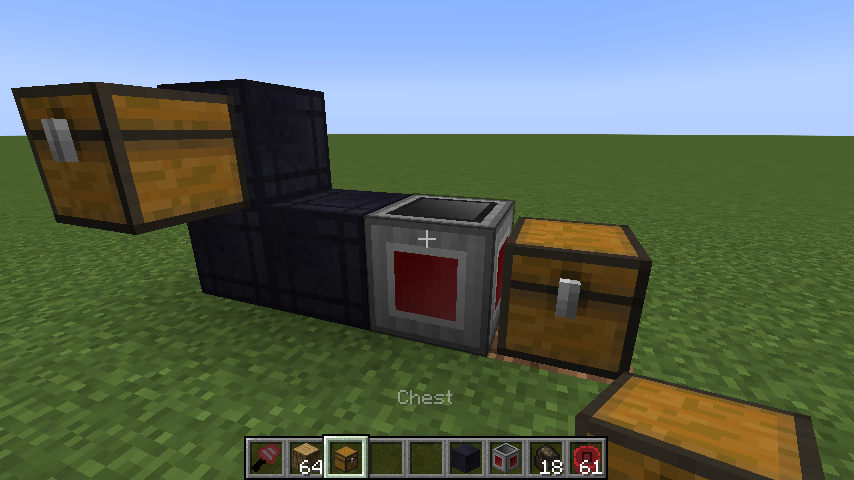
Place your Factory Manager in the world, and connect it to your inventories using Inventory Cables
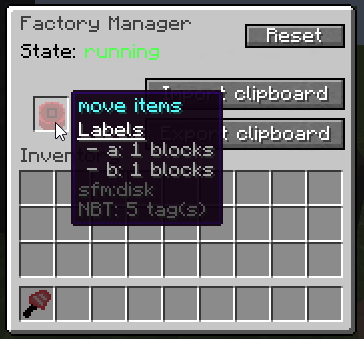
Place the Program Disk inside the Manager's GUI
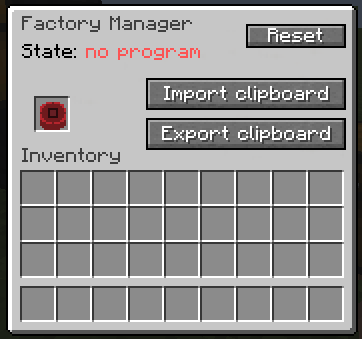
Paste your script into the manager GUI using the buttons or by using Ctrl+V
The manager should tell you that the script was loaded
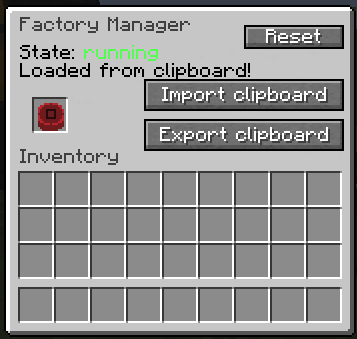
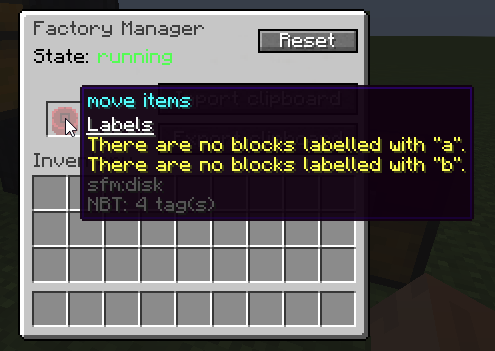
Hover over the disk to see the warnings and errors for your program
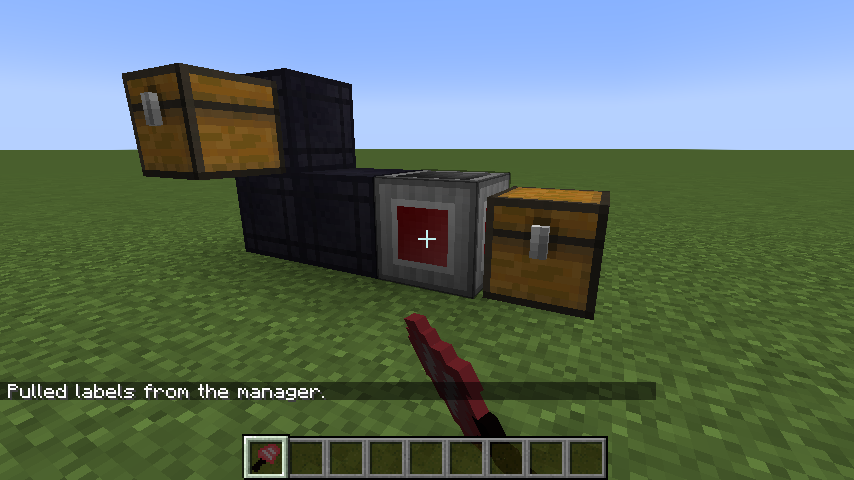
Shift-right-click the manager with the label gun in your hand to load the labels from your program
You can now use the scroll wheel while holding shift to change the active label.
Right click blocks in the world to apply or remove the label.
There is also a right-click menu for entering a custom label that may not be in your program yet.
Once you've assigned the labels, right click the manager while NOT holding shift to save the labels to the Program Disk
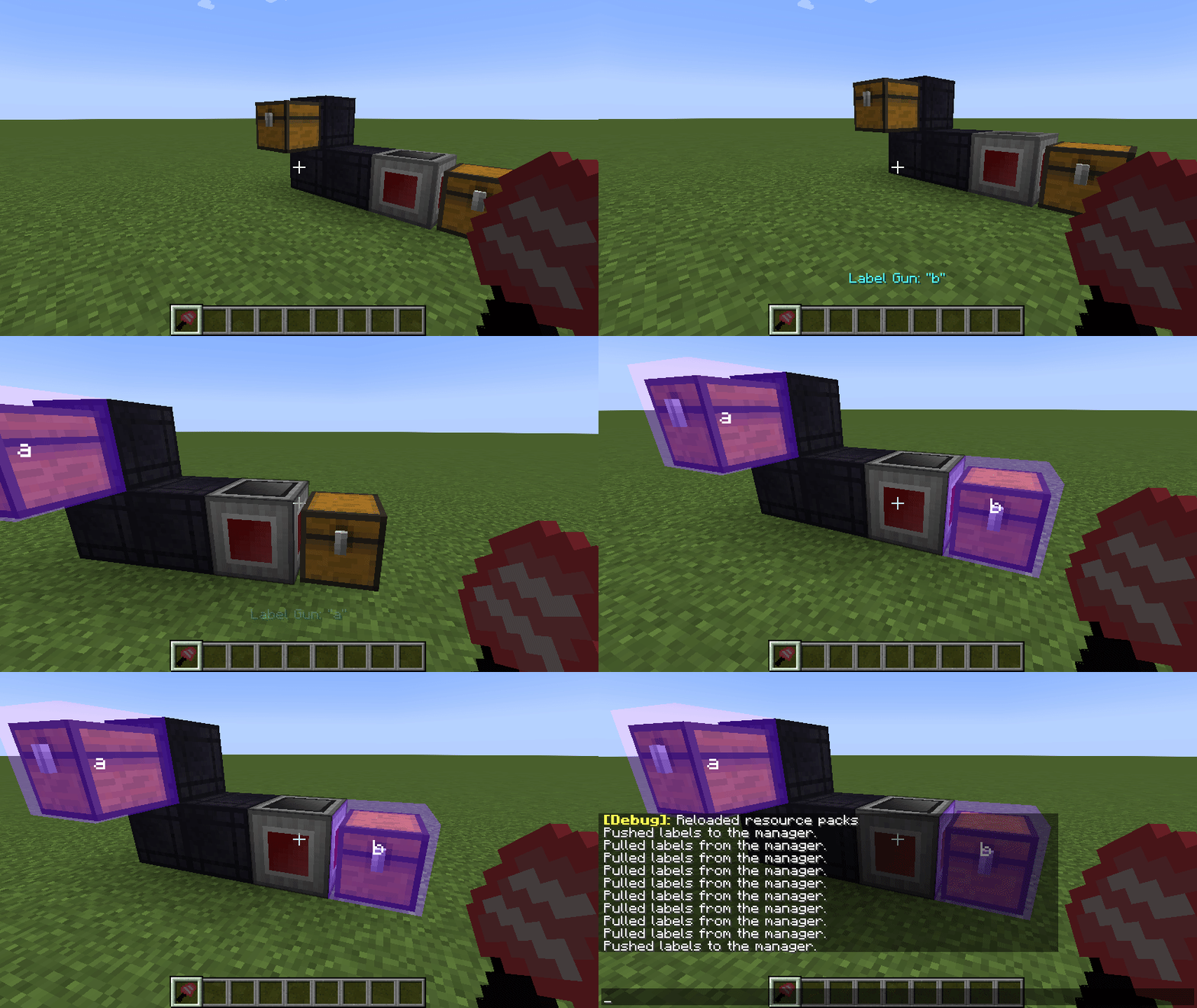
Your program should now be running without any issues
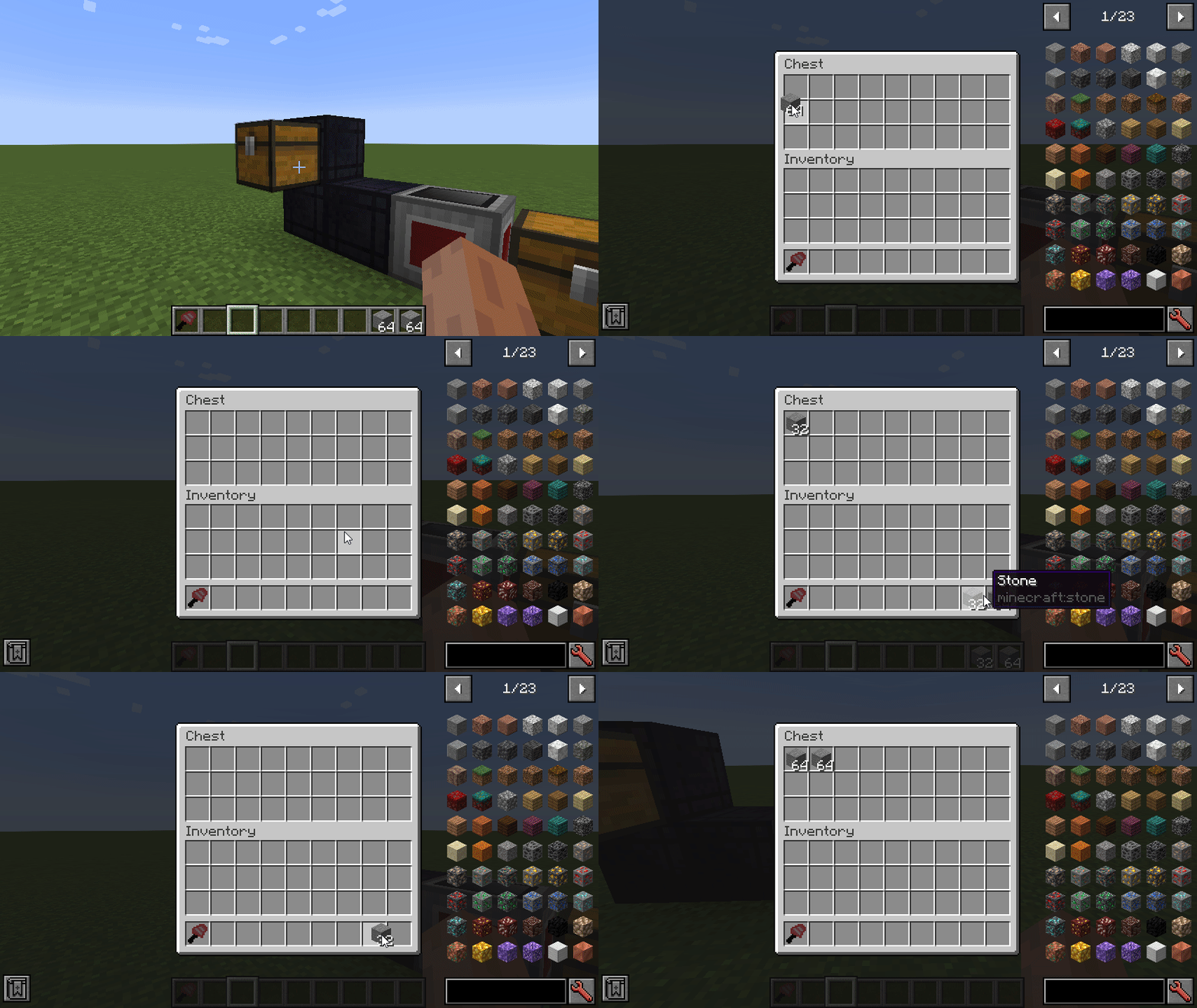
Check out the GitHub repo for some example scripts to help you learn.
Old
A 1.12.2-compatible build of VSWE's Steve's Factory Manager.
Currently working on improving stability and making sure everything is working.
Please report any issues on the github issue tracker.
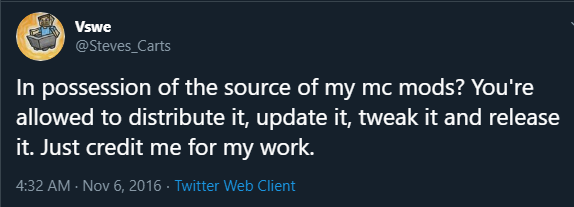
Permission
https://twitter.com/Steves_Carts/status/795197105849729024
Project description from CurseForge.
Pick your setup
Super Factory Manager ( SFM ) by Minecraft version and loader
Choose the version and loader you play, then open the matching release.
Minecraft version
1.21.1
1 loader buildMinecraft version
1.21
1 loader buildMinecraft version
1.20.4
1 loader buildMinecraft version
1.20.3
1 loader buildMinecraft version
1.20.2
1 loader buildMinecraft version
1.20.1
2 loader buildsMinecraft version
1.20
1 loader buildMinecraft version
1.19.4
1 loader buildMinecraft version
1.19.2
1 loader buildCheck the dependencies, then try the file in a copied instance before changing a world you care about.
Recent files
Super Factory Manager ( SFM ) versions and loaders
Super Factory Manager MC26.1.2 v4.34.0
Super Factory Manager (SFM)-MC26.1.2-4.34.0.jar
4 Jul 2026
Client Source doesn’t say Server Source doesn’t say Dependencies No extras listed Listed on Release listing
Check the 26.1.2 · NeoForge setup NeoForge26.1.2 release
Super Factory Manager MC1.21.1 v4.34.0
Super Factory Manager (SFM)-MC1.21.1-4.34.0.jar
4 Jul 2026
Client Source doesn’t say Server Source doesn’t say Dependencies No extras listed Listed on Release listing
Check the 1.21.1 · NeoForge setup 1.21.1NeoForge release
Super Factory Manager MC1.21 v4.34.0
Super Factory Manager (SFM)-MC1.21-4.34.0.jar
4 Jul 2026
Client Source doesn’t say Server Source doesn’t say Dependencies No extras listed Listed on Release listing
Check the 1.21 · NeoForge setup 1.21NeoForge release
Super Factory Manager MC1.20.4 v4.34.0
Super Factory Manager (SFM)-MC1.20.4-4.34.0.jar
4 Jul 2026
Client Source doesn’t say Server Source doesn’t say Dependencies No extras listed Listed on Release listing
Check the 1.20.4 · NeoForge setup 1.20.4NeoForge release
Super Factory Manager MC1.20.3 v4.34.0
Super Factory Manager (SFM)-MC1.20.3-4.34.0.jar
4 Jul 2026
Client Source doesn’t say Server Source doesn’t say Dependencies No extras listed Listed on Release listing
Check the 1.20.3 · NeoForge setup NeoForge1.20.3 release
Super Factory Manager MC1.20.2 v4.34.0
Super Factory Manager (SFM)-MC1.20.2-4.34.0.jar
4 Jul 2026
Client Source doesn’t say Server Source doesn’t say Dependencies No extras listed Listed on Release listing
Check the 1.20.2 · NeoForge setup 1.20.2NeoForge release
Super Factory Manager MC1.20.1 v4.34.0
Super Factory Manager (SFM)-MC1.20.1-4.34.0.jar
4 Jul 2026
Client Source doesn’t say Server Source doesn’t say Dependencies No extras listed Listed on Release listing
Check the 1.20.1 · Forge setup 1.20.1ForgeNeoForge release
Super Factory Manager MC1.20 v4.34.0
Super Factory Manager (SFM)-MC1.20-4.34.0.jar
4 Jul 2026
Client Source doesn’t say Server Source doesn’t say Dependencies No extras listed Listed on Release listing
Check the 1.20 · Forge setup Forge1.20 release
Super Factory Manager MC1.19.4 v4.34.0
Super Factory Manager (SFM)-MC1.19.4-4.34.0.jar
4 Jul 2026
Client Source doesn’t say Server Source doesn’t say Dependencies No extras listed Listed on Release listing
Check the 1.19.4 · Forge setup 1.19.4Forge release
Super Factory Manager MC1.19.2 v4.34.0
Super Factory Manager (SFM)-MC1.19.2-4.34.0.jar
4 Jul 2026
Client Source doesn’t say Server Source doesn’t say Dependencies No extras listed Listed on Release listing
Check the 1.19.2 · Forge setup Forge1.19.2 release
Super Factory Manager MC26.1.2 v4.33.0
Super Factory Manager (SFM)-MC26.1.2-4.33.0.jar
10 Jun 2026
Client Source doesn’t say Server Source doesn’t say Dependencies No extras listed Listed on Release listing
Check the 26.1.2 · NeoForge setup NeoForge26.1.2 release
Super Factory Manager (SFM)-MC1.21.1-4.32.0.jar
10 Mar 2026
Client Source doesn’t say Server Source doesn’t say Dependencies No extras listed Listed on Release listing
Check the 1.21.1 · NeoForge setup 1.21.1NeoForge release
Looking for an older file? The official CurseForge project page is in Resources.
 mod
mod CurseForge · Minecraft
PowerCraft: New Live
Update and support PowerCraft
 mod
mod CurseForge · Minecraft
Modular Smithery
Smithery is a modular, modder-friendly tool crafting mod centered on a multiblock Forge.
 mod
mod CurseForge · Minecraft
Sophisticated Backpacks
Yet another backpack mod this time with backpack you can place in world, color in different color combinations, upgrade with more inventory and enhance with many functional upgrades