Minecraft version
Back to mods 
CurseForge · Minecraft mod
Colored Redstone
World of Color update for Redstone!
Choose a version Pick your version below, then grab the matching file.
Quick answer
Which Colored Redstone release should I use?
Latest stable file Colored Redstone-1.3.2
Game version 1.12.2
Loader Not required
Colored Redstone-1.3.2 targets 1.12.2. The project page does not say whether this file belongs on the client, dedicated server, or both. No extra mods listed for this file.
Where it goes
Is Colored Redstone required on the client, server, or both?
The project page does not say whether this file belongs on the client, dedicated server, or both.
Client Source doesn’t say
Dedicated server Source doesn’t say
Loader for this release No loader listed
Required install it here Optional supported, not mandatory Not supported do not install here Source doesn’t say do not assume
The source does not explicitly classify this release as client-only or server-only.
What else does Colored Redstone-1.3.2 need?
Colored Redstone-1.3.2. Change the file and its required mods may change too.
This file does not list any required mods. Do not add a library just because a different file uses it.
This file does not list any required or optional mods.
Before you install it
Add Colored Redstone without breaking your instance.
Built for Colored Redstone-1.3.2. Pick another file and the loader, install side or required mods may change.
- 01
Stick to this file
Use Colored Redstone-1.3.2. It targets 1.12.2; another release may have different loader, side or dependency requirements.
- 02
Bring the mods it needs
This file does not list any required mods. Do not add a library just because a different file uses it.
- 03
Put it on the correct side
The project page does not say whether this file belongs on the client, dedicated server, or both.
- 04
Pick the file you checked
Use the “Get this file” button beside Colored Redstone-1.3.2. It opens that exact file at the source.
About this project
What does Colored Redstone add?
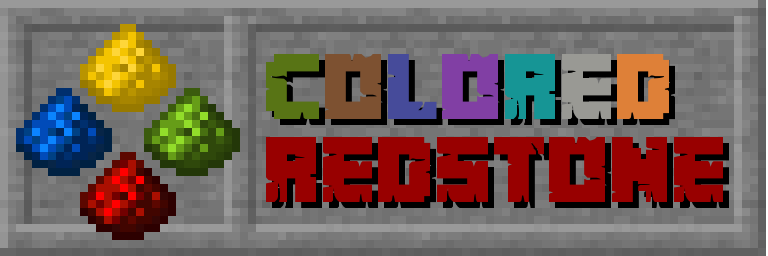
World of Color update for redstone!
Colored Redstone mod adds new color variants for various Minecraft redstone components with simple recoloring mechanism, including:
- redstone dust/wire
- redstone block
- redstone torch (compatible with Albedolighting)
- repeater
- comparator
- redstone lamp (compatible with Albedolighting)
Additionally, light level and color shade of Colored Redstone Lamp depends on the strength of provided redstone signal. For example, redstone signal of 15 gives light level 15 and redstone signal of 8 gives light level of 8.

Simple Recoloring
Colored variants can be created in crafting table from another colored components or by combining existing components with specific dye. It's also possible to change color of placed blocks by simply right-clicking (Shift+right-clicking in case of repeater and comparator) them with the right number of dye items. Check JEI for detailed information and recipes.


Colored Properties
Some colors provide also some useful/useless/goofy properties, each of which can be enabled/disabled and customized in config.
- Black - Withering - black blocks have a chance to apply wither effect to entity standing on them.
- Green - Cactus-proof - items and blocks in item form won't be destroyed by Cactus.
- Brown - Burnable - items and blocks in item form can be used as a fuel. Blocks can also catch on fire.
- Blue - Waterproof - placed redstone components won't be washed away by water.
- Purple - Soft - blocks reduce fall damage.
- Cyan - Alienated - blocks have a chance to drop Enderman loot instead of actual block item.
- Light Gray - Speedy - blocks have a chance to apply speed effect to entity standing on them.
- Gray - Sluggish - blocks have a chance to apply slowness effect to entity standing on them.
- Pink - Healthy - blocks have a chance to apply regeneration effect to entity standing on them.
- Lime - Slimy - blocks have a chance to spawn slime when broken.
- Yellow - Fireproof - items and blocks in item form won't be destroyed by fire or lava. Items will also dance on the surface of lava lakes :)
- Light Blue - Fishy - blocks have a chance to drop fishing loot instead of actual block item.
- Magenta - Edible - items can be eaten. To eat an item press Shift + Right Click (Placing item/block has priority over eating!).
- Orange - Explosion-proof - items and blocks in item form won't be destroyed by explosions, placed redstone components won't pop up.
- White - Despawn-proof - items and blocks in item form won't despawn when on the ground.
Screenshots
Colored Redstone Dust/Wire


Colored Redstone Lamps


Albedo Compability


Changelog
List of all changes can be found on GitHub.
Project description from CurseForge.
Pick your setup
Colored Redstone by Minecraft version and loader
Choose the version and loader you play, then open the matching release.
Check the dependencies, then try the file in a copied instance before changing a world you care about.
Recent files
Colored Redstone versions and loaders
Colored Redstone-1.3.2
Colored Redstone-1.3.2.jar
10 Apr 2019
Client Source doesn’t say Server Source doesn’t say Dependencies No extras listed Listed on Release listing
Check the 1.12.2 setup 1.12.2 release
Colored Redstone-1.3.1
Colored Redstone-1.3.1.jar
23 Feb 2019
Client Source doesn’t say Server Source doesn’t say Dependencies No extras listed Listed on Release listing
Check the 1.12.2 setup 1.12.2 release
Colored Redstone-1.3.0
Colored Redstone-1.3.0.jar
30 Jan 2019
Client Source doesn’t say Server Source doesn’t say Dependencies No extras listed Listed on Release listing
Check the 1.12.2 setup 1.12.2 release
Colored Redstone-1.2.1
Colored Redstone-1.2.1.jar
26 Dec 2018
Client Source doesn’t say Server Source doesn’t say Dependencies No extras listed Listed on Release listing
Check the 1.12.2 setup 1.12.2 release
Colored Redstone-1.2.0
Colored Redstone-1.2.0.jar
25 Dec 2018
Client Source doesn’t say Server Source doesn’t say Dependencies No extras listed Listed on Release listing
Check the 1.12.2 setup 1.12.2 release
Colored Redstone-1.1.0
Colored Redstone-1.1.0.jar
10 Dec 2018
Client Source doesn’t say Server Source doesn’t say Dependencies No extras listed Listed on Release listing
Check the 1.12.2 setup 1.12.2 release
Colored Redstone-1.0.1
Colored Redstone-1.0.1.jar
6 Dec 2018
Client Source doesn’t say Server Source doesn’t say Dependencies No extras listed Listed on Release listing
Check the 1.12.2 setup 1.12.2 release
Colored Redstone-1.0.0
Colored Redstone-1.0.0.jar
1 Dec 2018
Client Source doesn’t say Server Source doesn’t say Dependencies No extras listed Listed on Release listing
Check the 1.12.2 setup 1.12.2 release
Looking for an older file? The official CurseForge project page is in Resources.
 mod
CurseForge · Minecraft
Genetic Animals
adds real genetics and some fantasy genetics to your animals! Every breed of every supported animal is included. Also adds tons of realism upgrades.
 mod
CurseForge · Minecraft
Card Jitsu
Play Card-Jitsu in Minecraft! Duel your friends or ninja penguins with elemental cards, earn your belts and become a ninja!
 mod
CurseForge + Modrinth · Minecraft
Immersive Panoramas
Replaces the static vanilla main menu with a panoramic view of your actual in-game locations.