Minecraft version
Back to mods 
CurseForge · Minecraft mod
No Poles
Prevent the creation of nerd poles by jumping and placing blocks. [nerdpoles]
Choose a version Pick your version below, then grab the matching file.
Quick answer
Which No Poles release should I use?
Latest stable file No-Poles-4.0.10-MC26.3-NeoForge.jar
Game version 26.3
Loader NeoForge
No Poles No-Poles-4.0.10-MC26.3-NeoForge.jar targets 26.3 with NeoForge. The project page does not say whether this file belongs on the client, dedicated server, or both. No extra mods listed for this file.
Where it goes
Is No Poles required on the client, server, or both?
The project page does not say whether this file belongs on the client, dedicated server, or both.
Client Source doesn’t say
Dedicated server Source doesn’t say
Loader for this release NeoForge
Required install it here Optional supported, not mandatory Not supported do not install here Source doesn’t say do not assume
The source does not explicitly classify this release as client-only or server-only.
What else does No Poles No-Poles-4.0.10-MC26.3-NeoForge.jar need?
No-Poles-4.0.10-MC26.3-NeoForge.jar. Change the file and its required mods may change too.
This file does not list any required mods. Do not add a library just because a different file uses it.
This file does not list any required or optional mods.
Before you install it
Add No Poles without breaking your instance.
Built for No Poles No-Poles-4.0.10-MC26.3-NeoForge.jar. Pick another file and the loader, install side or required mods may change.
- 01
Stick to this file
Use No-Poles-4.0.10-MC26.3-NeoForge.jar. It targets 26.3 with NeoForge; another release may have different loader, side or dependency requirements.
- 02
Bring the mods it needs
This file does not list any required mods. Do not add a library just because a different file uses it.
- 03
Put it on the correct side
The project page does not say whether this file belongs on the client, dedicated server, or both.
- 04
Pick the file you checked
Use the “Get this file” button beside No-Poles-4.0.10-MC26.3-NeoForge.jar. It opens that exact file at the source.
About this project
What does No Poles add?
 Description
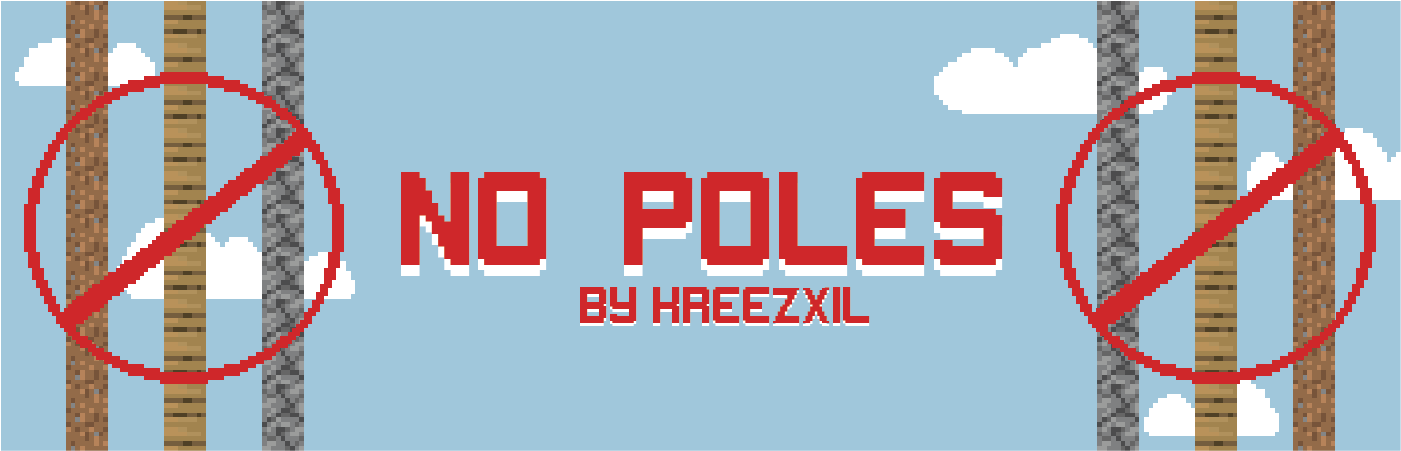
Tired of seeing 1 block wide stacks of blocks in your world? This mod prevents them. No more stone, dirt, wood or other single-block columns. Your players will have to put some thought into their constructs, like a staircase, or a pole with a ladder.
When a player right-clicks the top of a column whose four sides are open for the configured height (10 blocks by default), the column is removed down to the ground and its blocks drop as items. Unbreakable blocks such as bedrock are left in place, and removal never goes below the bottom of the world.
This doesn't stop all kinds of ugly, just that one type of ugly with the single stack of blocks reaching high above the ground.
Whitelist
A whitelist lets you allow nerdpoling with specific blocks. By default it contains Minecraft sand, red sand, gravel and the NotEnoughScaffold wooden and iron scaffolds. These are all blocks that come down in some way when the bottom block is removed. Scaffolds come completely down, and you know how the Minecraft blocks come down, so have that torch ready.
Configuration
All settings are in config/nopoles-common.toml and in the in-game Mods menu config screen:
• poleHeight (default 10): how many blocks down a column must be open on all four sides to count as a pole.
• poleHeightLimit (default 384): the highest value poleHeight can take effect at.
• whiteList: blocks, as modid:blockid, that may be poled.
• allowWhenCrouching, allowWhenClimbing, allowWhenGliding, allowInCreative, allowInWater, allowEmptyHand, allowBuildingFromBelow (all default true): skip the check for players in that situation.
• protectUnbreakableBlocks (default true): leave unbreakable blocks in place when a pole is removed.
• commandPermissionLevel (default 2): operator level needed for the /no_poles command; can only be changed in the file.
• debugMode (default false): shows each check in chat.
A nopoles.example.cf file in the config folder lists every option with its default. It is for reference only; do not rename it into use.
Commands
Operators can read and change every option except commandPermissionLevel with /no_poles, for example /no_poles poleHeight 12 or /no_poles whiteList add minecraft:scaffolding.
Modpacks
No need to ask, just add.
Reviewers
No need to ask, just comment below with your video url.



If you want a server set up for any modpack with zero effort, get a server with BisectHosting and receive 25% off your first month as a new customer using the code kreezxil
Project description from CurseForge.
Pick your setup
No Poles by Minecraft version and loader
Choose the version and loader you play, then open the matching release.
Minecraft version
1.20.4
2 loader buildsMinecraft version
1.20.2
2 loader buildsMinecraft version
1.20.1
2 loader buildsMinecraft version
1.19.2
2 loader buildsMinecraft version
1.19.1
2 loader buildsMinecraft version
1.18.2
2 loader buildsMinecraft version
1.18.1
1 loader buildMinecraft version
1.16.5
1 loader buildMinecraft version
1.16.1
1 loader buildMinecraft version
1.15.1
1 loader buildMinecraft version
1.14.4
1 loader buildShowing the newest 12 of 16 game versions. Older files are in the list below.
Check the dependencies, then try the file in a copied instance before changing a world you care about.
Recent files
No Poles versions and loaders
No-Poles-4.0.10-MC26.3-NeoForge.jar
13 Nov 2026
Client Source doesn’t say Server Source doesn’t say Dependencies No extras listed Listed on Release listing
Check the 26.3 · NeoForge setup NeoForge26.3 release
NoPoles-neoforge-1.20.4-3.9.0.jar
29 Feb 2024
Client Source doesn’t say Server Source doesn’t say Dependencies No extras listed Listed on Release listing
Check the 1.20.4 · NeoForge setup 1.20.4NeoForge release
NoPoles-neoforge-1.20.2-3.8.0.jar
29 Feb 2024
Client Source doesn’t say Server Source doesn’t say Dependencies No extras listed Listed on Release listing
Check the 1.20.2 · NeoForge setup 1.20.2NeoForge release
NoPoles-forge-1.20.1-3.7.0.jar
29 Feb 2024
Client Source doesn’t say Server Source doesn’t say Dependencies No extras listed Listed on Release listing
Check the 1.20.1 · Forge setup 1.20.1Forge release
NoPoles-fabric-1.20.4-3.9.0.jar
29 Feb 2024
Client Source doesn’t say Server Source doesn’t say Dependencies 2 required · 2 unchecked Listed on Release listing
Check the 1.20.4 · Fabric setup Fabric1.20.4 release
NoPoles-fabric-1.20.2-3.8.0.jar
29 Feb 2024
Client Source doesn’t say Server Source doesn’t say Dependencies 2 required · 2 unchecked Listed on Release listing
Check the 1.20.2 · Fabric setup 1.20.2Fabric release
NoPoles-fabric-1.20.1-3.7.0.jar
29 Feb 2024
Client Source doesn’t say Server Source doesn’t say Dependencies 2 required · 2 unchecked Listed on Release listing
Check the 1.20.1 · Fabric setup Fabric1.20.1 release
NoPoles-forge-1.19.2-3.6.1.jar
29 Nov 2022
Client Source doesn’t say Server Source doesn’t say Dependencies No extras listed Listed on Release listing
Check the 1.19.2 · Forge setup 1.19.2Forge1.19.1 release
NoPoles-fabric-1.19.2-3.6.1.jar
29 Nov 2022
Client Source doesn’t say Server Source doesn’t say Dependencies 2 required · 2 unchecked Listed on Release listing
Check the 1.19.2 · Fabric setup Fabric1.19.21.19.1 release
NoPoles-forge-1.19.2-3.6.0.jar
16 Oct 2022
Client Source doesn’t say Server Source doesn’t say Dependencies No extras listed Listed on Release listing
Check the 1.19.2 · Forge setup 1.19.2Forge1.19.1 release
NoPoles-fabric-1.19.2-3.6.0.jar
16 Oct 2022
Client Source doesn’t say Server Source doesn’t say Dependencies 2 required · 2 unchecked Listed on Release listing
Check the 1.19.2 · Fabric setup Fabric1.19.21.19.1 release
nopoles-1.1.2-1.18.2.jar
nopoles-1.0.1-1.18 (1).jar
2 May 2022
Client Source doesn’t say Server Source doesn’t say Dependencies No extras listed Listed on Release listing
Check the 1.18.2 · Fabric setup Fabric1.18.2Forge release
Looking for an older file? The official CurseForge project page is in Resources.
 mod
CurseForge + Modrinth · Minecraft
ForceCraft
A semi-magical mod focused around power, called Force
 mod
CurseForge + Modrinth · Minecraft
Reconnectible Chains
A multiloader fork of Connectible Chains: Connect your fences/walls with a decorative chain!
 mod
CurseForge + Modrinth · Minecraft
danse - serverside gestures / emotes
Server-side player gestures using a resourcepack. Dynamic player textures! No client-side mods required!