Botania Needed by Botanic Bonsai BotanicBonsai-1.0.0.5.jar
requiredMatching file found Matched file: Botania r1.10-364.4.jar

CurseForge · Minecraft mod
This mods adds Botanic Bonsai Tree Pots that accept mana to boost growth
Quick answer
Botanic Bonsai BotanicBonsai-1.0.0.5.jar targets 1.12.2. The project page does not say whether this file belongs on the client, dedicated server, or both. All 3 required mods have matching files.
Where it goes
The project page does not say whether this file belongs on the client, dedicated server, or both.
The source does not explicitly classify this release as client-only or server-only.
BotanicBonsai-1.0.0.5.jar. Change the file and its required mods may change too.
Install Botania, Bonsai Trees 4, Baubles first. We found matching files for this game-version and loader setup. 4 come through another mod in the chain.
4 extra mods were pulled in by other dependencies. Indented rows show who needs each one. We only count dependency files that match this setup. A file for another loader does not fill the gap.
Before you install it
Built for Botanic Bonsai BotanicBonsai-1.0.0.5.jar. Pick another file and the loader, install side or required mods may change.
Use BotanicBonsai-1.0.0.5.jar. It targets 1.12.2; another release may have different loader, side or dependency requirements.
Install Botania, Bonsai Trees 4, Baubles first. We found matching files for this game-version and loader setup. 4 come through another mod in the chain.
The project page does not say whether this file belongs on the client, dedicated server, or both.
Use the “Get this file” button beside BotanicBonsai-1.0.0.5.jar. It opens that exact file at the source.
About this project
This mod has been disabled for now. No ETAs.
Place a Bonsai Pot Manager near a Livingrock Bonsai Pot, place a chest next to manager, and direct a Mana Spreader into the manager. Manager does not require Mana to collect items, and it also works with regular bonsai pots, but it does require Mana to boost Livingrock pots.


Supports colors too!


Project description from CurseForge.
Pick your setup
Choose the version and loader you play, then open the matching release.
Check the dependencies, then try the file in a copied instance before changing a world you care about.
Recent files
18 Mar 2019
Looking for an older file? The official CurseForge project page is in Resources.
 mod
Lets you block with a shield (or use any offhand item) while holding a two-handed weapon such as a greatsword, whenever Epic Fight is in vanilla mode.
 mod
Data-driven multiblock machines for NeoForge.
 mod
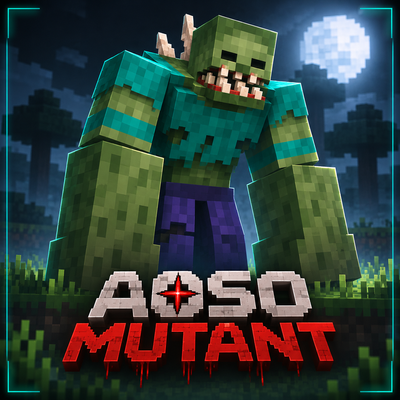
Fourteen huge mutant bosses grown from vanilla mobs, each with its own moves and attacks. Find them in the wild, or make your own with the Mutagen.