Minecraft version
Back to mods 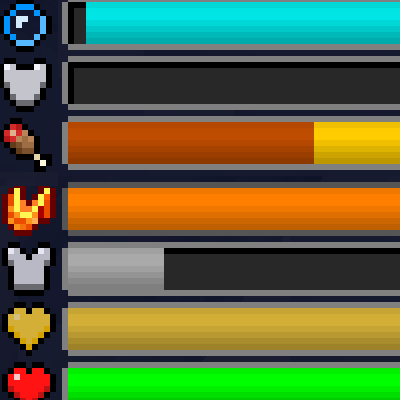
CurseForge · Minecraft mod
Classic Bars
Changes the Status Icons to Status Bars
Choose a version Pick your version below, then grab the matching file.
This page is having a moment, so a few details may be a little behind.
Quick answer
Which Classic Bars release should I use?
Latest stable file classicbar-1.20.1-6.jar
Game version 1.20.1
Loader Forge
Classic Bars classicbar-1.20.1-6.jar targets 1.20.1 with Forge. The project page does not say whether it belongs on the client. The project page does not say whether it belongs on the dedicated server. No extra mods listed for this file.
Where it goes
Is Classic Bars required on the client, server, or both?
The project page does not say whether it belongs on the client. The project page does not say whether it belongs on the dedicated server.
Client Source doesn’t say
Dedicated server Source doesn’t say
Loader for this release Forge
Required install it here Optional supported, not mandatory Not supported do not install here Source doesn’t say do not assume
The source does not explicitly classify this release as client-only or server-only.
What else does Classic Bars classicbar-1.20.1-6.jar need?
classicbar-1.20.1-6.jar. Change the file and its required mods may change too.
This file does not list any required mods. Do not add a library just because a different file uses it.
This file does not list any required or optional mods.
Before you install it
Add Classic Bars without breaking your instance.
Built for Classic Bars classicbar-1.20.1-6.jar. Pick another file and the loader, install side or required mods may change.
- 01
Stick to this file
Use classicbar-1.20.1-6.jar. It targets 1.20.1 with Forge; another release may have different loader, side or dependency requirements.
- 02
Bring the mods it needs
This file does not list any required mods. Do not add a library just because a different file uses it.
- 03
Put it on the correct side
The project page does not say whether it belongs on the client. The project page does not say whether it belongs on the dedicated server.
- 04
Pick the file you checked
Use the “Get this file” button beside classicbar-1.20.1-6.jar. It opens that exact file at the source.
About this project
What does Classic Bars add?
Classic Bar
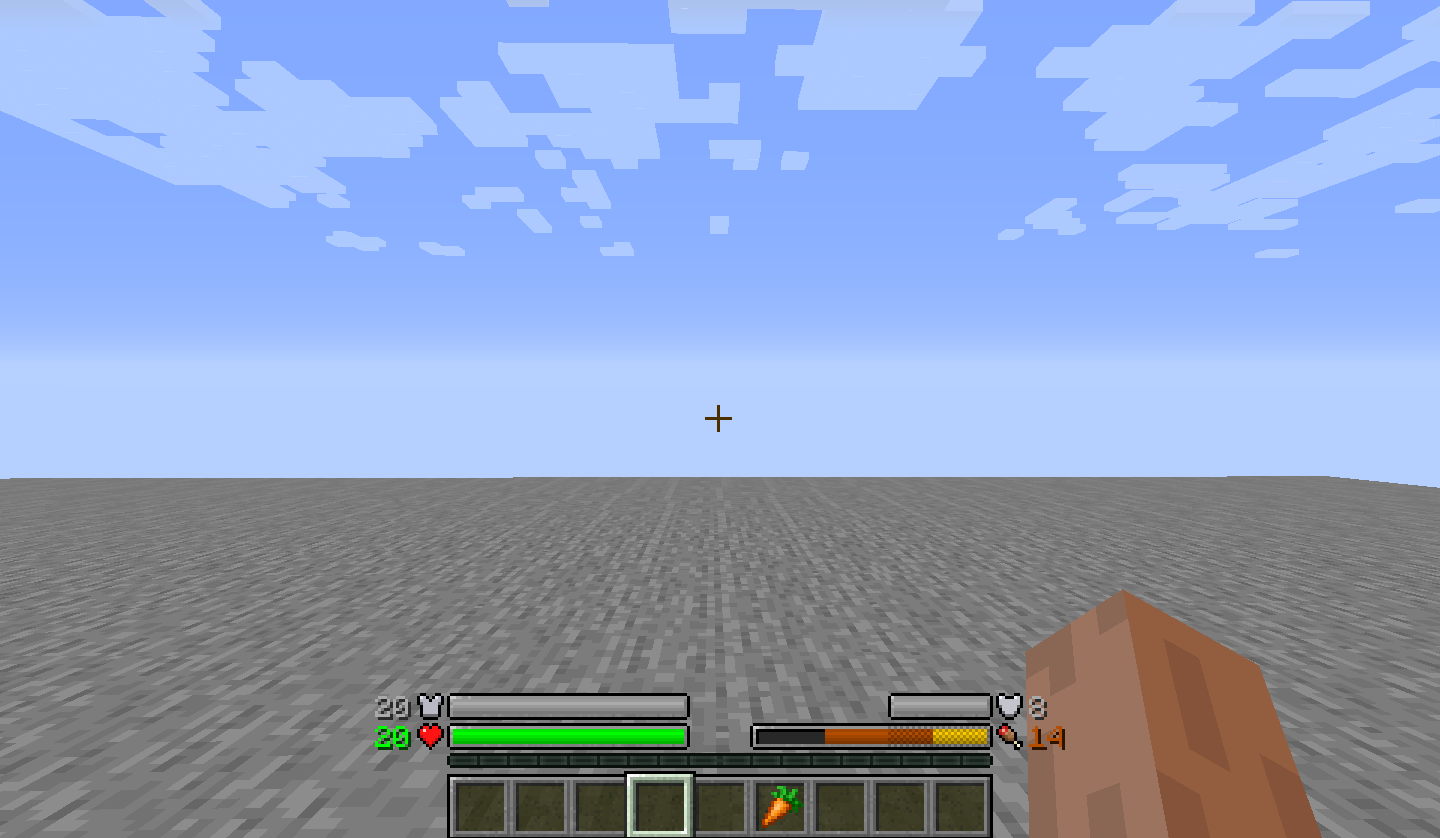
Classic Bar is a mod that replaces the traditional icon rows in the HUD with icon bars. With this comes some new benefits.
Features
Instead of adding additional rows when health/absorption is over 20, the bars always stay the same length whether you have 20 health or 200 health.
This mod is capable of showing armor over 20 where the vanilla caps the display, but it will cap out at 30 unless the Armor Attribute cap is removed with another mod.
This makes mods such as Overloaded Armor bar, Colorful Health bar, and Armor Toughness Bar irrelevant as this mod already has those improvements baked in.
In addition, this mod also shows the saturation and exhaustion levels of the player, which are normally not seen
Note: this feature does NOT need Appleskin/Core, this mod has 0 dependencies
(running around)
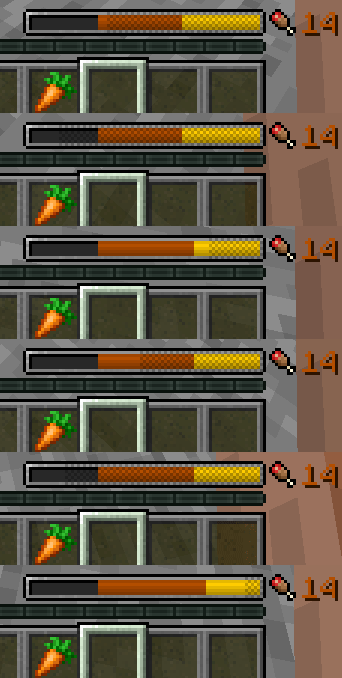
And when holding a food item, it's potential saturation/hunger will be overlaid on top of the hunger bar
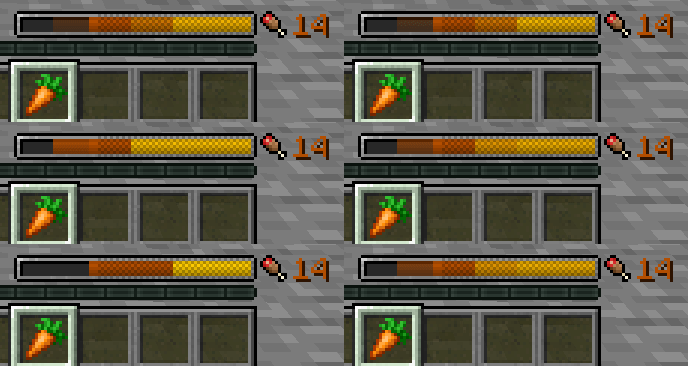
Armor toughness is shown above the hunger bar (only vanilla diamond armor by default has it but other mods may add stronger armor.)
Mod Compat
Random Things (Lava Waders/Fire Charm)
Lava Waders Bauble (The name)
Tough as Nails (Thirst Bar)
Botania (Tiara)
Iblis (Hunger amounts)
Clientside only.
Need a custom mod for a reasonable fee? Just want to chat? Have a complex issue needing additional discussion? Join the Discord:
Want to help support this mod and others? donate to my Patreon in the link below
Project description from CurseForge.
Pick your setup
Classic Bars by Minecraft version and loader
Choose the version and loader you play, then open the matching release.
Minecraft version
1.19.2
1 loader buildMinecraft version
1.18.2
1 loader buildMinecraft version
1.16.5
2 loader buildsMinecraft version
1.16.4
1 loader buildMinecraft version
1.16.3
1 loader buildMinecraft version
1.16.1
1 loader buildMinecraft version
1.15.2
1 loader buildMinecraft version
1.15.1
1 loader buildMinecraft version
1.14.4
1 loader buildMinecraft version
1.14.3
1 loader buildMinecraft version
1.14.2
1 loader buildShowing the newest 12 of 13 game versions. Older files are in the list below.
Check the dependencies, then try the file in a copied instance before changing a world you care about.
Recent files
Classic Bars versions and loaders
classicbar-1.20.1-6.jar
15 Jun 2026
Client Source doesn’t say Server Source doesn’t say Dependencies No extras listed Listed on Release listing
Check the 1.20.1 · Forge setup 1.20.1Forge release
classicbar-1.20.1-5.jar
12 Jun 2026
Client Source doesn’t say Server Source doesn’t say Dependencies No extras listed Listed on Release listing
Check the 1.20.1 · Forge setup 1.20.1Forge release
classicbar-1.20.1-4.jar
12 Dec 2024
Client Source doesn’t say Server Source doesn’t say Dependencies No extras listed Listed on Release listing
Check the 1.20.1 · Forge setup 1.20.1Forge release
classicbar-1.20.1-3.jar
5 May 2024
Client Source doesn’t say Server Source doesn’t say Dependencies No extras listed Listed on Release listing
Check the 1.20.1 · Forge setup 1.20.1Forge release
classicbar-1.20.1-2.jar
25 Feb 2024
Client Source doesn’t say Server Source doesn’t say Dependencies No extras listed Listed on Release listing
Check the 1.20.1 · Forge setup 1.20.1Forge release
classicbar-1.19.2-6.2.1.jar
30 Jan 2024
Client Source doesn’t say Server Source doesn’t say Dependencies No extras listed Listed on Release listing
Check the 1.19.2 · Forge setup 1.19.2Forge release
classicbar-1.20.1-1.jar
22 Jan 2024
Client Source doesn’t say Server Source doesn’t say Dependencies No extras listed Listed on Release listing
Check the 1.20.1 · Forge setup 1.20.1Forge release
classicbar-1.19.2-6.2.0.jar
21 Jan 2024
Client Source doesn’t say Server Source doesn’t say Dependencies No extras listed Listed on Release listing
Check the 1.19.2 · Forge setup 1.19.2Forge release
classicbar-1.19.2-6.1.2.jar
10 Mar 2023
Client Source doesn’t say Server Source doesn’t say Dependencies No extras listed Listed on Release listing
Check the 1.19.2 · Forge setup 1.19.2Forge release
classicbar-1.19.2-6.1.1.jar
4 Nov 2022
Client Source doesn’t say Server Source doesn’t say Dependencies No extras listed Listed on Release listing
Check the 1.19.2 · Forge setup 1.19.2Forge release
classicbar-1.19.2-6.1.jar
24 Oct 2022
Client Source doesn’t say Server Source doesn’t say Dependencies No extras listed Listed on Release listing
Check the 1.19.2 · Forge setup 1.19.2Forge release
classicbar-1.18.2-5.0.2.jar
24 Oct 2022
Client Source doesn’t say Server Source doesn’t say Dependencies No extras listed Listed on Release listing
Check the 1.18.2 · Forge setup 1.18.2Forge release
Looking for an older file? The official CurseForge project page is in Resources.
 mod
mod CurseForge · Minecraft
Four Seasons: Chronicle of Huayue
A Lilac-wreathed seasonal boss, Huayue — ranged sorcery gives way to relentless steel. More Four Seasons bosses, structures, and items yet to come.
 mod
mod CurseForge · Minecraft
Cursed Fate: Auras
Cursed Fate addon which adds a Chroma Orb recipe as well as a rarity based cursed energy color system with custom Flow auras for players to acquire.
 mod
mod CurseForge · Minecraft
Authentic Player Skulls
Authentic Player Skulls drops non-forgeable player heads upon death with seamless skin preservation, custom death broadcasts, and strict anti-tampering protection for SMP & Survival servers!