Minecraft version
Back to mods 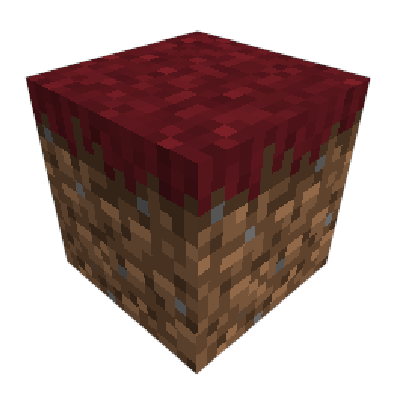
CurseForge · Minecraft mod
Colormatic
Now you can customize Minecraft's hardcoded colors with a resource pack.
Choose a version Pick your version below, then grab the matching file.
Quick answer
Which Colormatic release should I use?
Latest stable file colormatic-3.1.3+mc.1.20.1.jar
Game version 1.20.1
Loader Fabric, Quilt
colormatic-3.1.3+mc.1.20.1.jar targets 1.20.1 with Fabric, Quilt. The project page does not say whether this file belongs on the client, dedicated server, or both. No extra mods listed for this file.
Where it goes
Is Colormatic required on the client, server, or both?
The project page does not say whether this file belongs on the client, dedicated server, or both.
Client Source doesn’t say
Dedicated server Source doesn’t say
Loader for this release Fabric, Quilt
Required install it here Optional supported, not mandatory Not supported do not install here Source doesn’t say do not assume
The source does not explicitly classify this release as client-only or server-only.
What else does colormatic-3.1.3+mc.1.20.1.jar need?
colormatic-3.1.3+mc.1.20.1.jar. Change the file and its required mods may change too.
This file does not list any required mods. Do not add a library just because a different file uses it.
This file does not list any required or optional mods.
Before you install it
Add Colormatic without breaking your instance.
Built for colormatic-3.1.3+mc.1.20.1.jar. Pick another file and the loader, install side or required mods may change.
- 01
Stick to this file
Use colormatic-3.1.3+mc.1.20.1.jar. It targets 1.20.1 with Fabric, Quilt; another release may have different loader, side or dependency requirements.
- 02
Bring the mods it needs
This file does not list any required mods. Do not add a library just because a different file uses it.
- 03
Put it on the correct side
The project page does not say whether this file belongs on the client, dedicated server, or both.
- 04
Pick the file you checked
Use the “Get this file” button beside colormatic-3.1.3+mc.1.20.1.jar. It opens that exact file at the source.
About this project
What does Colormatic add?

Colormatic is an independent implementation that is resource-pack-compatible with the original Custom Colors mod for Minecraft on Fabric. It is fully compatible with resource packs that use Optifine's custom colors feature. Colormatic sports almost all features of the original Custom Colors mod and adds a few of its own. Features include
- Biome colormaps for water, foliage, underwater, underlava, sky, and fog
- Custom biome colormaps for any block
- Custom lightmaps for any dimension (including datapack dimensions)
- Custom dye colors
- Custom chat colors
Colormatic supports loading resource packs with Optifine custom colors files as-is. It also supports (and prefers) loading equivalent json format files from the colormatic namespace.
Note: Colormatic does not itself add any custom colors to Minecraft. It simply provides the capability for resource packs to add custom colors.
See more silly images.
Project description from CurseForge.
Pick your setup
Colormatic by Minecraft version and loader
Choose the version and loader you play, then open the matching release.
Minecraft version
1.19
2 loader buildsMinecraft version
1.18.2
1 loader buildMinecraft version
1.18.1
1 loader buildMinecraft version
1.18
1 loader buildMinecraft version
1.17.1
1 loader buildMinecraft version
1.16.5
1 loader buildMinecraft version
1.16.4
1 loader buildMinecraft version
1.16.3
1 loader buildMinecraft version
1.16.2
1 loader buildMinecraft version
1.16.1
2 loader buildsMinecraft version
1.16
2 loader buildsShowing the newest 12 of 16 game versions. Older files are in the list below.
Check the dependencies, then try the file in a copied instance before changing a world you care about.
Recent files
Colormatic versions and loaders
colormatic-3.1.3+mc.1.20.1.jar
21 Dec 2024
Client Source doesn’t say Server Source doesn’t say Dependencies No extras listed Listed on Release listing
Check the 1.20.1 · Fabric setup Fabric1.20.1Quilt release
colormatic-3.1.2+mc.1.19.jar
8 Jun 2022
Client Source doesn’t say Server Source doesn’t say Dependencies 1 required · 1 unchecked Listed on Release listing
Check the 1.19 · Fabric setup FabricQuilt1.19 release
colormatic-3.1.1+mc.1.18.2.jar
23 Mar 2022
Client Source doesn’t say Server Source doesn’t say Dependencies 1 required · 1 unchecked Listed on Release listing
Check the 1.18.2 · Fabric setup Fabric1.18.2 release
colormatic-3.1.0+mc.1.18.1.jar
20 Feb 2022
Client Source doesn’t say Server Source doesn’t say Dependencies 2 required · 2 unchecked Listed on Release listing
Check the 1.18.1 · Fabric setup 1.18.1Fabric release
colormatic-3.0.0+mc.1.18.jar
3 Jan 2022
Client Source doesn’t say Server Source doesn’t say Dependencies 2 required · 2 unchecked Listed on Release listing
Check the 1.18.1 · Fabric setup 1.18.1Fabric1.18 release
colormatic-2.4.0+mc.1.18.jar
5 Dec 2021
Client Source doesn’t say Server Source doesn’t say Dependencies 2 required · 2 unchecked Listed on Release listing
Check the 1.18 · Fabric setup Fabric1.18 release
colormatic-2.3.1+mc.1.17.1.jar
11 Nov 2021
Client Source doesn’t say Server Source doesn’t say Dependencies 2 required · 2 unchecked Listed on Release listing
Check the 1.17.1 · Fabric setup 1.17.1Fabric release
Colormatic 2.3.0
colormatic-2.3.0+mc.1.17.1.jar
27 Sept 2021
Client Source doesn’t say Server Source doesn’t say Dependencies 2 required · 2 unchecked Listed on Release listing
Check the 1.17.1 · Fabric setup 1.17.1Fabric release
colormatic-2.2.11+mc.1.17.1.jar
22 Sept 2021
Client Source doesn’t say Server Source doesn’t say Dependencies 2 required · 2 unchecked Listed on Release listing
Check the 1.17.1 · Fabric setup 1.17.1Fabric release
colormatic-2.2.10+mc.1.17.1.jar
23 Aug 2021
Client Source doesn’t say Server Source doesn’t say Dependencies 2 required · 2 unchecked Listed on Release listing
Check the 1.17.1 · Fabric setup 1.17.1Fabric release
colormatic-2.2.9+mc.1.16.5.jar
18 Jun 2021
Client Source doesn’t say Server Source doesn’t say Dependencies 2 required · 2 unchecked Listed on Release listing
Check the 1.16.5 · Fabric setup Fabric1.16.5 release
colormatic-2.2.8+mc.1.16.3.jar
13 Jan 2021
Client Source doesn’t say Server Source doesn’t say Dependencies 1 required · 1 unchecked Listed on Release listing
Check the 1.16.5 · Fabric setup 1.16.3Fabric1.16.51.16.4 release
Looking for an older file? The official CurseForge project page is in Resources.
 mod
mod CurseForge + Modrinth · Minecraft
Stardew Fishing Fabric
Making fishing fun with a minigame directly inspired by Stardew Valley(fabric version of Stardew Fishing)!
 mod
mod CurseForge + Modrinth · Minecraft
VO: Better Dogs
Enhances vanilla wolves with unique personalities (Aggressive, Pacifist, Normal), smarter AI, safety behaviors, and combat improvements.
 mod
mod CurseForge + Modrinth · Minecraft
Roundabout: The JoJo Mod
A Jojo's Bizarre Adventure mod that interprets the world and power system of the anime into the world of Minecraft. ( JJBA )