Forge Config API Port Needed by BiomeInfo (Fabric) biomeinfo-fabric-26.2/.3-1.9.jar
requiredMatching file found Matched file: [FABRIC] [26.3.x] v26.3.1
CurseForge · Minecraft mod
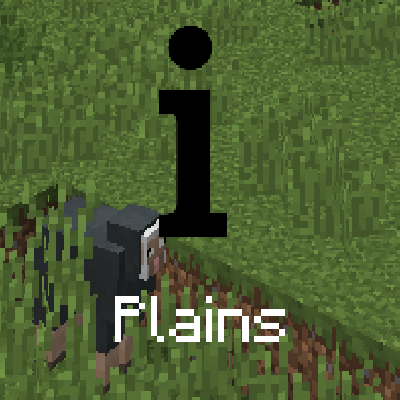
Adds a configurable text to the top left corner (by default) saying what biome the player is in.
Quick answer
BiomeInfo (Fabric) biomeinfo-fabric-26.2/.3-1.9.jar targets 26.2, 26.3 with Fabric, Quilt. The project page does not say whether this file belongs on the client, dedicated server, or both. All 2 required mods have matching files.
Where it goes
The project page does not say whether this file belongs on the client, dedicated server, or both.
The source does not explicitly classify this release as client-only or server-only.
biomeinfo-fabric-26.2/.3-1.9.jar. Change the file and its required mods may change too.
Install Forge Config API Port, Fabric API first. We found matching files for this game-version and loader setup. 2 come through another mod in the chain.
2 extra mods were pulled in by other dependencies. Indented rows show who needs each one. We only count dependency files that match this setup. A file for another loader does not fill the gap.
Before you install it
Built for BiomeInfo (Fabric) biomeinfo-fabric-26.2/.3-1.9.jar. Pick another file and the loader, install side or required mods may change.
Use biomeinfo-fabric-26.2/.3-1.9.jar. It targets 26.2, 26.3 with Fabric, Quilt; another release may have different loader, side or dependency requirements.
Install Forge Config API Port, Fabric API first. We found matching files for this game-version and loader setup. 2 come through another mod in the chain.
The project page does not say whether this file belongs on the client, dedicated server, or both.
Use the “Get this file” button beside biomeinfo-fabric-26.2/.3-1.9.jar. It opens that exact file at the source.
About this project
This mod will show a simple text containing the name of the biome the player is currently in.
This is useful if you'd like to have constant information about which biome you're currently traveling in, but don't want your screen to be cluttered with other information.
The info will show once for 1.5 seconds after you entered a new biome. It will then fade out. You can change the time the info appears, or have it shown all the time via the mod's configuration options. To turn the display off completely, toggle the corresponding option.
The text will show at the top left corner of Minecraft by default, however you can completely customize its position and color with the configuration file. There are a few position presets that make it easier for you to choose a position you like without needing to fiddle with the config settings.
To change the text's color, copy the hexadecimal value of a color into the configuration field. For instance, the hex value of white is ffffff (you can use an online tool to get the value of other colors).
Other configuration options include scaling the text, making the text render with a shadow (true by default), and changing the text alignment


Come join me on Discord! https://discord.gg/kgZUAxK
 Follow me on Twitter for mod updates and other shenanigans! [https://twitter.com/bl4ckscor3](https://twitter.com/bl4ckscor3)
Project description from CurseForge.
Pick your setup
Choose the version and loader you play, then open the matching release.
Showing the newest 12 of 39 game versions. Older files are in the list below.
Check the dependencies, then try the file in a copied instance before changing a world you care about.
Recent files
biomeinfo-fabric-26.2-1.9.jar
19 Jun 2026
4 Apr 2026
17 Jan 2026
17 Jan 2026
17 Jan 2026
11 Dec 2025
11 Oct 2025
biomeinfo-1.21.6-20.jar
17 Jun 2025
biomeinfo-1.21.4-20.jar
31 Mar 2025
31 Mar 2025
31 Mar 2025
31 Mar 2025
Looking for an older file? The official CurseForge project page is in Resources.
 mod
Fixes incorrect poses in third person when holding the guns from Iron's Arms 'n Artifice when having EMF mods installed
 mod
235 festive blocks and 12 snowman mobs: decorate cozy homes and snowy streets, build snowman helpers, start snowball wars with a launcher, cannon and turret, and battle the boss Old Frostbelly.
 mod
Browse, preview and share LittleTiles models inside Minecraft — download blueprints and upload your own builds.