Minecraft version
Back to mods 
CurseForge · Minecraft mod
Dyed Blocks
This Mod Adds Different Dyed Blocks To Minecraft
Choose a version Pick your version below, then grab the matching file.
Quick answer
Which Dyed Blocks release should I use?
Latest stable file Dyed Blocks 1.1.0
Game version 1.12.1, 1.12, 1.12.2
Loader Not required
Dyed Blocks 1.1.0 targets 1.12.1, 1.12, 1.12.2. The project page does not say whether this file belongs on the client, dedicated server, or both. No extra mods listed for this file.
Where it goes
Is Dyed Blocks required on the client, server, or both?
The project page does not say whether this file belongs on the client, dedicated server, or both.
Client Source doesn’t say
Dedicated server Source doesn’t say
Loader for this release No loader listed
Required install it here Optional supported, not mandatory Not supported do not install here Source doesn’t say do not assume
The source does not explicitly classify this release as client-only or server-only.
What else does Dyed Blocks 1.1.0 need?
Dyed Blocks 1.1.0. Change the file and its required mods may change too.
This file does not list any required mods. Do not add a library just because a different file uses it.
This file does not list any required or optional mods.
Before you install it
Add Dyed Blocks without breaking your instance.
Built for Dyed Blocks 1.1.0. Pick another file and the loader, install side or required mods may change.
- 01
Stick to this file
Use Dyed Blocks 1.1.0. It targets 1.12.1, 1.12, 1.12.2; another release may have different loader, side or dependency requirements.
- 02
Bring the mods it needs
This file does not list any required mods. Do not add a library just because a different file uses it.
- 03
Put it on the correct side
The project page does not say whether this file belongs on the client, dedicated server, or both.
- 04
Pick the file you checked
Use the “Get this file” button beside Dyed Blocks 1.1.0. It opens that exact file at the source.
About this project
What does Dyed Blocks add?
This Is My First Mod I've Created, I Used http://mcreator.net To Make This Mod.
I Originally Was Only Going To Be Making This Mod For Personal Uses But I Wanted To Upload It For Anybody Who Might Like A Mod Like This
I Will not be Updating this, This Mod is Discontinued for the time being, But currently i am working on a new mod that will hopefully have more content in it than this one had.
What This Mod Currently Adds:
16 Dyed Planks
16 Dyed Bookshelves
16 Dyed Bedside Tables. (The Bedside Tables Can Be Used To Store Items, It Has The Same Amount Of Inventory As A Single Chest)
16 Dyed Stairs
16 Dyed Fences
My Current Future Plans For This Mod Are:
16 Dyed Doors
16 Dyed Water
16 Dyed Slabs
I Created The Textures For The Blocks In This Mod
The Textures In This Mod Are Edited How I Like Them So Don't Be Surprised When The Dyed Planks And Bookshelves Don't Look The Same As Normal Minecraft
Project description from CurseForge.
Pick your setup
Dyed Blocks by Minecraft version and loader
Choose the version and loader you play, then open the matching release.
Minecraft version
1.12.1
1 loader buildMinecraft version
1.12
1 loader buildCheck the dependencies, then try the file in a copied instance before changing a world you care about.
Recent files
Dyed Blocks versions and loaders
Dyed Blocks 1.1.0
Dyed Blocks 1.1.0.jar
27 Sept 2019
Client Source doesn’t say Server Source doesn’t say Dependencies No extras listed Listed on Release listing
Check the 1.12.2 setup 1.12.11.121.12.2 release
Dyed Blocks 1.0.0
Dyed Blocks 1.0.0.jar
23 Jul 2019
Client Source doesn’t say Server Source doesn’t say Dependencies No extras listed Listed on Release listing
Check the 1.12.2 setup 1.12.11.121.12.2 release
Looking for an older file? The official CurseForge project page is in Resources.
 mod
mod CurseForge · Minecraft
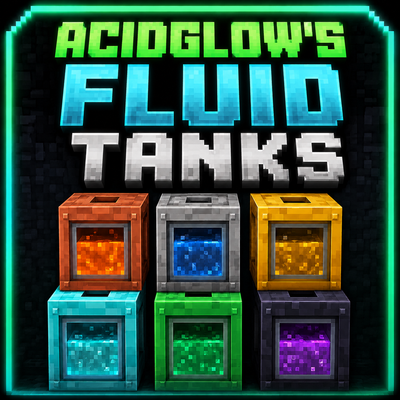
Acidglow's Fluid Tanks
Tanks in any size for any liquid
 mod
mod CurseForge · Minecraft
Create: Better Item Vaults
Modifies Create's Item Vault to hold 1280 individual items instead of 20 x (up to) 64 items. How they should have been from the start!
 mod
mod Modrinth · Minecraft
Sophisticated GUI
This mod allows you to move items from your backpack directly to your functional blocks via a toggleable GUI.