Minecraft version
Back to mods 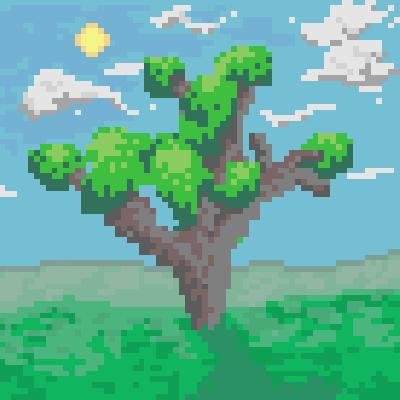
CurseForge · Minecraft mod
L-Tree API
A tree generation API using L-Systems
Choose a version Pick your version below, then grab the matching file.
Quick answer
Which L-Tree API release should I use?
Latest stable file L-Trees API V1.1
Game version 1.14.4
Loader Forge
L-Tree API L-Trees API V1.1 targets 1.14.4 with Forge. The project page does not say whether this file belongs on the client, dedicated server, or both. No extra mods listed for this file.
Where it goes
Is L-Tree API required on the client, server, or both?
The project page does not say whether this file belongs on the client, dedicated server, or both.
Client Source doesn’t say
Dedicated server Source doesn’t say
Loader for this release Forge
Required install it here Optional supported, not mandatory Not supported do not install here Source doesn’t say do not assume
The source does not explicitly classify this release as client-only or server-only.
What else does L-Tree API L-Trees API V1.1 need?
L-Trees API V1.1. Change the file and its required mods may change too.
This file does not list any required mods. Do not add a library just because a different file uses it.
This file does not list any required or optional mods.
Before you install it
Add L-Tree API without breaking your instance.
Built for L-Tree API L-Trees API V1.1. Pick another file and the loader, install side or required mods may change.
- 01
Stick to this file
Use L-Trees API V1.1. It targets 1.14.4 with Forge; another release may have different loader, side or dependency requirements.
- 02
Bring the mods it needs
This file does not list any required mods. Do not add a library just because a different file uses it.
- 03
Put it on the correct side
The project page does not say whether this file belongs on the client, dedicated server, or both.
- 04
Pick the file you checked
Use the “Get this file” button beside L-Trees API V1.1. It opens that exact file at the source.
About this project
What does L-Tree API add?
The sole purpose of this mod is to provide an easy to use tree generator for mod developers without having to add any new blocks or items into the game.
To create a tree, just create a new LTree object, and run the "placeInWorld" function. There is also code for a testing environment for the trees in the sources of the project, which was made so you don't have to load up a new Minecraft world and search for a tree to see what it looks like when generated each time you make a new tree design or modify an existing tree.
--Fun fact: the mod's curseforge icon is a picture of a tree generated by L-Tree API that I copied into a pixel art program and added extra detail to (shading, and a background)
Creating L-Tree Functions
All of the generation code for L-Trees comes in the form of "functions" represented as an array of strings.
Each string in the array has a different purpose, and each of them work together to create large and complex trees, flowers, vines, etc.
Tree creation hint: setting the leaf scale to 0 makes it so that no leaves generate on the tree.
The different string functions are:
place (places a block)
rotnorth, roteast, rotsouth, and rotwest (rotates the current section of the tree 30 degrees towards the respective direction. EX: rotnorth rotates the current section 30 degrees north)
rotrand (rotates the current section of the tree 30 degrees in any random direction)
splitnorth, spliteast, splitsouth, and splitwest (creates a new branch in the tree and rotates it 30 degrees in the respective direction)
splitrand (creates a new branch in the tree and rotates it 30 degrees in any random direction)
++ and -- (increments or decrements the number of iterations left in the tree generation)
shrink (shrinks the size of the current section of the tree by 30%)
grow (increases the size of the current section of the tree by 30%)
< and > (put these after a function with no spaces, and include a number between 0 and 100 to determine how likely a certain part of the tree is to generate out of a percent of 100)
(place this before a function to make it so it only executes on the main branch of the tree). Example {"#rotrand", "place, "place", "splitrand", "#splitrand"}
end (ends the current branch of the tree. Good for making trees that look like they're chopped down.
angle (changes the rotation of the current section of the tree). Example: "angle:45" <- changes the rotation angle to 45 degrees.
flip (turns the current section of the tree around 180 degrees)
Examples of the tree generation being used in one of my other mods:
evergreen tree: {"splitrand","splitrand","place","place"} , tree scale: 1.5, leaf scale: 2.0, leaf iterations: 3, tree iterations: 10

massive trees: {"place","place","place<75","rotrand<50", "splitrand<75","place<75"}, tree scale: 2, leaf scale: 5, leaf iterations: 4, tree iterations: 10

Project description from CurseForge.
Pick your setup
L-Tree API by Minecraft version and loader
Choose the version and loader you play, then open the matching release.
Check the dependencies, then try the file in a copied instance before changing a world you care about.
Recent files
L-Tree API versions and loaders
L-Trees API V1.1
L-Trees API 1.1.jar
10 Oct 2019
Client Source doesn’t say Server Source doesn’t say Dependencies No extras listed Listed on Release listing
Check the 1.14.4 · Forge setup 1.14.4Forge release
L-Trees API V1.0
L-Trees API.jar
10 Oct 2019
Client Source doesn’t say Server Source doesn’t say Dependencies No extras listed Listed on Release listing
Check the 1.14.4 · Forge setup 1.14.4Forge release
Looking for an older file? The official CurseForge project page is in Resources.
 mod
CurseForge · Minecraft
Social Player Mobs
Player mobs with behaviours, items / chest interactions and motives.
 mod
CurseForge · Minecraft
Cobblemon ArchaeoPlus
Explore Cobblemon archaeology with fossil ores, rare fossils, ancient tablets, and a secret evolution
 mod
CurseForge · Minecraft
Stope
This project adds a shared library for my mods, holding the code that breaks between Minecraft versions so each mod ports with less work.