Collective Needed by GUI Clock 1.20-4.2-forge+fabric
requiredNo matching file
CurseForge · Minecraft mod
⏰ [Client] Shows the time/days played in the GUI/HUD with a clock in the inventory.
Quick answer
GUI Clock 1.20-4.2-forge+fabric targets 1.20 with Fabric, Forge, Quilt. It must be installed on the client. Do not install it on the dedicated server. 1 required mod needs a matching file.
Where it goes
It must be installed on the client. Do not install it on the dedicated server.
This file is marked client-only.
1.20-4.2-forge+fabric on 1.20 Forge. Every mod below is checked against that same setup.
Install Collective first, but 1 required mod has no matching file for this setup. Do not mix loader builds to force a match.
We only count dependency files that match this setup. A file for another loader does not fill the gap.
Before you install it
Built for GUI Clock 1.20-4.2-forge+fabric on 1.20 Forge. Pick another file and the loader, install side or required mods may change.
Use 1.20-4.2-forge+fabric. It targets 1.20 with Fabric, Forge, Quilt; another release may have different loader, side or dependency requirements.
Install Collective first, but 1 required mod has no matching file for this setup. Do not mix loader builds to force a match.
It must be installed on the client. Do not install it on the dedicated server.
Use the “Get this file” button beside 1.20-4.2-forge+fabric. It opens that exact file at the source.
About this project


GUI Clock is a minimalistic client-side mod which shows the time in the GUI on the screen when a clock is in the inventory or bundle. It can show in-game time or real time, and can be in the 24 hour format or with AM/PM. It can also show the world's age in days below the time. Instead of showing the time in numbers it's also possible to display the clock icon on the screen instead, can be enabled in the config.
By default the clock will automatically be lowered when a potion effect is active, if it would overlap with the effect icons.
You may also be interested in GUI Compass.


All available config options:
mustHaveClockInInventoryForGameTime default true
When enabled, will only show the game time when a clock is present in the inventory.
mustHaveClockInInventoryForRealTime default true
When enabled, will only show the real time when a clock is present in the inventory.
lowerClockWhenPlayerHasEffects default true
Whether the clock in the GUI should be lowered when the player has potion effects to prevent overlap.
_24hourformat default true
Sets the format of the clock to the 24-hour format.
showOnlyMinecraftClockIcon default false
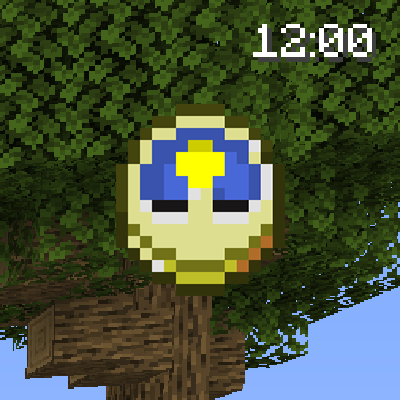
When enabled, shows the clock item icon instead of a clock with numbers. When using Quark, the "Clock Nerf" feature must be disabled for this to work.
showBothTimes default false
Show both in-game time and real local time.
showRealTime default false
Show actual local time instead of in-game time.
showRealTimeSeconds default false
Show the seconds in the clock.
showDaysPlayedWorld default true
Show the days played in the world.
minuteStep default 1, min 1, max 60
Rounds the in-game minutes down to a multiple of this value. For example, 15 shows 6:00, 6:15, 6:30 and 6:45. 1 shows every minute.
clockPosition default "Right"
Where the clock is shown at the top of the screen.
clockHeightOffset default 5, min 0, max 3000
The vertical offset (y coord) for the Clock. This determines how far down the time should be on the screen. Can be changed to prevent GUIs from overlapping.
clockWidthOffset default 0, min -3000, max 3000
The horizontal offset (x coord) for the Clock.
drawTextShadow default true
If the text displayed should have a shadow drawn below it.
RGB default "255,255,255"
The colour of the clock text, as red, green and blue values from 0 to 255.

The 24-hour clock.
The 12-hour clock.
The 24 hour clock with the PC's local time next to it.
The day counter:
**And with the config option 'showOnlyMinecraftClockIcon' enabled:
With the config option 'lowerClockWhenPlayerHasEffects' enabled, the clock will automatically be lowered when a potion effect is active: **

You may freely use this mod in any modpack, as long as the download remains hosted within the CurseForge or Modrinth ecosystem.
Serilum.com contains an overview and more information on all mods available.
Comments are disabled as I'm unable to keep track of them across so many separate mod pages.
For issues, ideas, suggestions or anything else there is the Github repo. Thanks!
Project description from CurseForge.
Pick your setup
Choose the version and loader you play, then open the matching release.
Showing the newest 12 of 29 game versions. Older files are in the list below.
Check the dependencies, then try the file in a copied instance before changing a world you care about.
Recent files
guiclock-1.20.0-4.2.jar
8 Jun 2023
Looking for an older file? The official CurseForge project page is in Resources.
 mod
🔮 Allows the creation of smaller nether portals, specifically 1x2, 1x3 and 2x2.
 mod
💩 Animals periodically drop manure, which can be used as a bone meal substitute.
 mod
☘ Extends bonemeal behaviour. Instant grow with sneak, grow netherwart+cacti+sugarcane and other tweaks.