Lollipop Needed by Countdown-1.14.4-0.0.11.jar
requiredMatching file found Matched file: Lollipop-1.14.4-0.0.23.jar
CurseForge · Minecraft mod
Like hardcore but limited time instead of limited lifes
Quick answer
Countdown-1.14.4-0.0.11.jar targets 1.14.4. The project page does not say whether this file belongs on the client, dedicated server, or both. All 1 required mods have matching files.
Where it goes
The project page does not say whether this file belongs on the client, dedicated server, or both.
The source does not explicitly classify this release as client-only or server-only.
Countdown-1.14.4-0.0.11.jar. Change the file and its required mods may change too.
Install Lollipop first. We found matching files for this game-version and loader setup.
We only count dependency files that match this setup. A file for another loader does not fill the gap.
Before you install it
Built for Countdown-1.14.4-0.0.11.jar. Pick another file and the loader, install side or required mods may change.
Use Countdown-1.14.4-0.0.11.jar. It targets 1.14.4; another release may have different loader, side or dependency requirements.
Install Lollipop first. We found matching files for this game-version and loader setup.
The project page does not say whether this file belongs on the client, dedicated server, or both.
Use the “Get this file” button beside Countdown-1.14.4-0.0.11.jar. It opens that exact file at the source.
About this project
Countdown is a small mod that gives your minecraft game a challenging feeling by limiting your game play time.
There is global and player mode, can be changed from the config.
If global mode is false, then it means that each player has their own countdown.
Time elapses only when the player logged in, (in global mode at least one player in the server)
When the time is over the game over to and your game mode will be changed to spectator.
Countdown:
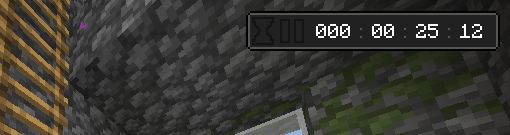
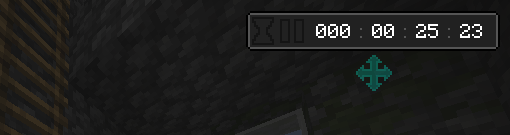
Press C and then click and drag your mouse to change the countdown position.
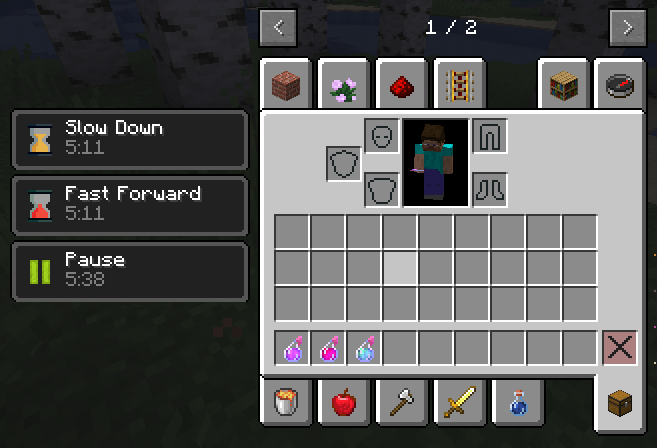
Potion effects:
Slow down: make the countdown move slowly depending on the potion level.
Pause: pause the countdown clock.
Fast forward: make the countdown move faster depending on the potion level.
World gen:
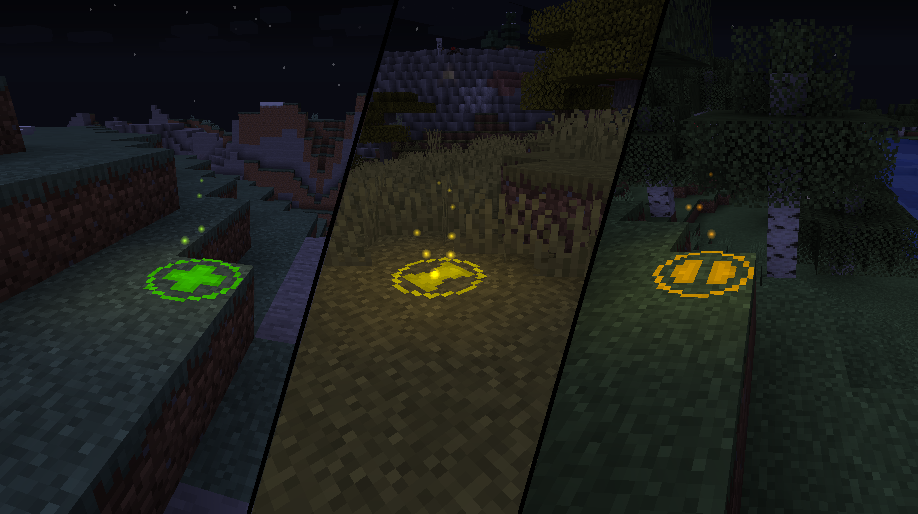
Randomly generated Pause, Slow down and Time plus blocks. Effect when player collide with them.
Time plus: add a random amount of time to the countdown, you can change min/max amount in config.
Commands:
/countdown time set all <seconds>
/countdown time set <player> <seconds>
/countdown time add all <seconds>
/countdown time add <player> <seconds>
/countdown time remove all <seconds>
/countdown time remove <player> <seconds>
/countdown restart all
/countdown restart <player>
Countdown Require Lollipoplibrary.
You have any ideas for this mod? throw them here.
Follow me on Twitter!: @owmii
Discord: https://discord.gg/Fk8G5cr

Project description from CurseForge.
Pick your setup
Choose the version and loader you play, then open the matching release.
Check the dependencies, then try the file in a copied instance before changing a world you care about.
Recent files
29 Dec 2019
Looking for an older file? The official CurseForge project page is in Resources.
 mod
Browse SaoWorld crafting recipes and check materials in your inventory, bank, and pouch.
 mod
The all-in-one hub mod for the Re:Craft modded server. Recraft Core adds a single, fully configurable /menu that ties your whole server together, quick access to commands, links and rich in-game pages.
 mod
a simple "Rayaxy Present“ logo when starting my modpacks