JourneyMap Needed by AutoPresetMap-Forge-1.18.2-2.0.1
requiredMatching file found Matched file: journeymap-1.18.2-5.9.8-forge
CurseForge · Minecraft mod
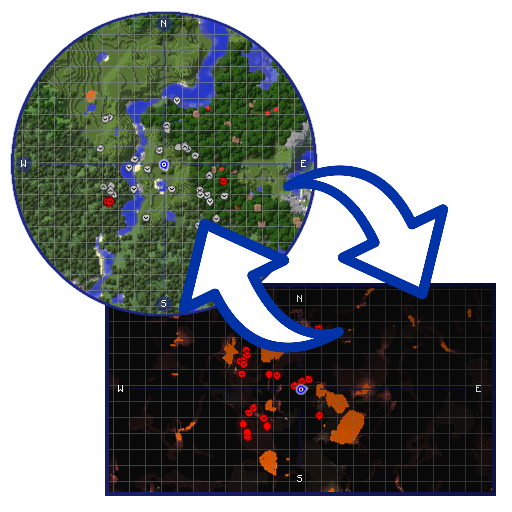
Allows you to automatically change the minimap preset of Journey Map when you change the dimension.
Quick answer
AutoPresetMap-Forge-1.18.2-2.0.1 targets 1.18.2 with Forge. The project page does not say whether this file belongs on the client, dedicated server, or both. All 1 required mods have matching files.
Where it goes
The project page does not say whether this file belongs on the client, dedicated server, or both.
The source does not explicitly classify this release as client-only or server-only.
AutoPresetMap-Forge-1.18.2-2.0.1 on 1.18.2 Forge. Every mod below is checked against that same setup.
Install JourneyMap first. We found matching files for this game-version and loader setup.
We only count dependency files that match this setup. A file for another loader does not fill the gap.
Before you install it
Built for AutoPresetMap-Forge-1.18.2-2.0.1 on 1.18.2 Forge. Pick another file and the loader, install side or required mods may change.
Use AutoPresetMap-Forge-1.18.2-2.0.1. It targets 1.18.2 with Forge; another release may have different loader, side or dependency requirements.
Install JourneyMap first. We found matching files for this game-version and loader setup.
The project page does not say whether this file belongs on the client, dedicated server, or both.
Use the “Get this file” button beside AutoPresetMap-Forge-1.18.2-2.0.1. It opens that exact file at the source.
About this project
This mod is an addon for JourneyMap that changes the minimap preset when you change dimension. It is for the client (Forge or Fabric), it is not needed on the server.
To configure it, use the button to the right on the JourneyMap fullscreen map.
For old versions (prior to 2.0.0):
Press the Change Action key (O by default) and you can change what happens when you enter the current dimension.
The options are:
You can see this and my other projects in alejandrocoria.games.
If you want to say something you can leave a comment here or create an issue on GitHub.
Thank you s10w10rr1s for being my patreon for so long!
If you like the mod, you can become a patron and vote on what you would like me to program next.
Project description from CurseForge.
Pick your setup
Choose the version and loader you play, then open the matching release.
Check the dependencies, then try the file in a copied instance before changing a world you care about.
Recent files
AutoPresetMap-Forge-1.18.2-2.0.1.jar
20 Jul 2022
Looking for an older file? The official CurseForge project page is in Resources.
 mod
See live crop growth, time until harvest, and blocked hopper output for Botany Pots directly in the Jade tooltip.
 mod
baseElectric expands the basePower library to bring your world into the electrical age! This is a continuation of Steam Advantage by Dr Cyano and is fully backwards compatible with Steam Advantage worlds.
 mod
baseSteam expands the basePower library to bring your world into the steam age! This is a continuation of Steam Advantage by Dr Cyano and is fully backwards compatible with Steam Advantage worlds.