Minecraft version
Back to mods 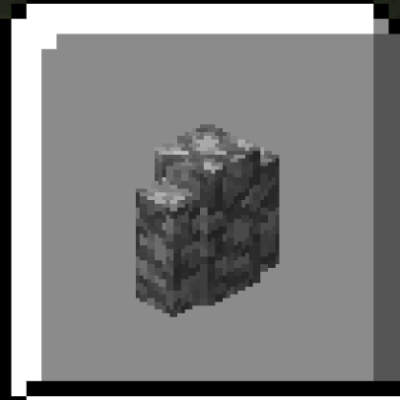
CurseForge · Minecraft mod
New Slabs, Stairs & Walls
The ultimate mod for building with slabs, stairs and walls
Choose a version Pick your version below, then grab the matching file.
Quick answer
Which New Slabs, Stairs & Walls release should I use?
Latest stable file New Slabs, Stairs & Walls 2.0.22 (Forge 26.3)
Game version 26.3
Loader Forge
New Slabs, Stairs & Walls 2.0.22 (Forge 26.3) targets 26.3 with Forge. The project page does not say whether this file belongs on the client, dedicated server, or both. No extra mods listed for this file.
Where it goes
Is New Slabs, Stairs & Walls required on the client, server, or both?
The project page does not say whether this file belongs on the client, dedicated server, or both.
Client Source doesn’t say
Dedicated server Source doesn’t say
Loader for this release Forge
Required install it here Optional supported, not mandatory Not supported do not install here Source doesn’t say do not assume
The source does not explicitly classify this release as client-only or server-only.
What else does New Slabs, Stairs & Walls 2.0.22 (Forge 26.3) need?
New Slabs, Stairs & Walls 2.0.22 (Forge 26.3). Change the file and its required mods may change too.
This file does not list any required mods. Do not add a library just because a different file uses it.
This file does not list any required or optional mods.
Before you install it
Add New Slabs, Stairs & Walls without breaking your instance.
Built for New Slabs, Stairs & Walls 2.0.22 (Forge 26.3). Pick another file and the loader, install side or required mods may change.
- 01
Stick to this file
Use New Slabs, Stairs & Walls 2.0.22 (Forge 26.3). It targets 26.3 with Forge; another release may have different loader, side or dependency requirements.
- 02
Bring the mods it needs
This file does not list any required mods. Do not add a library just because a different file uses it.
- 03
Put it on the correct side
The project page does not say whether this file belongs on the client, dedicated server, or both.
- 04
Pick the file you checked
Use the “Get this file” button beside New Slabs, Stairs & Walls 2.0.22 (Forge 26.3). It opens that exact file at the source.
About this project
What does New Slabs, Stairs & Walls add?
Now also on Modrinth: https://modrinth.com/mod/new-slabs-stairs-walls
This mod adds some blocks, slabs, stairs, walls, fences and fence gates that I felt like were missing from the game.
The mod adds:
- Quartz Wall
- Purpur Wall
- Prismarine Brick Wall
- Dark Prismarine Wall
- Smooth Sandstone Wall
- Smooth Red Sandstone Wall
- Smooth Quartz Wall
- Stone Wall
- Polished Granite Wall
- Polished Diorite Wall
- Polished Andesite Wall
- Stairs and wall for Smooth Stone
- Stairs and wall for Cut Sandstone
- Stairs and wall for Cut Red Sandstone
- Slab, stairs and wall for Cracked Stone Bricks
- Slab, stairs and wall for Cracked Polished Blackstone Bricks
- Slab, stairs and wall for Cracked Deepslate Bricks
- Slab, stairs and wall for Cracked Deepslate Tiles
- Slab, stairs and wall for Tuff (only before 1.21)
- Slab, stairs and wall for Calcite
- Slab, stairs and wall for Smooth Basalt
- Slab, stairs and wall for Dripstone Block
- Slab, stairs and wall for End Stone
- Slab, stairs, wall, fence and fence gate for Cracked Nether Bricks
- Slab, stairs, wall, fence and fence gate for Quartz Bricks
- Fence and fence gate for Red Nether Bricks
- Nether Brick Fence Gate
- Polished Granite Bricks (with slab, stairs and wall variant)
- Polished Diorite Bricks (with slab, stairs and wall variant)
- Polished Andesite Bricks (with slab, stairs and wall variant)
With this mod, all stairs, including vanilla ones, can be converted into slabs using the stonecutter.
The polished bricks can be crafted with four polished blocks in a 2x2 crafting grid. One polished or unpolished block can be turned into a polished brick or one of its variants using the stonecutter.
The slabs can be crafted with three of the slabs' base block in a slab shape in the crafting grid. One piece of the slabs' material or stairs variant can be turned into two slabs using the stonecutter.
The stairs can be crafted with six of the stairs' base block in a stairs shape in the crafting grid. One piece of the stairs' material can be turned into a block of stairs using the stonecutter.
The walls can be crafted with six of the wall's base block in a trapdoor shape in the crafting grid. One piece of the wall's material can be turned into a wall using the stonecutter.
The fences and fence gates can be crafted with the fence's base block and its broken down counterpart (nether brick for all nether brick fences, quartz for quartz brick fences) replacing the planks and sticks respectively in the wooden fence crafting recipe.
There are invisible advancements for obtaining the base blocks of all variants that unlock recipes when you get them.
Mod showcases by NeonSlice:
1.0.0: https://www.youtube.com/watch?v=XT8kIYIrJSs
1.1.0: https://www.youtube.com/watch?v=Csh2JYxJr7c
FAQ
Q: Are there plans to add slabs, stairs and walls for concrete/wool/terracotta/[insert block here]?
A: First of all, thanks for the suggestion! I really appreciate getting suggestions from the community. However, for several reasons, including trying to only add blocks that feel like they could be added by Mojang, I have a few rules for what blocks get variants in this mod, so before you suggest something, please make sure you read and understand them. They are as follows:
- The block must be full (16x16x16), solid, and opaque. This should be obvious; only building blocks get building variants.
- The block must be mineable and obtainable with any pickaxe and only with any pickaxe. Apart from the wooden variants, all vanilla blocks with variants disappear when broken without a pickaxe and drop themselves when broken with any pickaxe.
- The block must not have more than one block state. If the block can be rotated or can otherwise change its texture dynamically, its variants wouldn't look correct in most cases, and therefore wouldn't be the best blocks to build with.
- The block must not have special properties. No vanilla block that has variants emits light or a redstone signal. I guess some of these variants could be useful in some cases, but this mod is all about building, not functionality. This also rules out amethyst blocks for retransmitting vibrations, and lodestones for… well, their obvious function.
- Dyed blocks and blocks with dyed variations will not be getting variants. My previous argument for this one was that these felt different than all the other blocks that have variants, and that there was probably a reason Mojang had never added them, but Mojang have now added them, so that argument is not valid anymore. In any case, this rule was established long before that happened, and I still don't want to add any more colored variants, or backport any vanilla ones to old versions.
Apart from these rules, the blocks I have decided not to add variants for are all the chiseled blocks, since their textures are too intricate and would look weird on non-full block faces, and netherrack, since it feels too soft to be part of a building. To be fair, this is Minecraft, so that shouldn't matter, but still I don't want to add variants for it.
Q: Are there plans to add fences and fence gates for [insert block here]?
A: No. Fences and fence gates were added for nether brick based blocks because there is already such a fence in the game, and for quartz bricks because I guess I just felt like it several years ago. No more will be added.
Q: Can I make the blocks craftable with the Chisel mod?
A: If you want the polished brick blocks to be usable with the Chisel mod for 1.16.5, you can use this datapack: Chisel Tags For New Slabs, Stairs & Walls.zip Tags For New Slabs, Stairs & Walls.zip?dl=0)
Q: Can you add [insert idea here] to the 1.12.2 version?
A: No, I don't update that version anymore.
Q: Some of these questions aren't actually frequently asked!
A: That's not a question.
Project description from CurseForge.
Pick your setup
New Slabs, Stairs & Walls by Minecraft version and loader
Choose the version and loader you play, then open the matching release.
Minecraft version
26.3-rc-3
1 loader buildMinecraft version
26.3
2 loader buildsMinecraft version
26.2
2 loader buildsMinecraft version
26.1.2
2 loader buildsMinecraft version
26.1.1
2 loader buildsMinecraft version
26.1
2 loader buildsMinecraft version
1.21.11
2 loader buildsMinecraft version
1.21.10
2 loader buildsMinecraft version
1.21.9
2 loader buildsMinecraft version
1.21.8
2 loader buildsMinecraft version
1.21.7
2 loader buildsShowing the newest 12 of 35 game versions. Older files are in the list below.
Check the dependencies, then try the file in a copied instance before changing a world you care about.
Recent files
New Slabs, Stairs & Walls versions and loaders
2.0.23+fabric-26.4-snapshot-3
NewSlabsStairs&Walls-fabric-26.4-snapshot-3-2.0.23.jar
7 Oct 2026
Client Optional Server Optional Dependencies No extras listed Listed on Release listing
Check the 26.4-snapshot-3 · Fabric setup 26.4-snapshot-3Fabric beta
New Slabs, Stairs & Walls 2.0.22 (Forge 26.3)
NewSlabsStairsWalls-26.3-2.0.22.jar
20 Sept 2026
Client Source doesn’t say Server Source doesn’t say Dependencies No extras listed Listed on Release listing
Check the 26.3 · Forge setup Forge26.3 release
New Slabs, Stairs & Walls 2.0.22 (Fabric 26.3)
NewSlabsStairsWalls-fabric-26.3-2.0.22.jar
15 Sept 2026
Client Source doesn’t say Server Source doesn’t say Dependencies No extras listed Listed on Release listing
Check the 26.3 · Fabric setup Fabric26.3 release
2.0.22+fabric-26.3-rc-3
NewSlabsStairs&Walls-fabric-26.3-rc-3-2.0.22.jar
15 Sept 2026
Client Optional Server Optional Dependencies No extras listed Listed on Release listing
Check the 26.3-rc-3 · Fabric setup 26.3-rc-3Fabric beta
New Slabs, Stairs & Walls 2.0.22 (Fabric 26.2)
NewSlabsStairsWalls-fabric-26.2-2.0.22.jar
15 Sept 2026
Client Source doesn’t say Server Source doesn’t say Dependencies No extras listed Listed on Release listing
Check the 26.2 · Fabric setup Fabric26.2 release
New Slabs, Stairs & Walls 2.0.22 (Fabric 26.1-26.1.2)
NewSlabsStairsWalls-fabric-26.1-2.0.22.jar
15 Sept 2026
Client Source doesn’t say Server Source doesn’t say Dependencies No extras listed Listed on Release listing
Check the 26.1.2 · Fabric setup Fabric26.126.1.126.1.2 release
New Slabs, Stairs & Walls 2.0.22 (Fabric 1.21.4-1.21.11)
NewSlabsStairsWalls-fabric-1.21.4-2.0.22.jar
15 Sept 2026
Client Source doesn’t say Server Source doesn’t say Dependencies No extras listed Listed on Release listing
Check the 1.21.11 · Fabric setup Fabric1.21.81.21.51.21.4 release
New Slabs, Stairs & Walls 2.0.22 (Fabric 1.21.2-1.21.3)
NewSlabsStairsWalls-fabric-1.21.2-2.0.22.jar
15 Sept 2026
Client Source doesn’t say Server Source doesn’t say Dependencies No extras listed Listed on Release listing
Check the 1.21.3 · Fabric setup Fabric1.21.31.21.2 release
New Slabs, Stairs & Walls 2.0.22 (Fabric 1.21-1.21.1)
NewSlabsStairsWalls-fabric-1.21-2.0.22.jar
15 Sept 2026
Client Source doesn’t say Server Source doesn’t say Dependencies No extras listed Listed on Release listing
Check the 1.21.1 · Fabric setup 1.21Fabric1.21.1 release
New Slabs, Stairs & Walls 2.0.22 (Forge 26.2)
NewSlabsStairsWalls-26.2-2.0.22.jar
15 Sept 2026
Client Source doesn’t say Server Source doesn’t say Dependencies No extras listed Listed on Release listing
Check the 26.2 · Forge setup Forge26.2 release
New Slabs, Stairs & Walls 2.0.22 (Forge 26.1-26.1.2)
NewSlabsStairsWalls-26.1-2.0.22.jar
15 Sept 2026
Client Source doesn’t say Server Source doesn’t say Dependencies No extras listed Listed on Release listing
Check the 26.1.2 · Forge setup Forge26.126.1.126.1.2 release
New Slabs, Stairs & Walls 2.0.21 (Forge 26.2)
NewSlabsStairsWalls-26.2-2.0.21.jar
12 Sept 2026
Client Source doesn’t say Server Source doesn’t say Dependencies No extras listed Listed on Release listing
Check the 26.2 · Forge setup Forge26.2 release
Looking for an older file? The official CurseForge project page is in Resources.
 mod
mod CurseForge · Minecraft
Better Mob Utility
This mod adds utility to uninteresting mobs
 mod
mod CurseForge · Minecraft
CaptureBall
a small project that adds CaptureBalls, which give you the chance to store your mobs.
 mod
mod Modrinth · Minecraft
Rustic Pancakes
A rustic mod adding different types of edible Pancakes you can place in your world