Minecraft version
Back to mods 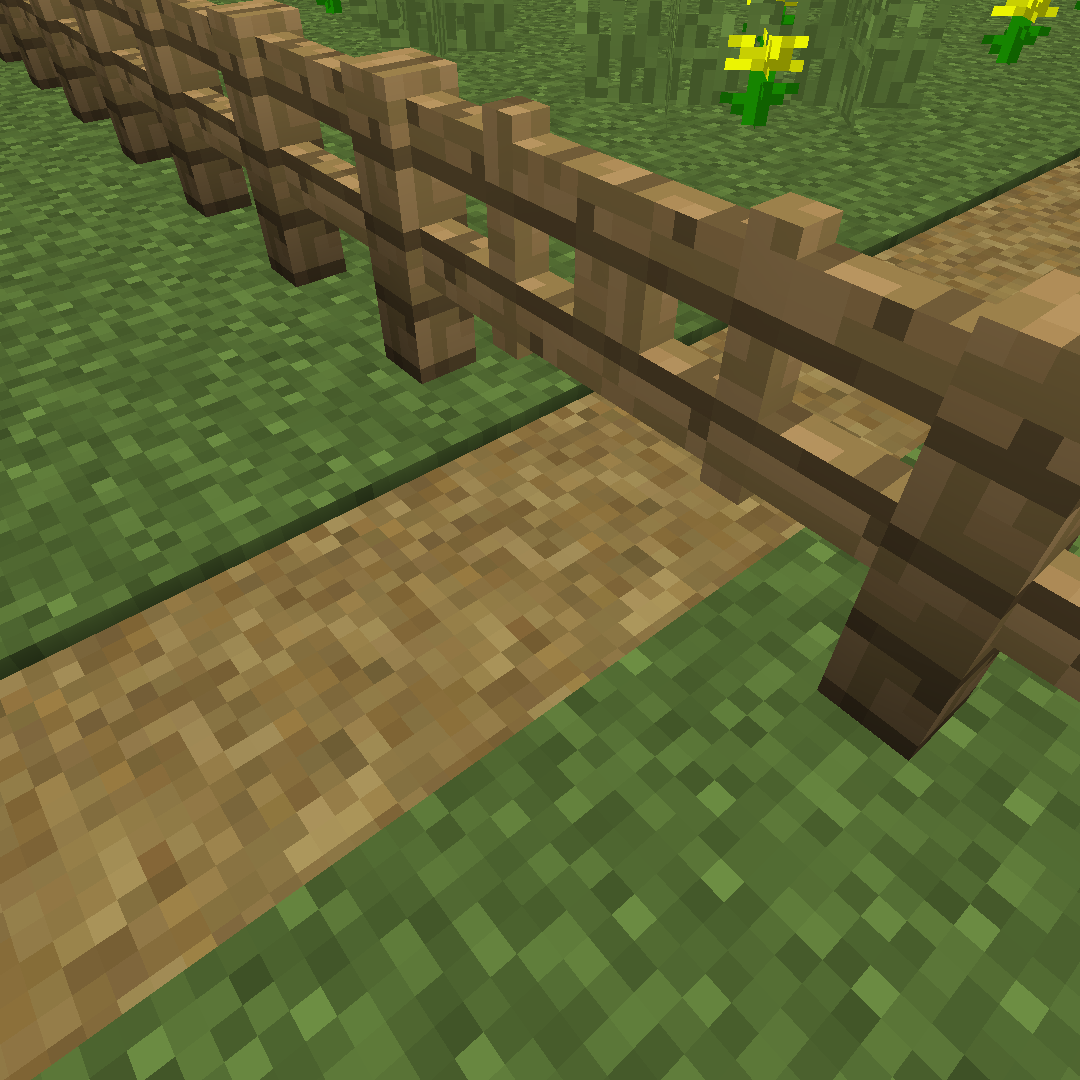
CurseForge · Minecraft mod
Path Under Gates
Lets grass paths exist under fence gates.
Choose a version Pick your version below, then grab the matching file.
Quick answer
Which Path Under Gates release should I use?
Latest stable file pathundergates-1.19.2-1.0.1-release.jar
Game version 1.19.2
Loader Forge
Path Under Gates pathundergates-1.19.2-1.0.1-release.jar targets 1.19.2 with Forge. The project page does not say whether this file belongs on the client, dedicated server, or both. No extra mods listed for this file.
Where it goes
Is Path Under Gates required on the client, server, or both?
The project page does not say whether this file belongs on the client, dedicated server, or both.
Client Source doesn’t say
Dedicated server Source doesn’t say
Loader for this release Forge
Required install it here Optional supported, not mandatory Not supported do not install here Source doesn’t say do not assume
The source does not explicitly classify this release as client-only or server-only.
What else does Path Under Gates pathundergates-1.19.2-1.0.1-release.jar need?
pathundergates-1.19.2-1.0.1-release.jar. Change the file and its required mods may change too.
This file does not list any required mods. Do not add a library just because a different file uses it.
This file does not list any required or optional mods.
Before you install it
Add Path Under Gates without breaking your instance.
Built for Path Under Gates pathundergates-1.19.2-1.0.1-release.jar. Pick another file and the loader, install side or required mods may change.
- 01
Stick to this file
Use pathundergates-1.19.2-1.0.1-release.jar. It targets 1.19.2 with Forge; another release may have different loader, side or dependency requirements.
- 02
Bring the mods it needs
This file does not list any required mods. Do not add a library just because a different file uses it.
- 03
Put it on the correct side
The project page does not say whether this file belongs on the client, dedicated server, or both.
- 04
Pick the file you checked
Use the “Get this file” button beside pathundergates-1.19.2-1.0.1-release.jar. It opens that exact file at the source.
About this project
What does Path Under Gates add?
Path Under Gates
Minecraft mod that allows grass paths to exist under fence gates.
New and improved version for 1.18.2, 1.19.2/1.19.3, and 1.20.1/1.20.2! Now with improved mod compatibility!
P.S. I hate the CurseForge editor.
White/Blacklist formatting
Format is of the form:
modid:name:properties
Name may be the wildcard operator *. If no name is specified, it is the same as having name being a wildcard.
Not all properties of a block must be defined, the white/blacklists will match against any properties defined but will ignore those that aren't. Properties are separated , with each property being a key-value pair of the format key=value. The properties may also be the wildcard operator *. If no properties are defined it is the same as them being a wildcard.
If modid is defined as ore, vanilla and Forge tags will be matched against, where name will be a tag path. If a mod uses it's own tag namespace, that must be specified as the modid to match properly. The path portion of the tag is specified as the name. Properties do not apply in this case, and using them will cause a failure to match a tag.
When only modid and name are defined, tags will attempt to be matched against first. Failing that, the entry will try to be matched to a block instead.
Example entries include:
"minecraft:*"- all blocks in theminecraftdomain"minecraft"- all blocks in theminecraftdomain"minecraft:stone"- matchesminecraft:stone"minecraft:jungle_log"- allminecraft:jungle_logvarieties"minecraft:jungle_log:*"- allminecraft:jungle_logvarieties"minecraft:jungle_log:axis=x"— allminecraft:jungle_logvarieties with the property axis=x other properties ignored"minecraft:oak_stairs:facing=east"- allminecraft:oak_stairsvarieties with the propertyfacing=east, other properties ignored"minecraft:oak_stairs:half=top"- allminecraft:oak_stairsvarieties with the propertyhalf=top, other properties ignored"minecraft:oak_stairs:facing=east,half=top"- allminecraft:oak_stairsvarieties with the propertiesfacing=eastandhalf=top, other properties ignored"ore:spruce_logs"— all blocks under thespruce_logsvanilla tag"ore:fences/wooden"— all blocks under thefences/woodenForge tag"minecraft:logs"— all blocks under thelogsvanilla tag (this is a tag, though it looks like a block)
New Feature: Modded Path Compatilibility
When a block is right-clicked with a shovel, a piece of code runs that determines if it can be flattened into a path. This code checks if the block is not underneath something and if the block has a possible conversion to a path. This mod works by preempting that code and doing the check and conversion itself. With mod added paths, there is an issue with the "possible conversion" part. Vanilla blocks have this information stored in a known location, but mod added blocks can have it anywhere. For this mod to perform the conversion, it needs to know what it should be. With that in mind, this mod now has the ability to receive that information. This comes in 2 flavors:
Config File
Formatting is similar to whitelisting/blacklisting. It is of the form:
modid:name|modid:name:properties
The first option is the same format but does not allow for properties to be specified. The second does however, just like the list formatting. Any unspecified properties are assumed default. The major differences between the list format and these is that it is presented as a pair separated by a | and that tags/wildcards are NOT allowed. This config setting can be abused by the server owner to do unintended things, like turn blocks of coal into blocks of diamond, but surely none are so debauched.
Exaple entries include:
minecraft:snow_block|morepaths:snow_path- Snow block will be flattened into snow path block frommorepathmodundergarden:deepsoil|ugpaths:deepsoil_path- Deepsoil block from modundergardenwill be flattened into deepsoil ath block fromugpathsminecraft:stone|minecraft:stone_slab:type=top- Stone block will be flattened into top-half stone slab blockminecraft:coal_block|minecraft:diamond_block- Coal block will be "flattened" into diamond block, though none would ever do this
InterModComms
Mod authors will now be able to tell this mod what a block should turn into when trying to be flattened with a shovel. This involves the use of the InterModComms feature provided by Forge.
Messages sent to to this mod will be processed into a Block-BlockState pair. This is done by sending a a message with "registerpath" as its method and an Object[] of length 2 containing a Block object in the first position and a BlockState object in the second. See the GitHub readme for examples, because the CurseForge editor is terrible.
Other Versions:
1.16.5:
Path Under Gates
Minecraft mod that allows grass paths to exist under fence gates.
White/Blacklist formatting
Format is of the form:
modid:name:properties
Name may be the wildcard operator *. If no name is specified, it is the same as having name being a wildcard.
Not all properties of a block must be defined, the white/blacklists will match against any properties defined but will ignore those that aren't. Properties are separated , with each property being a key-value pair of the format key=value. The properties may also be the wildcard operator *. If no properties are defined it is the same as them being a wildcard.
If modid is defined as ore, vanilla and Forge tags will be matched against, where name will be a tag path. If a mod uses it's own tag namespace, that must be specified as the modid to match properly. The path portion of the tag is specified as the name. Properties do not apply in this case, and using them will cause a failure to match a tag.
When only modid and name are defined, tags will attempt to be matched against first. Failing that, the entry will try to be matched to a block instead.
Example entries include:
"minecraft:*"- all blocks in theminecraftdomain"minecraft"- all blocks in theminecraftdomain"minecraft:stone"- matchesminecraft:stone"minecraft:jungle_log"- allminecraft:jungle_logvarieties"minecraft:jungle_log:*"- allminecraft:jungle_logvarieties"minecraft:jungle_log:axis=x"— allminecraft:jungle_logvarieties with the property axis=x other properties ignored"minecraft:oak_stairs:facing=east"- allminecraft:oak_stairsvarieties with the propertyfacing=east, other properties ignored"minecraft:oak_stairs:half=top"- allminecraft:oak_stairsvarieties with the propertyhalf=top, other properties ignored"minecraft:oak_stairs:facing=east,half=top"- allminecraft:oak_stairsvarieties with the propertiesfacing=eastandhalf=top, other properties ignored"ore:spruce_logs"— all blocks under thespruce_logsvanilla tag"ore:fences/wooden"— all blocks under thefences/woodenForge tag"minecraft:logs"— all blocks under thelogsvanilla tag (this is a tag, though it looks like a block)
Final Note: If you still need more help with blocks, see the CraftTweaker wiki for version 1.12. The formatting is almost a one-to-one mapping of Bracket Handlers from that mod.
1.12.2:
Path Under Gates
Minecraft mod that allows grass paths to exist under fence gates.
White/Blacklist formatting
Format is of the form:
modid:name:properties
Name may be the wildcard operator *. If no name is specified, it is the same as having name being a wildcard.
Not all properties of a block must be defined, the white/blacklists will match against any properties defined but will ignore those that aren't. Properties are separated , with each property being a key-value pair of the format key=value. The properties may also be the wildcard operator *. If no properties are defined it is the same as them being a wildcard. Properties may also be a meta value, as an integer, that defines a blockstate.
If modid is defined as ore, the ore dictionary matched against, where name will be a label in the ore dictionary. Properties do not apply in this case.
Note: Entries in the ore dictionary are parsed differently than those used by this mod. This is due to how ore dictionary entries are accessed in Forge. There is no way to differentiate between, for example, <minecraft:log>, <minecraft:log:0>, or <minecraft:log:variant=oak,axis=y>. This means they often have overly specific meta values that map to a single blockstate (unless they've got a wildcard for a meta value).
Example entries include:
minecraft:*- all blocks in theminecraftdomainminecraft- all blocks in theminecraftdomainminecraft:glass- allminecraft:glassvarietiesminecraft:stone- allminecraft:stonevarietiesminecraft:stone:*- allminecraft:stonevarietiesminecraft:stone:variant=granite- allminecraft:stonevarieties with the propertyvariant=granite, other properties ignoredminecraft:oak_stairs:facing=east- allminecraft:oak_stairsvarieties with the propertyfacing=east, other properties ignoredminecraft:oak_stairs:half=top- allminecraft:oak_stairsvarieties with the propertyhalf=top, other properties ignoredminecraft:oak_stairs:facing=east,half=top- allminecraft:oak_stairsvarieties with the propertiesfacing=eastandhalf=top, other properties ignoredminecraft:log:0-minecraft:logwith meta value0, resolves tominecraft:log:variant=oak,axis=yore:woodLog- all blocks under thewoodLogore dictionary entry
Final Note: If you still need more help, see the CraftTweaker wiki for version 1.12. The formatting is almost a one-to-one mapping of Bracket Handlers from that mod.
Project description from CurseForge.
Pick your setup
Path Under Gates by Minecraft version and loader
Choose the version and loader you play, then open the matching release.
Minecraft version
1.20.1
2 loader buildsMinecraft version
1.19.3
1 loader buildMinecraft version
1.19.2
1 loader buildMinecraft version
1.18.2
1 loader buildMinecraft version
1.16.5
1 loader buildMinecraft version
1.16.4
1 loader buildMinecraft version
1.16.3
1 loader buildMinecraft version
1.12.2
1 loader buildCheck the dependencies, then try the file in a copied instance before changing a world you care about.
Recent files
Path Under Gates versions and loaders
pathundergates-1.19.2-1.0.1-release.jar
22 May 2024
Client Source doesn’t say Server Source doesn’t say Dependencies No extras listed Listed on Release listing
Check the 1.19.2 · Forge setup 1.19.2Forge release
pathundergates-1.20.1-1.0.2-release.jar
22 May 2024
Client Source doesn’t say Server Source doesn’t say Dependencies No extras listed Listed on Release listing
Check the 1.20.2 · Forge setup 1.20.21.20.1Forge release
pathundergates-1.20.1-1.0.1-release.jar
7 Nov 2023
Client Source doesn’t say Server Source doesn’t say Dependencies No extras listed Listed on Release listing
Check the 1.20.2 · Forge setup 1.20.21.20.1Forge release
pathundergates-1.20.1-1.0.0-release.jar
7 Nov 2023
Client Source doesn’t say Server Source doesn’t say Dependencies No extras listed Listed on Release listing
Check the 1.20.1 · NeoForge setup NeoForge1.20.1Forge release
pathundergates-1.19.2-1.0.0-release.jar
9 Jan 2023
Client Source doesn’t say Server Source doesn’t say Dependencies No extras listed Listed on Release listing
Check the 1.19.2 · Forge setup 1.19.2Forge release
pathundergates-1.19.3-1.0.0-release.jar
8 Jan 2023
Client Source doesn’t say Server Source doesn’t say Dependencies No extras listed Listed on Release listing
Check the 1.19.3 · Forge setup 1.19.3Forge release
pathundergates-1.18.2-1.0.0-release.jar
8 Jan 2023
Client Source doesn’t say Server Source doesn’t say Dependencies No extras listed Listed on Release listing
Check the 1.18.2 · Forge setup 1.18.2Forge release
pathundergates-1.12.2-3.0.0-release.jar
13 May 2021
Client Source doesn’t say Server Source doesn’t say Dependencies No extras listed Listed on Release listing
Check the 1.12.2 · Forge setup Forge1.12.2 release
pathundergates-1.16.4-2.0.0-release.jar
28 Dec 2020
Client Source doesn’t say Server Source doesn’t say Dependencies No extras listed Listed on Release listing
Check the 1.16.5 · Forge setup 1.16.5Forge1.16.4 release
pathundergates-1.16.3-1.0.1-release.jar
10 Oct 2020
Client Source doesn’t say Server Source doesn’t say Dependencies No extras listed Listed on Release listing
Check the 1.16.3 · Forge setup 1.16.3Forge release
pathundergates-1.16.3-1.0.0-release.jar
29 Sept 2020
Client Source doesn’t say Server Source doesn’t say Dependencies No extras listed Listed on Release listing
Check the 1.16.3 · Forge setup 1.16.3Forge release
pathundergates-1.12.2-2.2.0-release.jar
5 May 2020
Client Source doesn’t say Server Source doesn’t say Dependencies No extras listed Listed on Release listing
Check the 1.12.2 · Forge setup Forge1.12.2 release
Looking for an older file? The official CurseForge project page is in Resources.
 mod
CurseForge + Modrinth · Minecraft
Blockus
A mod that adds blocks!
 mod
CurseForge · Minecraft
Icarus Curios Visibility
Allows players to hide Icarus wings using the Curios visibility toggle while keeping flight functionality intact.
 mod
CurseForge · Minecraft
[sbw] WOT Pack
Bring iconic tanks from World of Tanks and Tanks Blitz into Minecraft! Command 37 vehicles with powerful weapons, crew seats, and explosive combat powered by Superb Warfare.