MaLiLib Needed by Watson 1.16.1+1.21.4
requiredMatching file found Matched file: 0.23.5

CurseForge · Minecraft mod
Updated Watson that displays LogBlock, CoreProtect or Ledger query results in 3D.
Quick answer
Watson 1.16.1+1.21.4 targets 1.21.4 with Fabric, Quilt. It must be installed on the client. Do not install it on the dedicated server. All 1 required mods have matching files.
Where it goes
It must be installed on the client. Do not install it on the dedicated server.
This file is marked client-only.
1.16.1+1.21.4. Change the file and its required mods may change too.
Install MaLiLib first. We found matching files for this game-version and loader setup.
We only count dependency files that match this setup. A file for another loader does not fill the gap.
Before you install it
Built for Watson 1.16.1+1.21.4. Pick another file and the loader, install side or required mods may change.
Use 1.16.1+1.21.4. It targets 1.21.4 with Fabric, Quilt; another release may have different loader, side or dependency requirements.
Install MaLiLib first. We found matching files for this game-version and loader setup.
It must be installed on the client. Do not install it on the dedicated server.
Use the “Get this file” button beside 1.16.1+1.21.4. It opens that exact file at the source.
About this project
https://www.curseforge.com/minecraft/mc-mods/malilib
https://www.spigotmc.org/resources/watson-display-coreprotect-logblock-logs-in-3d.82222
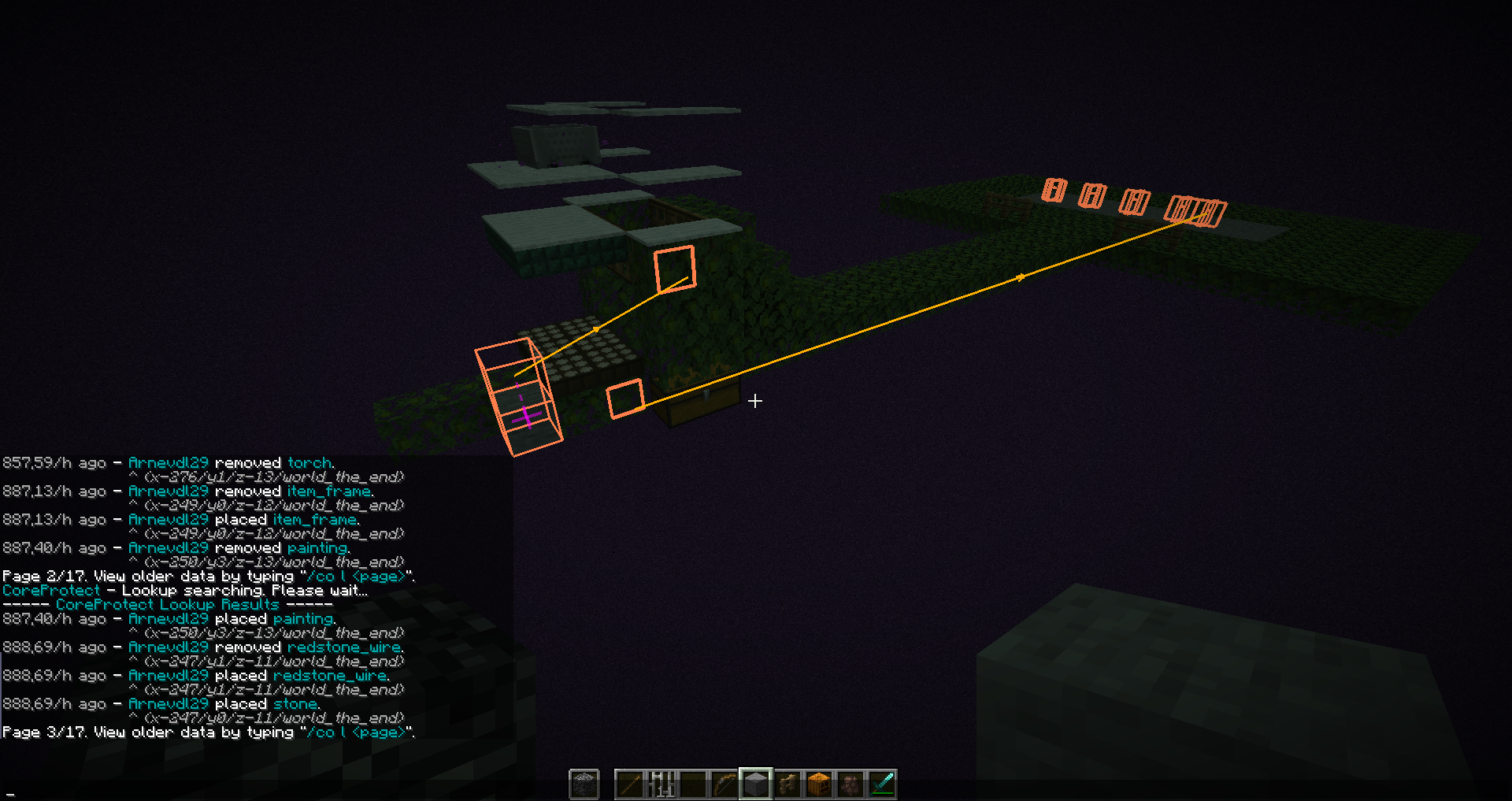
Watson is a Minecraft mod that displays LogBlock, CoreProtect or Ledger logs in 3-D. It also has some features to make moderation tasks, such as observing chat and managing screenshots, a little easier. The current features of the mod are:
/region info regionname for you when you right click on a region with the wooden sword (rate limited to once every 10 seconds - the wooden sword will simply list the region name the other times).If you have questions or need help with something, the fastest way to get answers is to join Watson Discord, otherwise put them on my github incase of crashes/bugs click here
If you want to support development, check out my Patreon! Supporting me via Patreon lets me spend more time modding, and allows me to put out more updates for everyone to enjoy.
Project description from CurseForge.
Pick your setup
Choose the version and loader you play, then open the matching release.
Showing the newest 12 of 26 game versions. Older files are in the list below.
Check the dependencies, then try the file in a copied instance before changing a world you care about.
Recent files
watson-fabric-1.16.1+1.21.4.jar
4 Sept 2026
watson-fabric-1.16.0+1.21.3.jar
12 Jul 2025
watson-fabric-1.15.7+1.21.jar
31 May 2025
watson-fabric-1.15.6+1.20.6.jar
11 Nov 2024
watson-fabric-1.15.5+1.20.4.jar
21 Jun 2024
watson-fabric-1.15.4+1.20.4.jar
22 Apr 2024
watson-fabric-1.15.3+1.20.2.jar
28 Mar 2024
watson-fabric-1.14.7+1.19.4.jar
28 Mar 2024
watson-fabric-1.14.1+1.18.1.jar
28 Mar 2024
watson-fabric-1.10.2+1.16.5.jar
19 Nov 2023
watson-fabric-1.15.2+1.20.1.jar
19 Nov 2023
watson-fabric-1.15.1+1.20.1.jar
12 Nov 2023
Looking for an older file? The official CurseForge project page is in Resources.
 mod
A Fabric Minecraft mod for viewing container slot index's at the click of a button! Useful for development/configuration!
 mod
One recipe viewer for everything: EMI's interface, JEI's plugins, and where every item really comes from.
 mod
Starter Wolf is a Minecraft Forge 1.20.1 mod giving players an auto-tamed pet on first join. It features an RPG leveling system where wolves gain health, damage, and size via combat. It also adds visual collar tiers and an auto-hunting Berserk mode.