Minecraft version
Back to mods 
CurseForge · Minecraft mod
Imagine SW
A Star Wars mod for vanilla
Choose a version Pick your version below, then grab the matching file.
Quick answer
Which Imagine SW release should I use?
Latest stable file ImagineSW.jar
Game version 1.14.4
Loader Not required
Imagine SW ImagineSW.jar targets 1.14.4. The project page does not say whether this file belongs on the client, dedicated server, or both. No extra mods listed for this file.
Where it goes
Is Imagine SW required on the client, server, or both?
The project page does not say whether this file belongs on the client, dedicated server, or both.
Client Source doesn’t say
Dedicated server Source doesn’t say
Loader for this release No loader listed
Required install it here Optional supported, not mandatory Not supported do not install here Source doesn’t say do not assume
The source does not explicitly classify this release as client-only or server-only.
What else does Imagine SW ImagineSW.jar need?
ImagineSW.jar. Change the file and its required mods may change too.
This file does not list any required mods. Do not add a library just because a different file uses it.
This file does not list any required or optional mods.
Before you install it
Add Imagine SW without breaking your instance.
Built for Imagine SW ImagineSW.jar. Pick another file and the loader, install side or required mods may change.
- 01
Stick to this file
Use ImagineSW.jar. It targets 1.14.4; another release may have different loader, side or dependency requirements.
- 02
Bring the mods it needs
This file does not list any required mods. Do not add a library just because a different file uses it.
- 03
Put it on the correct side
The project page does not say whether this file belongs on the client, dedicated server, or both.
- 04
Pick the file you checked
Use the “Get this file” button beside ImagineSW.jar. It opens that exact file at the source.
About this project
What does Imagine SW add?
"After a deal goes bad, you are captured and scheduled for termination aboard a starship high above the desert wastelands of Tatooine.
Dodging the executioner's blast, you bail out. Presumed dead or soon to be, you are now stranded and forgotten."
This mod is meant to be roleplayed and was created for fun. It gives a Star Wars feel without breaking or confusing vanilla logic, eg items are renamed and tweaked but still identifiable and function the same, textures are updated in places but still have the same colours. This should mean it’s easy to play and enjoy as a vanilla player.
Get the texture pack to go with it - https://www.curseforge.com/minecraft/texture-packs/imagine-sw-textures
I recommend using https://www.curseforge.com/minecraft/mc-mods/xaeros-minimap positioned mid/left as it adds to the rpg element (sci fi scanner). There is space for it on the hud as I use it myself.
- There are 8 planets and no default overworld.
- Each planet is a single (parent) biome.
- You start on the desert planet of Tatooine.
- Set the mod resources to load above texture packs.
Contents:
- Custom mobs: jawas, wookies, ewoks, trandoshans (bossk), tuskens, stormtroopers, scout troopers, greedos, wampas, gungans, banthas
- Vanilla hostile mobs are disabled except illagers.
- Weapons: E11 blaster & redstone ammo
- Dimensions: tatooine, hoth, ilum, naboo, endor, kashyyyk, dagobah, kamino - each is a SINGLE vanilla biome.
- Items: modified weapons and armour (E11 blaster, vibroblades etc), mandalorian armour. Navigation computer block, navigation data items, recall device, recall backpack.
- Language: Loads of items renamed to be from SW universe.
- Textures: Texture pack compliments vanilla should shouldn't break existing builds and still "makes sense" with theme and colours.
- Structures: Huts, empire lookout posts, troop carriers, landing bays, outposts, moisture farm beacons, ruins,
Lightsabers? There are no lightsabers. Why? I felt theyre overpowered and would ruin the core function of vanilla.
A blaster can be obtained from mobs, using redstone as ammo.
Again, I’ve kept the core vanilla function, most hostile mobs spawn at night however, they stick around in day too.
Armour is all mandalorian styled with the models made invisible (at the moment). This is so your SW skin (preferably) can be seen and not covered by armour.
Renamed items are authentic to the SW universe.
For travel, build a flight computer. Build your ship around it. It is your ship’s central computer. Placing this block sets your home planet. You start your journey on Tatooine.
- There are 8 Navigation Data cards
- Use them on the flight computer.
- Your ship will drop you on the requested planet.
- Your ship will return to your home planet (it parks there, always)
- Craft different “navigation data” cards for travel to other planets. - The recipes are book, map, special item (related to planet) in a vertical column.
- You can craft a “Ship Recall” device, and “Recall Backpack”.
- Use the device on the pack (place the block) to send a signal to call your ship.
- Your ship will collect you and return to your home planet.
Credits: Zpej @ Planet Minecraft for Stormtrooper and Scout Trooper skins.
halucid @ Planet Minecraft for Chewie/Wookie skins.
Silverduke @ Planet Minecraft for Greedo skin.
x_bowfor Gammorean Guard skin.
Project description from CurseForge.
Pick your setup
Imagine SW by Minecraft version and loader
Choose the version and loader you play, then open the matching release.
Check the dependencies, then try the file in a copied instance before changing a world you care about.
Recent files
Imagine SW versions and loaders
ImagineSW.jar
14 Apr 2020
Client Source doesn’t say Server Source doesn’t say Dependencies No extras listed Listed on Release listing
Check the 1.14.4 setup 1.14.4 release
ImagineSW.jar
27 Mar 2020
Client Source doesn’t say Server Source doesn’t say Dependencies No extras listed Listed on Release listing
Check the 1.14.4 setup 1.14.4 release
ImagineSW.jar
12 Mar 2020
Client Source doesn’t say Server Source doesn’t say Dependencies No extras listed Listed on Release listing
Check the 1.14.4 setup 1.14.4 release
ImagineSW.jar
11 Mar 2020
Client Source doesn’t say Server Source doesn’t say Dependencies No extras listed Listed on Release listing
Check the 1.14.4 setup 1.14.4 release
ImagineSW.jar
10 Mar 2020
Client Source doesn’t say Server Source doesn’t say Dependencies No extras listed Listed on Release listing
Check the 1.14.4 setup 1.14.4 release
ImagineSW.jar
9 Mar 2020
Client Source doesn’t say Server Source doesn’t say Dependencies No extras listed Listed on Release listing
Check the 1.14.4 setup 1.14.4 release
ImagineSW.jar
8 Mar 2020
Client Source doesn’t say Server Source doesn’t say Dependencies No extras listed Listed on Release listing
Check the 1.14.4 setup 1.14.4 alpha
ImagineSW.jar
3 Mar 2020
Client Source doesn’t say Server Source doesn’t say Dependencies No extras listed Listed on Release listing
Check the 1.14.4 setup 1.14.4 alpha
ImagineSW.jar
29 Feb 2020
Client Source doesn’t say Server Source doesn’t say Dependencies No extras listed Listed on Release listing
Check the 1.14.4 setup 1.14.4 alpha
ImagineSW.jar
26 Feb 2020
Client Source doesn’t say Server Source doesn’t say Dependencies No extras listed Listed on Release listing
Check the 1.14.4 setup 1.14.4 alpha
Looking for an older file? The official CurseForge project page is in Resources.
 mod
CurseForge · Minecraft
Cairnwing
Bank a folding wing through campfire thermals and link distant ridges before you find an elytra.
 mod
CurseForge · Minecraft
Traveler's Lantern
Hang a lantern on your belt: it lights your way hands-free with smooth moving light and swings as you move. Works client-only on any server.
 mod
CurseForge · Minecraft
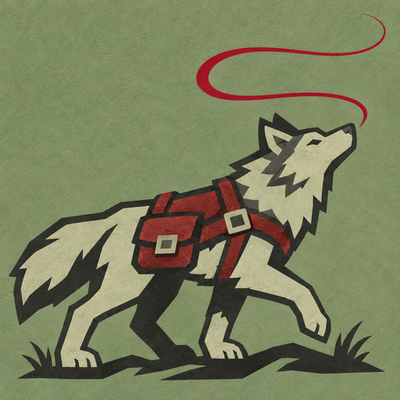
Spoolhound
Give a wolf a friend's scent band, read its behavior at trail forks, and help it pick up the trail again beyond the river.