Minecraft version
Back to mods 
CurseForge · Minecraft mod
Transmutation Ore
Turn coal into copper, iron, gold, diamonds and more on the Transmutation Table, powered by Nether catalysts up to the Philosopher's Stone. Works with any item through datapacks.
Choose a version Pick your version below, then grab the matching file.
Quick answer
Which Transmutation Ore release should I use?
Latest stable file TransmutationOre-neoforge-1.21.1-2.0.1.jar
Game version 1.21.1
Loader NeoForge
Transmutation Ore TransmutationOre-neoforge-1.21.1-2.0.1.jar targets 1.21.1 with NeoForge. The project page does not say whether this file belongs on the client, dedicated server, or both. No extra mods listed for this file.
Where it goes
Is Transmutation Ore required on the client, server, or both?
The project page does not say whether this file belongs on the client, dedicated server, or both.
Client Source doesn’t say
Dedicated server Source doesn’t say
Loader for this release NeoForge
Required install it here Optional supported, not mandatory Not supported do not install here Source doesn’t say do not assume
The source does not explicitly classify this release as client-only or server-only.
What else does Transmutation Ore TransmutationOre-neoforge-1.21.1-2.0.1.jar need?
TransmutationOre-neoforge-1.21.1-2.0.1.jar. Change the file and its required mods may change too.
This file does not list any required mods. Do not add a library just because a different file uses it.
This file does not list any required or optional mods.
Before you install it
Add Transmutation Ore without breaking your instance.
Built for Transmutation Ore TransmutationOre-neoforge-1.21.1-2.0.1.jar. Pick another file and the loader, install side or required mods may change.
- 01
Stick to this file
Use TransmutationOre-neoforge-1.21.1-2.0.1.jar. It targets 1.21.1 with NeoForge; another release may have different loader, side or dependency requirements.
- 02
Bring the mods it needs
This file does not list any required mods. Do not add a library just because a different file uses it.
- 03
Put it on the correct side
The project page does not say whether this file belongs on the client, dedicated server, or both.
- 04
Pick the file you checked
Use the “Get this file” button beside TransmutationOre-neoforge-1.21.1-2.0.1.jar. It opens that exact file at the source.
About this project
What does Transmutation Ore add?
Transmutation Ore 2.0 is a full rework. Turn coal into copper, copper into iron, iron into gold, gold into diamonds and more on the Transmutation Table. Power it with Nether catalysts, from simple Netherrack Dust up to the legendary Philosopher's Stone, which can even make Netherite Scrap. It works with the metals of other mods, and anyone can add transmutations for any item with a datapack: every recipe, catalyst and number can be changed. No dependencies. Available for Fabric, NeoForge and Forge.

From left to right: a table without a catalyst, then Tier I, II, III and the Philosopher's Stone.
How it works
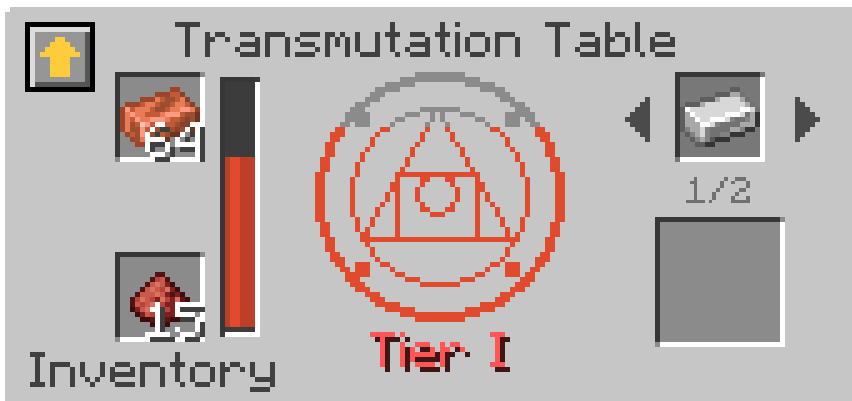
- Craft a Transmutation Table: an Amethyst Shard, a Crafting Table, 2 Gold Ingots and 3 Obsidian.
- Put a material in the top slot and a catalyst in the bottom slot.
- The table lights up with the color of the catalyst, the material floats above it, and after a few seconds the next material of the chain appears in the result slot.
The preview next to the result shows what you will get. The experience is stored in the table and goes to whoever takes the result, even if it came out through a hopper. Break the table and you get back its items and the experience.
The chain
| From | To | Catalyst |
|---|---|---|
| Coal Ingot / Charcoal Ingot | Copper Ingot | Tier I |
| 3 Copper Ingots | Iron Ingot | Tier I |
| Copper Ingot | 2 Redstone | Tier I |
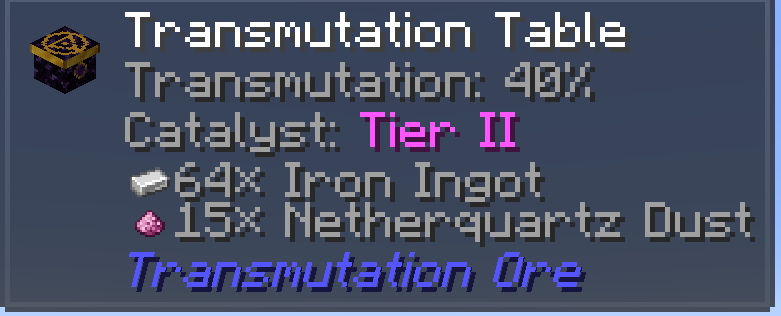
| 2 Iron Ingots | Gold Ingot | Tier II |
| Iron Ingot | 3 Lapis Lazuli | Tier II |
| 4 Gold Ingots | Diamond | Tier III |
| Diamond | 2 Emeralds | Tier III |
| 4 Diamonds | Netherite Scrap | Tier IV |
When a material can become more than one thing (Copper → Iron or Redstone), use the arrows next to the preview to choose. The table remembers your choice.
Coal and Charcoal Ingots
The chain starts from coal: 3 Coal make a Coal Ingot, 3 Charcoal a Charcoal Ingot, and you can always turn them back. They are also a fuel worth 3 coal (24 items in a furnace), so they make your fuel three times as compact.
Catalysts
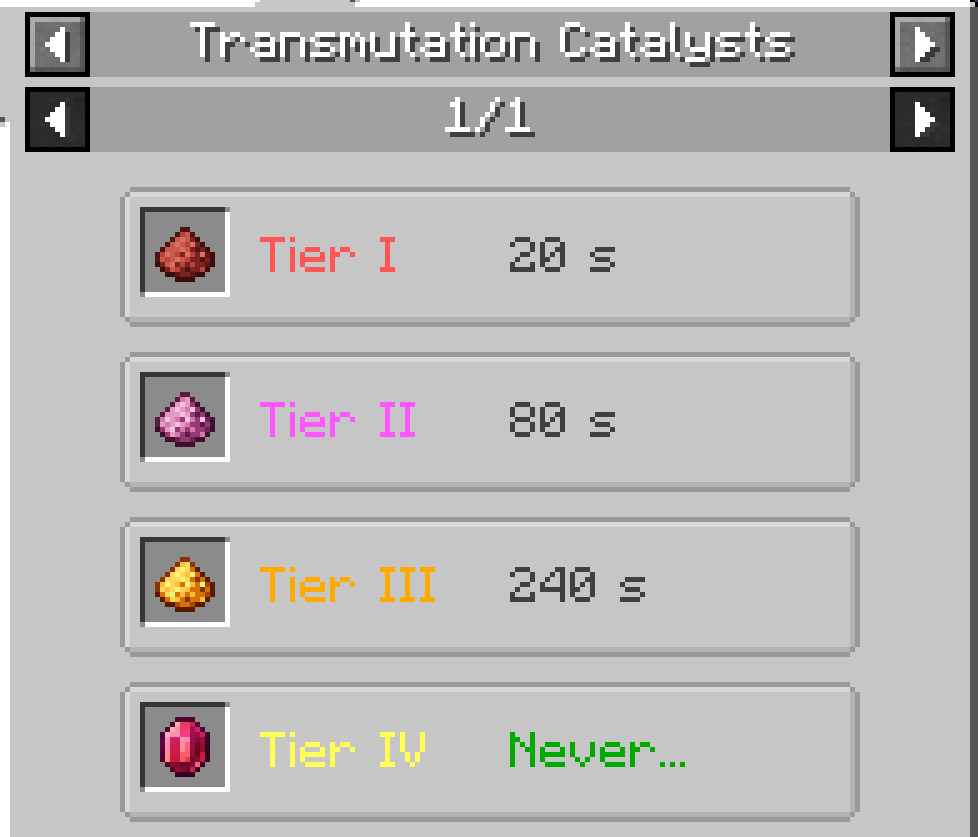
Every step needs a catalyst of at least the right tier: a stronger catalyst also works for every lower step. A catalyst burns only while the table is working, and the GUI shows how much is left.
- Tier I, Netherrack Dust: grind Netherrack. Lasts 20 seconds.
- Tier II, Netherquartz Dust: 2 Netherrack Dust + Quartz Dust. Lasts 80 seconds.
- Tier III, Blazing Dust: 2 Netherquartz Dust + Blaze Powder + Glowstone Dust. Lasts 4 minutes.
- Tier IV, Philosopher's Stone: 4 Gold Blocks, 4 Blazing Dust and a Nether Star. It is never consumed, makes the table work twice as fast and is the only catalyst that turns diamonds into Netherite Scrap.
Mortar and Pestle
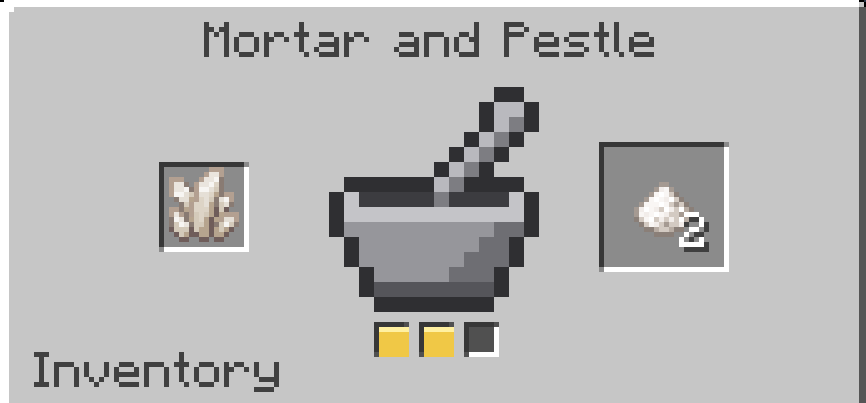
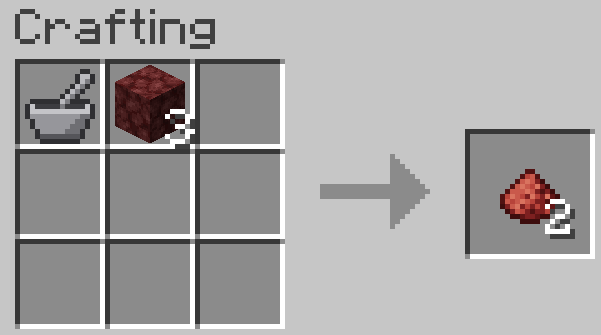
The catalysts start from the Mortar and Pestle, crafted from a stick and three cobblestone (blackstone and cobbled deepslate work too). It grinds Netherrack into Netherrack Dust, Nether Quartz and Blocks of Quartz into Quartz Dust, and Blaze Rods into Blaze Powder. You can use it in two ways:
- In its own GUI: right click with it, or press its key (unbound by default, set it in the controls) when it's anywhere in your inventory. Put the material in the left slot and click the pestle: three strikes and it's ground.
- In the crafting grid: put the Mortar next to the material in a crafting table, or in a crafter to automate it. The Mortar comes back with one use less.
It lasts 512 grinds and can be repaired with stone in an anvil.
Dissolution
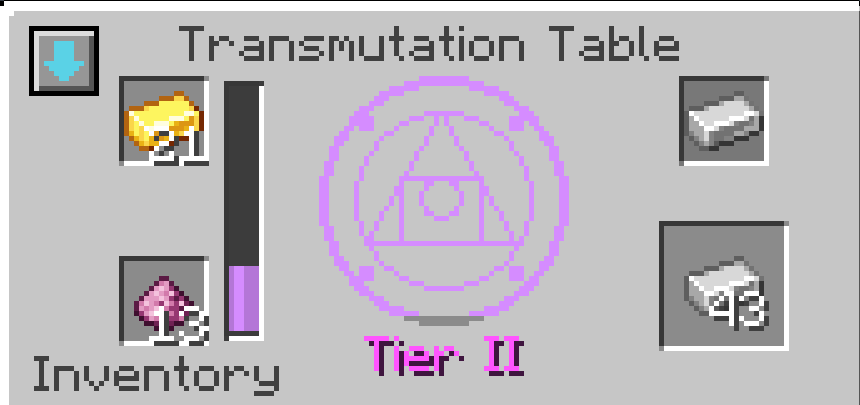
The button in the top left corner of the table switches to Dissolution: the table breaks a material down into the previous one of the chain. You get back half of what the transmutation costs (at least 1), in half the time. For example, 1 Diamond becomes 2 Gold Ingots. It's handy when you have too much of something, and the loss means there are no free loops.
Automation
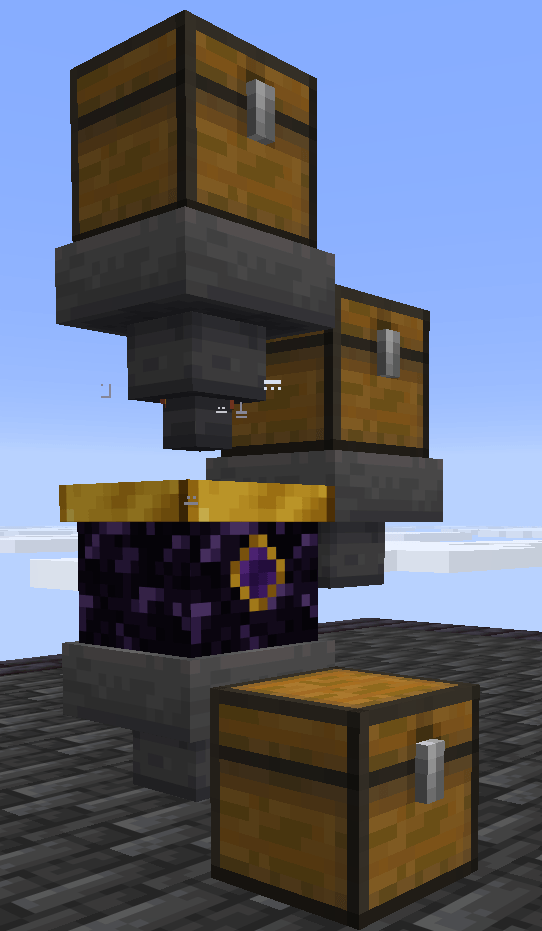
- Hoppers and pipes: the material goes in from the top, catalysts from the sides, and the results come out from the bottom.
- The Mortar and Pestle works in the crafter, so the whole chain can run on its own.
Not just ores
The table can work with any item: just add your own transmutations with a datapack (see Make it your own). A few examples are included to show what it can do:
- 4 Rotten Flesh → Leather
- Gravel → Flint
- 2 Sand → 2 Clay Balls
- Obsidian → Crying Obsidian
- 8 Amethyst Shards → Echo Shard

Metals from other mods
If another mod adds a metal, the table can make it: copper becomes tin, zinc or aluminum, iron lead, nickel or osmium, lead silver, gold platinum, and silver uranium. These use the common tags (c:ingots/tin…), so they work with any mod that adds those metals, and they stay hidden until one does. If more mods add the same metal, the config decides which one you get.
Make it your own
Everything is data: players, pack makers and modders can reshape the whole mod with a datapack, no code needed.
- Add a transmutation for any item, vanilla or from any mod, with a small JSON file in the
recipefolder of your datapack (data/<your_pack>/recipe/, orrecipeson 1.20.1):
{
  "type": "transmutation:transmutation",
  "ingredient": "minecraft:iron_ingot",
  "count": 2,
  "result": { "id": "minecraft:gold_ingot" },
  "tier": 2,
  "time": 200,
  "experience": 0.4
}
The ingredient can be an item or a tag ("#c:ingots/iron"). On 1.21.1 and 1.20.1 it is written as {"item": "minecraft:iron_ingot"} or {"tag": "c:ingots/iron"}. The result can be an item or a tag ({"tag": "c:ingots/silver"}), with an optional count. On 1.20.1 the common tags have different names (forge:ingots/tin on Forge, c:tin_ingots on Fabric): for the metals the mod already supports, use its tags transmutation:ingots/<metal>, which work on both.
- Dissolutions come for free: every transmutation can be dissolved back. Add
"reversible": falseto stop it, or turn Dissolution off for everything in the config. - Change or remove any built-in transmutation by replacing its file (same name, in
data/transmutation/recipe/transmutation/), or turn it off in the config. - Add your own catalysts with the item tags
transmutation:catalysts/tier_1totier_4. Add one totransmutation:catalysts/eternaland it is never consumed. - Add things to grind with the
transmutation:grindingrecipe type. They work both in the Mortar's GUI and in the crafting grid.
The examples above are for Minecraft 26.3, 1.21.1 and 1.20.1. On other versions of Minecraft the file format and folders may be a little different: the recipes inside the mod's own jar always show the right format for that version.
Everything shows up in JEI.
Configuration
The file transmutation-common.toml has the recipe format written at the top. Use /transmutation reload (operators) to load the changes without restarting.
See what you can change
- Table: working speed, and a cost multiplier for every transmutation.
- Catalysts: how long each tier lasts, and how much faster the Philosopher's Stone is.
- Dissolution: on or off, and how much it gives back.
- Recipes: metals from other mods, the example transmutations, diamonds to Netherite Scrap, which mod's items come first when a recipe gives a tag, and a list of recipes to turn off.
- Tools: durability of the Mortar and Pestle.
Works with JEI and Jade
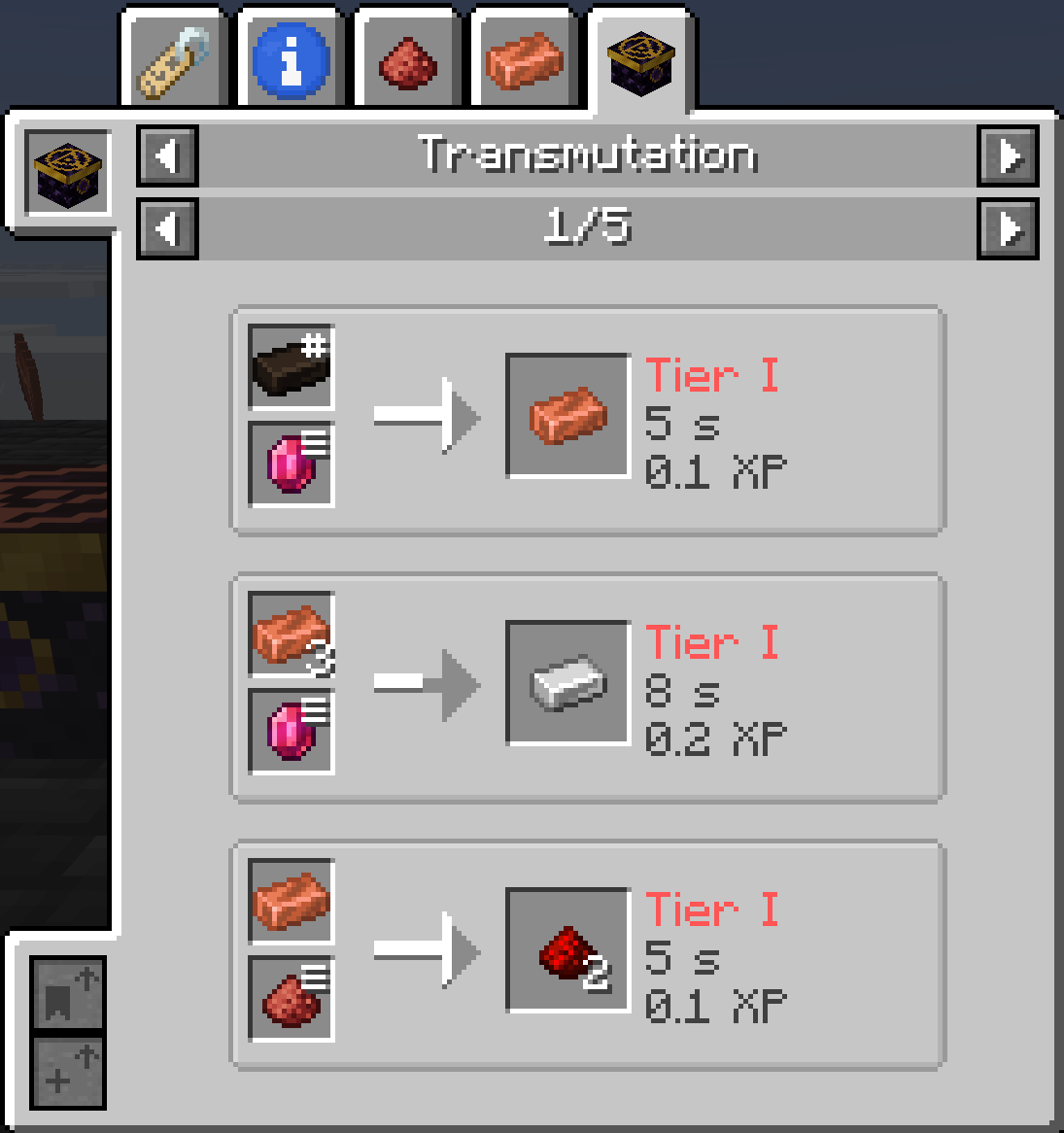
- JEI: four categories (Transmutation, Dissolution, Catalysts and Mortar and Pestle) with the tier, time and experience of every recipe. Click the circle in the table to open them. Info pages explain the table, the Mortar and the Philosopher's Stone.
- Jade: look at a table to see its mode, its progress, the catalyst that's burning and which tier it still needs.
(JEI and Jade are optional)
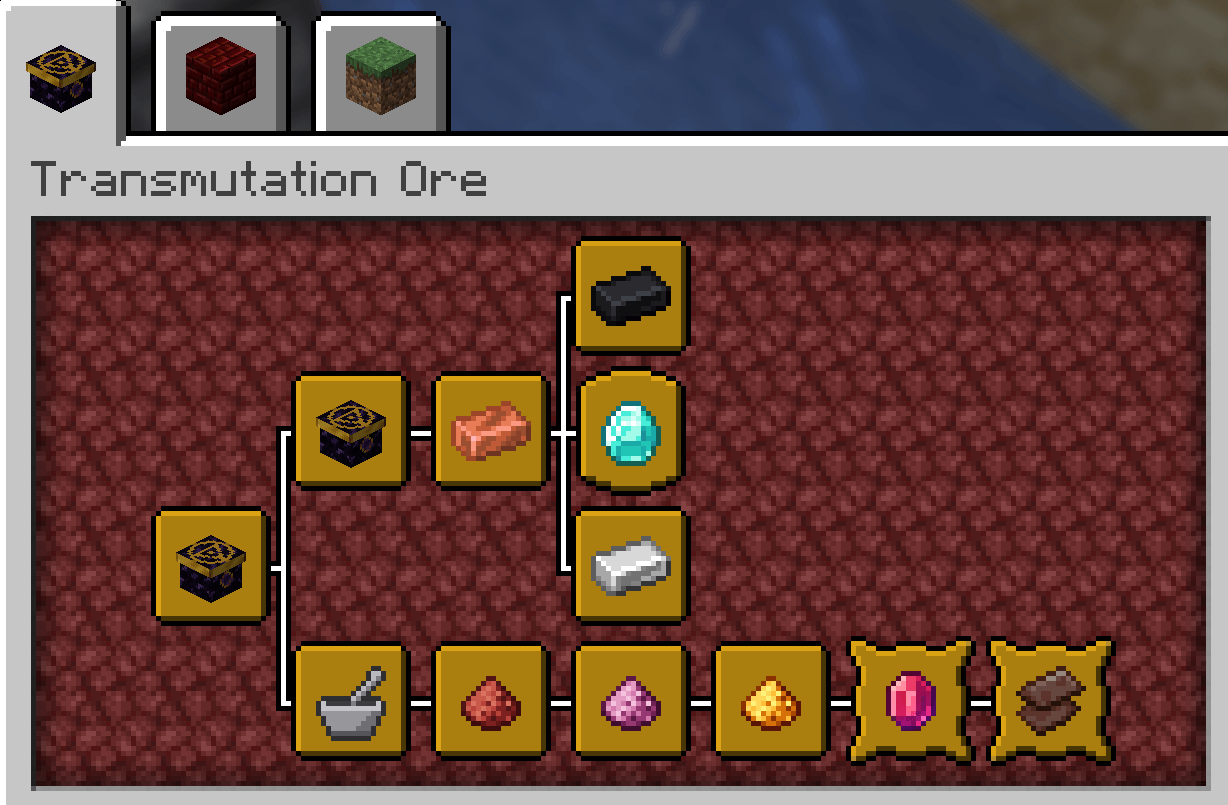
Advancements
A new tab with 12 advancements that guide you from the first Coal Ingot to the Philosopher's Stone: grind your first dust, transmute gold into a diamond, dissolve a material, make Netherite Scrap and transmute a metal from another mod.
FAQ
- What about the old versions? The old versions (Minecraft 1.12.2) were the original mod. Version 2.0 is a full rework with new items and a new table, so they are not compatible: the old items disappear from old worlds.
- Does it work in multiplayer? Yes, the mod must be installed on both the server and the client.
Found a bug or have an idea? Let me know: https://github.com/BlackWolf00/BlackWolf-Mods/issues/new/choose
BisectHosting offers quick, simple and high quality server hosting with over a dozen locations available across the world, ensuring low latency. After your purchase, the server is already configured and ready to use. With their 24/7 support and fast-response time, no issues shall stand in your way! Use the promo code BLACKWOLF to get a 25% discount off your first month when buying any of their gaming servers.
Feel free to use this mod in your modpack
Project description from CurseForge.
Pick your setup
Transmutation Ore by Minecraft version and loader
Choose the version and loader you play, then open the matching release.
Minecraft version
1.21.1
3 loader buildsCheck the dependencies, then try the file in a copied instance before changing a world you care about.
Recent files
Transmutation Ore versions and loaders
TransmutationOre-neoforge-1.21.1-2.0.1.jar
21 Nov 2026
Client Source doesn’t say Server Source doesn’t say Dependencies No extras listed Listed on Release listing
Check the 1.21.1 · NeoForge setup 1.21.1NeoForge release
TransmutationOre-forge-1.21.1-2.0.1.jar
21 Nov 2026
Client Source doesn’t say Server Source doesn’t say Dependencies No extras listed Listed on Release listing
Check the 1.21.1 · Forge setup Forge1.21.1 release
TransmutationOre-fabric-1.21.1-2.0.1.jar
21 Nov 2026
Client Source doesn’t say Server Source doesn’t say Dependencies No extras listed Listed on Release listing
Check the 1.21.1 · Fabric setup Fabric1.21.1 release
TransmutationOre-neoforge-26.3-2.0.0.jar
21 Nov 2026
Client Source doesn’t say Server Source doesn’t say Dependencies No extras listed Listed on Release listing
Check the 26.3 · NeoForge setup NeoForge26.3 release
TransmutationOre-forge-26.3-2.0.0.jar
21 Nov 2026
Client Source doesn’t say Server Source doesn’t say Dependencies No extras listed Listed on Release listing
Check the 26.3 · Forge setup Forge26.3 release
TransmutationOre-fabric-26.3-2.0.0.jar
21 Nov 2026
Client Source doesn’t say Server Source doesn’t say Dependencies No extras listed Listed on Release listing
Check the 26.3 · Fabric setup Fabric26.3 release
Looking for an older file? The official CurseForge project page is in Resources.
 mod
CurseForge · Minecraft
Arial Ascension
A knowledge-driven magic mod where you research essences, craft modular spells, conquer bosses inside their minds, and ascend into a living embodiment of your arcane school.
 mod
CurseForge · Minecraft
Just a lot more enchantments
Adds a lot more enchantments
 mod
GitHub · Minecraft
modpacks-ch-github-test
Disposable public fixture for testing the Modpacks.ch GitHub catalogue flow