Minecraft version
Back to mods 
CurseForge · Minecraft mod
Qrystal
Increase yields of your ores by growing crystals
Choose a version Pick your version below, then grab the matching file.
Quick answer
Which Qrystal release matches 1.15.2?
Best match for your filters Qrystal-1.15.2-1.0.2.jar
Game version 1.15.2
Loader Forge
Qrystal-1.15.2-1.0.2.jar targets 1.15.2 with Forge. The project page does not say whether this file belongs on the client, dedicated server, or both. No extra mods listed for this file.
Where it goes
Is Qrystal required on the client, server, or both?
The project page does not say whether this file belongs on the client, dedicated server, or both.
Client Source doesn’t say
Dedicated server Source doesn’t say
Loader for this release Forge
Required install it here Optional supported, not mandatory Not supported do not install here Source doesn’t say do not assume
The source does not explicitly classify this release as client-only or server-only.
What else does Qrystal-1.15.2-1.0.2.jar need?
Qrystal-1.15.2-1.0.2.jar on 1.15.2. Every mod below is checked against that same setup.
This file does not list any required mods. Do not add a library just because a different file uses it.
This file does not list any required or optional mods.
Before you install it
Add Qrystal without breaking your instance.
Built for Qrystal-1.15.2-1.0.2.jar on 1.15.2. Pick another file and the loader, install side or required mods may change.
- 01
Stick to this file
Use Qrystal-1.15.2-1.0.2.jar. It targets 1.15.2 with Forge; another release may have different loader, side or dependency requirements.
- 02
Bring the mods it needs
This file does not list any required mods. Do not add a library just because a different file uses it.
- 03
Put it on the correct side
The project page does not say whether this file belongs on the client, dedicated server, or both.
- 04
Pick the file you checked
Use the “Get this file” button beside Qrystal-1.15.2-1.0.2.jar. It opens that exact file at the source.
About this project
What does Qrystal add?
This mod adds a new processing tech tree, where you have to grow crystals to increase yields.
Crystals come in various sizes and tiers, where each tier gives greater yields but needs more and more complex processing and way more material to kick-start the process.
Mine ore -> Crush it -> Dissolve dust -> Grow crystals -> cut crystals into ingots
This mod supports 10 vanilla materials and more can be added via config, each with its unique properties.
It also contains 8 crystal types which are used to create the machines needed for the processing and are used as catalysts for other material growing.
Everything can be adjusted in config.
Default values
Tier 0 yield: up to 2.167x
Tier 1: up to 2.999x
Tier 2: up to 4.151x
Tier 3: up to 5.745x
...
Tier 15: up to 283.727x
Made to support any material (or any fluid as a solvent):
Registering a material in one world only:
Open your world folder
Create a datapack (https://minecraft.gamepedia.com/Data_pack) inside the datapacks folder
It doesn't matter what namespace you use. When in doubt, use "minecraft".
Inside the namespace folder, create a folder named "qrystal_materials" (or "qrystal_solvents" for registering a solvent).
Here put all your material (or solvent) jsons.
Registering a material from your mod:
In your mod's resources/data/your_namespace create a folder named "qrystal_materials" (or "qrystal_solvents" for registering a solvent).
Here you put all your material (or solvent) jsons.
Registering a material in a modpack:
You'll need DRP - Global Datapack (https://www.curseforge.com/minecraft/mc-mods/drp-global-datapack)
Create a datapack (https://minecraft.gamepedia.com/Data_pack) inside the global_data_packs folder
It doesn't matter what namespace you use. When in doubt, use "minecraft".
Inside the namespace folder, create a folder named "qrystal_materials" (or "qrystal_solvents" for registering a solvent).
Here put all your material (or solvent) jsons.
Material json format:
every value that isn't set will default to these:{ "name": "", - UNIQUE material name "locale": "", - material localisation string "seed": "qlear", - seed used to grow higher tiers (only qeri, qawa, qini, qitae, qondo, qoid, qalb; qlear = no higher tiers) "color_primary": "FF00FF", - primary color in hex "color_secondary": "000000", - secondary color in hex "replace_data": false, - Replace temp, locale, seed and colors? (empty entries will not replace existing ones)
"priority_data": 0, - If replace = true, the version with higher priority is kept
"replace_IO": false, - Replace dissolvable and outputs? "priority_IO": 0 - If replace = true, the version with higher priority is kept "outputs": [ - crystals can be cut into these items { "item": "", - the Item's ID "value": 36 - the Item's value (36 = ingot, 324 = block...) } ],"dissolvable": [ - these items can be dissolved { "item": "", - the Item's ID "value": 0 - the Item's value (36 = ingot, 324 = block...) } ]}
Solvent json format:
every value that isn't set will default to these:
{
"fluid": "", - fluid ID
"tier": -1, - solvent tier (0-15)
"priority": 0 - fluids with more assigned tiers keep the tier with higher priority
}
Report Issues on my GitHub or my Discord
Github: https://github.com/Villfuk02/Qrystal
If you have any questions, ask on my Discord
Discord: https://discord.gg/URZWKRn
Feel free to rework, update or build onto this mod, but make sure to give credit! If you want any help, message me on discord!
Project description from CurseForge.
Pick your setup
Qrystal by Minecraft version and loader
Choose the version and loader you play, then open the matching release.
Check the dependencies, then try the file in a copied instance before changing a world you care about.
Recent files
Qrystal versions and loaders
Qrystal-1.15.2-1.0.2.jar
26 May 2020
Client Source doesn’t say Server Source doesn’t say Dependencies No extras listed Listed on Release listing
Check the 1.15.2 · Forge setup 1.15.2Forge release
Qrystal-1.15.2-1.0.1.jar
25 May 2020
Client Source doesn’t say Server Source doesn’t say Dependencies No extras listed Listed on Release listing
Check the 1.15.2 · Forge setup 1.15.2Forge release
Qrystal-1.15.2-1.0.0.jar
25 May 2020
Client Source doesn’t say Server Source doesn’t say Dependencies No extras listed Listed on Release listing
Check the 1.15.2 · Forge setup 1.15.2Forge release
qrystal-1.15-v0.1.jar
6 Mar 2020
Client Source doesn’t say Server Source doesn’t say Dependencies No extras listed Listed on Release listing
Check the 1.15.2 · Fabric setup Fabric1.15.2 alpha
Looking for an older file? The official CurseForge project page is in Resources.
 mod
CurseForge + Modrinth · Minecraft
Quark
A Quark is a very small thing. This mod is a collection of small things that improve the vanilla minecraft experience.
 mod
CurseForge · Minecraft
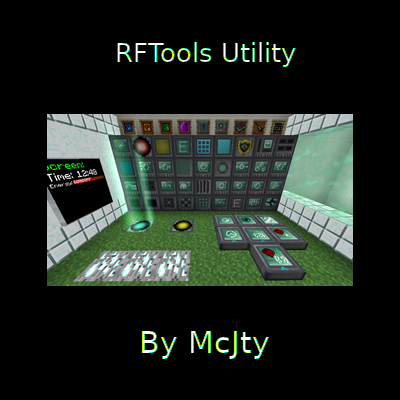
RFTools Utility
General RFTools blocks that don't fit in a more specific category
 mod
Modrinth · Minecraft
RFTools Utility
General RFTools blocks that don't fit in a more specific category