MoreCrashInfo Optional for OptiForge-MC1.16.5-0.5.7
optionalMatching file found Matched file: MoreCrashInfo 2.3.1

CurseForge · Minecraft mod
Make OptiFine to be compatible with Forge.
Quick answer
OptiForge-MC1.16.5-0.5.7 targets 1.16.5 with Forge. The project page does not say whether it belongs on the client. The project page does not say whether it belongs on the dedicated server. No extra mods listed for this file.
Where it goes
The project page does not say whether it belongs on the client. The project page does not say whether it belongs on the dedicated server.
The source does not explicitly classify this release as client-only or server-only.
OptiForge-MC1.16.5-0.5.7 on 1.16.5 Forge. Every mod below is checked against that same setup.
This file does not list any required mods. Do not add a library just because a different file uses it.
We only count dependency files that match this setup. A file for another loader does not fill the gap.
Before you install it
Built for OptiForge-MC1.16.5-0.5.7 on 1.16.5 Forge. Pick another file and the loader, install side or required mods may change.
Use OptiForge-MC1.16.5-0.5.7. It targets 1.16.5 with Forge; another release may have different loader, side or dependency requirements.
This file does not list any required mods. Do not add a library just because a different file uses it.
The project page does not say whether it belongs on the client. The project page does not say whether it belongs on the dedicated server.
Use the “Get this file” button beside OptiForge-MC1.16.5-0.5.7. It opens that exact file at the source.
About this project
OptiForge
This mod can make OptiFine to be compatible with Forge. This is an alternative before OptiFine has been officially compatible with Forge.
This mod doesn't contain OptiFine itself.

How to Use
OptiForge-MC1.13.2: WIP
OptiForge-MC1.12.2: No plan
before 1.16.5: You just need to put OptiFine jar, OptiForge to mods folder, and enjoy the game!
Although OptiFine 1.15.2 has been compatible with forge since G1 pre14, OptiForge will be compatible new forge version faster, and there is an issue between OptiFine and other core mods which OptiForge fixed: https://github.com/cpw/modlauncher/issues/37
I recommend installing MoreCrashInfo mod. This mod will print more useful information to crash reports, and these can help us locate errors faster.
``
Screenshots
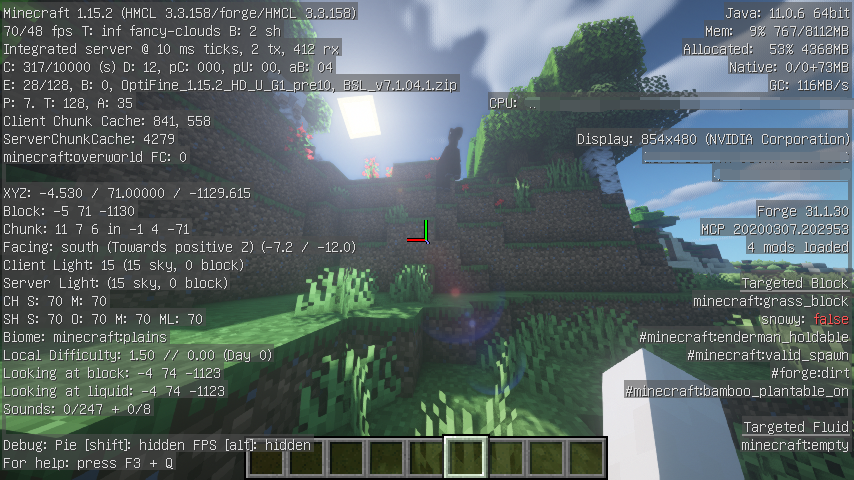
Project description from CurseForge.
Pick your setup
Choose the version and loader you play, then open the matching release.
Check the dependencies, then try the file in a copied instance before changing a world you care about.
Recent files
OptiForge-MC1.16.5-0.5.7.jar
17 Jul 2021
OptiForge-MC1.16.5-0.5.6.jar
17 Jul 2021
OptiForge-MC1.16.5-0.5.5.jar
23 Mar 2021
OptiForge-MC1.16.5-0.5.4.jar
15 Mar 2021
OptiForge-MC1.16.5-0.5.3.jar
4 Mar 2021
OptiForge-MC1.16.5-0.5.2.jar
19 Feb 2021
OptiForge-MC1.16.5-0.5.1.jar
12 Feb 2021
OptiForge-MC1.16.5-0.5.0.jar
28 Jan 2021
Looking for an older file? The official CurseForge project page is in Resources.