Minecraft version
Back to mods 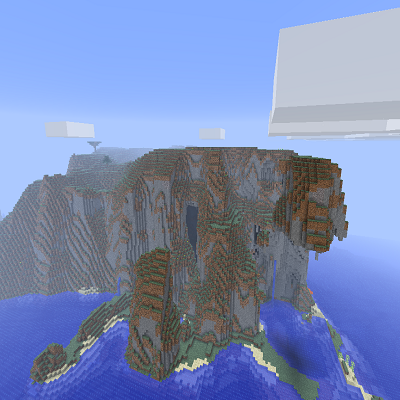
CurseForge · Minecraft mod
Infinite ocean fix
a simple fix for an old bug
Choose a version Pick your version below, then grab the matching file.
Quick answer
Which Infinite ocean fix release should I use?
Latest stable file infiniteoceanfix.jar
Game version 1.0.0
Loader Not required
Infinite ocean fix infiniteoceanfix.jar targets 1.0.0. The project page does not say whether this file belongs on the client, dedicated server, or both. No extra mods listed for this file.
Where it goes
Is Infinite ocean fix required on the client, server, or both?
The project page does not say whether this file belongs on the client, dedicated server, or both.
Client Source doesn’t say
Dedicated server Source doesn’t say
Loader for this release No loader listed
Required install it here Optional supported, not mandatory Not supported do not install here Source doesn’t say do not assume
The source does not explicitly classify this release as client-only or server-only.
What else does Infinite ocean fix infiniteoceanfix.jar need?
infiniteoceanfix.jar. Change the file and its required mods may change too.
This file does not list any required mods. Do not add a library just because a different file uses it.
This file does not list any required or optional mods.
Before you install it
Add Infinite ocean fix without breaking your instance.
Built for Infinite ocean fix infiniteoceanfix.jar. Pick another file and the loader, install side or required mods may change.
- 01
Stick to this file
Use infiniteoceanfix.jar. It targets 1.0.0; another release may have different loader, side or dependency requirements.
- 02
Bring the mods it needs
This file does not list any required mods. Do not add a library just because a different file uses it.
- 03
Put it on the correct side
The project page does not say whether this file belongs on the client, dedicated server, or both.
- 04
Pick the file you checked
Use the “Get this file” button beside infiniteoceanfix.jar. It opens that exact file at the source.
About this project
What does Infinite ocean fix add?
if you've ever played on an old version of minecraft between 1.8 and 1.6.4, you will unboubtedly recognize the near-endless oceans. In these versions, there is a bug where the further out you go, the larger ocean biomes become. This mod introduces the exact patch that fixed it in 1.7.2.
OLD LAUNCHER INSTRUCTIONS:
DO NOT PUT THE JAR IN YOUR MODS FOLDER. Open it in a file archiver like winrar, open your minecraft.jar in the same way, delete META-INF from it, and drag and drop the 2 .class files that are inside the downloaded jar into your minecraft jar. ignore the json. don't put it in.
NEW LAUNCHER INSTRUCTIONS:
Do as above, but make a copy of your 1.0 folder in versions, rename the folder, jar, and json to the name of that folder, and replace and rename the json with the one I've provided. open the json in a text editor and change where it says "oceanfix" to whatever you've named it.
Project description from CurseForge.
Pick your setup
Infinite ocean fix by Minecraft version and loader
Choose the version and loader you play, then open the matching release.
Check the dependencies, then try the file in a copied instance before changing a world you care about.
Recent files
Infinite ocean fix versions and loaders
infiniteoceanfix.jar
3 Apr 2020
Client Source doesn’t say Server Source doesn’t say Dependencies No extras listed Listed on Release listing
Check the 1.0.0 setup 1.0.0 release
Looking for an older file? The official CurseForge project page is in Resources.
 mod
CurseForge · Minecraft
Old Gods' - Forge, fragments, relics
The gods are gone. Their forges are not. Its anvil still works. And somewhere inside it, scattered across pedestals and a forgotten chest, lie the fragments of divine weapons that were broken on purpose.
 mod
CurseForge · Minecraft
Vectra
Fast paced LOD engine that supports Vulkan API. Vectra reads the world generator directly and fills 256 chunks of distant terrain in seconds, with real textures, trees and biome colors. Works with vanilla and modded worlds, Sodium and Iris.