SuperMartijn642's Config Lib Needed by Moving Elevators 1.4.12a for NeoForge 26.2
requiredMatching file found Matched file: SuperMartijn642's Config Library 1.1.8 for NeoForge 26.2
CurseForge · Minecraft mod
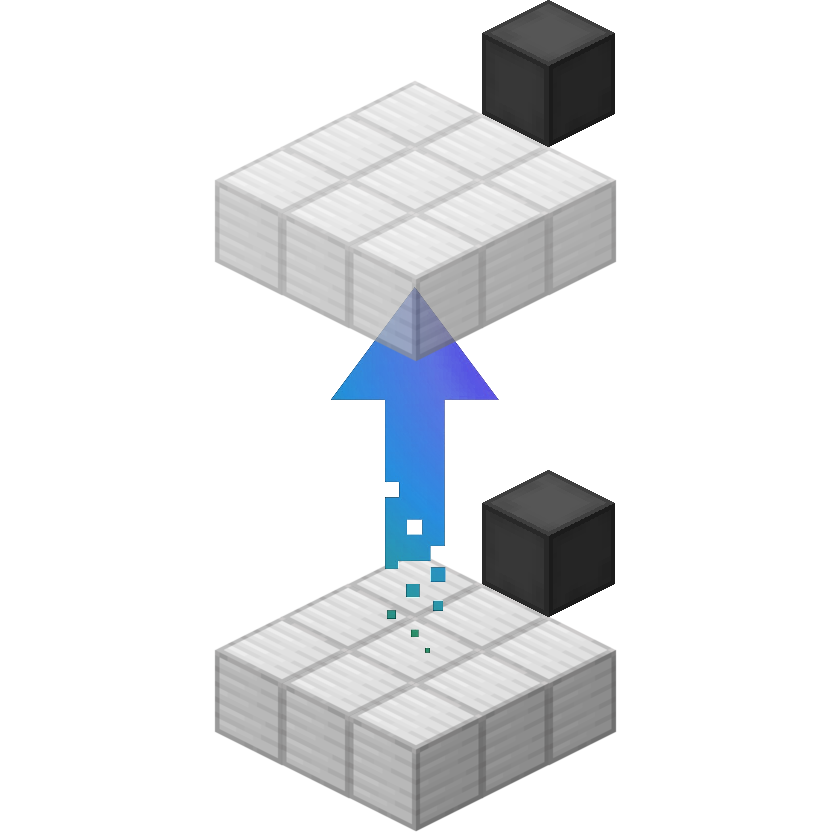
Moving Elevators adds real Elevators to Minecraft!
This page is having a moment, so a few details may be a little behind.
Quick answer
Moving Elevators 1.4.12a for NeoForge 26.2 targets 26.2 with NeoForge. The project page does not say whether it belongs on the client. The project page does not say whether it belongs on the dedicated server. All 2 required mods have matching files.
Where it goes
The project page does not say whether it belongs on the client. The project page does not say whether it belongs on the dedicated server.
The source does not explicitly classify this release as client-only or server-only.
Moving Elevators 1.4.12a for NeoForge 26.2. Change the file and its required mods may change too.
Install SuperMartijn642's Config Lib, SuperMartijn642's Core Lib first. We found matching files for this game-version and loader setup.
We only count dependency files that match this setup. A file for another loader does not fill the gap.
Before you install it
Built for Moving Elevators 1.4.12a for NeoForge 26.2. Pick another file and the loader, install side or required mods may change.
Use Moving Elevators 1.4.12a for NeoForge 26.2. It targets 26.2 with NeoForge; another release may have different loader, side or dependency requirements.
Install SuperMartijn642's Config Lib, SuperMartijn642's Core Lib first. We found matching files for this game-version and loader setup.
The project page does not say whether it belongs on the client. The project page does not say whether it belongs on the dedicated server.
Use the “Get this file” button beside Moving Elevators 1.4.12a for NeoForge 26.2. It opens that exact file at the source.
About this project


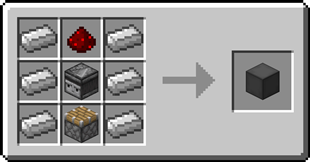
 Elevator Controller
The Elevator Controller will be your button panel at every floor!
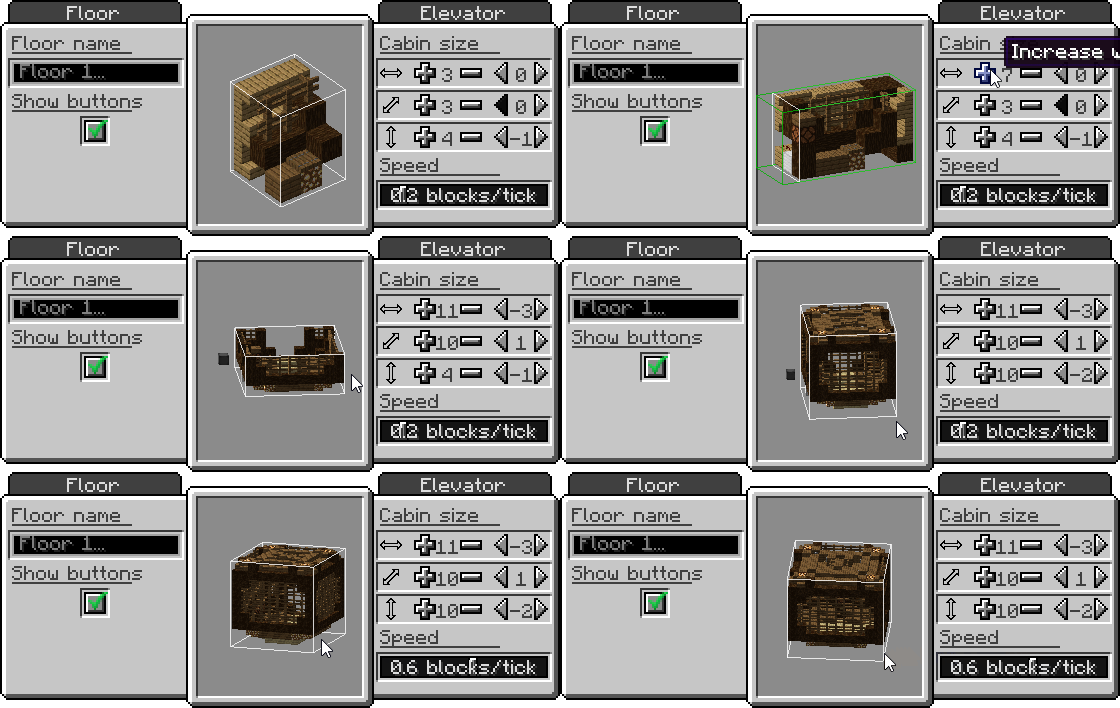
Right-click a side without buttons to change the platform speed and size, and the floor name
Right-click the middle button to request the platform and use the other two to move up and down
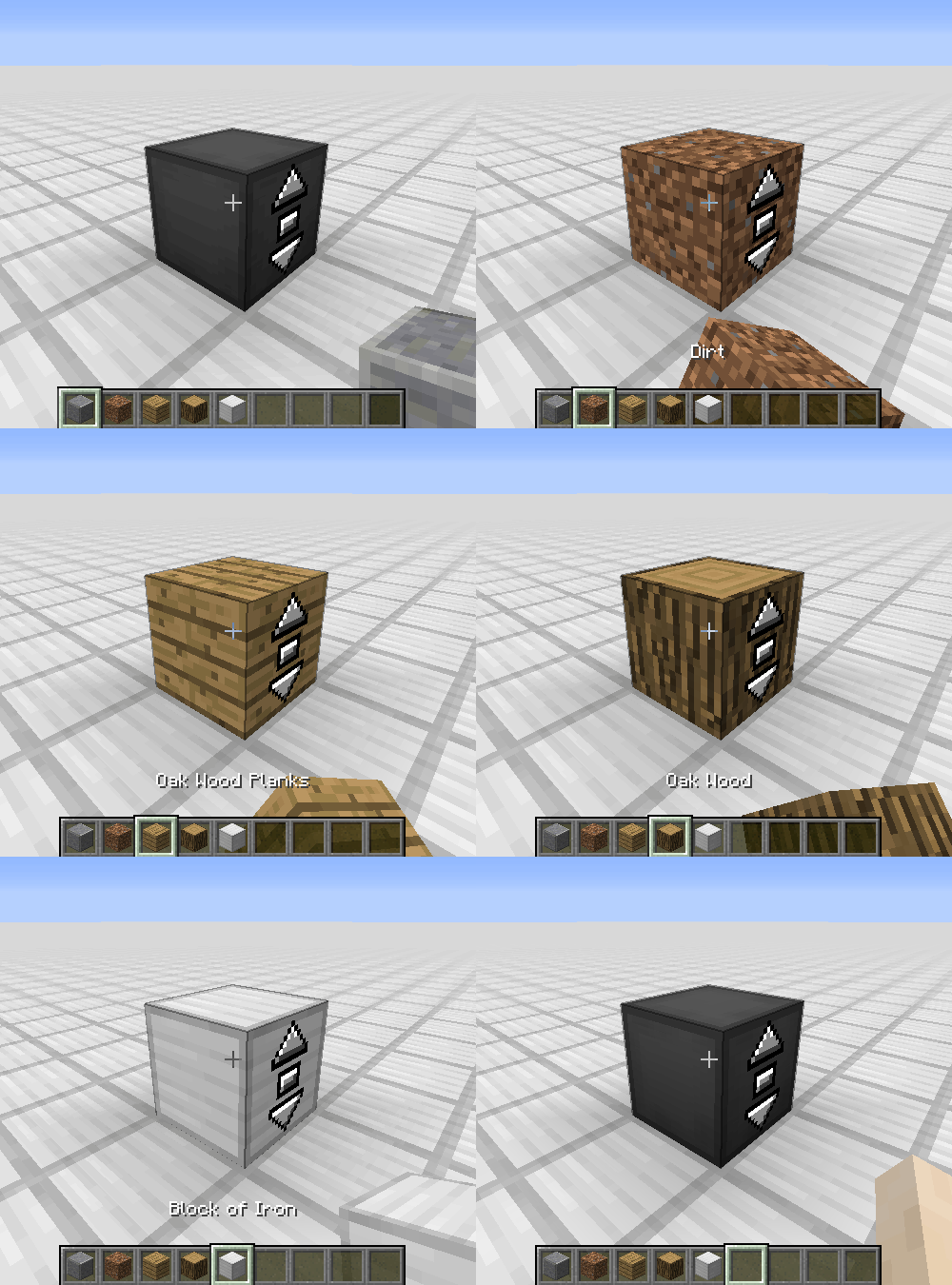
Right-click with a block to disguise the Elevator Controller as that block
Send a redstone signal to request the platform and see if the platform is there with a comparator
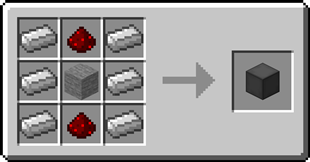
 Elevator Display
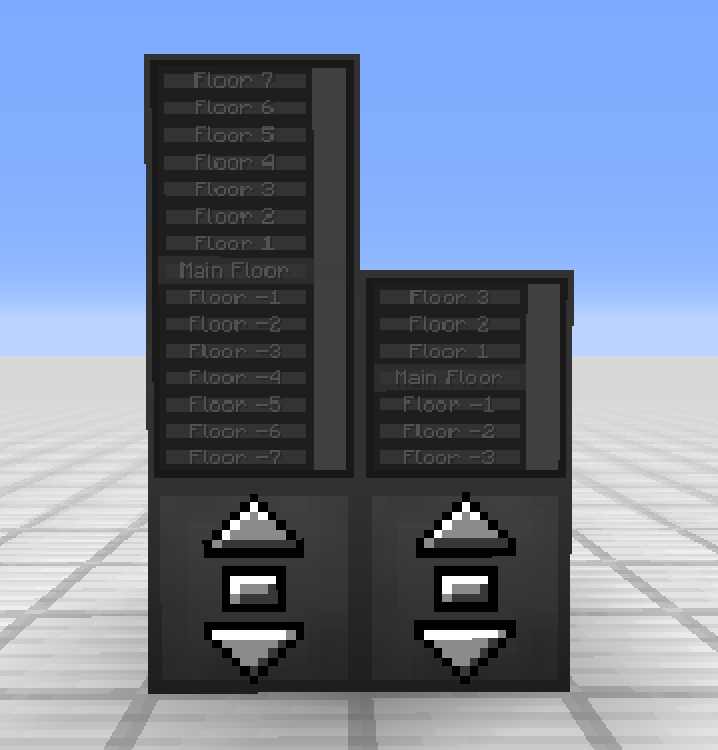
The Elevator Display shows the different floors and the current elevator position
Right-click the current floor to request the platform and use the other buttons to go to different floors
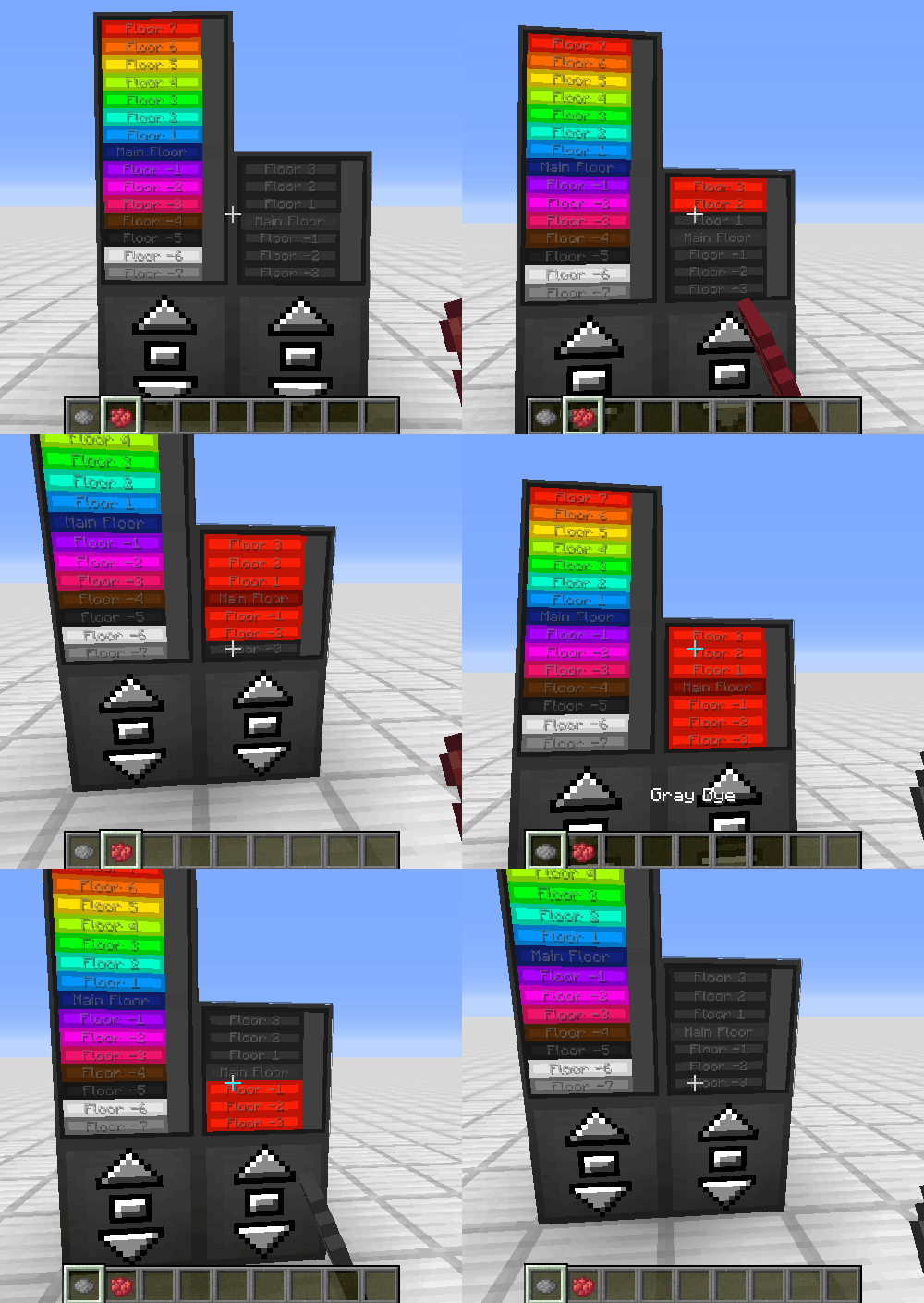
Right-click a floor button with a dye to change the color of that floor
Right-click with a block to disguise the Elevator Display as that block
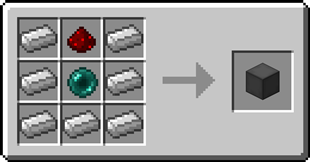
 Remote Elevator Panel
Can be bound to an Elevator Controller and can be placed anywhere
Elevator Displays can be put on top just like the Elevator Controller
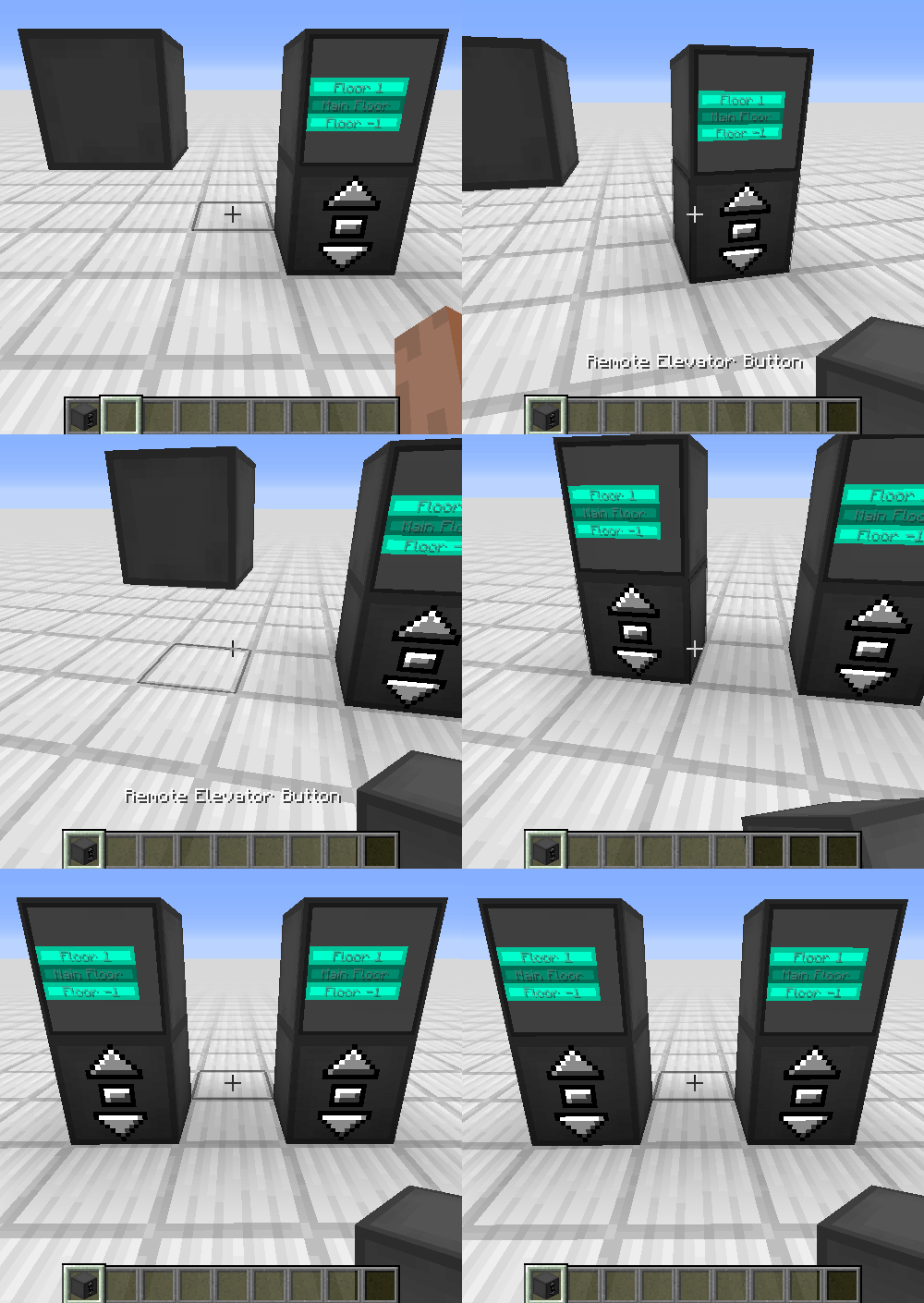

Project description from CurseForge.
Pick your setup
Choose the version and loader you play, then open the matching release.
Showing the newest 12 of 31 game versions. Older files are in the list below.
Check the dependencies, then try the file in a copied instance before changing a world you care about.
Recent files
movingelevators-1.4.12a-neoforge-mc26.2.jar
8 Jul 2026
movingelevators-1.4.12a-fabric-mc26.2.jar
8 Jul 2026
movingelevators-1.4.12a-forge-mc26.2.jar
8 Jul 2026
movingelevators-1.4.12a-fabric-mc26.1.jar
8 Jul 2026
movingelevators-1.4.12a-forge-mc26.1.jar
8 Jul 2026
movingelevators-1.4.12a-neoforge-mc26.1.jar
8 Jul 2026
movingelevators-1.4.12-neoforge-mc26.2.jar
4 Jul 2026
movingelevators-1.4.12-fabric-mc26.2.jar
4 Jul 2026
movingelevators-1.4.12-forge-mc26.2.jar
4 Jul 2026
movingelevators-1.4.12-neoforge-mc26.1.jar
4 Jul 2026
movingelevators-1.4.12-fabric-mc26.1.jar
4 Jul 2026
movingelevators-1.4.12-forge-mc26.1.jar
4 Jul 2026
Looking for an older file? The official CurseForge project page is in Resources.
 mod
modEvery country, region and more can now be represented by flags in Minecraft!
 mod
modMake your world fabulous with fabulous furniture! More than 100+ blocks with more than 250+ variations available!
 mod
mod"🔥 VERSION 4.2 OUT NOW! 🔥 Economy, Vehicles, 60 Mobs, and RPG Progression. The best way to play in 26.1.2 0 Forge and Fabric supported and more!"