Minecraft version
Back to mods 
CurseForge · Minecraft mod
Zero's Selection Mod
Client Side User Interface
Choose a version Pick your version below, then grab the matching file.
Quick answer
Which Zero's Selection Mod release matches 1.16.1 Fabric?
alpha file worldedit_cui-1.16.1_b244.jar
Game version 1.16.1
Loader Fabric
Zero's Selection Mod worldedit_cui-1.16.1_b244.jar targets 1.16.1 with Fabric. The project page does not say whether this file belongs on the client, dedicated server, or both. No extra mods listed for this file.
Where it goes
Is Zero's Selection Mod required on the client, server, or both?
The project page does not say whether this file belongs on the client, dedicated server, or both.
Client Source doesn’t say
Dedicated server Source doesn’t say
Loader for this release Fabric
Required install it here Optional supported, not mandatory Not supported do not install here Source doesn’t say do not assume
The source does not explicitly classify this release as client-only or server-only.
What else does Zero's Selection Mod worldedit_cui-1.16.1_b244.jar need?
worldedit_cui-1.16.1_b244.jar on 1.16.1 Fabric. Every mod below is checked against that same setup.
This file does not list any required mods. Do not add a library just because a different file uses it.
This file does not list any required or optional mods.
Before you install it
Add Zero's Selection Mod without breaking your instance.
Built for Zero's Selection Mod worldedit_cui-1.16.1_b244.jar on 1.16.1 Fabric. Pick another file and the loader, install side or required mods may change.
- 01
Stick to this file
Use worldedit_cui-1.16.1_b244.jar. It targets 1.16.1 with Fabric; another release may have different loader, side or dependency requirements.
- 02
Bring the mods it needs
This file does not list any required mods. Do not add a library just because a different file uses it.
- 03
Put it on the correct side
The project page does not say whether this file belongs on the client, dedicated server, or both.
- 04
Pick the file you checked
Use the “Get this file” button beside worldedit_cui-1.16.1_b244.jar. It opens that exact file at the source.
About this project
What does Zero's Selection Mod add?
Zero's Selection Mod
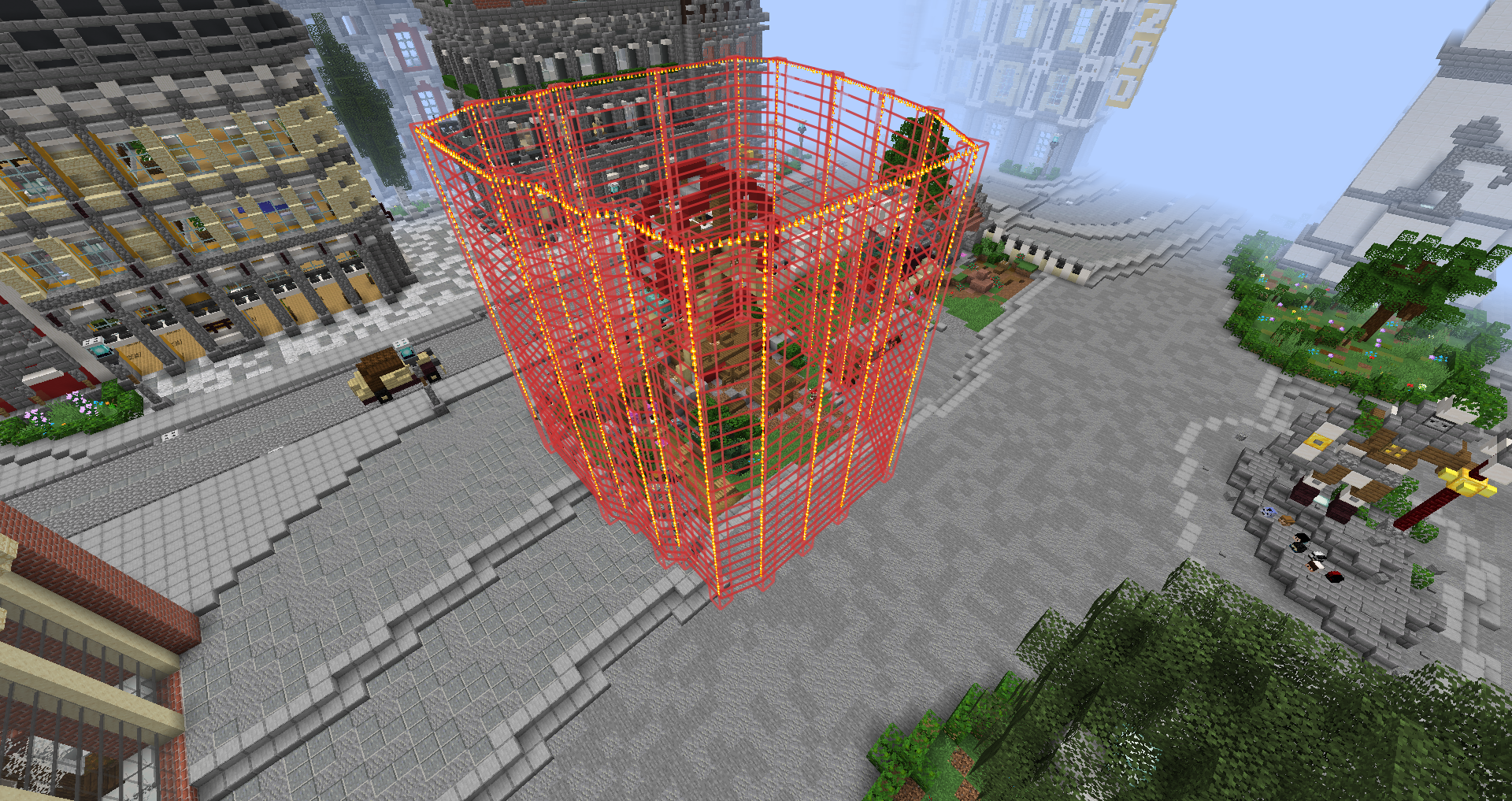
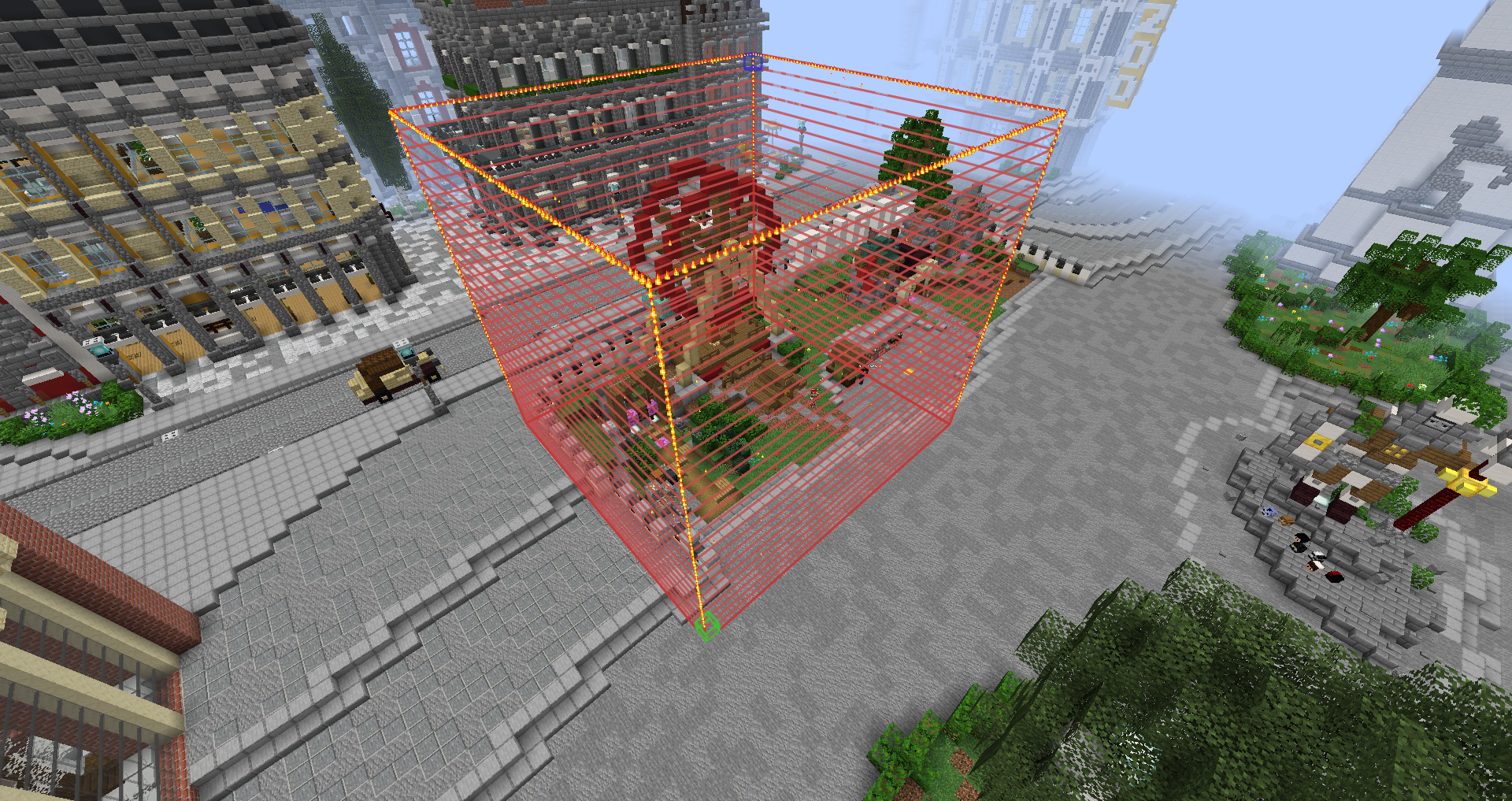
This mod provides a client-side user interface for the WorldEdit plugin allowing you to see your selected region in-game in real time. It allows you to work more quickly and accurately with your WorldEdit selection and is especially useful.
This is a partly rework of Mumfreys Worldedit CUI for Liteloader.
!Important!
This has no relation to Worldedit or other allready existing Selection Mods.
If you search for the offizial build go to https://github.com/mikroskeem/WorldEditCUI
Source Code
Check out the Source Code on github.com!
Original Authors
Thanks to the original authors:
How to install:
First you have to install Fabric.
- Open https://fabricmc.net/use/?page=installer and follow the installation topic.
- Download Fabric API https://www.curseforge.com/minecraft/mc-mods/fabric-api and put it inside %appdata%.minecraft\mods.
- -> If that folder doesn't exists, create it.
- Download the latest Worldedit Cui (Fabric Edition) and put it inside %appdata%.minecraft\mods
How to use it:
You need the permissions to use Worldedit or at least Worldedits selection Feature.
Use whatever tool you setup as selection tool, normally its the wooden axe, and left/right click to set the first and the second position.
You should see the selection now
Important, since the /we cui command is delay between trying and actually joining a server, it might fail to execute the command. Depending on the login time it needs to join. You can edit the configugration to change the delay (default is 1000 nanoseconds or 1 second)
Default Keys
- Display Chunk: F3
- Left Shift: Left Shift Key
- Right Shift: Right Shift Key
- Toggle Selection: F1 (only hides the selection)
- Clear: F4
- Configuration Screen: F12
Changing default language:
Worldedit cui stores all language Files inside %appdata%.minecraft\config\worldeditcui.
You can change all variables here to match your language.
Configuration Screen:
If you press F12 ingame the configscreen will open, you can change every colour, some settings and the default keybinds here.
Mod Menu support:
Since Fabric is missing a "modlist" modmenuprovides this.
You should be able to call the config screen with modmenu too and it will display some other information about this mod.
Features:
Here an example of a cuboid selection
And an example of a cuboid selection:
Project description from CurseForge.
Pick your setup
Zero's Selection Mod by Minecraft version and loader
Choose the version and loader you play, then open the matching release.
Minecraft version
1.15.2
1 loader buildCheck the dependencies, then try the file in a copied instance before changing a world you care about.
Recent files
Zero's Selection Mod versions and loaders
worldedit_cui-1.16.1_b244.jar
2 Jul 2020
Client Source doesn’t say Server Source doesn’t say Dependencies No extras listed Listed on Release listing
Check the 1.16.1 · Fabric setup 1.16.1Fabric alpha
Looking for an older file? The official CurseForge project page is in Resources.
 mod
CurseForge · Minecraft
Chat Heads
See who are you chatting with!
 mod
CurseForge · Minecraft
Always Drops: Glass & Ender Chest Without Silk Touch
Glass, glass panes and ender chests always drop themselves, no Silk Touch needed. Pick the parts you want. Mod for Fabric, Quilt, Forge and NeoForge, 1.14 to 26.3.
 mod
CurseForge · Minecraft
TONI's Magic: Wizardry
Become a wizard: 13 spells from tomes (Arcane Ray, meteor, blizzard...), an Inscription Table and spell hotkeys, good and dark wizards, the Ancient Mage, Dark Towers and the Arcane Bunker dungeon.