Minecraft version
Back to mods 
CurseForge · Minecraft mod
FontFixer
You know how Mojang "fixed" text rendering and strikethrough no longer looks as good? Yeah, this fixes that.
Choose a version Pick your version below, then grab the matching file.
Quick answer
Which FontFixer release should I use?
beta file FontFixer 1.0.0
Game version 1.15.2
Loader Fabric
FontFixer 1.0.0 targets 1.15.2 with Fabric. The project page does not say whether this file belongs on the client, dedicated server, or both. No extra mods listed for this file.
Where it goes
Is FontFixer required on the client, server, or both?
The project page does not say whether this file belongs on the client, dedicated server, or both.
Client Source doesn’t say
Dedicated server Source doesn’t say
Loader for this release Fabric
Required install it here Optional supported, not mandatory Not supported do not install here Source doesn’t say do not assume
The source does not explicitly classify this release as client-only or server-only.
What else does FontFixer 1.0.0 need?
FontFixer 1.0.0. Change the file and its required mods may change too.
This file does not list any required mods. Do not add a library just because a different file uses it.
This file does not list any required or optional mods.
Before you install it
Add FontFixer without breaking your instance.
Built for FontFixer 1.0.0. Pick another file and the loader, install side or required mods may change.
- 01
Stick to this file
Use FontFixer 1.0.0. It targets 1.15.2 with Fabric; another release may have different loader, side or dependency requirements.
- 02
Bring the mods it needs
This file does not list any required mods. Do not add a library just because a different file uses it.
- 03
Put it on the correct side
The project page does not say whether this file belongs on the client, dedicated server, or both.
- 04
Pick the file you checked
Use the “Get this file” button beside FontFixer 1.0.0. It opens that exact file at the source.
About this project
What does FontFixer add?
Do you hate the look of the strikethrough style of 1.14 and above?
Does it trigger your OCD to see it off by one little pixel?
Do you wish that could be fixed?
WELL NOW YOU CAN!
My name is ZombieHDGaming and I am one of the current dev of VanillaFix and JEID. After putting so many hours into a server project of mine in 1.15, the strikethrough look in 1.14 and above really triggered my OCD seeing that style be off by one pixel and I decided to fix it with my Mixin knowledge! To be honest, it was literally changing a 4.5 in the text rendering code to just be a 4, but hey, IT WORKS. Currently, all this mod does is fix that one little issue for the strikethrough style (1.14 will be supported as well after initial release), but there is a chance it will do more later down the line!
FAQ:
Q: Will Forge be supported at some point?
A: I do intend to make a Forge version of this down the line once Mixins is a built-in library for Forge.
Q: But there's MixinBootstrap and it already takes care of that!
A: Ummm, no. As much as I'm glad people are supporting that, I'd rather wait and know it's fully stable over use a hacky way of doing it and it causing issues I can't fix.
Project description from CurseForge.
Pick your setup
FontFixer by Minecraft version and loader
Choose the version and loader you play, then open the matching release.
Check the dependencies, then try the file in a copied instance before changing a world you care about.
Recent files
FontFixer versions and loaders
FontFixer 1.0.0
fontfixer-1.0.0.jar
13 Apr 2020
Client Source doesn’t say Server Source doesn’t say Dependencies No extras listed Listed on Release listing
Check the 1.15.2 · Fabric setup Fabric1.15.2 beta
Looking for an older file? The official CurseForge project page is in Resources.
 mod
CurseForge · Minecraft
Mothlight
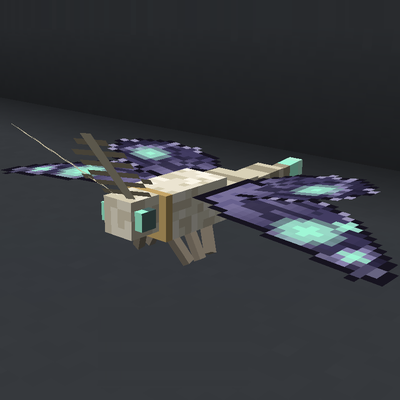
Raise a glowing companion moth, catch, jar and breed 48 wild moths, fly a Great Lumen, and wear a Mothman shawl that opens into wings.
 mod
CurseForge + Modrinth · Minecraft
Modest Meals
A vanilla enhancing mod that aims to expand the food system with dynamic meals, while also adding stamina.
 mod
CurseForge + Modrinth · Minecraft
The Last Block of Us
This mod adds a variety of items, weapons, mobs, and more inspired by the video game The Last of Us.