Minecraft version
Back to mods 
CurseForge · Minecraft mod
McProfileView
View Minecraft intergrated profiler dumps in-game
Choose a version Pick your version below, then grab the matching file.
Quick answer
Which McProfileView release should I use?
Latest stable file v1.0 for Forge 1.15.2
Game version 1.15.2
Loader Forge
McProfileView v1.0 for Forge 1.15.2 targets 1.15.2 with Forge. The project page does not say whether this file belongs on the client, dedicated server, or both. No extra mods listed for this file.
Where it goes
Is McProfileView required on the client, server, or both?
The project page does not say whether this file belongs on the client, dedicated server, or both.
Client Source doesn’t say
Dedicated server Source doesn’t say
Loader for this release Forge
Required install it here Optional supported, not mandatory Not supported do not install here Source doesn’t say do not assume
The source does not explicitly classify this release as client-only or server-only.
What else does McProfileView v1.0 for Forge 1.15.2 need?
v1.0 for Forge 1.15.2. Change the file and its required mods may change too.
This file does not list any required mods. Do not add a library just because a different file uses it.
This file does not list any required or optional mods.
Before you install it
Add McProfileView without breaking your instance.
Built for McProfileView v1.0 for Forge 1.15.2. Pick another file and the loader, install side or required mods may change.
- 01
Stick to this file
Use v1.0 for Forge 1.15.2. It targets 1.15.2 with Forge; another release may have different loader, side or dependency requirements.
- 02
Bring the mods it needs
This file does not list any required mods. Do not add a library just because a different file uses it.
- 03
Put it on the correct side
The project page does not say whether this file belongs on the client, dedicated server, or both.
- 04
Pick the file you checked
Use the “Get this file” button beside v1.0 for Forge 1.15.2. It opens that exact file at the source.
About this project
What does McProfileView add?
About
McProfileView is a utility mod for server owners and mod developers. It allows you to see a visual representation of Minecraft profile dumps in a GUI on the client.
How to use
Running the profiler
To use the intergrated profiler in the vanilla game, run the command /debug start. This will start the profiler recording data. When you want to end the capture, run the command /debug stop. This will save a file with the name profile-results-yyyy-mm-dd_hh.mi.ss.txt in the the debug/ folder in .minecraft/ .
Using the GUI to view this file
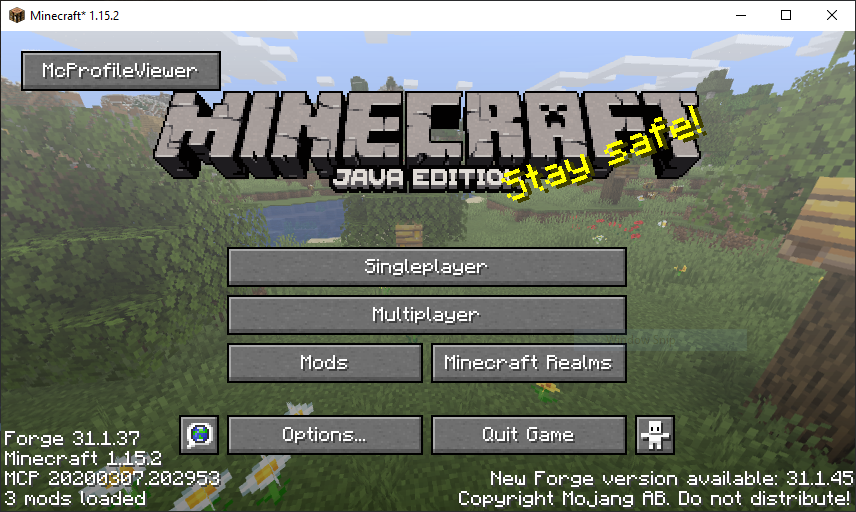
On the main menu, select the McProfileView button, then click the open profile button and navigate to the profiler dump you want to view.
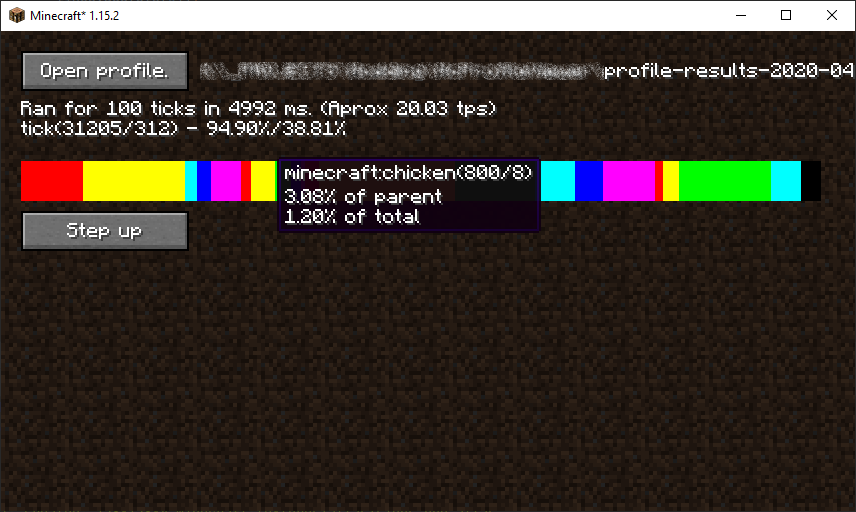
This will present you with a bar you can click on to view the contents of that item.
The 'Step up' button allows you to return to layer you were previously on.
Project description from CurseForge.
Pick your setup
McProfileView by Minecraft version and loader
Choose the version and loader you play, then open the matching release.
Check the dependencies, then try the file in a copied instance before changing a world you care about.
Recent files
McProfileView versions and loaders
v1.0 for Forge 1.15.2
McProfileView-1.0.jar
15 Apr 2020
Client Source doesn’t say Server Source doesn’t say Dependencies No extras listed Listed on Release listing
Check the 1.15.2 · Forge setup 1.15.2Forge release
Looking for an older file? The official CurseForge project page is in Resources.
 mod
CurseForge · Minecraft
PingPlus - Tab Ping
Displays each player's ping in milliseconds with customizable colors in the tab list instead of the signal bars icon.
 mod
CurseForge · Minecraft
Ore Vein Tweaker
Control the large ore veins: turn iron or copper veins off, resize them, make them richer or poorer, rebuild them from any block - or add as many new kinds of veins as you want. Plain config files, server-side only.
 mod
CurseForge · Minecraft
Savaru's Dungeonology
A Savaru roguelike dungeon system with level-gated entries, difficulty tiers, dungeon objectives, rule-card buffs, party runs, external dungeon integration, and Affixology-linked rewards.