Minecraft version
Back to mods 
CurseForge · Minecraft mod
Modular Materials
Dynamic and fully customizeable material-generation-system for Minecraft 1.12.2 and 1.17.1+
Choose a version Pick your version below, then grab the matching file.
Quick answer
Which Modular Materials release matches 1.18 Forge?
beta file modularmaterials-0.9-beta.jar
Game version 1.18.1, 1.18
Loader Forge
Modular Materials modularmaterials-0.9-beta.jar targets 1.18.1, 1.18 with Forge. The project page does not say whether this file belongs on the client, dedicated server, or both. No extra mods listed for this file.
Where it goes
Is Modular Materials required on the client, server, or both?
The project page does not say whether this file belongs on the client, dedicated server, or both.
Client Source doesn’t say
Dedicated server Source doesn’t say
Loader for this release Forge
Required install it here Optional supported, not mandatory Not supported do not install here Source doesn’t say do not assume
The source does not explicitly classify this release as client-only or server-only.
What else does Modular Materials modularmaterials-0.9-beta.jar need?
modularmaterials-0.9-beta.jar on 1.18 Forge. Every mod below is checked against that same setup.
This file does not list any required mods. Do not add a library just because a different file uses it.
This file does not list any required or optional mods.
Before you install it
Add Modular Materials without breaking your instance.
Built for Modular Materials modularmaterials-0.9-beta.jar on 1.18 Forge. Pick another file and the loader, install side or required mods may change.
- 01
Stick to this file
Use modularmaterials-0.9-beta.jar. It targets 1.18.1, 1.18 with Forge; another release may have different loader, side or dependency requirements.
- 02
Bring the mods it needs
This file does not list any required mods. Do not add a library just because a different file uses it.
- 03
Put it on the correct side
The project page does not say whether this file belongs on the client, dedicated server, or both.
- 04
Pick the file you checked
Use the “Get this file” button beside modularmaterials-0.9-beta.jar. It opens that exact file at the source.
About this project
What does Modular Materials add?
This mod requires Resource Loader by Lumien231 (only for 1.12.2!).
Features:
Modular Materials lets you create lots of items, blocks, ores and fluids at once. It is possible to customize each material individualy in many different aspects, including (but not limited to!) color, texture, OreDictionary-entry (tags in 1.17.1), hardness, blast resistance, tooltip and more! Tooltips can not only be formatted with standard formatting codes, but also with new, custom formatting codes which let you define, that the targeted line should only be visible when pressing SHIFT, CTRL or ALT or even animate them! Finally, it is possible to have GregTech-like ore-veins and disable vanilla ore generation.
There are a few textures shipped with the mod, but you can always use your own textures via Resource Loader (1.12.2), the ./config/modularmaterials/resourcepack/-folder (1.17.1+) or a custom Resource Pack.
There are presets available to help you get started, inspire you or help to reduce your customization-work.
If you don't know how to download files from GitHub, follow these instructions.
A custom config editor can be found here.
Please report issues on GitHub.
Project description from CurseForge.
Pick your setup
Modular Materials by Minecraft version and loader
Choose the version and loader you play, then open the matching release.
Minecraft version
1.20.2
1 loader buildMinecraft version
1.20.1
2 loader buildsMinecraft version
1.20
2 loader buildsMinecraft version
1.19.4
1 loader buildMinecraft version
1.19.3
1 loader buildMinecraft version
1.19.2
1 loader buildMinecraft version
1.19.1
1 loader buildMinecraft version
1.19
1 loader buildMinecraft version
1.18.2
1 loader buildMinecraft version
1.18.1
1 loader buildMinecraft version
1.18
1 loader buildShowing the newest 12 of 14 game versions. Older files are in the list below.
Check the dependencies, then try the file in a copied instance before changing a world you care about.
Recent files
Modular Materials versions and loaders
modularmaterials-0.9-beta.jar
23 Feb 2022
Client Source doesn’t say Server Source doesn’t say Dependencies No extras listed Listed on Release listing
Check the 1.18 · Forge setup 1.18.1Forge1.18 beta
modularmaterials-0.8-beta.jar
4 Dec 2021
Client Source doesn’t say Server Source doesn’t say Dependencies No extras listed Listed on Release listing
Check the 1.18 · Forge setup 1.18.1Forge1.18 beta
Looking for an older file? The official CurseForge project page is in Resources.
 mod
CurseForge · Minecraft
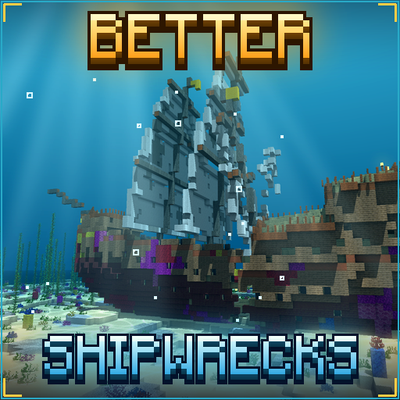
TONI's Better Shipwrecks: Sunken Ships & Pirate Wrecks (Forge/Fabric)
Every shipwreck rebuilt as a huge 3D ship: galleons, brigs, merchantmen, sloops and Viking longships, sunk or beached in many ways. Vanilla loot, server-side.
 mod
CurseForge · Minecraft
Snow Under Trees
Adds snow under trees in snowy biomes
 mod
CurseForge + Modrinth · Minecraft
FallingTree
Break down your trees by only cutting one piece of it