
Minecraft version
Back to mods 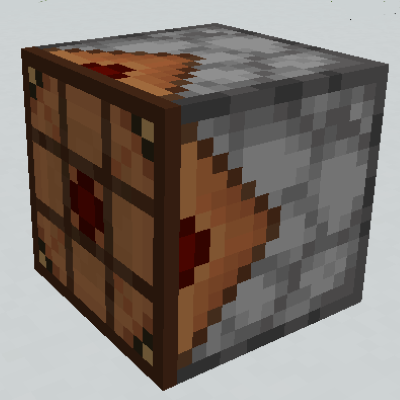
CurseForge · Minecraft mod
Inventula
A small Vanilla+ style automation mod
Choose a version Pick your version below, then grab the matching file.
Quick answer
Which Inventula release should I use?
beta file inventula-1.1.3.jar
Game version 1.15.2
Loader Forge
inventula-1.1.3.jar targets 1.15.2 with Forge. The project page does not say whether this file belongs on the client, dedicated server, or both. No extra mods listed for this file.
Where it goes
Is Inventula required on the client, server, or both?
The project page does not say whether this file belongs on the client, dedicated server, or both.
Client Source doesn’t say
Dedicated server Source doesn’t say
Loader for this release Forge
Required install it here Optional supported, not mandatory Not supported do not install here Source doesn’t say do not assume
The source does not explicitly classify this release as client-only or server-only.
What else does inventula-1.1.3.jar need?
inventula-1.1.3.jar. Change the file and its required mods may change too.
This file does not list any required mods. Do not add a library just because a different file uses it.
This file does not list any required or optional mods.
Before you install it
Add Inventula without breaking your instance.
Built for inventula-1.1.3.jar. Pick another file and the loader, install side or required mods may change.
- 01
Stick to this file
Use inventula-1.1.3.jar. It targets 1.15.2 with Forge; another release may have different loader, side or dependency requirements.
- 02
Bring the mods it needs
This file does not list any required mods. Do not add a library just because a different file uses it.
- 03
Put it on the correct side
The project page does not say whether this file belongs on the client, dedicated server, or both.
- 04
Pick the file you checked
Use the “Get this file” button beside inventula-1.1.3.jar. It opens that exact file at the source.
About this project
What does Inventula add?
Inventula
This mod adds 3 blocks and 1 item, all of which add more opportunities for automation in a Vanilla+ environment, whilst also trying not to be too overpowered. (pictures coming soon)
Super Dispenser
Crafting recipe:

This block does almost all* of what the ordinary dispenser does, except it can fire items further and more accurately. When fired, the items cannot be picked up until they hit a block/fluid/entity, and once it does additional behaviours may occur, depending both on what was hit and what item was fired.
This is the list of behaviours currently implemented:
Breaking blocks with the right tools. By default, this is all blocks preferentially broken by axes, pickaxes or shovels. Other mods may add additional tool types. This costs durability on the tool. (For blocks which aren't preferentially broken by any tool, a stick is used instead. The stick is not consumed.)
Placing blocks and crops on farmland. This should work for most modded crops, depending on how they are implemented.
Tilling blocks.
Putting items into blocks with item storage if they are hit. (Can be turned off in server configs)
Bonemealing crops (at range)
Picking up fluids (at range)
Filling bottles (at range)
Harvesting from beehives (at range)
Dealing damage with all items, except those that do other things when colliding with entities:
Shearing sheep (at range)
Milking cows (at range)
*except for equipping armour, placing boats/minecarts and placing armour stands. All are planned to be implemented, if I get around to it.
Crafting Dropper
Crafting recipe:

This block accepts items from hoppers and other item transportation systems, and when given a redstone signal drops the result of a crafting operation in front of it. Like a Vanilla dropper, if an item storage block is in front of it, the item will be placed in it instead. The crafting operation performed depends on the order on which the items are inserted. These items can be seen on the face opposite the items come out, and each slot accepts only one of each item. You can mask slots by right clicking them with an empty hand, which will stop any further items from entering that slot, and you can clear the dispenser by shift right clicking with an empty hand.
Pictures:

A picture of the back side of the crafting dropper

Each slot holds only one item, and enters from left to right and from top to bottom.

All the slots of this crafting dropper are masked. This means no items will be able to enter.

An example of a completed recipe.

After a redstone signal is given (hidden here), the item is crafted! Note the masked slots stay after the crafting operation is finished.
Eternal Spawner and Eternal Eye
The eternal spawner acts exactly like a Vanilla spawner, except that the requirement for a player to stay in range is removed and it can now be disabled by applying a redstone signal. Note that the normal light requirements still do apply, and the spawner still has to be chunkloaded.
This block is obtained by crafting an eternal eye and right clicking with it on a vanilla spawner. The resulting eternal spawner will retain all of the properties of the vanilla one, including custom NBT.
Crafting recipe for eternal eye (shapeless):

This mod was created for the MMD modjam.
Project description from CurseForge.
Pick your setup
Inventula by Minecraft version and loader
Choose the version and loader you play, then open the matching release.
Check the dependencies, then try the file in a copied instance before changing a world you care about.
Recent files
Inventula versions and loaders
inventula-1.1.3.jar
1 Jul 2020
Client Source doesn’t say Server Source doesn’t say Dependencies No extras listed Listed on Release listing
Check the 1.15.2 · Forge setup 1.15.2Forge beta
inventula-1.1.2.jar
17 May 2020
Client Source doesn’t say Server Source doesn’t say Dependencies No extras listed Listed on Release listing
Check the 1.15.2 · Forge setup 1.15.2Forge beta
inventula-1.1.0.jar
16 May 2020
Client Source doesn’t say Server Source doesn’t say Dependencies No extras listed Listed on Release listing
Check the 1.15.2 · Forge setup 1.15.2Forge beta
Looking for an older file? The official CurseForge project page is in Resources.
 mod
CurseForge + Modrinth · Minecraft
Terracart Reloaded
Terraria Cart in Minecraft, Right click track and have fun!
 mod
Modrinth · Minecraft
Create: Vintage Grinder Edition
Just a Create: Vintage Grinder
 mod
Modrinth · Minecraft
Integrated Superheroes
Over 20 custom made superhero powers, combining multiple superhero mods into one integrated experience