Minecraft version
Back to mods 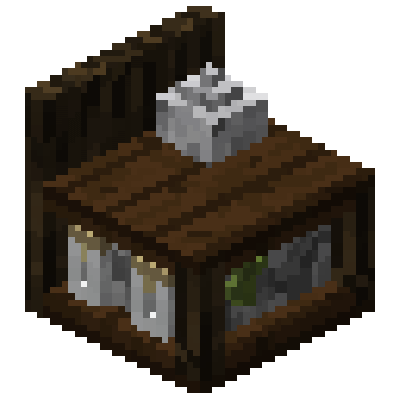
CurseForge · Minecraft mod
Configurable Apothecary
A short, basic, configurable alternative for potion making
Choose a version Pick your version below, then grab the matching file.
Quick answer
Which Configurable Apothecary release should I use?
Latest stable file apothecary-1.3.jar
Game version 1.12.2
Loader Forge
Configurable Apothecary apothecary-1.3.jar targets 1.12.2 with Forge. The project page does not say whether this file belongs on the client, dedicated server, or both. No extra mods listed for this file.
Where it goes
Is Configurable Apothecary required on the client, server, or both?
The project page does not say whether this file belongs on the client, dedicated server, or both.
Client Source doesn’t say
Dedicated server Source doesn’t say
Loader for this release Forge
Required install it here Optional supported, not mandatory Not supported do not install here Source doesn’t say do not assume
The source does not explicitly classify this release as client-only or server-only.
What else does Configurable Apothecary apothecary-1.3.jar need?
apothecary-1.3.jar. Change the file and its required mods may change too.
This file does not list any required mods. Do not add a library just because a different file uses it.
This file does not list any required or optional mods.
Before you install it
Add Configurable Apothecary without breaking your instance.
Built for Configurable Apothecary apothecary-1.3.jar. Pick another file and the loader, install side or required mods may change.
- 01
Stick to this file
Use apothecary-1.3.jar. It targets 1.12.2 with Forge; another release may have different loader, side or dependency requirements.
- 02
Bring the mods it needs
This file does not list any required mods. Do not add a library just because a different file uses it.
- 03
Put it on the correct side
The project page does not say whether this file belongs on the client, dedicated server, or both.
- 04
Pick the file you checked
Use the “Get this file” button beside apothecary-1.3.jar. It opens that exact file at the source.
About this project
What does Configurable Apothecary add?
**Note: this mod does not remove potion brewing from Minecraft, use CraftTweaker for that**
Apothecary is a simple mod that adds two new "machines": the Reagent Bench and the Alchemical Apparatus. Both are fairly configurable, allowing modpack makers to add their own recipes with ease in the config file (NBT and metadata supported! - but sorry no ore dictionary). The Reagent Bench takes two inputs and spits out an output while the Alchemical Apparatus takes three inputs for an output. Both machine working times are configurable.
In addition to the two machines, Apothecary adds 4 basic reagents, heftier versions of most of those reagents, glass vials, water vials, blood vials, and with crafting recipes for each.
Apothecary also adds a wide array of intermediary solutions to be used in configurable recipes.
JEI support!
** A Brief Tutorial on Usage **
On initial download, there should only be 3 recipes for the reagent bench and no recipes for the alchemical apparatus
To add a recipe for the reagent bench, add a line to the config property "reagent_possibilities"
-- eg. to add "Bonemeal + Gunpowder = Negation Mixture" you would add "minecraft:dye(15),minecraft:gunpowder,apothecary:negation_mixture" and the player has to put bonemeal and gunpowder in the inputs and they will get negation mixture as the output
To add a recipe for the alchemical apparatus, add a line to the config property "alchemical_possibilities"
-- eg. to add "Blood Vial as fuel, add sugar to a water vial to get a potion of healing" you would add "apothecary:blood_vial,minecraft:sugar,apothecary:water_vial,minecraft:potion{Potion:minecraft:healing}"
This mod was custom made for my own modpack I'm working on so it's a little targeted, but I did my best to add as much customization as I could!
Feel free to use this in any modpack
Modid is "apothecary" so be aware it might conflict with other mods with a similar name
Project description from CurseForge.
Pick your setup
Configurable Apothecary by Minecraft version and loader
Choose the version and loader you play, then open the matching release.
Check the dependencies, then try the file in a copied instance before changing a world you care about.
Recent files
Configurable Apothecary versions and loaders
apothecary-1.3.jar
3 Jun 2020
Client Source doesn’t say Server Source doesn’t say Dependencies No extras listed Listed on Release listing
Check the 1.12.2 · Forge setup Forge1.12.2 release
apothecary-1.2.jar
24 May 2020
Client Source doesn’t say Server Source doesn’t say Dependencies No extras listed Listed on Release listing
Check the 1.12.2 · Forge setup Forge1.12.2 release
apothecary-1.1.jar
23 May 2020
Client Source doesn’t say Server Source doesn’t say Dependencies No extras listed Listed on Release listing
Check the 1.12.2 · Forge setup Forge1.12.2 release
Apothecary v1
apothecary-1.0.jar
23 May 2020
Client Source doesn’t say Server Source doesn’t say Dependencies No extras listed Listed on Release listing
Check the 1.12.2 · Forge setup Forge1.12.2 release
Looking for an older file? The official CurseForge project page is in Resources.
 mod
CurseForge + Modrinth · Minecraft
The Flash Flood
Heavy rain can turn into a flood! Rivers, lakes and oceans overflow their banks, then drain away when the storm passes.
 mod
CurseForge + Modrinth · Minecraft
More Beautiful Plates
200+ Pressure Plates based on Vanilla Blocks.
 mod
CurseForge · Minecraft
Fishtastic
Fishtastic adds a fishing mini-game and over 50 new fish species to the game. Compete with your friends to catch the biggest fish, and show off your most prized catches in flashy fish tanks.