Forgified Fabric API Needed by Kibe Utilities Kibe 2.3.1
requiredMatching file found Matched file: [1.21.1] Forgified Fabric API 0.116.15+2.3.1+1.21.1
CurseForge · Minecraft mod
A miscellaneous mod for Minecraft that adds a bunch of random, and mostly unoriginal things.
This page is having a moment, so a few details may be a little behind.
Quick answer
Kibe Utilities Kibe 2.3.1 targets 1.21.1 with NeoForge. The project page does not say whether it belongs on the client. The project page does not say whether it belongs on the dedicated server. All 2 required mods have matching files.
Where it goes
The project page does not say whether it belongs on the client. The project page does not say whether it belongs on the dedicated server.
The source does not explicitly classify this release as client-only or server-only.
Kibe 2.3.1. Change the file and its required mods may change too.
Install Forgified Fabric API, Kotlin for Forge first. We found matching files for this game-version and loader setup.
We only count dependency files that match this setup. A file for another loader does not fill the gap.
Before you install it
Built for Kibe Utilities Kibe 2.3.1. Pick another file and the loader, install side or required mods may change.
Use Kibe 2.3.1. It targets 1.21.1 with NeoForge; another release may have different loader, side or dependency requirements.
Install Forgified Fabric API, Kotlin for Forge first. We found matching files for this game-version and loader setup.
The project page does not say whether it belongs on the client. The project page does not say whether it belongs on the dedicated server.
Use the “Get this file” button beside Kibe 2.3.1. It opens that exact file at the source.
About this project
A miscellaneous mod that adds a bunch of random, and mostly unoriginal things.



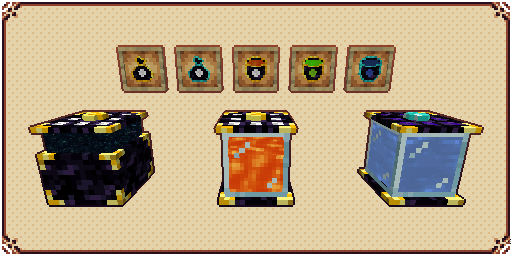
Entangled Chests are universally linked chests that work across dimensions and stores the same items as long as they are color-coded the same.
You can use an Entangled Bag to access the contents of your Entangled Chest directly in your inventory.
Entangled Tanks are exactly like Entangled Chests but they store fluids instead.
You can use an Entangled Bucket to access the contents of your Entangled Tank directly in your inventory.
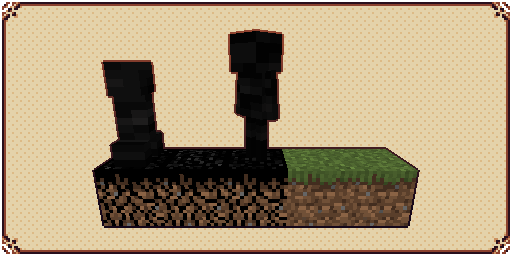
Cursed Dirt is a simple grass-like block that burns when exposed to sunlight, but when in dark environments, will have vastly improved spawn rate for monsters.
They are created by using Cursed Seeds in a regular grass or dirt block, and can only spread 16 blocks from the center.
Cursed Droplets will drop from Wither Skeletons and mobs spawned in Cursed Dirt.
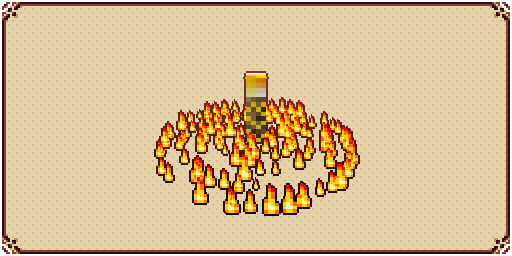
Big Torch is a block that cancels any mob spawning that requires no light in a configurable area. It's useful to protect your base and to clean caves and dungeons.
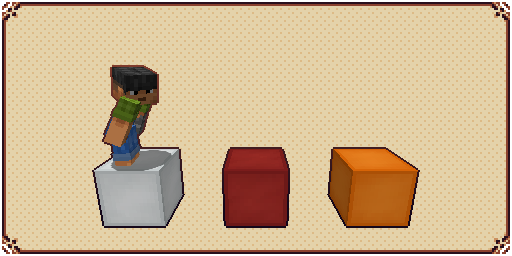
Elevators are simple blocks that, when stepped upon, can teleport the player upwards and downwards, as long as it finds another elevator directly above or below it.
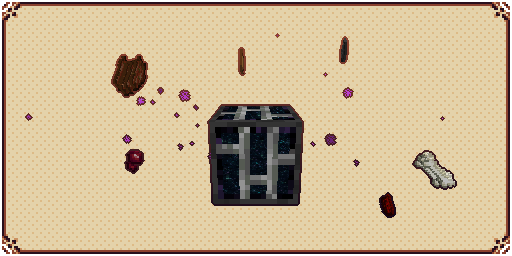
Vacuum Hoppers are blocks that can pull nearby dropped items and experience orbs to their own inventory.
Stored items can be accessed by opening the block's GUI or by using regular Hoppers.
Stored XP can be used to craft Bottle o' Enchanting or Liquid XP buckets
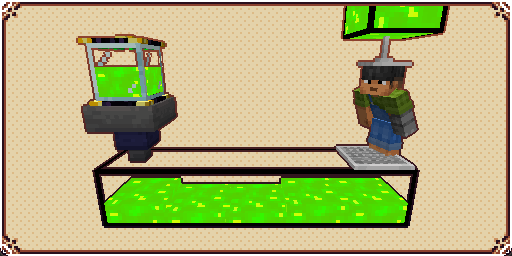
Tanks are blocks that can store fluids, each tank can store up to 16 buckets, and when placed side by side they will connect and fluids will flow through them.
Fluid Hoppers are blocks exactly like vanilla Hoppers but that moves fluids instead of items.
XP Drains are blocks that will drain XP from a player and store it in a fluid container placed directly below it.
XP Showers are blocks that can transform the liquid XP from tanks behind it into experience orbs that players can absorb.
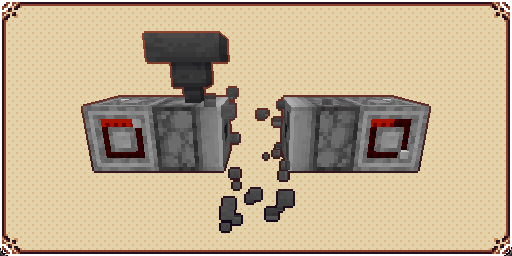
Placers are blocks that when activated by a redstone signal, will place any block in its inventory in front of it, if possible.
Breakers are blocks that when activated by a redstone signal, will break any block in front of it and store its drops in its inventory, if possible.
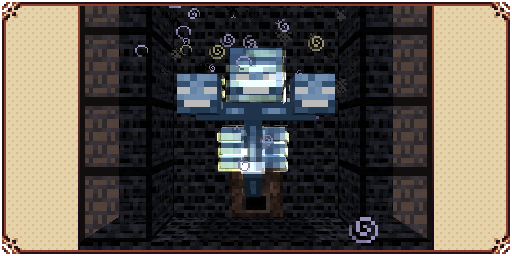
Witherproof Blocks are blocks that cannot be destroyed by the wither boss. They are useful for traps and automatic Wither farms.
Wither Builders are blocks that when activated by a redstone signal, will summon a wither if there's enough building material in its inventory and available space in front of it.
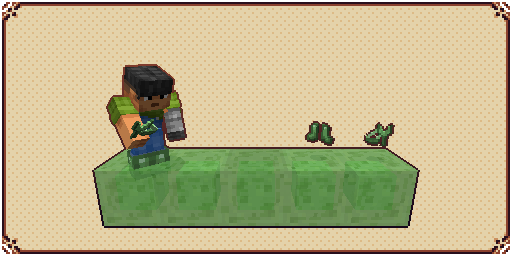
Slime Boots is a wearable item that negates fall damage and makes the player bounce when hitting the floor with considerable speed.
Slime Sling is a usable item that throws the player in the sky when charged while aiming at a block.
Using both together can be a good way of traveling through the world in the early game.
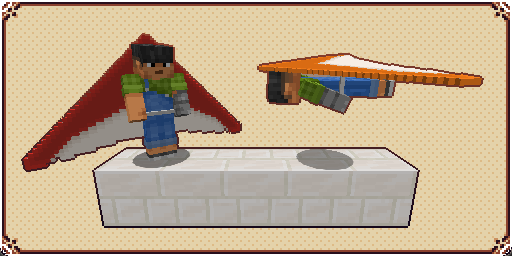
A Glider is an item that when active and being held by a player, will allow them to glide through the skies instead of falling normally.


There are 5 rings currently available:
Diamond Ring: Used for crafting other rings.
Angel Ring: Gives the wearer the ability to creative flight.
Magma Ring: Gives an infinite Fire Resistance status to the wearer
Water Ring: Gives an infinite Water Breathing status to the wearer
Light Ring: Can be used to place infinite low-profile light sources

Lassos are magical items that can capture entities and later release them in another part of the world.
There are 3 lassos currently available:
Golden Lasso: Can only hold passive animals.
Cursed Lasso: Can hold aggressive entities but will add the curse effect to them upon release.
Diamond Lasso: Can hold almost any entity without debuffs

A type of food that gives name to the mod. (Has cursed, golden, and diamond alternatives.)

Entities standing above it will be moved.
Cursed Dirt can still spawn mobs when below it.

Will damage mobs that step on it.
Mobs killed by Stone Spikes won't drop anything.
Mobs killed by Iron Spikes will drop their regular loot.
Mobs killed by Gold Spikes will drop only experience.
Mobs killed by Diamond Spikes will drop experience and player loot.

Dispose of your items in a proper way!

Craft the world from your own inventory!

When activated, attracts nearby dropped items to your player.
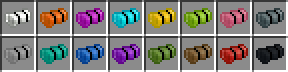
Let you sleep anywhere without overwriting your bed spawn point.

Toggles itself on and off automatically and has 16 different speed levels.

For bug reporting please proceed to the mod's GitHub repository: https://github.com/lucaargolo/kibe

Project description from CurseForge.
Pick your setup
Choose the version and loader you play, then open the matching release.
Showing the newest 12 of 16 game versions. Older files are in the list below.
Check the dependencies, then try the file in a copied instance before changing a world you care about.
Recent files
kibe-2.3.1-neoforge-1.21.1.jar
20 Oct 2025
kibe-2.3.1-fabric-1.21.1.jar
20 Oct 2025
kibe-2.3-neoforge-1.21.1.jar
17 Oct 2025
kibe-2.3-fabric-1.21.1.jar
17 Oct 2025
kibe-2.2-neoforge-1.21.1.jar
11 Oct 2025
kibe-2.2-fabric-1.21.1.jar
11 Oct 2025
kibe-2.1-BETA-neoforge-1.21.1.jar
3 Oct 2025
kibe-2.1-BETA-fabric-1.21.1.jar
3 Oct 2025
kibe-2.0-BETA+1.21.jar
22 Sept 2025
kibe-1.10.1-BETA+1.20.jar
17 Jul 2023
kibe-1.10.1-BETA+1.19.jar
17 Jul 2023
kibe-1.10-BETA+1.20.jar
16 Jul 2023
Looking for an older file? The official CurseForge project page is in Resources.
 mod
modFramed Blocks is a Fabric mod that lets you create fully customizable framed blocks. Apply any texture to a frame, mix materials and styles, and design unique decorative blocks for your builds.
 mod
modA lightweight teleportation mod allowing players to save waypoints, link custom-named locations, and warp instantly across dimensions.
 mod
modMob Loot Booster is a loot enhancement mod for Minecraft 1.20.1 (Forge) that boosts entity drop rates, restores dropped mob gear to full durability, and adds high-value rewards to bosses.