Minecraft version
Back to mods 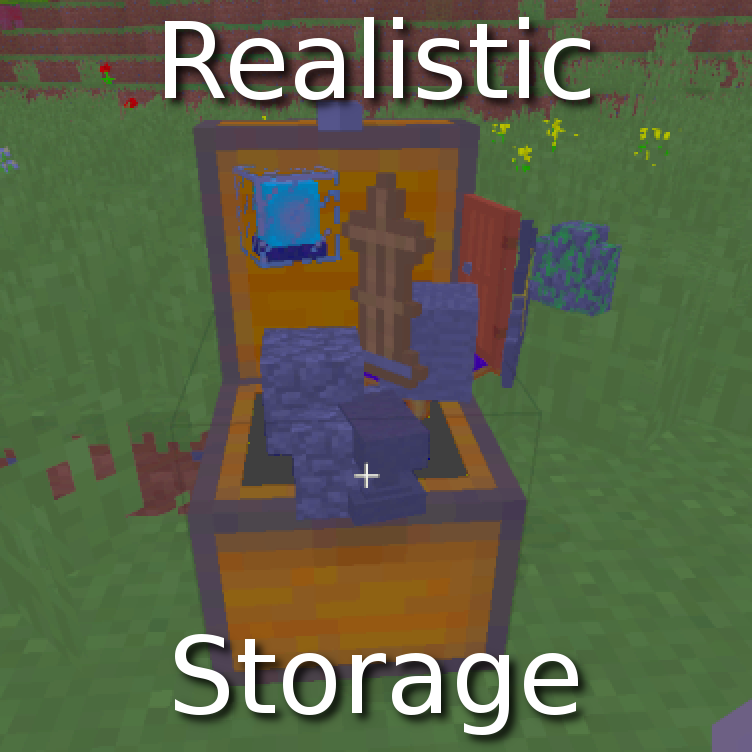
CurseForge · Minecraft mod
Realistic Storage
Prevent containers from holding blocks
Choose a version Pick your version below, then grab the matching file.
Quick answer
Which Realistic Storage release matches 1.12.2 Forge?
Best match for your filters realisticstorage-1.2.1.jar
Game version 1.12.2
Loader Forge
Realistic Storage realisticstorage-1.2.1.jar targets 1.12.2 with Forge. The project page does not say whether this file belongs on the client, dedicated server, or both. No extra mods listed for this file.
Where it goes
Is Realistic Storage required on the client, server, or both?
The project page does not say whether this file belongs on the client, dedicated server, or both.
Client Source doesn’t say
Dedicated server Source doesn’t say
Loader for this release Forge
Required install it here Optional supported, not mandatory Not supported do not install here Source doesn’t say do not assume
The source does not explicitly classify this release as client-only or server-only.
What else does Realistic Storage realisticstorage-1.2.1.jar need?
realisticstorage-1.2.1.jar on 1.12.2 Forge. Every mod below is checked against that same setup.
This file does not list any required mods. Do not add a library just because a different file uses it.
This file does not list any required or optional mods.
Before you install it
Add Realistic Storage without breaking your instance.
Built for Realistic Storage realisticstorage-1.2.1.jar on 1.12.2 Forge. Pick another file and the loader, install side or required mods may change.
- 01
Stick to this file
Use realisticstorage-1.2.1.jar. It targets 1.12.2 with Forge; another release may have different loader, side or dependency requirements.
- 02
Bring the mods it needs
This file does not list any required mods. Do not add a library just because a different file uses it.
- 03
Put it on the correct side
The project page does not say whether this file belongs on the client, dedicated server, or both.
- 04
Pick the file you checked
Use the “Get this file” button beside realisticstorage-1.2.1.jar. It opens that exact file at the source.
About this project
What does Realistic Storage add?
Realistic Storage
What does it do?
No block in containers
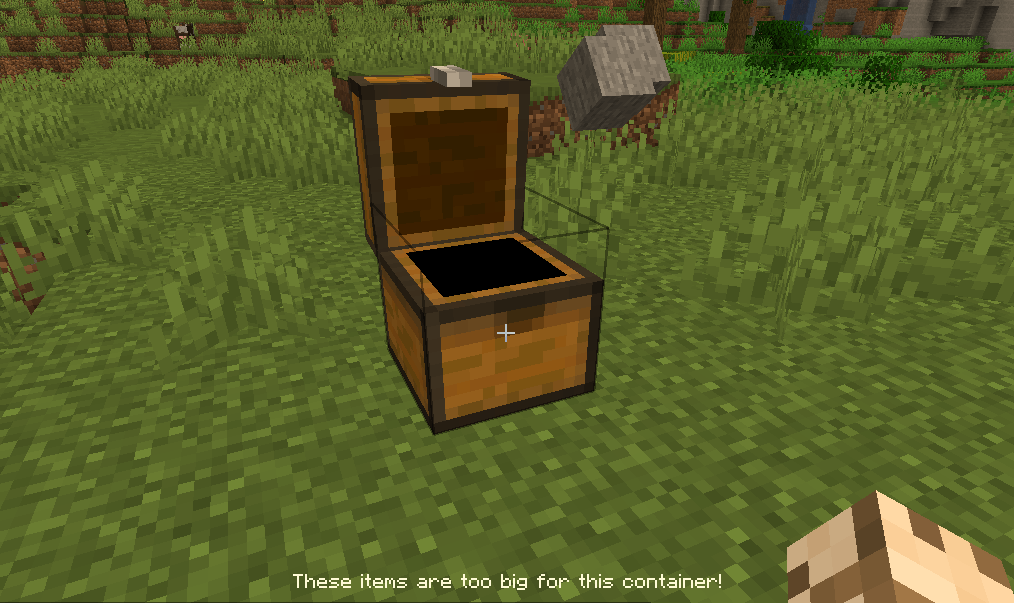
All large blocks (such as dirt, cobble, stairs, etc) are not permitted anymore in chests, etc. You have to find alternative storage solutions for these (see the Pallet below). Only items and small blocks (torches, flowers, etc) are permitted in chests. Minecart chests are not checked, to encourage their use for transporting resources. Everything is configurable, mod support requires manual config (see below).
Pallet block
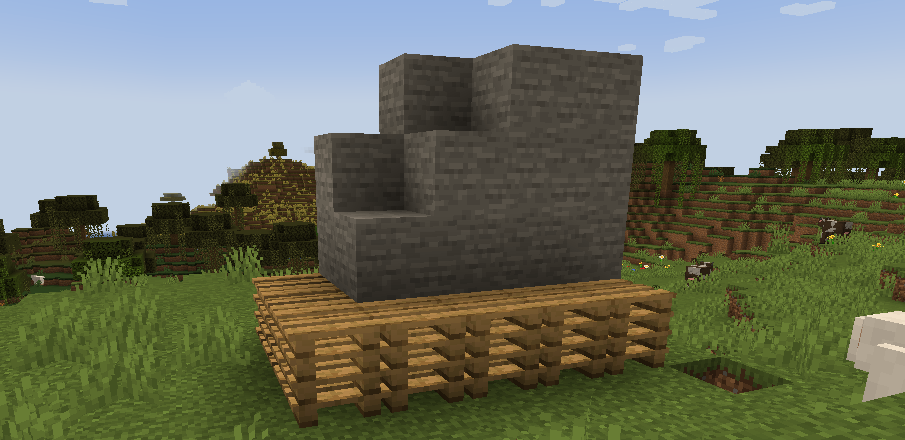
New block: the Pallet (comes in all Wood variants). All blocks placed on the pallet (up to 8 blocks above it) come back to your inventory instantly when left-clicked. Right-click on a pallet will automatically stack blocks above the pallet (up to the limit of 8). Adjacent pallets will share the blocks added with right-click, so that a group of pallets acts like a large container. Time to build some warehouses!
Note: block placed before the pallet will still have to be mined normally. This prevents insta-mining and free feather touch. This also allow you to put a roof above the pallet without risk of destroying it by mistake.
Limited inventory slots
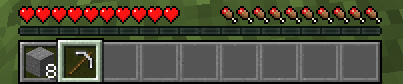
For a more extreme experience, inventory slots can be disabled as well (configurable): limit to 9 to keep only the hotbar, or even 2 for the most realistic experience! The Tool Belt mod is the ideal companion for this feature.
How does it work?
Anything in the chest is ejected if it can be placed in the world. Exceptions to this simple rule (black list and white list) are defined in the config file. Regular expressions (regex) are allowed, in order to make config a bit faster. The default config covers only vanilla items and containers.
The restriction can be bypassed using hoppers. Consider this mod as an encouragement for role-play.
Configure containers
First, make sure that you have set
print_container_names = true
in the config file (config/realisticstorage_common.toml). Don't forget to restart the game after changing the config file. Then, open and close a container in-game to show its name in the chat.

And add this name to the list of checked containers in the config:
checked_container = ["StorageTileEntity", ...
Configure items
- Press F3+H in game to show advanced tooltips.

- Hover over the item to configure, and note the registry name in the tooltip.

- In the config file, add the registry name either to
never_ejectedto make sure it is allowed in containers, oralways_ejectedto make sure it is not allowed.
never_ejected = ["decorative_blocks:bar_panel", ...
If there are multiple variations of the item, you can use regular expression to match all of them at once. For example, to add all windows from Macaw's Windows
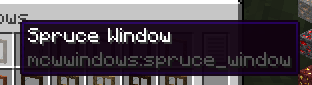
Add a regex such as
never_ejected = ["mcwwindows:.*_window", ...
To match all items from the mod that end with _window. Or even
never_ejected = [".*_window", ...
To match all items from all mods that end with _window. See the default config for more examples.
Credits
This mod is inspired from Oversized Item in Storage Area by DoubleDoorDev for the container part, and by Trophy Slots from Lomeli12 for the limited slots part.
Project description from CurseForge.
Pick your setup
Realistic Storage by Minecraft version and loader
Choose the version and loader you play, then open the matching release.
Minecraft version
1.18.1
1 loader buildMinecraft version
1.12.2
1 loader buildCheck the dependencies, then try the file in a copied instance before changing a world you care about.
Recent files
Realistic Storage versions and loaders
realisticstorage-1.2.1.jar
1 Jul 2020
Client Source doesn’t say Server Source doesn’t say Dependencies No extras listed Listed on Release listing
Check the 1.12.2 · Forge setup Forge1.12.2 release
realisticstorage-1.2.jar
1 Jul 2020
Client Source doesn’t say Server Source doesn’t say Dependencies No extras listed Listed on Release listing
Check the 1.12.2 · Forge setup Forge1.12.2 release
realisticstorage-1.1.jar
19 Jun 2020
Client Source doesn’t say Server Source doesn’t say Dependencies No extras listed Listed on Release listing
Check the 1.12.2 · Forge setup Forge1.12.2 release
realisticstorage-1.0.jar
18 Jun 2020
Client Source doesn’t say Server Source doesn’t say Dependencies No extras listed Listed on Release listing
Check the 1.12.2 · Forge setup Forge1.12.2 release
realisticstorage-0.1.jar
17 Jun 2020
Client Source doesn’t say Server Source doesn’t say Dependencies No extras listed Listed on Release listing
Check the 1.12.2 · Forge setup Forge1.12.2 alpha
Looking for an older file? The official CurseForge project page is in Resources.
 mod
CurseForge + Modrinth · Minecraft
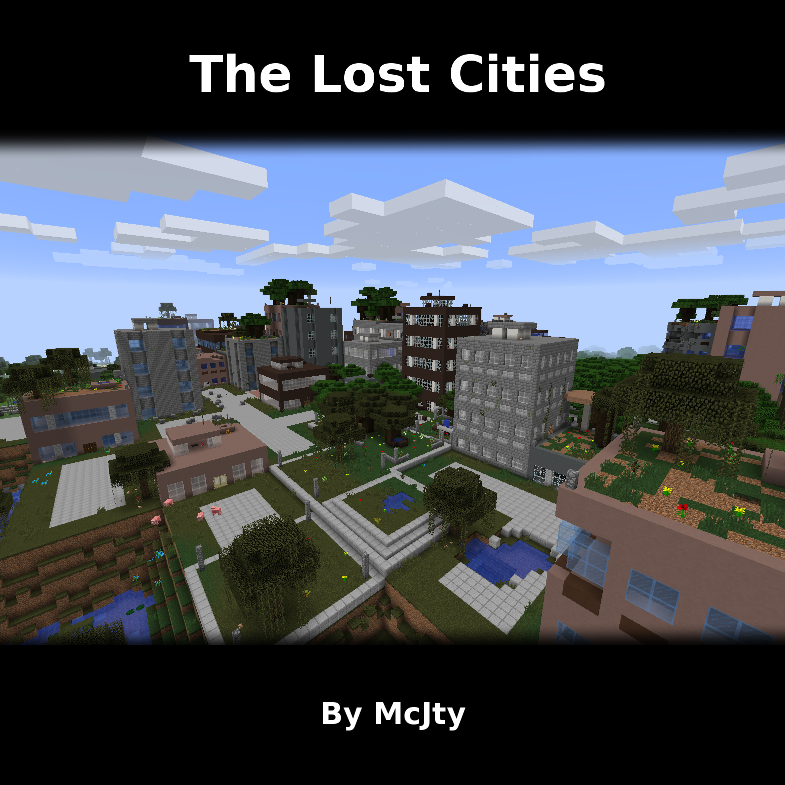
The Lost Cities
Allows the player to play in an old abandoned city instead of the normal overworld
 mod
CurseForge + Modrinth · Minecraft
Asgard Shield: Reloaded
A Minecraft mod that adds giant swords and shields to the game. A re-make of the original Asgard Shield, made popular by the 1.5 modpack Hexxit.
 mod
CurseForge · Minecraft
Roguelite Advancements
Advancement now give permanent player buffs. Health, Damage, Reach, Step Assist, Pick up radius and much more.