Kottle Needed by SignCipher-1.14.4-1.0.0.jar
requiredMatching file found Matched file: Kottle-1.4.0.jar
CurseForge · Minecraft mod
Symmetric encryption for sign contents!
Quick answer
SignCipher-1.14.4-1.0.0.jar targets 1.14.4. The project page does not say whether this file belongs on the client, dedicated server, or both. All 1 required mods have matching files.
Where it goes
The project page does not say whether this file belongs on the client, dedicated server, or both.
The source does not explicitly classify this release as client-only or server-only.
SignCipher-1.14.4-1.0.0.jar. Change the file and its required mods may change too.
Install Kottle first. We found matching files for this game-version and loader setup.
We only count dependency files that match this setup. A file for another loader does not fill the gap.
Before you install it
Built for SignCipher-1.14.4-1.0.0.jar. Pick another file and the loader, install side or required mods may change.
Use SignCipher-1.14.4-1.0.0.jar. It targets 1.14.4; another release may have different loader, side or dependency requirements.
Install Kottle first. We found matching files for this game-version and loader setup.
The project page does not say whether this file belongs on the client, dedicated server, or both.
Use the “Get this file” button beside SignCipher-1.14.4-1.0.0.jar. It opens that exact file at the source.
About this project
Encrypt the contents of a sign in minecraft!
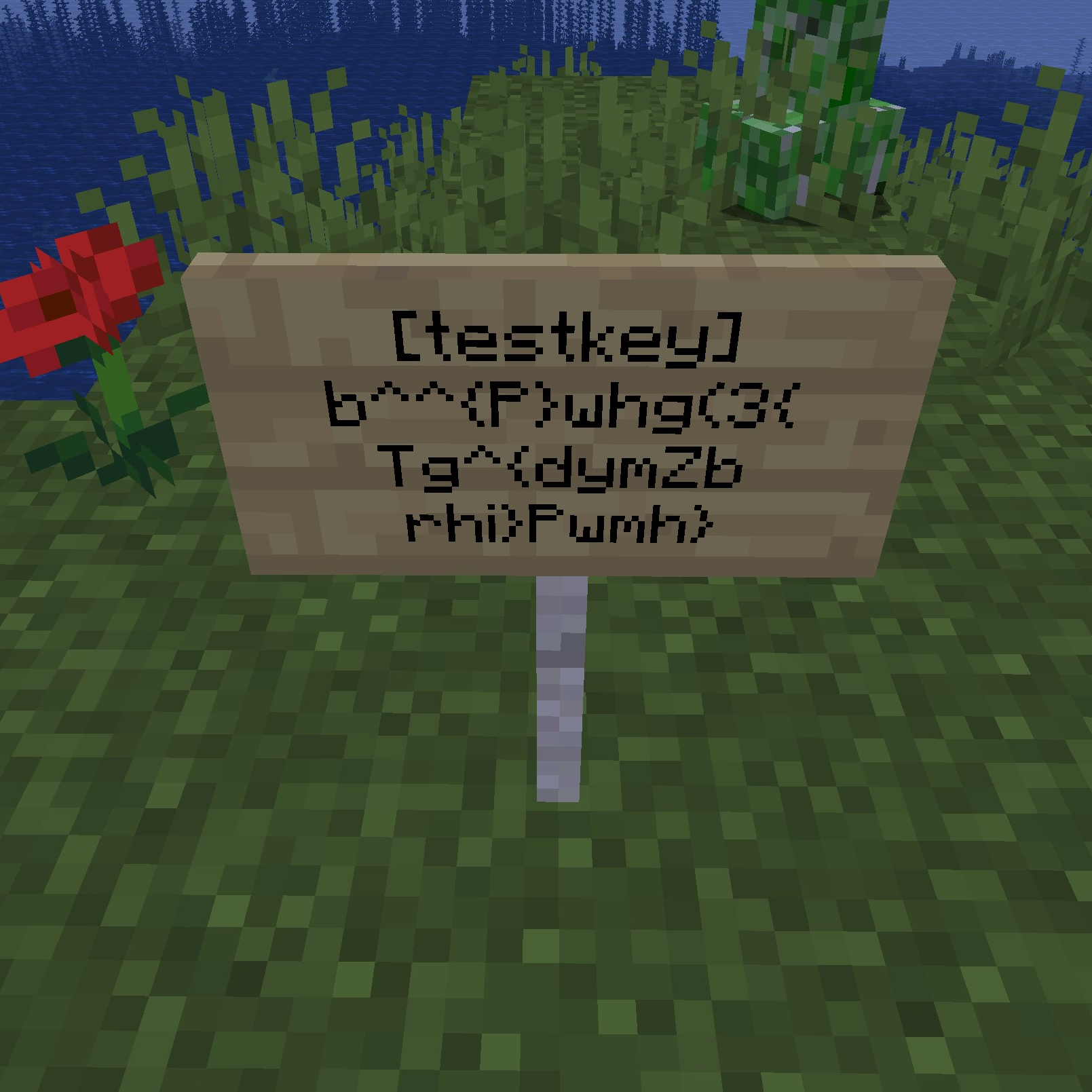
SignCipher uses a Vigenère Cipher, a series of interwoven Caesar ciphers, to encrypt the contents of a sign in minecraft with a given key.
These signs will only be readable to others who both have the mod installed, and have the correct key to the tag on the sign. In a shellnut, if someone doesn't have the key, they won't be able to read your sign!
Keys are stored in .minecraft/signcipher/keys.json. When adding or removing keys, make sure that the file stays in proper json format. Keys are currently only read once, when you start the game.
When encrypting a sign, simply type the tag of the key you want to use, in square brackets ([tag_name]), and press the Encrypt button.
When a sign is decrypted, the [tag] will be replaced with "<tag>", indicating that it has been decrypted.
gradle [setupDevWorkspace|setupDecompWorkspace] [eclipse|idea]gradle buildYes. You don't need to ask.
For all intents and purposes, as secure as you keep the key. Common Vigenère "breakers" won't work, because the character set has been expanded past the simple polyalphabetic substitution.
Awesome! Please read the Code of Conduct, and Contribution guide in our Github repository.
Discord: SoundTech#1464. Please read the FAQ before asking any questions.
Project description from CurseForge.
Pick your setup
Choose the version and loader you play, then open the matching release.
Check the dependencies, then try the file in a copied instance before changing a world you care about.
Recent files
14 Jun 2020
Looking for an older file? The official CurseForge project page is in Resources.