Just Enough Items (JEI) Optional for More Overlays Updated [26.2 Fabric] MoreOverlays v1.24.4
optionalMatching file found Matched file: 30.15.0.121 for Fabric 26.2
CurseForge · Minecraft mod
Adds NEI-like light overlay for mob spawns, a chunk border overlay and a JEI item search overlay. (updated for 1.16.5, 1.19, 1.21, 26.1) NEW: light level number overlay
This page is having a moment, so a few details may be a little behind.
Quick answer
More Overlays Updated [26.2 Fabric] MoreOverlays v1.24.4 targets 26.2 with Fabric. The project page does not say whether it belongs on the client. The project page does not say whether it belongs on the dedicated server. No extra mods listed for this file.
Where it goes
The project page does not say whether it belongs on the client. The project page does not say whether it belongs on the dedicated server.
The source does not explicitly classify this release as client-only or server-only.
[26.2 Fabric] MoreOverlays v1.24.4. Change the file and its required mods may change too.
This file does not list any required mods. Do not add a library just because a different file uses it.
2 extra mods were pulled in by other dependencies. Indented rows show who needs each one. We only count dependency files that match this setup. A file for another loader does not fill the gap.
Before you install it
Built for More Overlays Updated [26.2 Fabric] MoreOverlays v1.24.4. Pick another file and the loader, install side or required mods may change.
Use [26.2 Fabric] MoreOverlays v1.24.4. It targets 26.2 with Fabric; another release may have different loader, side or dependency requirements.
This file does not list any required mods. Do not add a library just because a different file uses it.
The project page does not say whether it belongs on the client. The project page does not say whether it belongs on the dedicated server.
Use the “Get this file” button beside [26.2 Fabric] MoreOverlays v1.24.4. It opens that exact file at the source.
About this project
This mod adds some of the overlays back from NEI and is available for:
(1.15.2, 1.16.1 - 1.16.5, 1.17.1, 1.18, 1.19, 1.20, Client-Side Only!).
At the moment this mod is available for Forge, Fabric and NeoForge.
For Minecraft version 1.14 and below check out the original mod by FeldiM245:
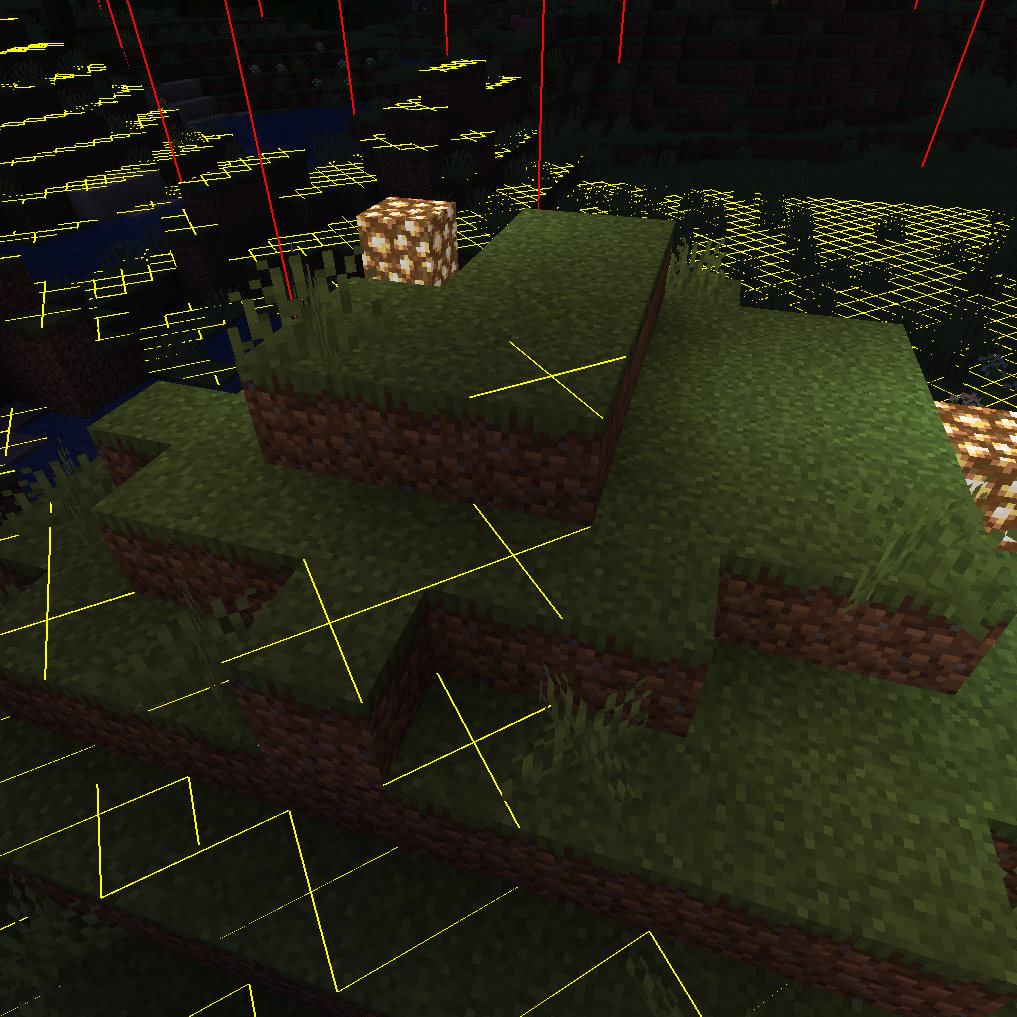
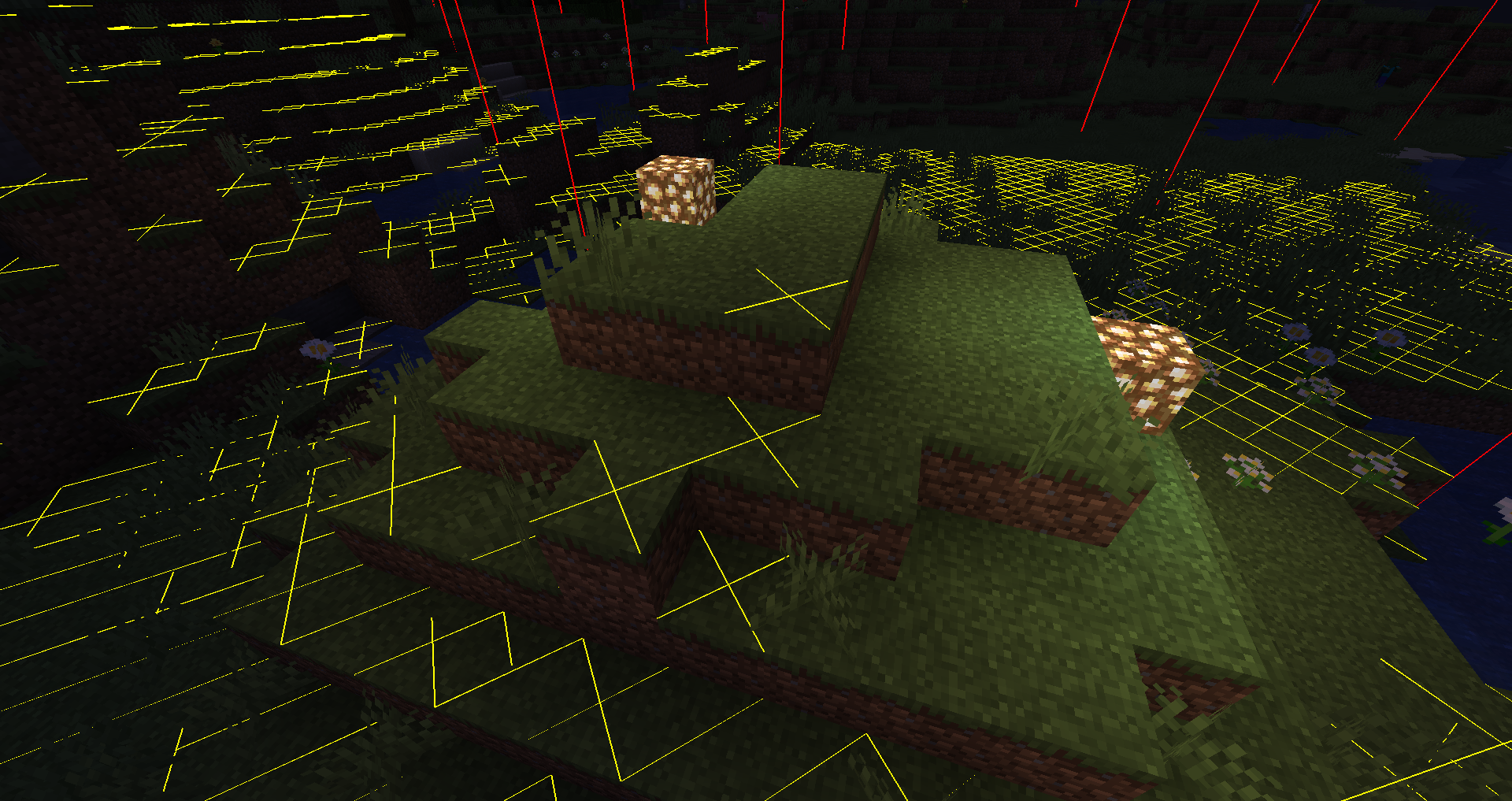
F7 : Enable Light Level / Mob spawns Overlay
Shows a yellow X on blocks where monsters can spawn at night or a red X where monsters can always spawn.
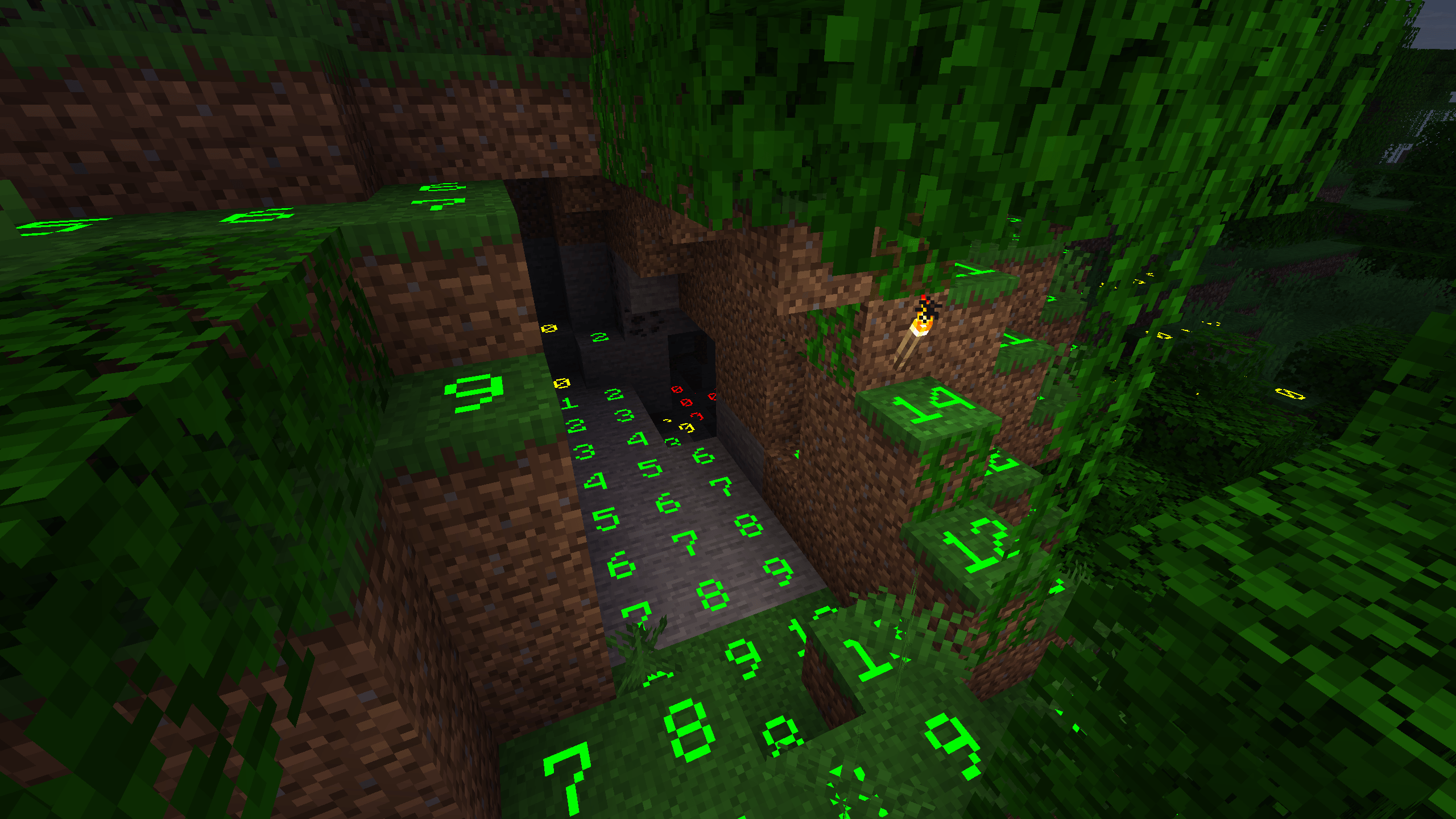
Numbered Light Overlay (v1.24.0+):
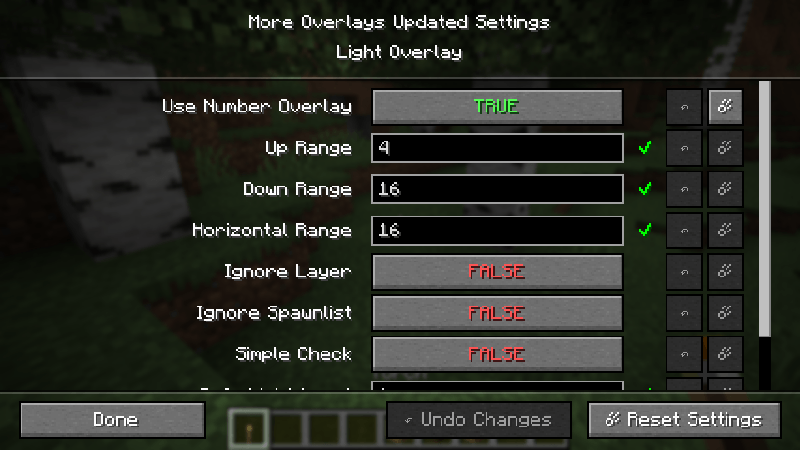
To enable the numbered light overlay go to Main Screen: Mods -> MoreOverlays -> Config -> Light Overlay and set User Number Overlay on TRUE. (you can also manually change config/moreoverlays.toml and set spawn_numbers = true)
F9 : Enable Chunk Boundaries Overlay
Has three modes:
1st mode: It shows red lines in the corners and a yellow line in the middle of the chunk.
2nd mode: It also shows a green grid on the edges of the chunk.
3rd mode: The green grid outlines a Minecraft region and displays the corresponding region save file in the top left corner.
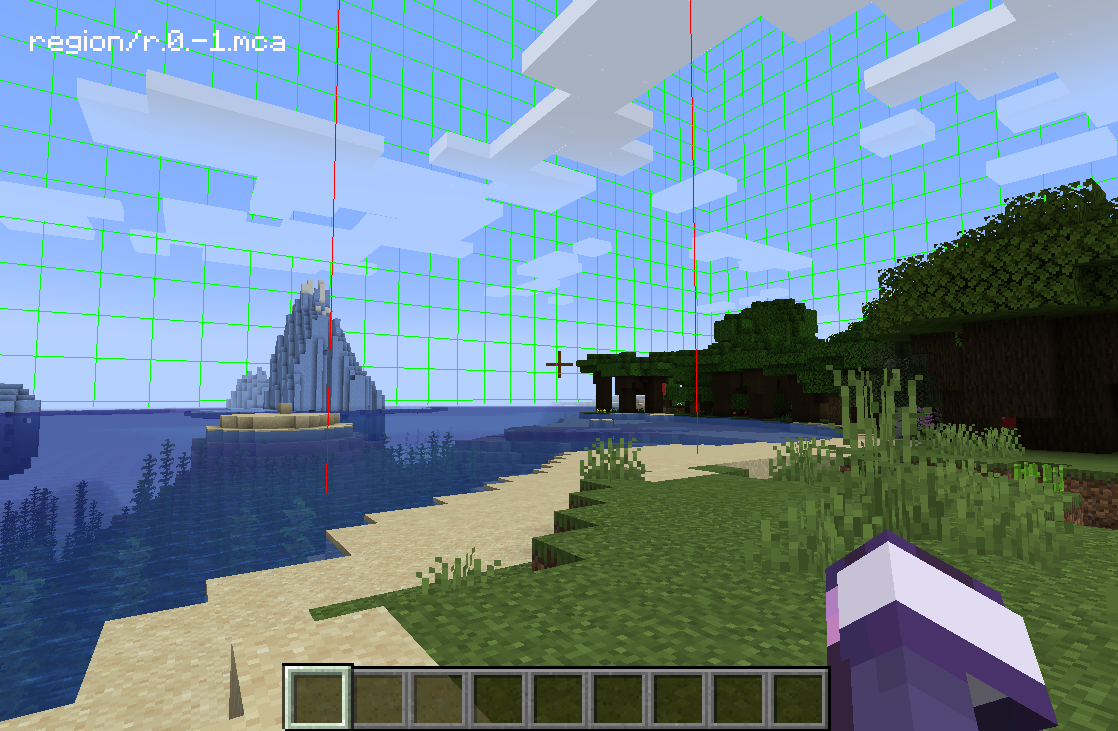
Double-click on the JEI Search Field for Item Search (Just like in NEI)
If it is enabled you can search in JEI for items and all items in the currently open inventory that doesn't match the filter will get blacked out.
Since 1.15 you can also search for custom named items.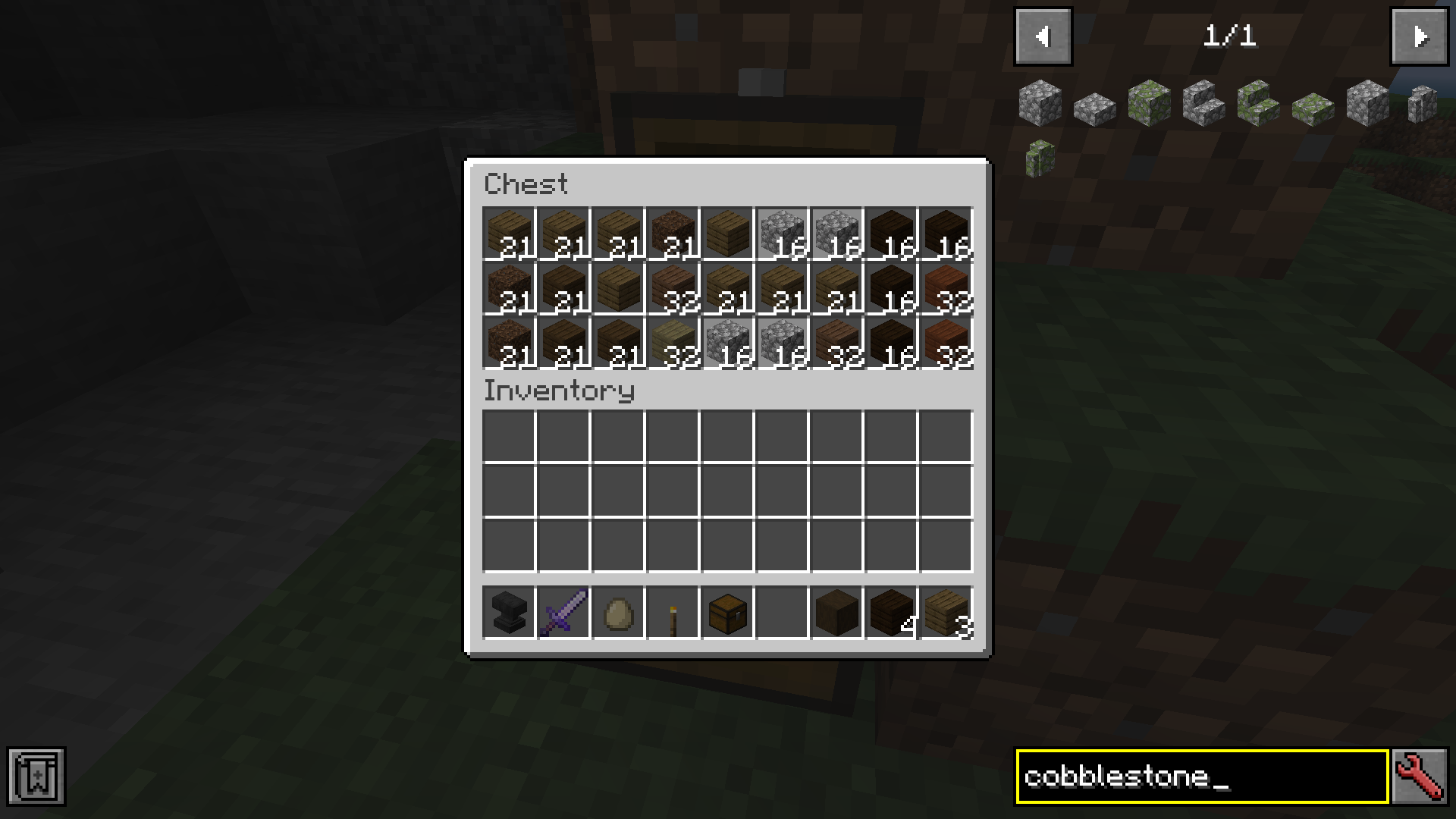
You can change the config from the Main Screen: Mods -> MoreOverlays -> Config or by editing config/moreoverlays.toml (On Fabric it you need the Mod Menu mod to be able to change the config in-game)
Integration
This mod integrates with some other mods to fix bugs or add features.
JustEnoughItems (by mezz): Item Search only works when JEI is installed since it uses the search algorithm from JEI to highlight items.
I allow distribution of my mod in modpacks. Would be nice if you give credits
Reuploading the file is allowed ( But only if the download is free, because commercial use of this mod is against the Minecraft EULA, but you can use my code for anything you want)
Please try to keep the files on your website updated and don't lie about the Mod and Minecraft Version. (If there is no file for MC 1.13 don't write in the Tile "More Overlays 1.12 / 1.13" )
Project description from CurseForge.
Pick your setup
Choose the version and loader you play, then open the matching release.
Showing the newest 12 of 33 game versions. Older files are in the list below.
Check the dependencies, then try the file in a copied instance before changing a world you care about.
Recent files
moreoverlays-1.24.4-mc26.2-fabric.jar
3 Jul 2026
moreoverlays-1.24.4-mc26.2-neoforge.jar
29 Jun 2026
moreoverlays-1.24.4-mc26.1.2-neoforge.jar
19 Apr 2026
moreoverlays-1.24.4-mc26.1.2-fabric.jar
19 Apr 2026
moreoverlays-1.24.4-mc1.21.11-fabric.jar
14 Feb 2026
moreoverlays-1.24.3-mc1.21.11-neoforge.jar
4 Feb 2026
moreoverlays-1.24.1-mc1.21.11-neoforge.jar
13 Dec 2025
moreoverlays-1.24.1-mc1.21.10-neoforge.jar
23 Nov 2025
moreoverlays-1.24.1-mc1.21.10-fabric.jar
22 Nov 2025
moreoverlays-1.24.1-mc1.21.9-neoforge.jar
3 Oct 2025
moreoverlays-1.24.2-mc1.21.1-neoforge.jar
9 Sept 2025
moreoverlays-1.24.1-mc1.20.1-forge.jar
30 Aug 2025
Looking for an older file? The official CurseForge project page is in Resources.
 mod
modA Dimension worse than the nether....
 mod
modA JEI/REI/EMI plugin that displays detailed enchantment information
 mod
modAdd a crafting recipe to the netherite upgrade in Minecraft Java!