Minecraft version
Back to mods 
CurseForge · Minecraft mod
Status Tags
Status Tags adds more information to the Player's Name Tag
Choose a version Pick your version below, then grab the matching file.
Quick answer
Which Status Tags release should I use?
Latest stable file statustags-1.12.2-1.0.2.7
Game version 1.12.2
Loader Forge
Status Tags statustags-1.12.2-1.0.2.7 targets 1.12.2 with Forge. The project page does not say whether this file belongs on the client, dedicated server, or both. No extra mods listed for this file.
Where it goes
Is Status Tags required on the client, server, or both?
The project page does not say whether this file belongs on the client, dedicated server, or both.
Client Source doesn’t say
Dedicated server Source doesn’t say
Loader for this release Forge
Required install it here Optional supported, not mandatory Not supported do not install here Source doesn’t say do not assume
The source does not explicitly classify this release as client-only or server-only.
What else does Status Tags statustags-1.12.2-1.0.2.7 need?
statustags-1.12.2-1.0.2.7. Change the file and its required mods may change too.
This file does not list any required mods. Do not add a library just because a different file uses it.
This file does not list any required or optional mods.
Before you install it
Add Status Tags without breaking your instance.
Built for Status Tags statustags-1.12.2-1.0.2.7. Pick another file and the loader, install side or required mods may change.
- 01
Stick to this file
Use statustags-1.12.2-1.0.2.7. It targets 1.12.2 with Forge; another release may have different loader, side or dependency requirements.
- 02
Bring the mods it needs
This file does not list any required mods. Do not add a library just because a different file uses it.
- 03
Put it on the correct side
The project page does not say whether this file belongs on the client, dedicated server, or both.
- 04
Pick the file you checked
Use the “Get this file” button beside statustags-1.12.2-1.0.2.7. It opens that exact file at the source.
About this project
What does Status Tags add?
Status Tags
Status Tags adds a new Name Tag for Players.
What is special about it is that it displays additional information about what the player is doing and it can be seen from up to 128 blocks and through walls.
Note: Despite how it may seem, this is NOT a Client-Only mod. The Server is required to send information about what the players are doing.
These are the Status States:
Idle:
This is shown anytime a player doesn't do anything special.

Placing Block:

Breaking Block:

Open GUI:

Sleeping:

Damage Taken:

Attacking:

Eating:

Low Health:
Gets activated when the player has less than 3 Hearts.
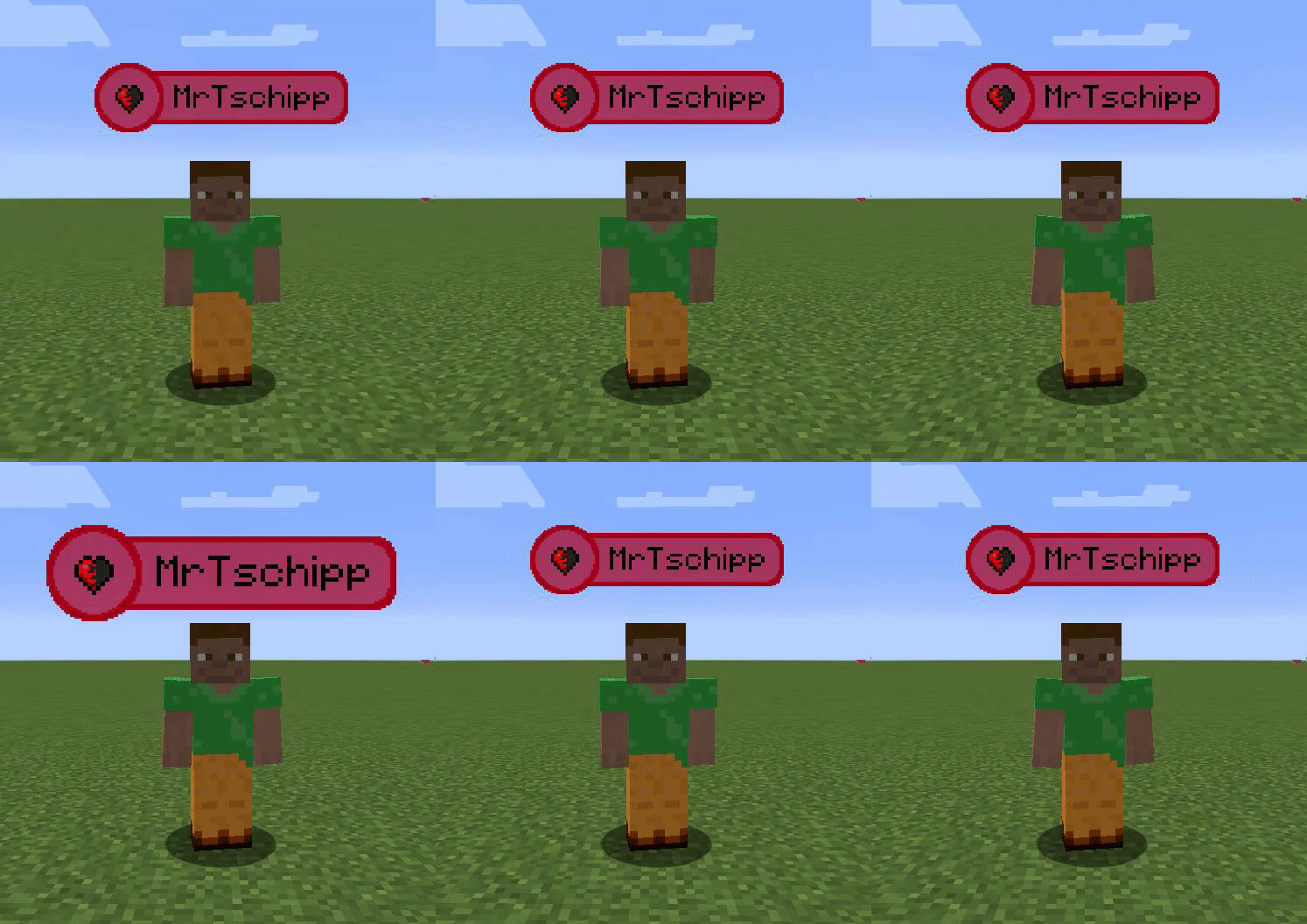
The Colors can be configured and there is an easy API available for Developers to add your own Status Updates.
Project description from CurseForge.
Pick your setup
Status Tags by Minecraft version and loader
Choose the version and loader you play, then open the matching release.
Check the dependencies, then try the file in a copied instance before changing a world you care about.
Recent files
Status Tags versions and loaders
statustags-1.12.2-1.0.2.7
statustags-1.12.2-1.0.2.7.jar
12 Jul 2020
Client Source doesn’t say Server Source doesn’t say Dependencies No extras listed Listed on Release listing
Check the 1.12.2 · Forge setup Forge1.12.2 release
statustags-1.12.2-1.0.1.6
statustags-1.12.2-1.0.1.6.jar
8 Jul 2020
Client Source doesn’t say Server Source doesn’t say Dependencies No extras listed Listed on Release listing
Check the 1.12.2 · Forge setup Forge1.12.2 release
statustags-1.12.2-1.0.0.4
statustags-1.12.2-1.0.0.4.jar
5 Jul 2020
Client Source doesn’t say Server Source doesn’t say Dependencies No extras listed Listed on Release listing
Check the 1.12.2 · Forge setup Forge1.12.2 release
Looking for an older file? The official CurseForge project page is in Resources.
 mod
CurseForge · Minecraft
Combat Punchy! Epic Fight x Punchy x Punchy!Moves
Automatic combat and animation switching for Epic Fight, Punchy, and Punchy!Moves. Supports WOM; no Epic Tweaks required.
 mod
CurseForge · Minecraft
XP RPG: Average DPS
Real-time global damage meter
 mod
CurseForge · Minecraft
Limitless: Beyond Infinity
Become Satoru Gojo in Minecraft: Infinity, Six Eyes, Blue, Red, 200% Hollow Purple, Unlimited Void Domain Expansion, Falling Blossom, Absolute Perception, Ore Vision, Radial Menu, and anime voice lines. (EN / ES)