
Minecraft version
Back to mods 
CurseForge · Minecraft mod
BedrockWaters
Ports over various biome water properties from Bedrock Edition!
Choose a version Pick your version below, then grab the matching file.
Quick answer
Which BedrockWaters release matches 1.16.2?
Best match for your filters bedrockwaters-1.4.1+1.16.2.jar
Game version 1.16.2
Loader Fabric
bedrockwaters-1.4.1+1.16.2.jar targets 1.16.2 with Fabric. The project page does not say whether this file belongs on the client, dedicated server, or both. No extra mods listed for this file.
Where it goes
Is BedrockWaters required on the client, server, or both?
The project page does not say whether this file belongs on the client, dedicated server, or both.
Client Source doesn’t say
Dedicated server Source doesn’t say
Loader for this release Fabric
Required install it here Optional supported, not mandatory Not supported do not install here Source doesn’t say do not assume
The source does not explicitly classify this release as client-only or server-only.
What else does bedrockwaters-1.4.1+1.16.2.jar need?
bedrockwaters-1.4.1+1.16.2.jar on 1.16.2. Every mod below is checked against that same setup.
This file does not list any required mods. Do not add a library just because a different file uses it.
This file does not list any required or optional mods.
Before you install it
Add BedrockWaters without breaking your instance.
Built for bedrockwaters-1.4.1+1.16.2.jar on 1.16.2. Pick another file and the loader, install side or required mods may change.
- 01
Stick to this file
Use bedrockwaters-1.4.1+1.16.2.jar. It targets 1.16.2 with Fabric; another release may have different loader, side or dependency requirements.
- 02
Bring the mods it needs
This file does not list any required mods. Do not add a library just because a different file uses it.
- 03
Put it on the correct side
The project page does not say whether this file belongs on the client, dedicated server, or both.
- 04
Pick the file you checked
Use the “Get this file” button beside bedrockwaters-1.4.1+1.16.2.jar. It opens that exact file at the source.
About this project
What does BedrockWaters add?
BedrockWaters 
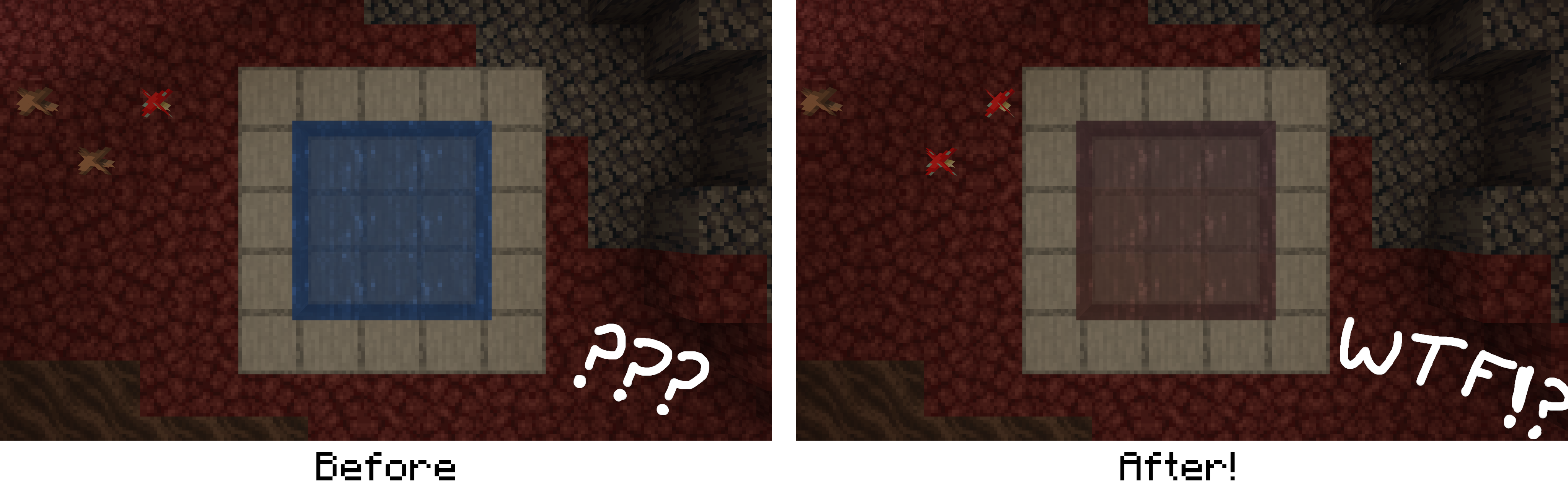
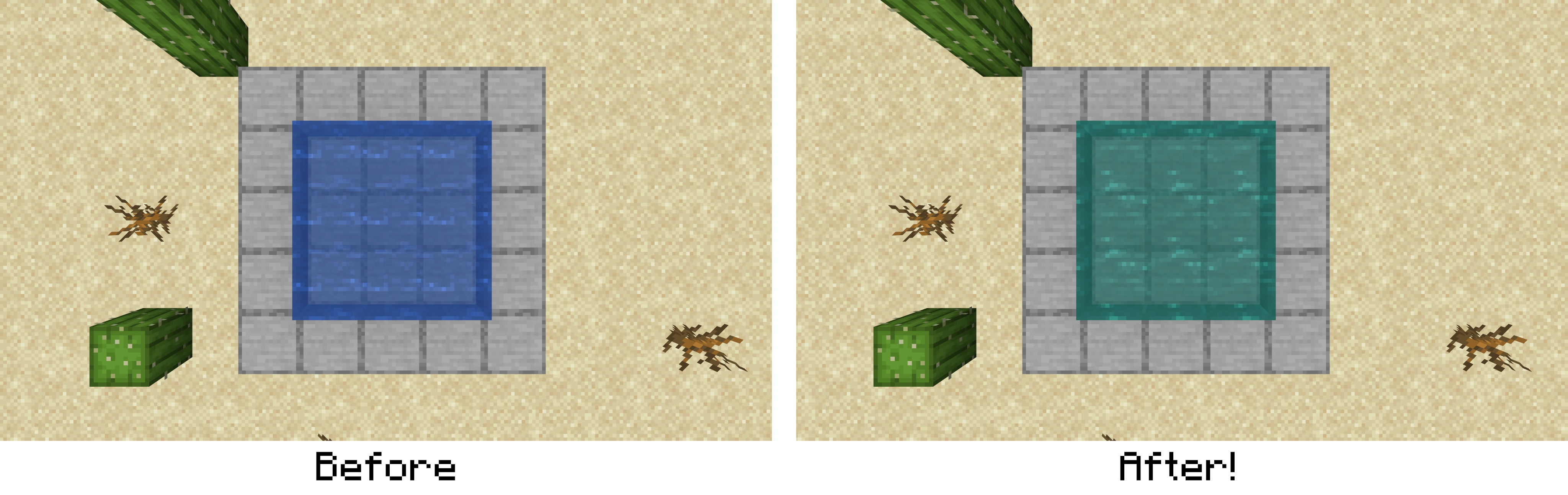
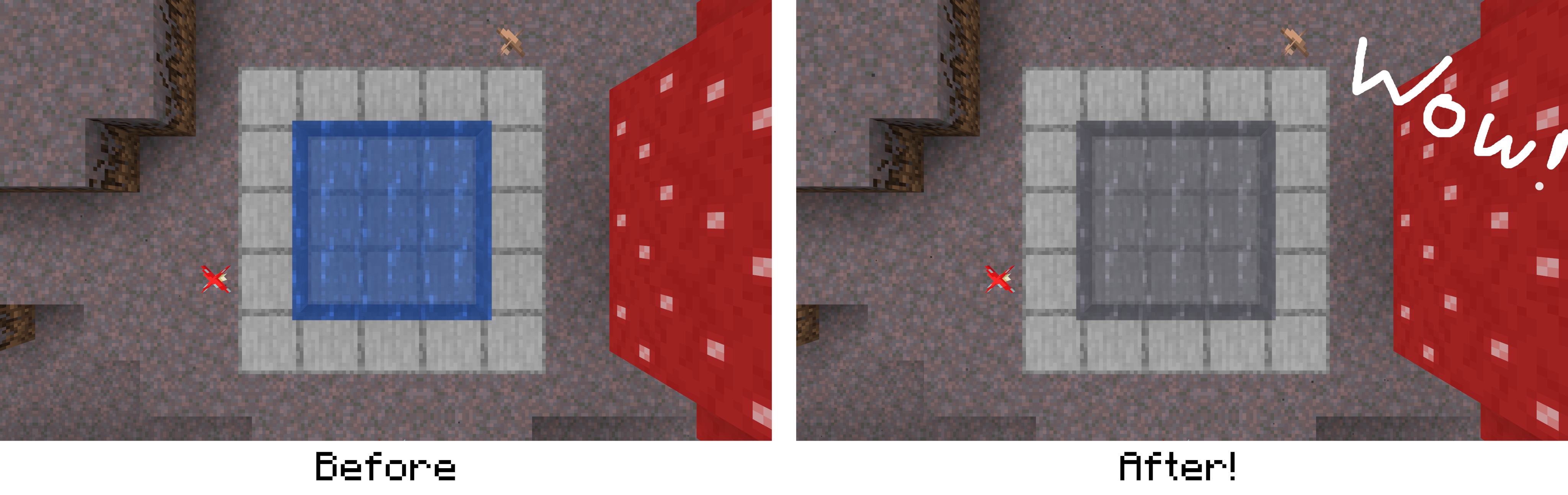
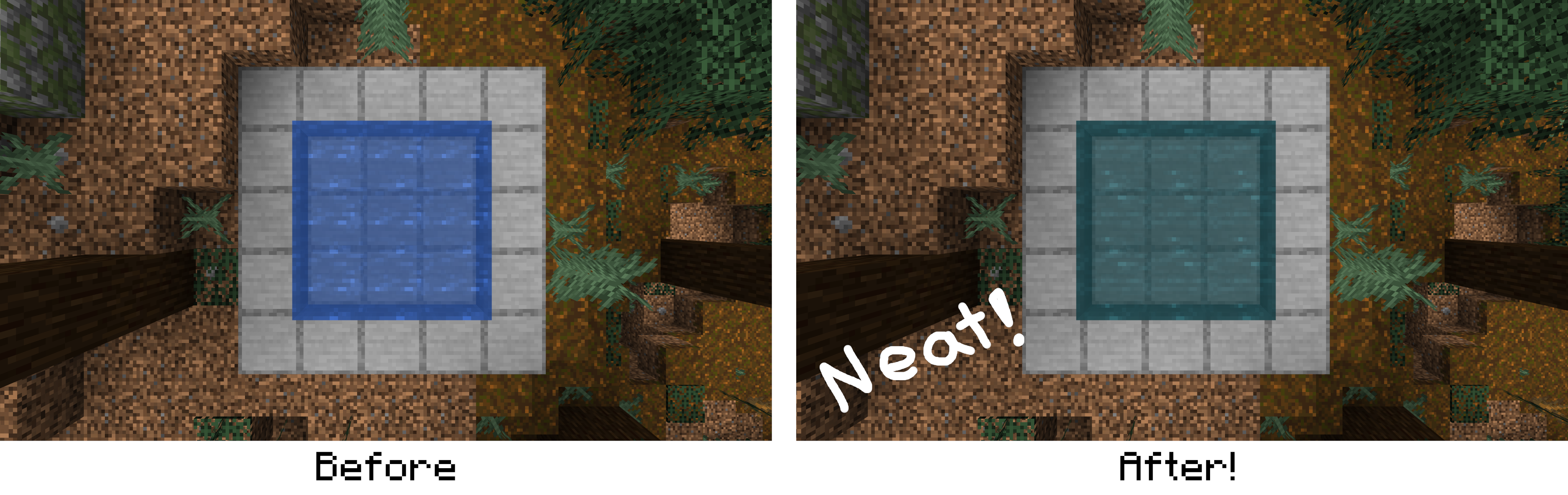
This QOL mod simply ports over the Minecraft Bedrock Edition exclusive feature of biome specific water colors and fog distances in order to give each biome a more unique atmosphere (over 70 unique colors spanning across all biomes!). The mod additionally changes the texture of still and flowing water to match their Bedrock Edition counterpart. The mod's purpose is simply aesthetic and has no other features besides the aforementioned ones (although it feels like a more significant change in-game). All changed biome water colors can be found on the Minecraft Wiki here.
While BedrockWaters stays true to the biome water color properties from Minecraft Bedrock Edition, there are a few small tweaks I added to help keep everything cohesive on Java Edition vanilla and modded:
- Modded biomes using the default vanilla water color have their water color replaced with a unique color from Bedrock Edition which is accurate to its temperature as well as overall climate!
- Since some biomes now have drastically different underwater fog distances (e.g Ocean biomes with a fog distance of 60 blocks versus Swamp biomes with a fog distance of 30), the vanilla underwater fog transition system has been reworked to provide smooth transitions between changing fog distances.
- Bedrock Edition water still and flow textures have been added to replace the existing Vanilla textures.
Images
 Credits
- Shout out to @Afrocntrik for the in-game icon!
- @TelepathicGrunt for helping make this mod fully client side!
- Mojang for the Minecraft Bedrock Edition water textures.
Project description from CurseForge.
Pick your setup
BedrockWaters by Minecraft version and loader
Choose the version and loader you play, then open the matching release.
Minecraft version
1.20.3-Snapshot
2 loader buildsMinecraft version
1.20.3
2 loader buildsMinecraft version
1.20.2-Snapshot
2 loader buildsMinecraft version
1.20.2
2 loader buildsMinecraft version
1.20.1
2 loader buildsMinecraft version
1.20
2 loader buildsMinecraft version
1.19.4
2 loader buildsMinecraft version
1.19.3
2 loader buildsMinecraft version
1.19.2
1 loader buildMinecraft version
1.18.2
1 loader buildMinecraft version
1.18.1
1 loader buildShowing the newest 12 of 18 game versions. Older files are in the list below.
Check the dependencies, then try the file in a copied instance before changing a world you care about.
Recent files
BedrockWaters versions and loaders
bedrockwaters-1.4.1+1.16.2.jar
22 Aug 2020
Client Source doesn’t say Server Source doesn’t say Dependencies No extras listed Listed on Release listing
Check the 1.16.2 · Fabric setup Fabric1.16.2 release
bedrockwaters-1.3.1+1.16.2.jar
11 Aug 2020
Client Source doesn’t say Server Source doesn’t say Dependencies No extras listed Listed on Release listing
Check the 1.16.2 · Fabric setup Fabric1.16.2 beta
Looking for an older file? The official CurseForge project page is in Resources.