TerraBlender (NeoForge) Needed by Mystic's Biomes 1.21.1-3.5.3
requiredMatching file found Matched file: TerraBlender NeoForge 1.21.1-4.1.0.8

CurseForge · Minecraft mod
Explore a world full of color.
Quick answer
Mystic's Biomes 1.21.1-3.5.3 targets 1.21.1 with NeoForge. The project page does not say whether this file belongs on the client, dedicated server, or both. All 1 required mods have matching files.
Where it goes
The project page does not say whether this file belongs on the client, dedicated server, or both.
The source does not explicitly classify this release as client-only or server-only.
Mystic's Biomes 1.21.1-3.5.3. Change the file and its required mods may change too.
Install TerraBlender (NeoForge) first. We found matching files for this game-version and loader setup.
We only count dependency files that match this setup. A file for another loader does not fill the gap.
Before you install it
Built for Mystic's Biomes 1.21.1-3.5.3. Pick another file and the loader, install side or required mods may change.
Use Mystic's Biomes 1.21.1-3.5.3. It targets 1.21.1 with NeoForge; another release may have different loader, side or dependency requirements.
Install TerraBlender (NeoForge) first. We found matching files for this game-version and loader setup.
The project page does not say whether this file belongs on the client, dedicated server, or both.
Use the “Get this file” button beside Mystic's Biomes 1.21.1-3.5.3. It opens that exact file at the source.
About this project
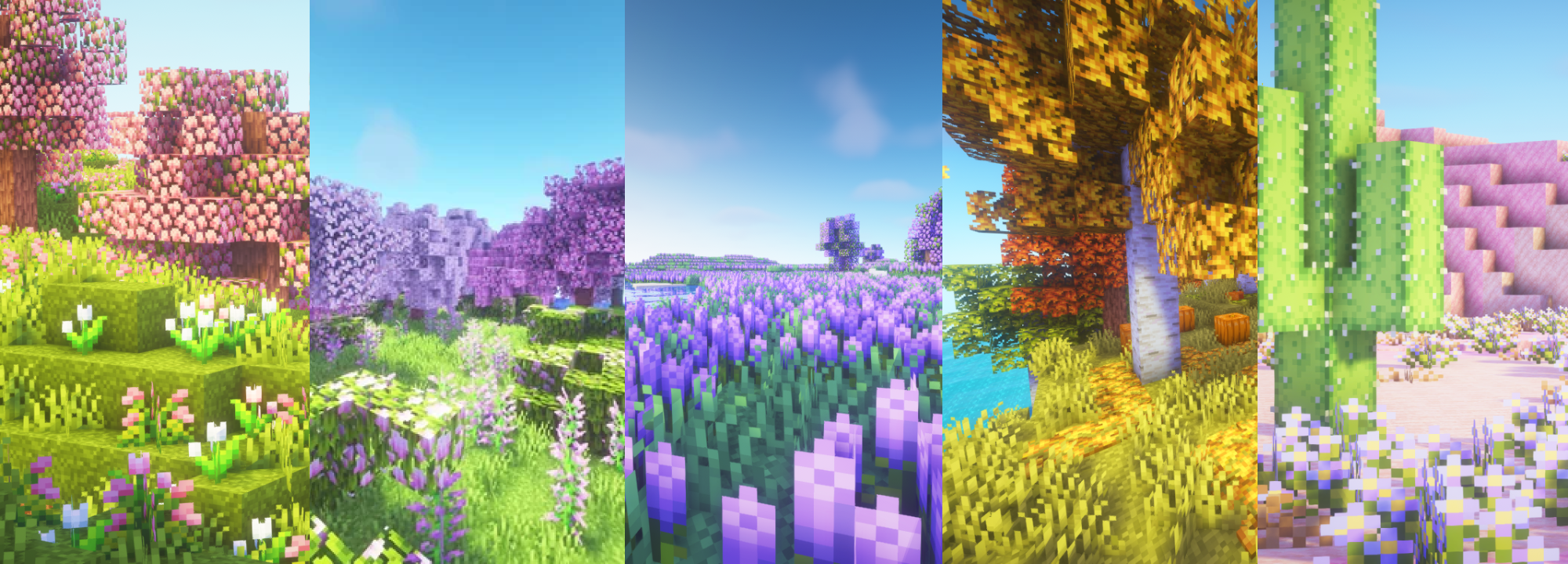

Mystic's Biomes adds 7 vibrant biomes to the Minecraft Overworld, each bringing new plants, flowers, trees, wood types, and animals to expand the vanilla experience.
Check out the wiki page (here) to check out it’s features more in depth!
mystic's biomes 6th anniversary
update 4.1 - available 7.31
Features
Adds Strawberry Fields, Lavender Meadow, Bamboo Blossom Forest, Autumnal Grove, Lush Oasis, Lagoon and Tropics biomes.
Adds animals such as Strawberry, Vanilla & Chocolate Cows, Rainbow Chickens, Red Pandas, Sea Otters and Butterflies.
versions under 1.20 are no longer supported, please do not ask about them.
1.18 and above requires TerraBlender.
est. 7.2020
Project description from CurseForge.
Pick your setup
Choose the version and loader you play, then open the matching release.
Check the dependencies, then try the file in a copied instance before changing a world you care about.
Recent files
mysticsbiomes-neoforge-1.21.1-3.5.3.jar
1 May 2026
mysticsbiomes-fabric-1.21.1-3.5.3.jar
14 Apr 2026
mysticsbiomes-1.20.1-3.5.2.jar
3 Apr 2026
mysticsbiomes-fabric-1.20.1-3.5.2.jar
31 Mar 2026
mysticsbiomes-neoforge-1.21.1-3.5.1.jar
6 Mar 2026
mysticsbiomes-fabric-1.20.1-3.5.jar
23 Jan 2026
mysticsbiomes-1.20.1-3.5.jar
23 Jan 2026
mysticsbiomes-fabric-1.21.1-3.5.jar
16 Jan 2026
mysticsbiomes-neoforge-1.21.1-3.5.jar
30 Dec 2025
mysticsbiomes-1.21.1-3.5.jar
26 Dec 2025
mysticsbiomes-fabric-1.20.1-3.4.3.jar
22 Oct 2024
mysticsbiomes-fabric-1.20.1-3.4.2.jar
18 Oct 2024
Looking for an older file? The official CurseForge project page is in Resources.