Minecraft version
Back to mods 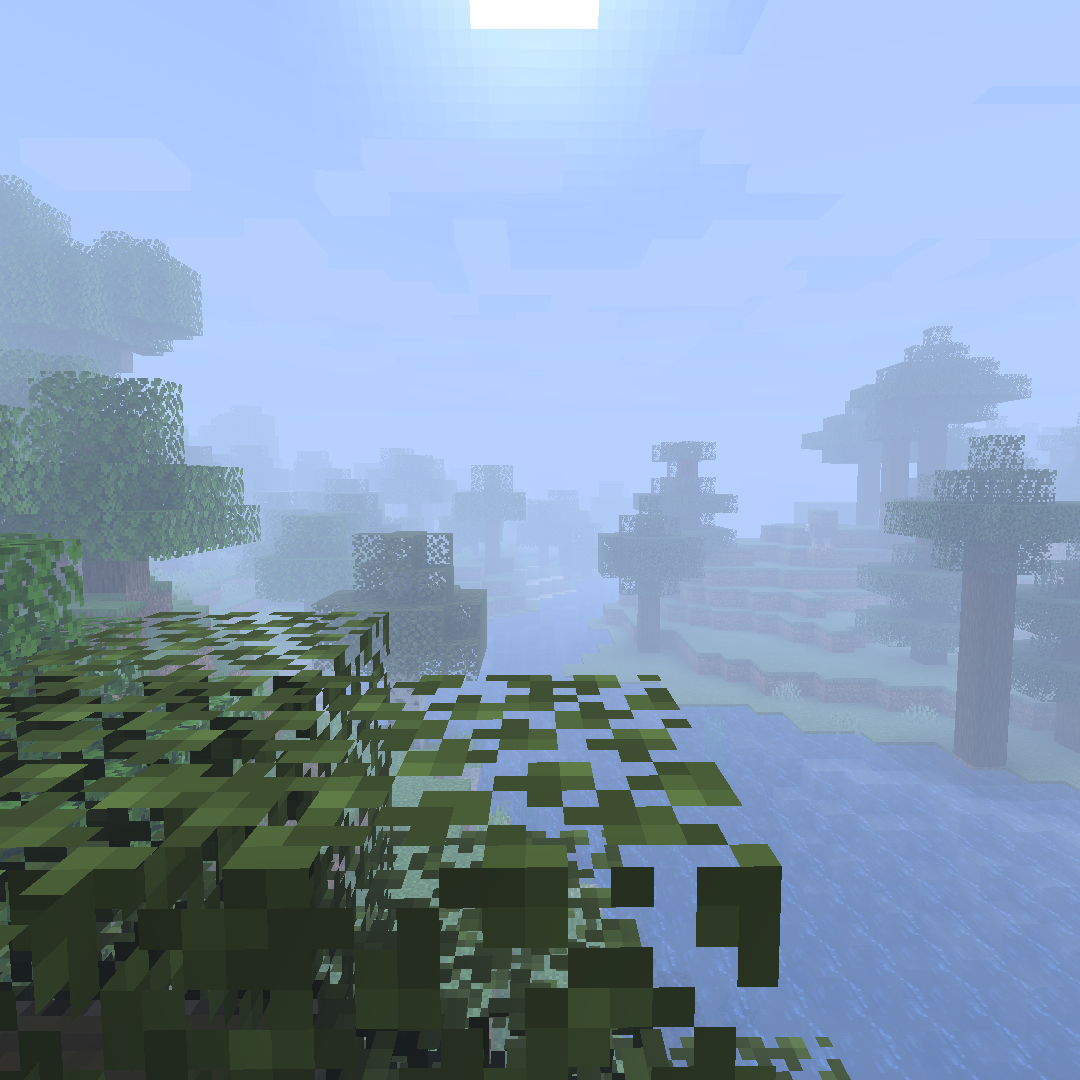
CurseForge · Minecraft mod
Custom Fog
A mod allowing you to customize the appearance of fog in your world.
Choose a version Pick your version below, then grab the matching file.
Quick answer
Which Custom Fog release should I use?
Latest stable file custom-fog-2.2.1-1.21.jar
Game version 1.21, 1.21.1
Loader Fabric
Custom Fog custom-fog-2.2.1-1.21.jar targets 1.21, 1.21.1 with Fabric. The project page does not say whether this file belongs on the client, dedicated server, or both. No extra mods listed for this file.
Where it goes
Is Custom Fog required on the client, server, or both?
The project page does not say whether this file belongs on the client, dedicated server, or both.
Client Source doesn’t say
Dedicated server Source doesn’t say
Loader for this release Fabric
Required install it here Optional supported, not mandatory Not supported do not install here Source doesn’t say do not assume
The source does not explicitly classify this release as client-only or server-only.
What else does Custom Fog custom-fog-2.2.1-1.21.jar need?
custom-fog-2.2.1-1.21.jar. Change the file and its required mods may change too.
This file does not list any required mods. Do not add a library just because a different file uses it.
This file does not list any required or optional mods.
Before you install it
Add Custom Fog without breaking your instance.
Built for Custom Fog custom-fog-2.2.1-1.21.jar. Pick another file and the loader, install side or required mods may change.
- 01
Stick to this file
Use custom-fog-2.2.1-1.21.jar. It targets 1.21, 1.21.1 with Fabric; another release may have different loader, side or dependency requirements.
- 02
Bring the mods it needs
This file does not list any required mods. Do not add a library just because a different file uses it.
- 03
Put it on the correct side
The project page does not say whether this file belongs on the client, dedicated server, or both.
- 04
Pick the file you checked
Use the “Get this file” button beside custom-fog-2.2.1-1.21.jar. It opens that exact file at the source.
About this project
What does Custom Fog add?
THIS MOD REQUIRES THE FABRIC API.
I might work on a Forge version in the future, but I make no promises.
This started out as just an effort to reproduce the Optifine "fog distance" toggle (which makes the fog start much closer to the camera like it did in older versions of the game), but now it also allows swapping to the other two fog types (EXP and EXP2) with customizable densities for all.
Note: with Sodium, to avoid chunks becoming invisible, you need to go to the Advanced tab in Sodium's video settings page and turn off Fog Occlusion.
**Also, if you have any feature requests or bug reports, please report / ask for them on GitHub!**Or, alternatively, join the Discord Server here!
Project description from CurseForge.
Pick your setup
Custom Fog by Minecraft version and loader
Choose the version and loader you play, then open the matching release.
Minecraft version
1.21
1 loader buildMinecraft version
1.20.6
1 loader buildMinecraft version
1.20.5
1 loader buildMinecraft version
1.20.4
1 loader buildMinecraft version
1.20.3
1 loader buildMinecraft version
1.19.2
2 loader buildsMinecraft version
1.19.1
2 loader buildsMinecraft version
1.19
2 loader buildsMinecraft version
1.18.2
1 loader buildMinecraft version
1.18.1
1 loader buildMinecraft version
1.17.1-rc2
1 loader buildShowing the newest 12 of 28 game versions. Older files are in the list below.
Check the dependencies, then try the file in a copied instance before changing a world you care about.
Recent files
Custom Fog versions and loaders
custom-fog-2.2.1-1.21.jar
26 Aug 2024
Client Source doesn’t say Server Source doesn’t say Dependencies No extras listed Listed on Release listing
Check the 1.21.1 · Fabric setup 1.21Fabric1.21.1 release
custom-fog-2.2.1-1.20.5.jar
26 Aug 2024
Client Source doesn’t say Server Source doesn’t say Dependencies No extras listed Listed on Release listing
Check the 1.20.6 · Fabric setup 1.20.5Fabric1.20.6 release
custom-fog-2.2.0-1.20.5.jar
23 Aug 2024
Client Source doesn’t say Server Source doesn’t say Dependencies No extras listed Listed on Release listing
Check the 1.20.6 · Fabric setup 1.20.5Fabric1.20.6 release
custom-fog-2.2.0-1.20.3.jar
17 Jan 2024
Client Source doesn’t say Server Source doesn’t say Dependencies No extras listed Listed on Release listing
Check the 1.20.4 · Fabric setup Fabric1.20.31.20.4 release
custom-fog-2.2.0-1.19.jar
9 Jan 2024
Client Source doesn’t say Server Source doesn’t say Dependencies 2 required · 2 unchecked Listed on Release listing
Check the 1.19.2 · Fabric setup Fabric1.19.21.19.1Quilt release
custom-fog-2.2.0-1.18.2.jar
17 Jun 2022
Client Source doesn’t say Server Source doesn’t say Dependencies 3 required · 3 unchecked Listed on Release listing
Check the 1.18.2 · Fabric setup Fabric1.18.2 release
custom-fog-2.1.0.jar
19 Jan 2022
Client Source doesn’t say Server Source doesn’t say Dependencies 2 required · 2 unchecked Listed on Release listing
Check the 1.18.1 · Fabric setup 1.18.1Fabric release
custom-fog-2.0.0.jar
30 Sept 2021
Client Source doesn’t say Server Source doesn’t say Dependencies 2 required · 2 unchecked Listed on Release listing
Check the 1.17.1 · Fabric setup 1.17.11.17Fabric1.17-Snapshot release
custom-fog-1.6.0.jar
10 Jul 2021
Client Source doesn’t say Server Source doesn’t say Dependencies 2 required · 2 unchecked Listed on Release listing
Check the 1.17.1-pre3 · Fabric setup 1.17.11.17Fabric1.17-Snapshot beta
custom-fog-1.5.1.jar
4 May 2021
Client Source doesn’t say Server Source doesn’t say Dependencies 2 required · 2 unchecked Listed on Release listing
Check the 1.16.5 · Fabric setup Fabric1.16.5 release
custom-fog-1.5.0.jar
27 Apr 2021
Client Source doesn’t say Server Source doesn’t say Dependencies 2 required · 2 unchecked Listed on Release listing
Check the 1.16.5 · Fabric setup Fabric1.16.5 release
custom-fog-1.4.0.jar
21 Jan 2021
Client Source doesn’t say Server Source doesn’t say Dependencies 2 required · 2 unchecked Listed on Release listing
Check the 1.16.5 · Fabric setup Fabric1.16.51.16.41.16 release
Looking for an older file? The official CurseForge project page is in Resources.
 mod
mod CurseForge · Minecraft
Cobblemon Highlight
Fancy UI for Cobblemons Battle improving visually with UI animations and more
 mod
mod CurseForge · Minecraft
Armor Studio
Draw, paint, and fully customize your Armor and Shields in real-time with an interactive in-game 3D Studio
 mod
mod CurseForge + Modrinth · Minecraft
Tasty Tiles
Tasty Tiles adds a yummy variety of building blocks focused around, well, tiles! Give your home some cozy ceramic flavor!