Minecraft version
Back to mods 
Modrinth · Minecraft mod
Highly Customizable Damage Numbers
Adds damage indicators with a wide variety of customization options and the ability to change the font of the numbers via image loading.
Choose a version Pick your version below, then grab the matching file.
Quick answer
Which Highly Customizable Damage Numbers release matches Fabric?
Best match for your filters v1.1.31+mc1.21.1
Game version 1.21, 1.21.1
Loader Fabric
Highly Customizable Damage Numbers v1.1.31+mc1.21.1 targets 1.21, 1.21.1 with Fabric. It must be installed on the client. Do not install it on the dedicated server. No extra mods listed for this file.
Where it goes
Is Highly Customizable Damage Numbers required on the client, server, or both?
It must be installed on the client. Do not install it on the dedicated server.
Client Required
Dedicated server Not supported
Loader for this release Fabric
Required install it here Optional supported, not mandatory Not supported do not install here Source doesn’t say do not assume
This file is marked client-only.
What else does Highly Customizable Damage Numbers v1.1.31+mc1.21.1 need?
v1.1.31+mc1.21.1 on Fabric. Every mod below is checked against that same setup.
This file does not list any required mods. Do not add a library just because a different file uses it.
This file does not list any required or optional mods.
Before you install it
Add Highly Customizable Damage Numbers without breaking your instance.
Built for Highly Customizable Damage Numbers v1.1.31+mc1.21.1 on Fabric. Pick another file and the loader, install side or required mods may change.
- 01
Stick to this file
Use v1.1.31+mc1.21.1. It targets 1.21, 1.21.1 with Fabric; another release may have different loader, side or dependency requirements.
- 02
Bring the mods it needs
This file does not list any required mods. Do not add a library just because a different file uses it.
- 03
Put it on the correct side
It must be installed on the client. Do not install it on the dedicated server.
- 04
Pick the file you checked
Use the “Get this file” button beside v1.1.31+mc1.21.1. It opens that exact file at the source.
About this project
What does Highly Customizable Damage Numbers add?
Highly Customizable Damage Numbers
This mod adds damage indicators to show the play how much damage each hit does to an entity, the indicators can be customized however the user wants with a wide variety of options available to tweak and play around with.
Make the indicators match the style of the modpack you're using by changing the font style, size, duration, animations, and more. You can even add your own font if you'd like!
This mod is completely standalone and does not depend on any mods other than the modloader itself.

Customization options
- Add your own custom font
- Define colors for different damage values
- Custom glyph for critical strikes (Optional)
- Adjust gap between numbers
- Gradient or Flicker color styling
- Shake and pulse
- Pop-in and Fade-out
- Scale and duration
- Damage based scaling
Customization options (Full list)
Detailed explanation of everything available in the in-game config screen:
| Setting | Summary | Options |
|---|---|---|
| Preview | Displays how the font will look in-game, with animations and style choices applied | N/A |
| Font seleciton list | Allows to change between different fonts to use for the damage indicators, by default displays the four preloaded fonts | Every font currently loaded |
| Open folder | Opens the folder where the custom made fonts should go | N/A |
| " ? " | Opens a guide on your browser detailing how to add your own custom fonts to the game | N/A |
| Reload fonts | Refreshes the fonts used by the mod, should be used when the player adds a PNG to the fonts folder in order for the mod to generate the necessary resources and be able to show it in-game | N/A |
| Show option | Changes the distance at which indicators should spawn |
Show All
Show Close
Disable |
| Critical indicator | Sets up under what conditions should the critical indicator appear (Only available if the font has a critical indicator glyph) |
Never
On critical hit
After last threshold
Both conditions must be true |
| Shake animation | Quickly wiggles the indicator in-place when it spawns |
Enable / Disable
Duration (in ticks)
Intensity (in degrees)
|
| Pulse animation | Grows and shrinks the indicator as if "pulsing" when it spawns |
Enable / Disable
Duration (in ticks)
Max size (as a multiplier) |
| Fadeout | Fades the number away when reaching the end of the duration |
Enable / Disable
Duration (in ticks) |
| Pop-in | Quickly grows the number in size when it spawns instead of just appreaing |
Enable / Disable
Duration (in ticks) |
| Color style | Changes how the color of the damage indicator behaves |
Enable / Disable
Gradient style
Flicker style |
| DBS | Enlarges damage indicators based on how much damage was done |
Enable / Disable |
| Duration | Sets up how much should the indicators last |
Duration (in ticks)
|
| Size factor | Sets up how big should the indicators be |
Size (as a multiplier)
|
| Gap between digits | Changes the gap size between digits (Very important to change on certain fonts) |
Separation (in pixels)
|
| Threshold selector | Add or remove thresholds at which indicator color should change |
Left click to add
Right click to remove
|
| HSV color selectors | Pick a color for each damage threshold | N/A |
Some extra options available only in the json config
| Setting | Summary | Options |
|---|---|---|
inGameConfigEnabled |
Enables or disables the icon shown in the minecraft options screen |
true
false
|
indicatorsMaxSpawnDistance |
Changes the distance at which indicators render under the "Show Close" setting |
Distance (In blocks)
|
debugMode |
Allows to see entitiy names and damage amount when hitting an entity (not intended for gameplay) |
true
false
|
enableBlacklist |
If enabled, the entites found in the blacklistedEntites list, will never spawn damage indicators |
true
false
|
blacklistedEntites |
Entities here will never spawn damage indicators, names require the full namespace:entityname format, debug mode can help determine exact entity names | As many entities as needed |
There is also the posibility of adjusting the flexibility of some sliders in-game (minimum and maximum amount selectable)

In-game settings
The in-game settings menu can be accessed through a small icon at the top left of the options screen, this icon can be disabled in the saved_config.json if desired.

Quick guide
To add your own custom fonts you need an png file with a 10:1 aspect ratio (or 11:1 if the font includes a special glyph for critical strikes) with the font drawn in 1234567890 order, the style can be anything as long as each character is not bigger than 32x32px or smaller than 8x8px. The files that follow the format can be added into the resources folder, reloading the resources or restarting the game will create the neccesary files and allow the font to be selected in-game.
The font name must be in characters a-z, 0-9 ._-
A more detailed guide can be accessed directly from the mod settings menu or below.
How to add your own font

Project description from Modrinth.
Pick your setup
Highly Customizable Damage Numbers by Minecraft version and loader
Choose the version and loader you play, then open the matching release.
Minecraft version
26.1.1
2 loader buildsMinecraft version
26.1
2 loader buildsMinecraft version
1.21.11
3 loader buildsMinecraft version
1.21.10
3 loader buildsMinecraft version
1.21.9
3 loader buildsMinecraft version
1.21.8
3 loader buildsMinecraft version
1.21.7
3 loader buildsMinecraft version
1.21.6
3 loader buildsMinecraft version
1.21.5
3 loader buildsMinecraft version
1.21.4
3 loader buildsMinecraft version
1.21.3
2 loader buildsShowing the newest 12 of 17 game versions. Older files are in the list below.
Check the dependencies, then try the file in a copied instance before changing a world you care about.
Recent files
Highly Customizable Damage Numbers versions and loaders
v1.1.31+mc1.21.1
highly_customizable_damage_numbers-fabric-1.21-1.1.31.jar
3 Apr 2026
Client Required Server Not supported Dependencies No extras listed Listed on Release listing
Check the 1.21.1 · Fabric setup 1.211.21.1Fabric release
v1.1.3+mc1.20.1
highly_customizable_damage_numbers-fabric-1.20.1-1.1.3.jar
3 Apr 2026
Client Required Server Not supported Dependencies No extras listed Listed on Release listing
Check the 1.20.1 · Fabric setup 1.201.20.1Fabric release
v1.1.3+mc26.1
highly_customizable_damage_numbers-fabric-26.1-1.1.3.jar
2 Apr 2026
Client Required Server Not supported Dependencies No extras listed Listed on Release listing
Check the 26.1.2 · Fabric setup 26.126.1.126.1.2Fabric release
v1.1.3+mc1.21.11
highly_customizable_damage_numbers-fabric-1.21.11-1.1.3.jar
2 Apr 2026
Client Required Server Not supported Dependencies No extras listed Listed on Release listing
Check the 1.21.11 · Fabric setup 1.21.11Fabric release
v1.1.3+mc1.21.9
highly_customizable_damage_numbers-fabric-1.21.9-1.1.3.jar
1 Apr 2026
Client Required Server Not supported Dependencies No extras listed Listed on Release listing
Check the 1.21.10 · Fabric setup 1.21.91.21.10Fabric release
v1.1.3+mc1.21.6
highly_customizable_damage_numbers-fabric-1.21.6-1.1.3.jar
1 Apr 2026
Client Required Server Not supported Dependencies No extras listed Listed on Release listing
Check the 1.21.8 · Fabric setup 1.21.61.21.71.21.8Fabric release
v1.1.3+mc1.21.5
highly_customizable_damage_numbers-fabric-1.21.5-1.1.3.jar
1 Apr 2026
Client Required Server Not supported Dependencies No extras listed Listed on Release listing
Check the 1.21.5 · Fabric setup 1.21.5Fabric release
v1.1.3+mc1.21.4
highly_customizable_damage_numbers-fabric-1.21.4-1.1.3.jar
1 Apr 2026
Client Required Server Not supported Dependencies No extras listed Listed on Release listing
Check the 1.21.4 · Fabric setup 1.21.4Fabric release
v1.1.3+mc1.21.2
highly_customizable_damage_numbers-fabric-1.21.2-1.1.3.jar
1 Apr 2026
Client Required Server Not supported Dependencies No extras listed Listed on Release listing
Check the 1.21.3 · Fabric setup 1.21.21.21.3Fabric release
v1.1.3+mc1.21
highly_customizable_damage_numbers-fabric-1.21-1.1.3.jar
31 Mar 2026
Client Required Server Not supported Dependencies No extras listed Listed on Release listing
Check the 1.21.1 · Fabric setup 1.211.21.1Fabric release
Looking for an older file? The official Modrinth project page is in Resources.
 mod
mod CurseForge + Modrinth · Minecraft
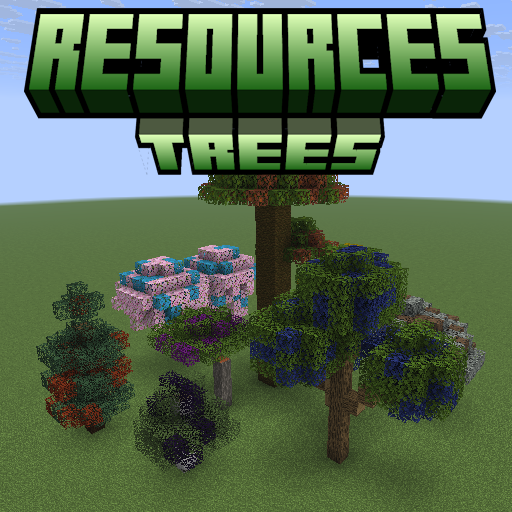
Resources Trees
Resources Trees provide you a new way to generate resources such as iron, gold, and diamond.
 mod
mod CurseForge + Modrinth · Minecraft
Sulkan
Native Vulkan shaders for Minecraft 26.2. Client-side Fabric mod powered by Sodium, with a built-in shader pack and support for native Sulkan packs.